
My Profile
Description
My Profile is a part of a the Identity self service that allows to end users config their own profile, update the user info and preferences, change their password, and recover questions.
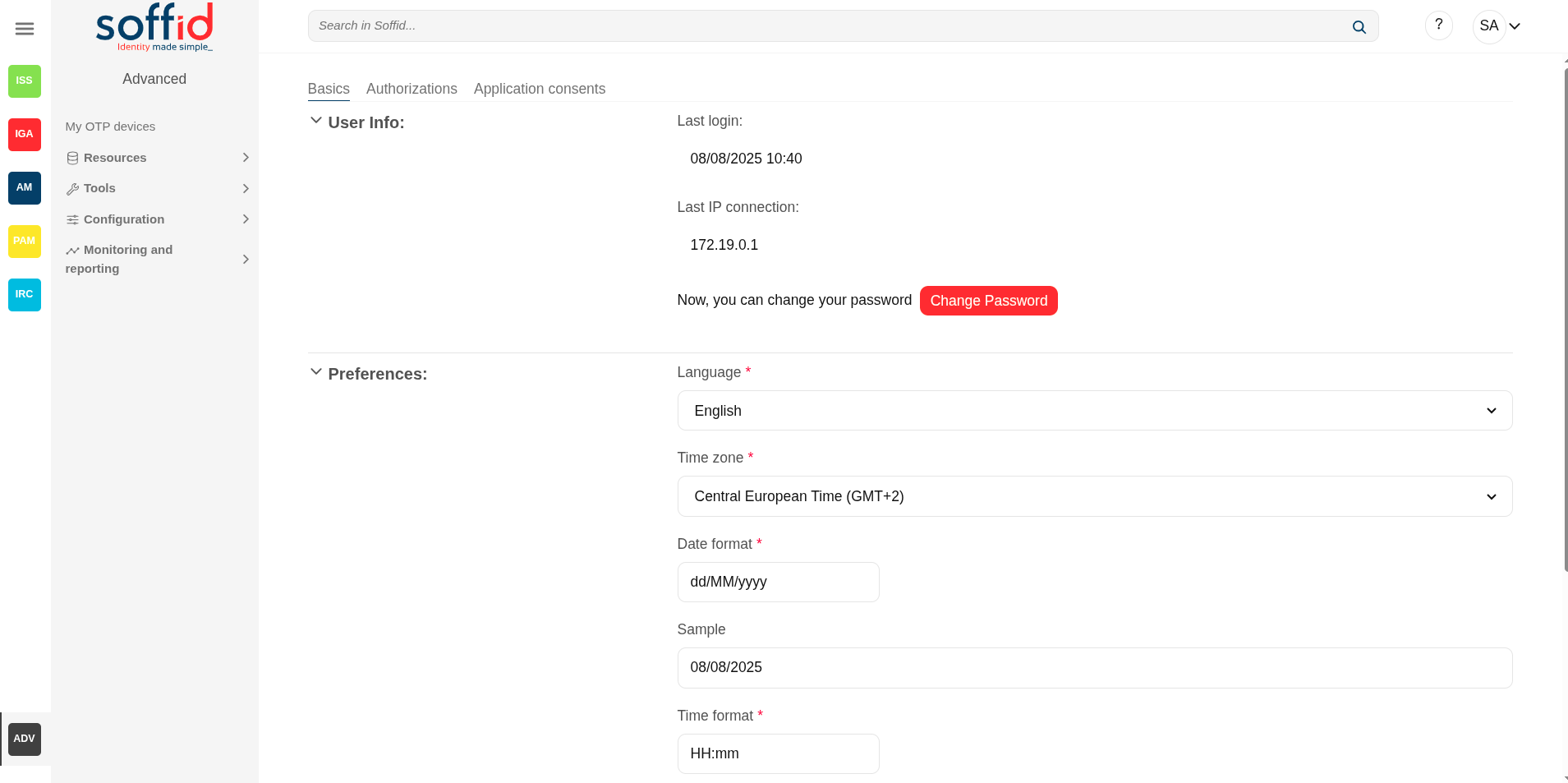
To view My Profile, you must select the My Profile option that will be displayed when you click on the drop-down menu at the top right. Then Soffid displays a new window that will allow end users to configure their profiles.
Screen overview
Related objects
- Users : to display the roles granted to a user
- Roles : to display the roles
- Information systems : to display the roles throught the information systems
- Authorizations : to review the authorizations and manage the roles assigned
Standard attributes
Basic
User Info
- Last login: date and time of the user's last login.
- Last IP connection: IP of the user's last login.
- Change password: allows end-users to change their password.
- Password recovery questions: (only when addon retrieve passwords is configured) allows end-users to config their own questions to recover their passwords.
For more info about password recovery, you can visit the Password recovery questions page.
Preferences
- Language: allows end-users to select their preferred language.
- Time zone: allows end-users to select their time zone.
- Date format: allows end-users to select the format date.
- Sample: displays how the date will be displayed in Soffid Console
- Time format: allows end-users to select the format time
- Sample: displays how the time will be displayed in Soffid Console
- Enable desktop notifications in this browser: enable desktop notifications in this browser
- Display: Light (backgroud in white), dark (background in dark)
Authorizations
Display a list with the user authorizations.
Application consents
Displays a list of all the user's consents given, and the user can see all of them. Users can remove the consent at any time as well.
When the user connects to a new application, the IdP will indicate which data will be shared with this application. That information is defined in the Attribute sharing policies page of the Federation.
For more info about password recovery, you can visit the Attribute sharing policies page.
Actions
| Change pasword |
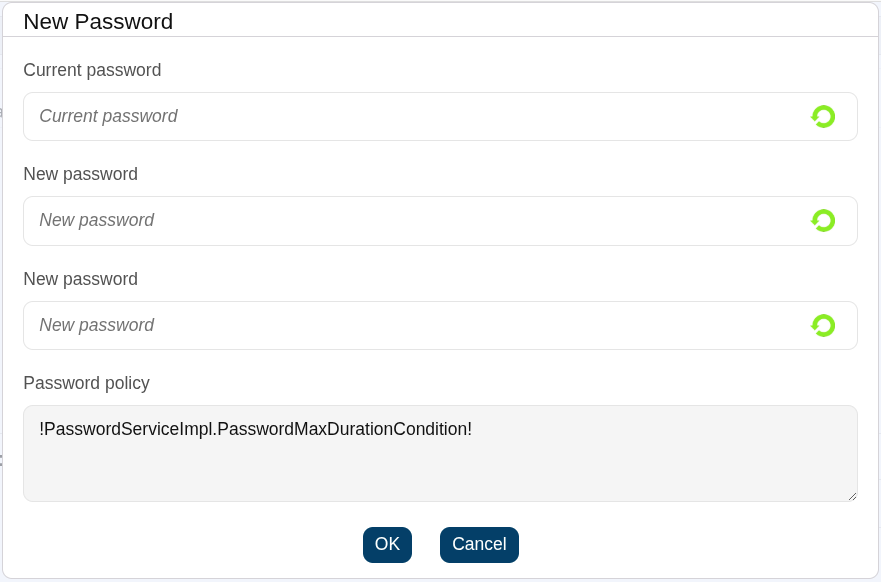
Allows the user to change their current password.
The pop-up will display the restrictions applied according to your password policy.
You must enter your current password. If you cannot remember it, it is best to use the password recovery option when logging in to the Console. This option is included in the password recovery add-on. |
| Undo | Allows you to undo any changes made. |
| Apply changes | Allows you to save the data. Once you apply changes, the details page will be closed. |