2026-05-31 New feature: hidden stack tracers
The new feature
Users who do not have the SOFFID_ADMIN role will no longer see the details of errors in the Console; instead, an identifier will be displayed so that administrators can look it up in the Console log.
Bear in mind
Please note the following points:
- Users with the SOFFID_ADMIN role will be able to view the error log.
- End users will see an identifier which they must share with the administrator.
How to configure it?
The following components must be installed:
- Console 4.0.58 (or higher) -> recommended Console 4.0.62 (or higher)
Let's look at an example
Let’s follow these steps.
- Open the Console.
- Next, go to the Identity Self Service module.
- Select the Process Search page.
- In the search bar, select the Advanced option.
- Type in any text, for example "Test".
- Then click on the magnifying glass to search.
- In the pop-up window displaying the error, click on the "+" icon to the right of the text "‘Technical data".
- You can now see the identifier.
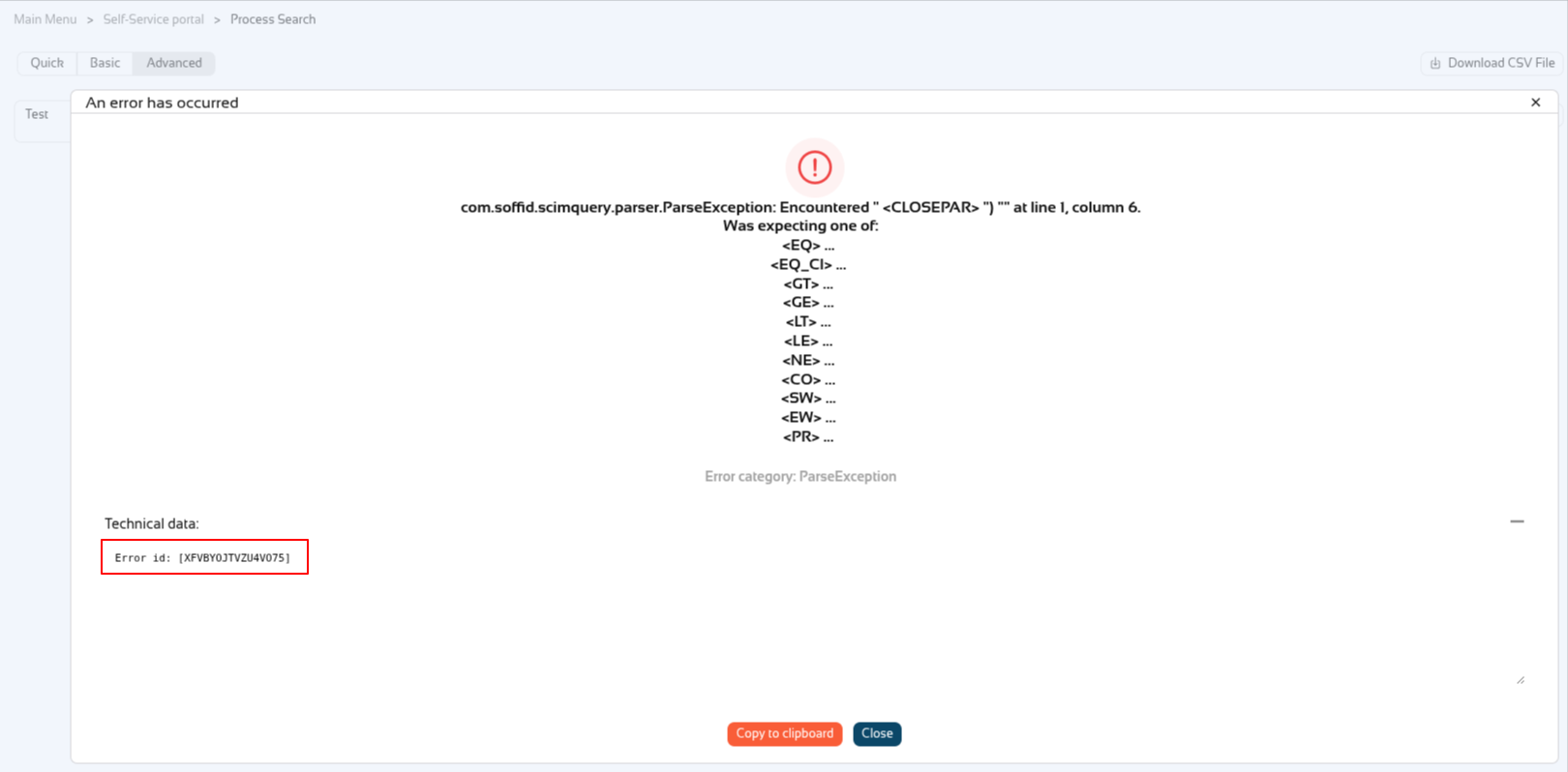
Now the user has to share the id with the Soffid administrator, in this exemple XFVBYOJTVZU4VO75.
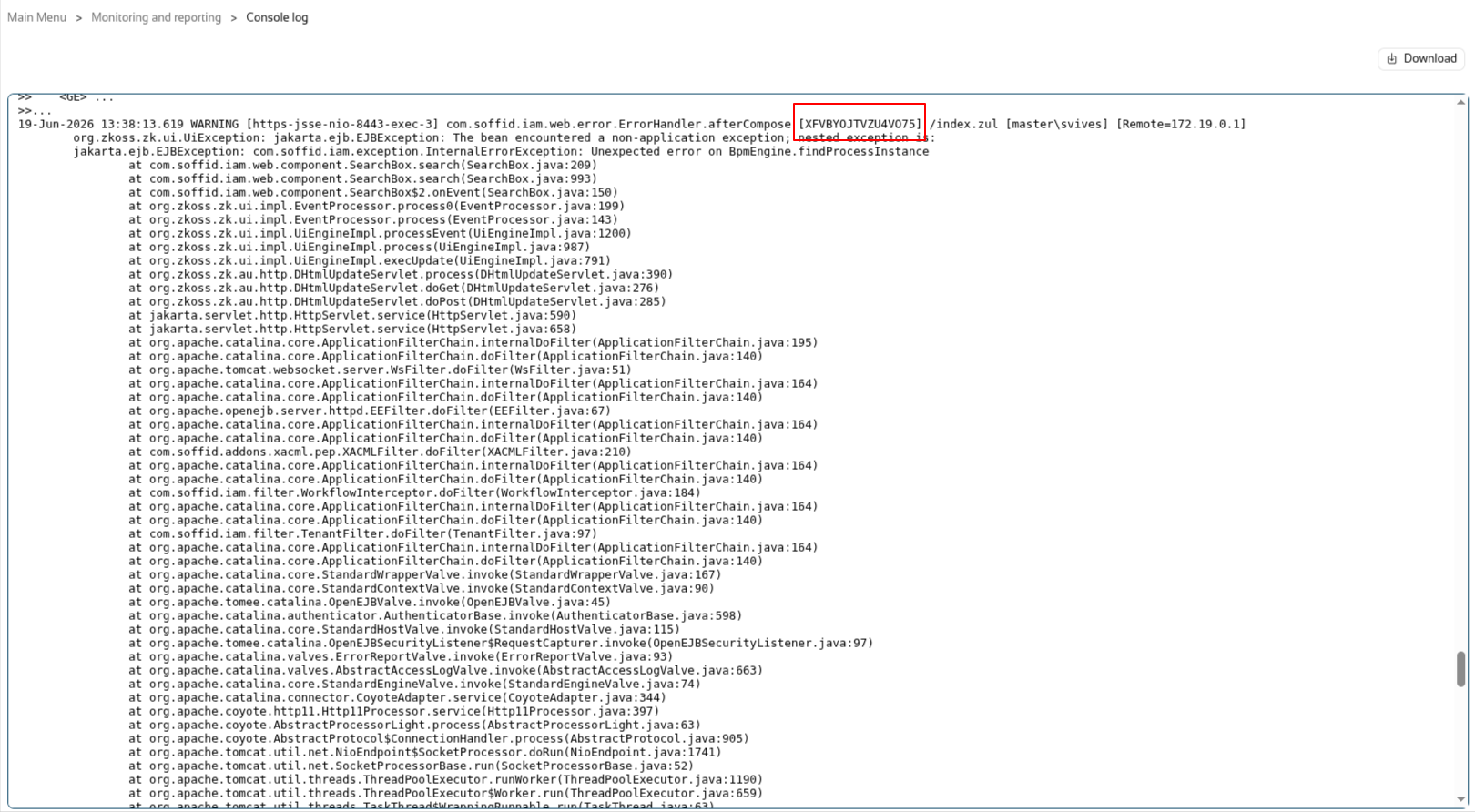
Soffid administrators can look up the id in the "Console log" page.