
How to install Soffid LDAP?
Installation with docker
Prerequisites
To install Soffid LDAP, you must install Docker. Despite Docker desktop can be used for testing purposes, Docker container runtime usage is recommended.
Installation
To start Soffid LDAP, execute:
docker volume create ldapconf
docker volume create ldapdata
docker run --name soffidldap -p 1389:389 -v ldapconf:/etc/ldap/slapd.d -v ldapdata:/var/lib/ldap -d -e SOFFID_SERVER=https://<SYNCSERVERNAME>:760 -e SOFFID_AGENT=<SOFFID_AGENT> -e USER=<ADMIN_USERNAME> -e PASSWORD=<ADMIN_PASSWORD> -e DN=<YOUR_BASE_DN> soffid/soffidldap:latest
💻 Image
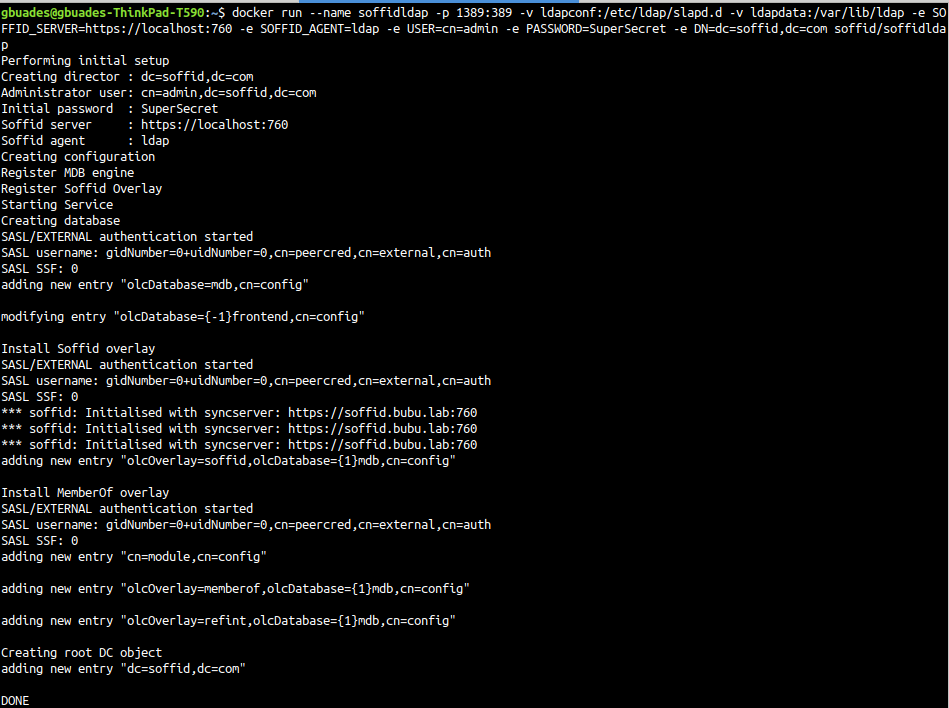
Now, you can connect to the LDAP Server using the user name and password used to create the docker instance.
Docker commands
Stop the service
docker stop soffidldapStart the service
docker start soffidldapRemove the service
docker rm soffidldapDocker Volumes
- The initial configuration files are located in the ldapconf volume, usually in /var/lib/docker/volumes/ldapconf/_data
- The initial data files are located in the ldapdata volume, usually in /var/lib/docker/volumes/ldapdata/_data
Installation with docker compose
Prerequisites
To install Soffid LDAP using Docker Compose, you must first have installed it.
Installation
Create a new folder or use the one in your current environment; you need to add the following service to the docker-compose.yaml file.
Remember to enter the correct values for variables of type <VALUE>.
services:

  soffidldap:
    image: soffid/soffidldap:latest
    environment:
      SOFFID_SERVER: https://<SYNCSERVERNAME>:<PORT>
      SOFFID_AGENT: <SOFFID_AGENT>
      USER: <ADMIN_USERNAME>
      PASSWORD: <ADMIN_PASSWORD>
      DN: <YOUR_BASE_DN>
    networks:
      - network
    ports:
      - 1389:389
    volumes:
      - ldapconf:/etc/ldap/slapd.d
      - ldapdata:/var/lib/ldap

networks:

  network:
    name: netversion4
    driver: bridge

volumes:

  ldapconf:
    name: soffidldap_ldapconf
  ldapdata:
    name: soffidldap_ldapdata
We deploy the service.
docker compose up -dTesting
Now, you can connect to the LDAP Server using the user and password used to create the docker service.
You can use a free tool such as Apache Directory Studio.
Docker compose commands
If you need further information about Docker Compose, you can visit the Docker Compose commands page
Docker Volumes
- The initial configuration files are located in the ldapconf volume, usually in /var/lib/docker/volumes/ldapconf/_data
- The initial data files are located in the ldapdata volume, usually in /var/lib/docker/volumes/ldapdata/_data