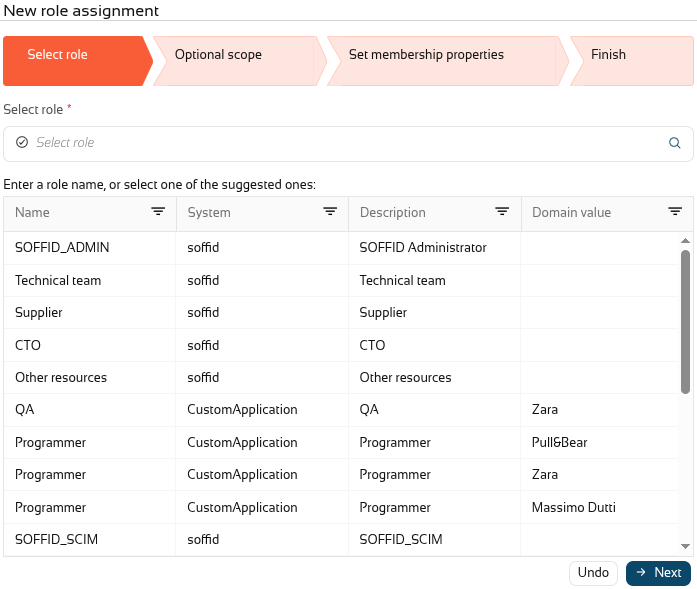
2026-09-30 New feature: role suggestions
The new feature
TODOA new method has been added to suggest roles that can be assigned to a user.
Bear in mind
Please note the following points:
-
This feature must be enabled and configured before it can be used.
- The configuration page is in the mining addon.
- Some addons may use this feature.
How to configure it?
The following components must be installed:
- Console 4.0.75 (or higher)
- Mining addon 4.0.2 (or higher)
And optionally some addons:
- BPM addon 4.0.10 (or higher)
Let's look at an example
Step 1: activation
To enable this feature, you need to upgrade the console and the mining addon.
A syncserver restart is also required after the upgrade.
We can now find the "Role assignment suggestions" page in the "Tools" menu.
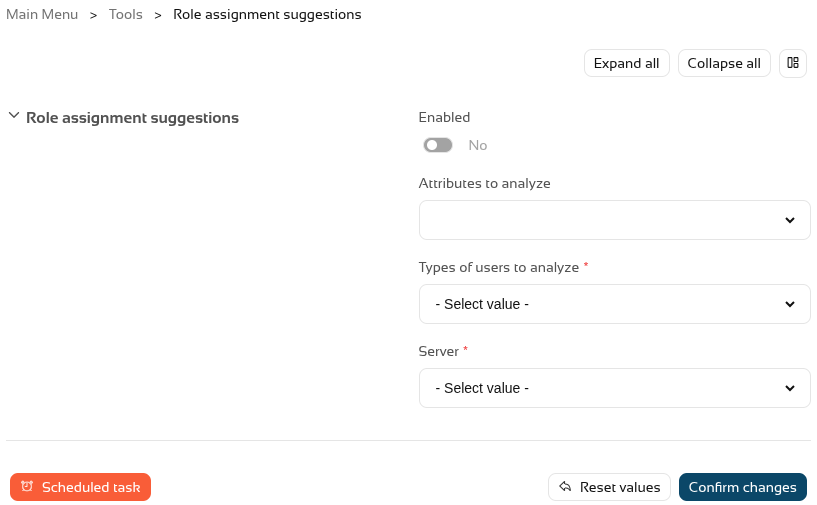
And we have to enable this feature.

Step 2: configuration
To configure this functionality, we need to decide which user attributes the system should analyse, for which types of users, and select a sync server.
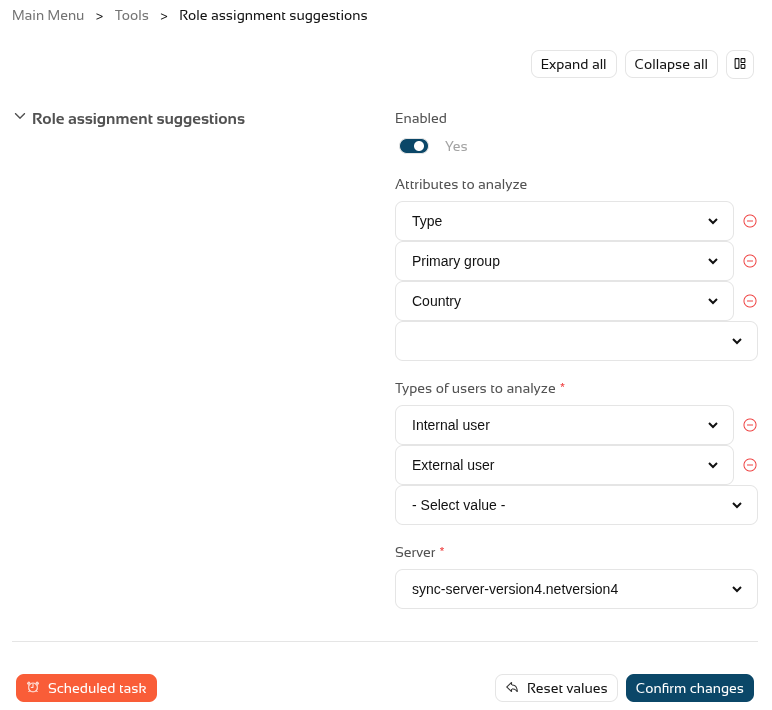
Once this step has been configured, we need to run or schedule the task so that Soffid generates an internal matrix containing all the possibilities.
Once the process has been run for the first time, this feature is ready for use.
Step 3: usage
To make use of the role suggestions, we can go to the Users page, select a user and go to the roles tab.
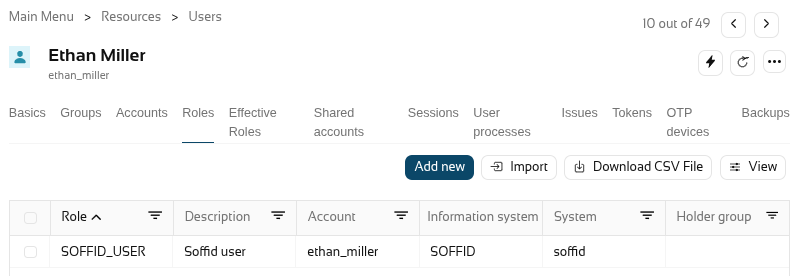
When you click on "Add new" to add a new role, Soffid will show you the suggested roles that, based on the settings from the previous step, are the most likely to apply to this user.