New features
- 2026-05-08 New feature: set password when enabling an account
- 2026-05-19 New feature: filter holder groups at the IdP login
- 2026-05-21 New feature: CSV connector in Soffid 4
- 2026-05-31 New feature: new authorization for the SCIM webservice
- 2026-05-31 New feature: hidden stack tracers
- 2026-06-02 New feature: syslog with new protocols
- 2026-07-08 New feature: geolocation service available by default
- 2026-07-08 New feature: new property removeDisabledObjects
- 2026-06-13 New feature: device posture
- 2026-06-13 New feature: select images for Soffid Authenticator
- 2026-07-20 New feature: configure maximum openid logins
- 2026-09-30 New feature: role suggestions
- 2026-09-30 New feature: simulate IdP attributes
- 2026-09-30 New feature: select external IdP using script
- 2026-09-30 New feature: Soffid metrics update
- 2026-09-30 New feature: launcher clipboard update
2026-05-08 New feature: set password when enabling an account
The new feature
Now, when an account is disabled, its password is deleted. Afterwards, if the user changes his password, the disabled account will still have no password. If the disabled account is enabled, the agent of the account will set the password of the password domain to the account and send it to the target system.
Bear in mind
Please note the following points:
- The user's password domain will have value once at least one password has been assigned.
- The account must be a single-user account; these are the ones that can be viewed in a user’s accounts tab.
How to configure it?
The following components must be installed:
- Console 4.0.57 (or higher)
- Syncserver 4.0.35 (or higher)
- SAP plugin 4.0.2 (or higher)
Let's look at an example
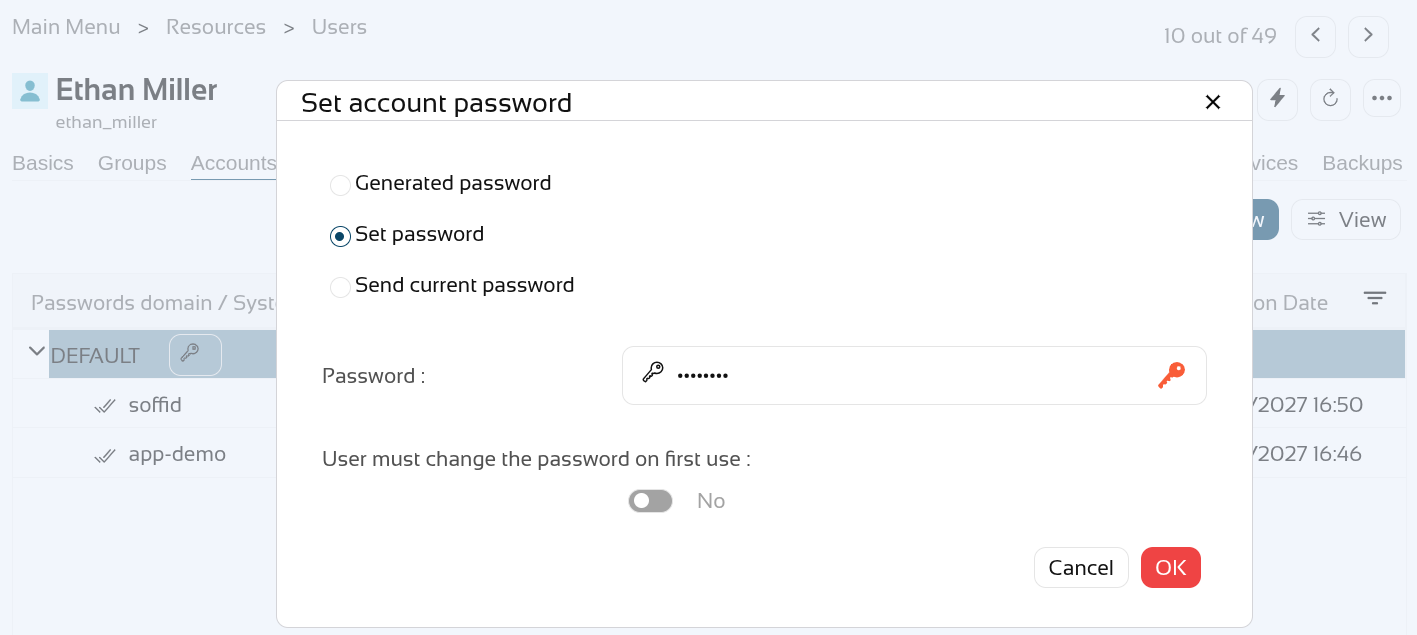
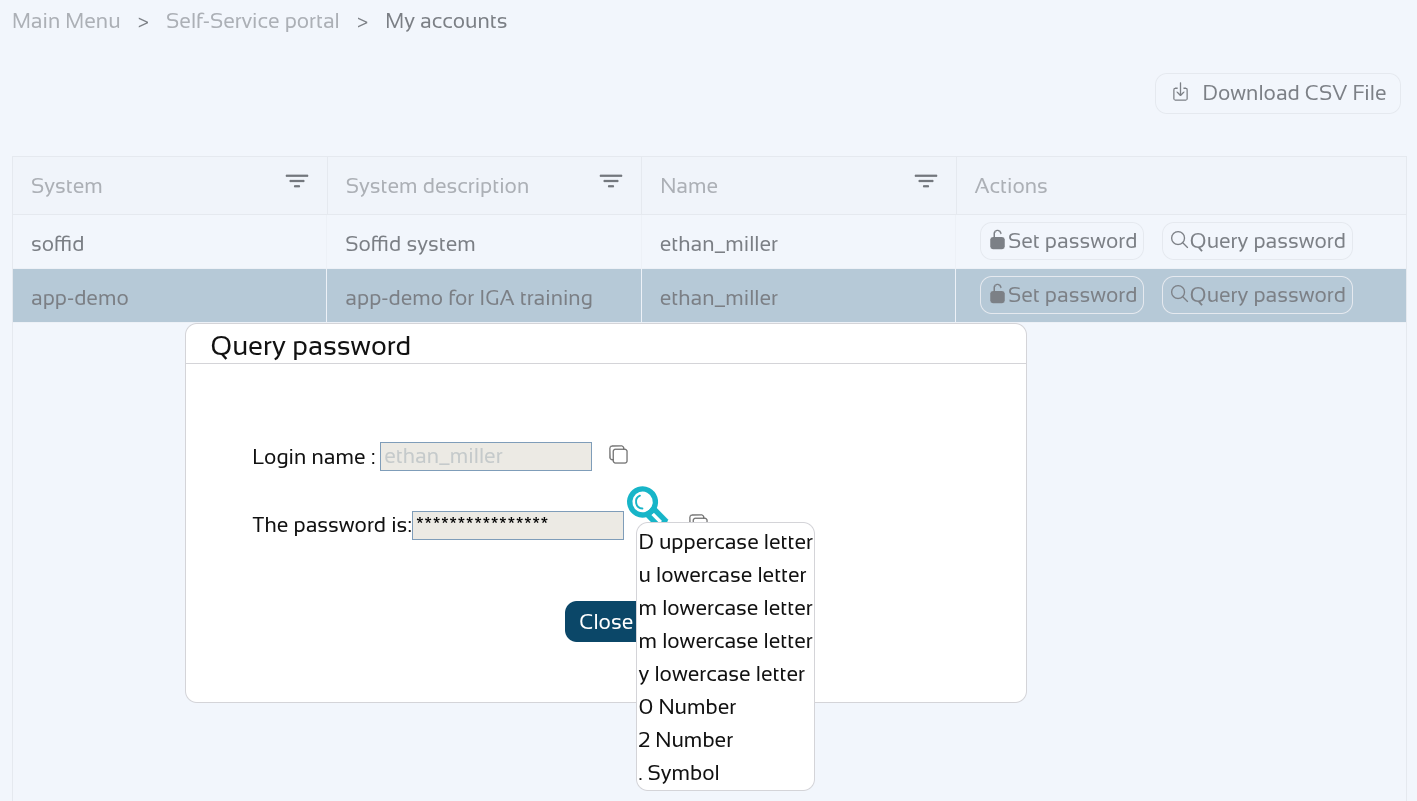
Let’s look at an example, here we have the user "ethan_miller" to whom we are going to assign the password "Dummy01.".
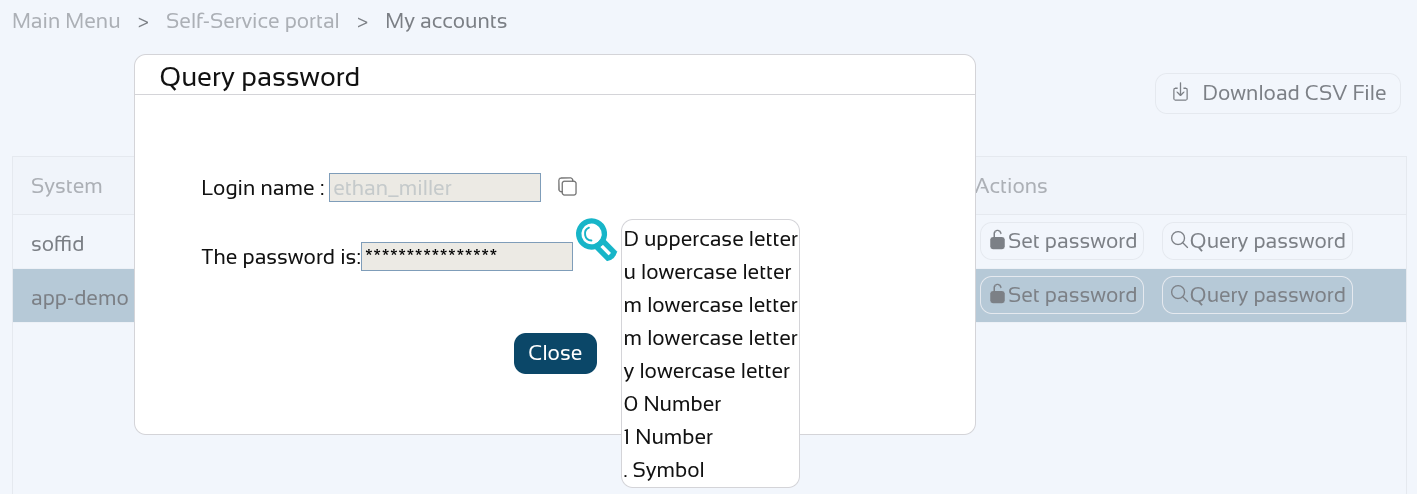
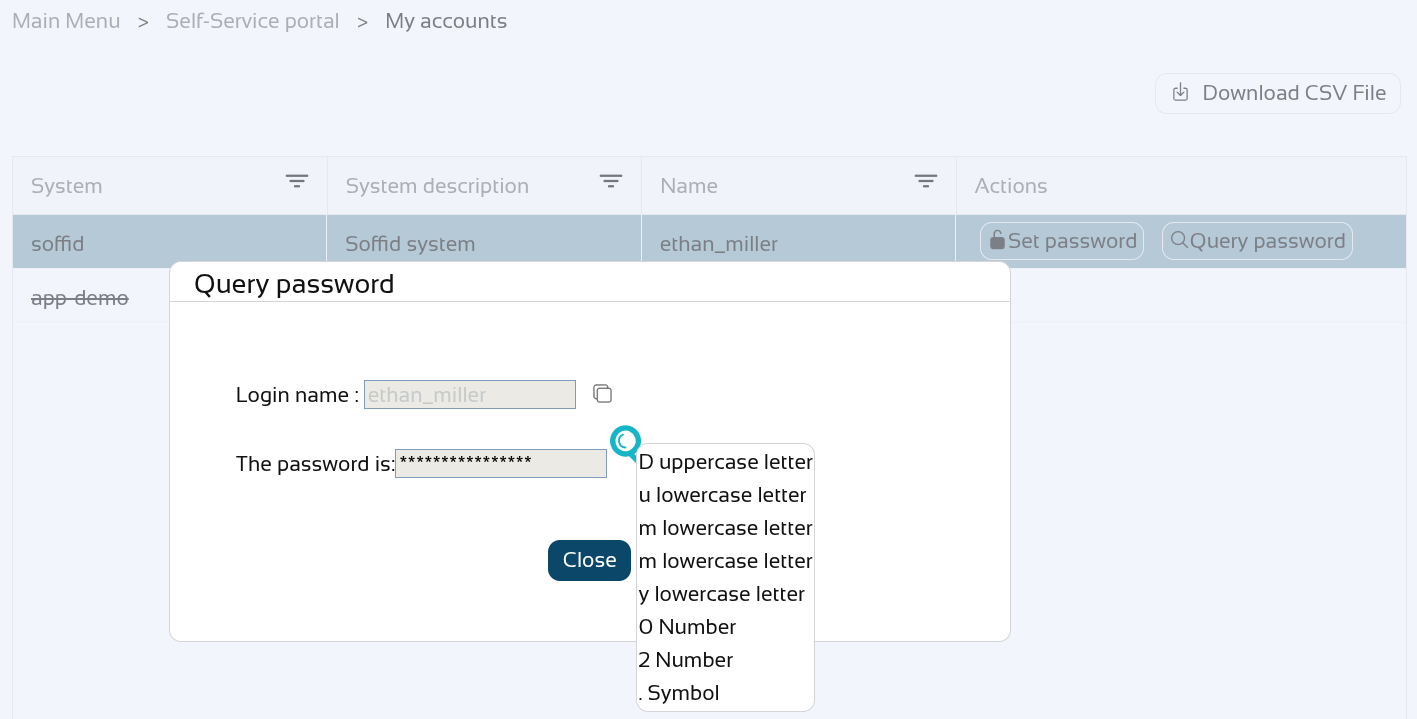
You can check your password on the "My accounts" page, click on the "View password" of the "app-demo" account.
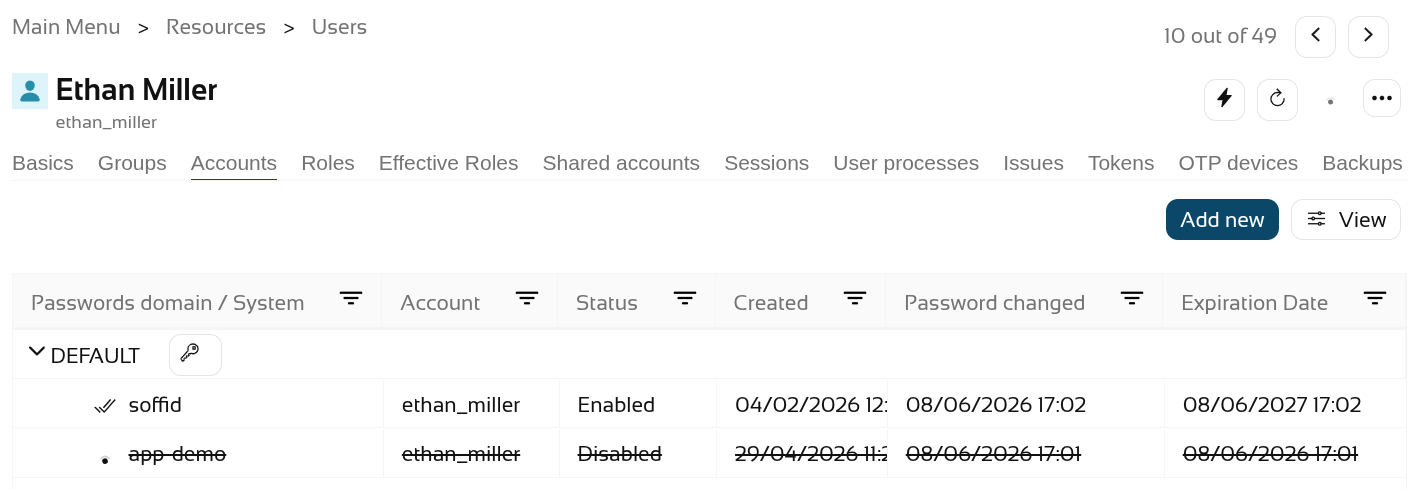
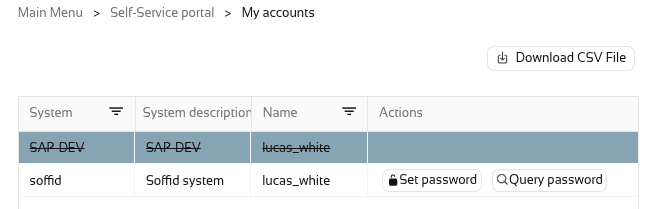
Now let's disable the "app-demo" account.
Check the password again, it must be empty.
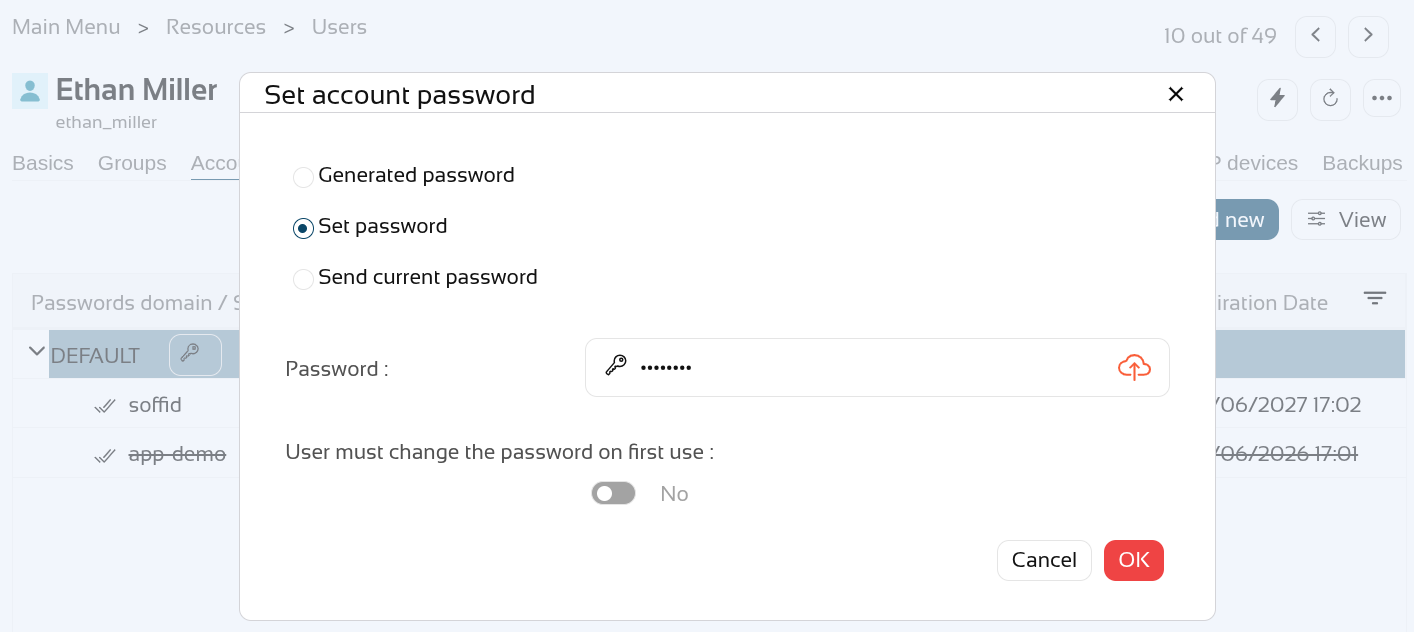
We are going to assign a new password "Dummy02.".
The other account has the new password.
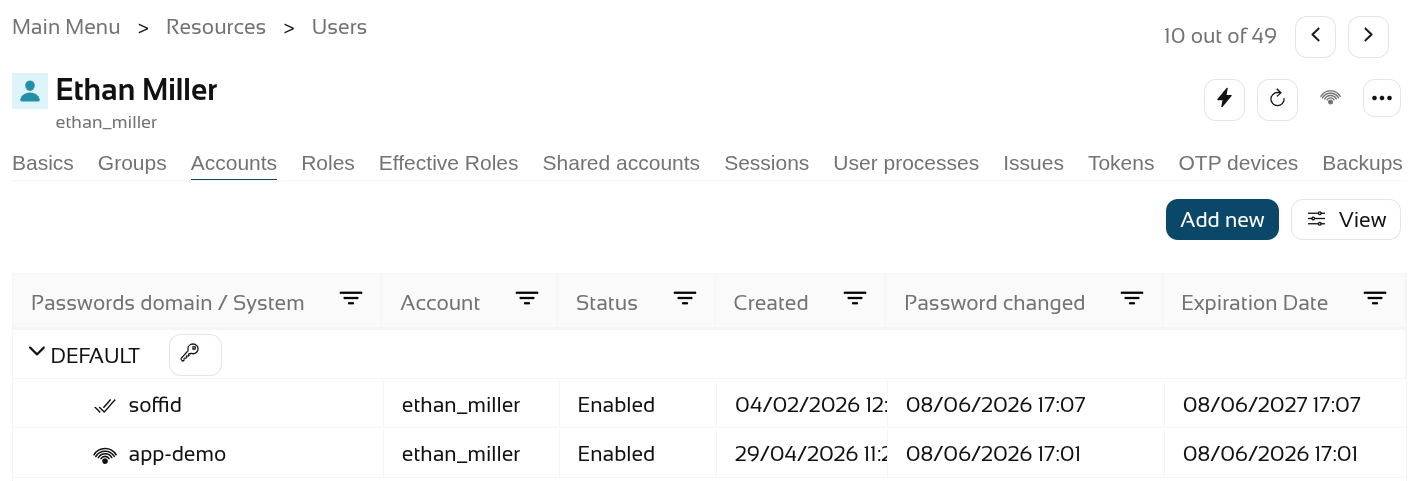
Enable the "app-demo" account.
Check the account with the new password.
2026-05-19 New feature: filter holder groups at the IdP login
The new feature
From now on, the service providers who have selected the “Ask for group membership after authentication” option will be able to filter which of these should be selectable with the attribute "Script to filter out group memberships".
Bear in mind
Please note the following points:
-
The holder groups must be correctly configured in Soffid.
-
If there is only one possible holder group, it is selected automatically and is not displayed to the user.
How to configure it?
The following components must be installed:
- Addon federation 4.0.25 (or higher)
In a later release, further attributes have been added to the script:
- Addon federation 4.0.40 (or higher)
The Service Providers reference page lists the attributes that can be used.
Let's look at an example
Let’s look at an example, here we have the user "user4" who has already set up the holder groups.
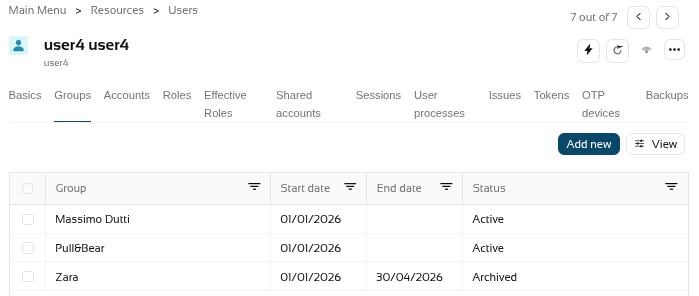
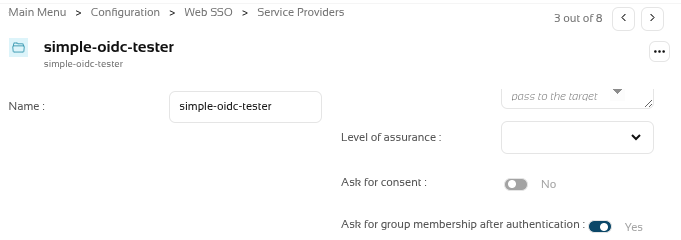
We had a service provider that was already selected the option "Ask for group membership after authentication".
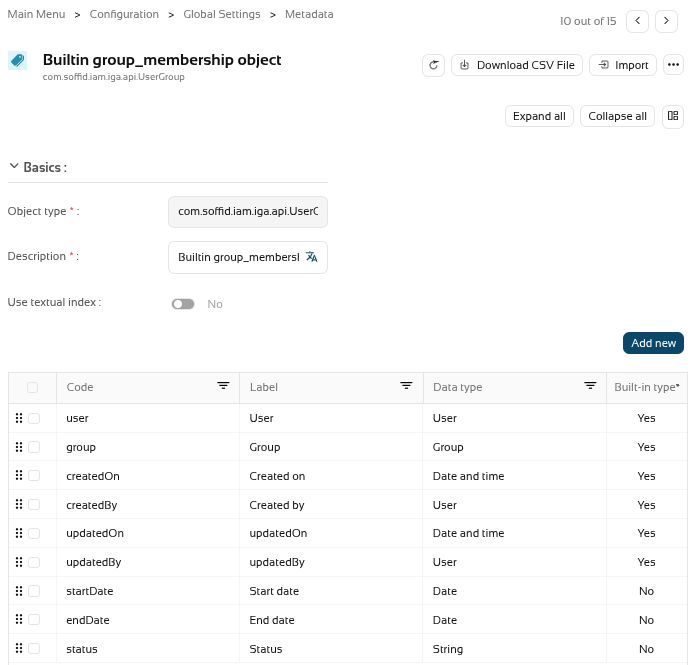
The holder groups have several custom attributes (startDate, endDate and status).
We now want to filter the holder groups with the attibute status with the Active value.

So we're going to create a script in the "Script to filter out group memberships" of the service provider.
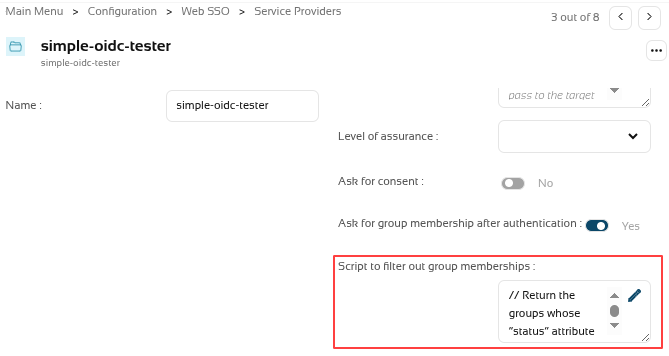
This is the script.
// Return the groups whose “status” attribute has the value "Active"
//
l = new java.util.ArrayList();
lug = serviceLocator.getGroupService().findUsersGroupByUserName(user.userName);
for (i=0; i<lug.size(); i++) {
ug = lug.get(i);
if (ug.attributes!=null &&
ug.attributes.get("status")!=null &&
"Active"===ug.attributes.get("status"))
{
l.add(ug.group);
}
}
return l;Please note that if the script fails or is not configured correctly, the holder groups page will not be displayed.
Now, to test it, we’ll log in to the application (the service provider), and these are the IdP’s login pages
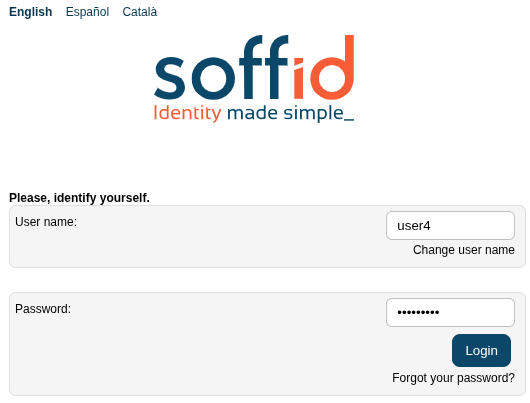
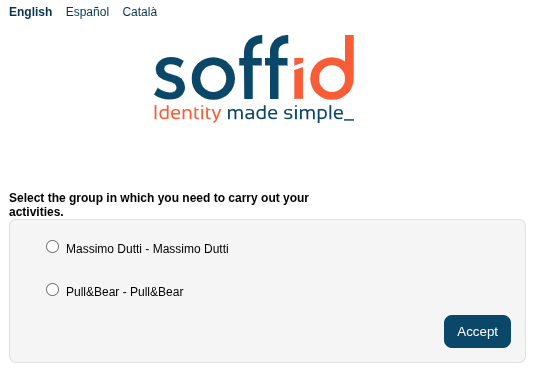
About the attributes we can use
Here is a brief example of a script that we can use to return a specific group based on the additional data.
externalWithPermissions = false;
if (accountName.contains(".") && "Extranet".equals(serviceProvider) && "PO".equals(authenticationMethod)) {
externalWithPermissions = true;
}
l = new java.util.ArrayList();
lug = serviceLocator.getGroupService().findUsersGroupByUserName(user.userName);
for (i=0; i<lug.size(); i++) {
ug = lug.get(i);
if (ug.attributes!=null && ug.attributes.get("external")!=null && "false"===ug.attributes.get("external")) {
l.add(ug.group);
} else if (ug.attributes!=null && ug.attributes.get("external")!=null && "true"===ug.attributes.get("external") && externalWithPermissions) {
l.add(ug.group);
}
}
return l;Here another example:
l = new java.util.ArrayList();
log.info("accountName: "+accountName);
if (!authenticationMethod.contains("P"))
accountName = null;
if(accountName!=null && accountName.equals(user.getAttributes.get("loginInternal")))
l.add("INTERNAL");
else if (accountName!=null && accountName.equals(user.getAttributes.get("loginExternal")))
l.add("EXTERNAL");
else if (accountName == null){
l.add("ANONYMOUS");
}
log.info("l: " + l);
return l;
2026-05-21 New feature: CSV connector in Soffid 4
The new feature
The first version of the "CSV connector" has been released in Soffid 4. This connector only includes the “Customisable CSV file” agent. In this version, this agent is used to generate a CSV file as part of the Soffid synchronisation engine.
Bear in mind
Please note the following points:
- The "Customisable CSV file" agent is used to synchronice, not for load authoritative o reconcile.
- Users who need to be created in the CSV file must have an account with that agent.
- Please note the location where the file will be created; its configuration will depend on the operating system and the type of Soffid architecture/installation
How to configure it?
The following components must be installed:
- CSV plugin 4.0.0 (or higher)
Let's look at an example
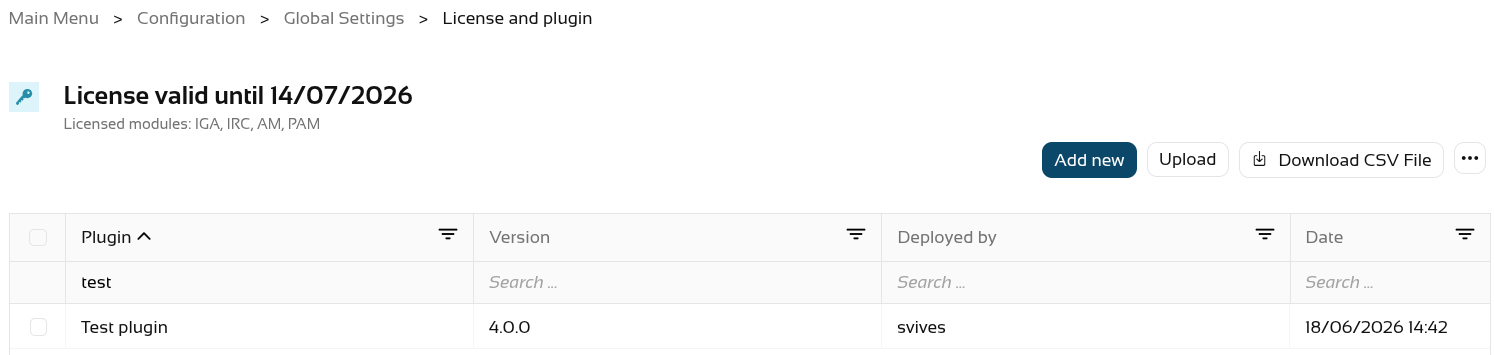
Step 1: install the CSV plugin from the marketplace (Add new button) in the License and plugin page. The name of the connector is "Test plugin".
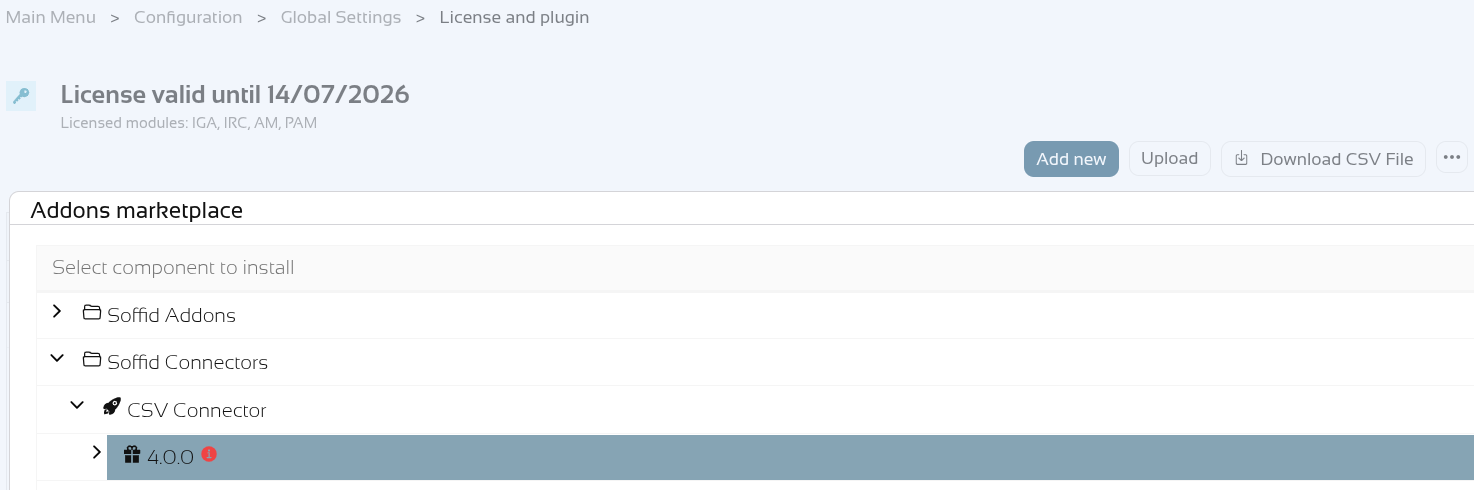
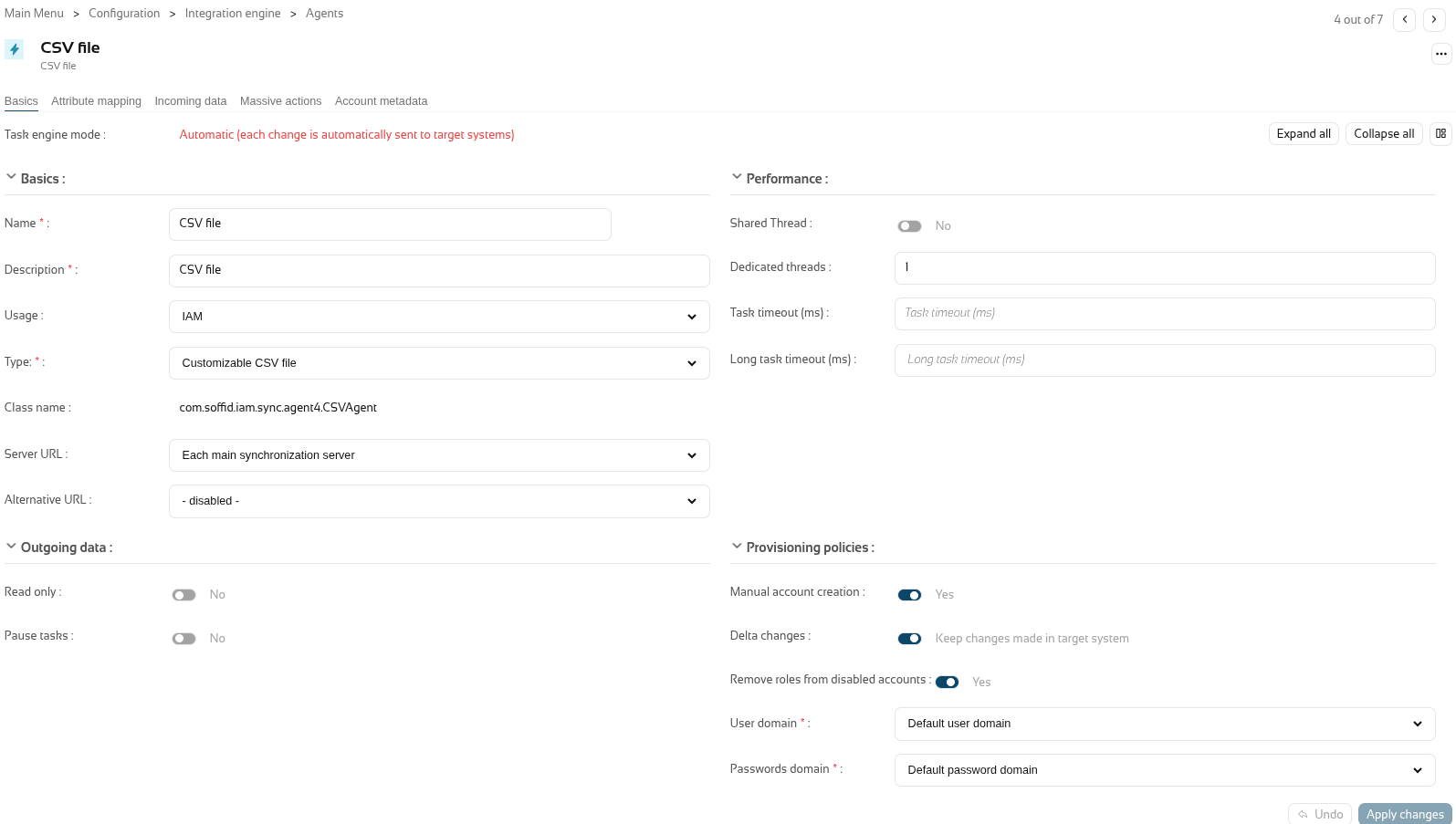
Step 2: create an agent of the "Customisable CSV file" type.
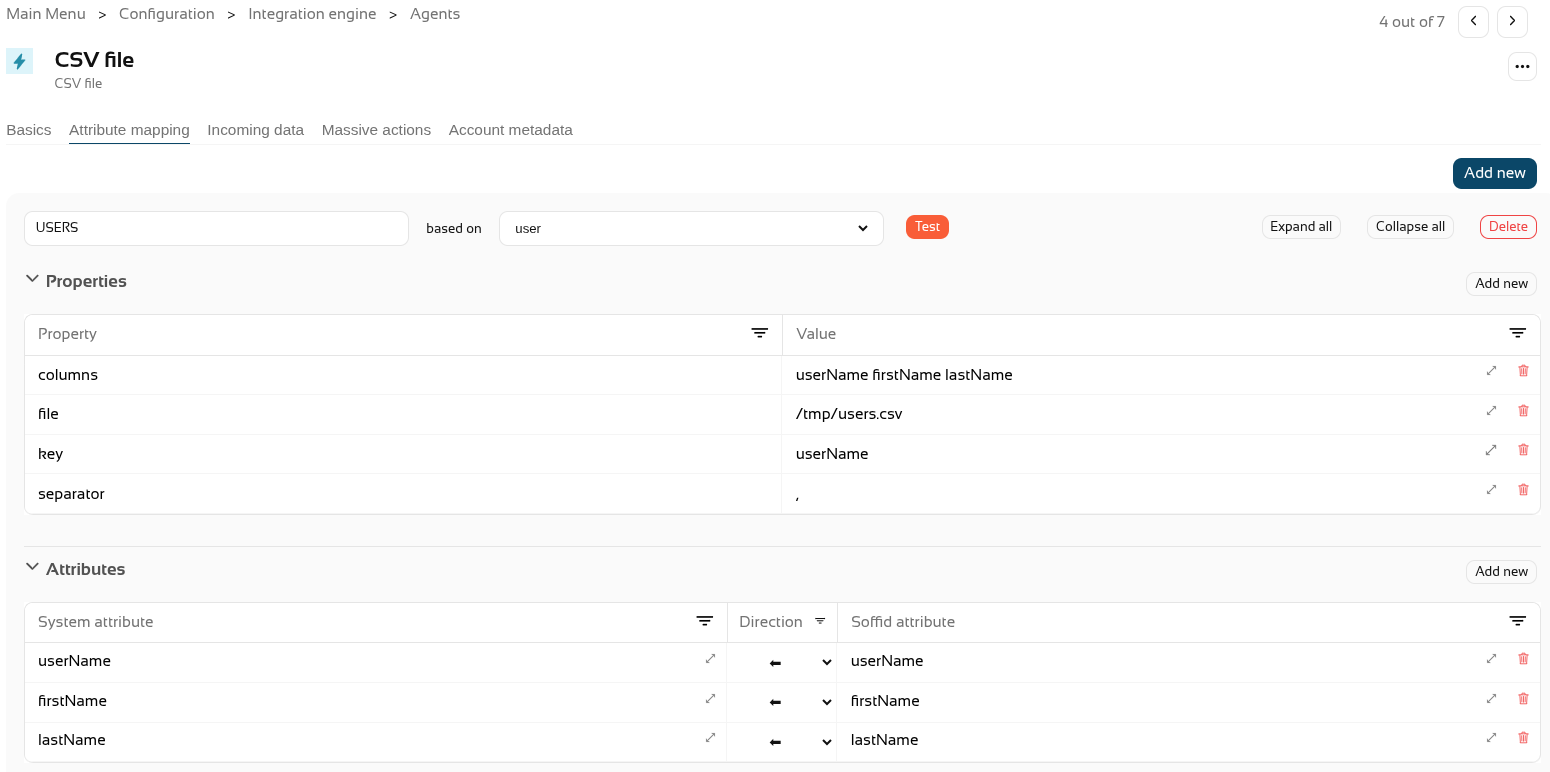
Step 3: configure the agent with the mappins you need (in the "Attribute mapping" tab).
For further information on how to configure this agent, please refer to the CSV connector in Soffid 4 page.
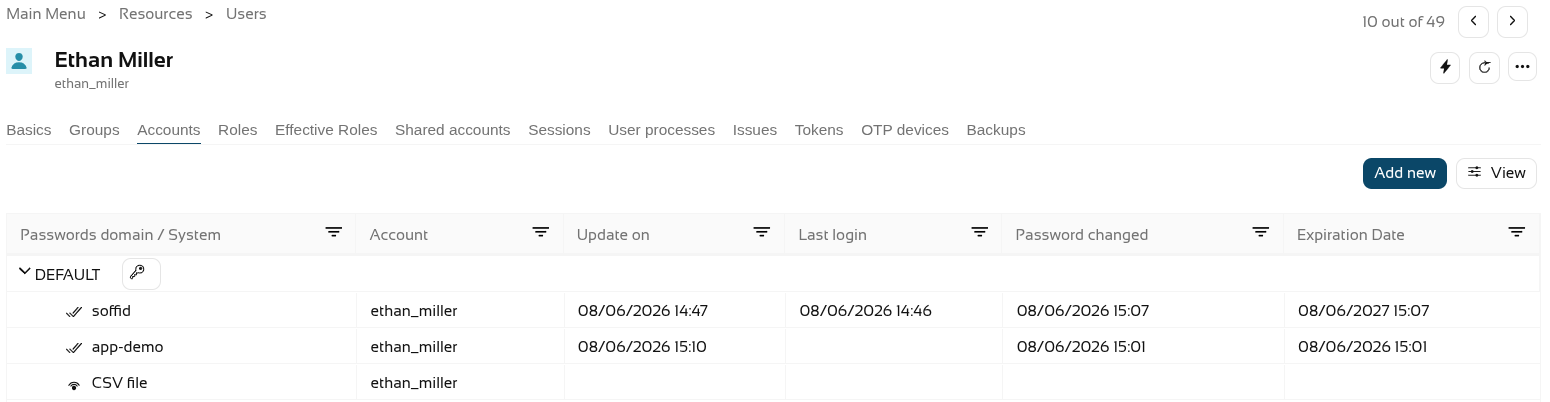
Step 4. Create CSV accounts for users.
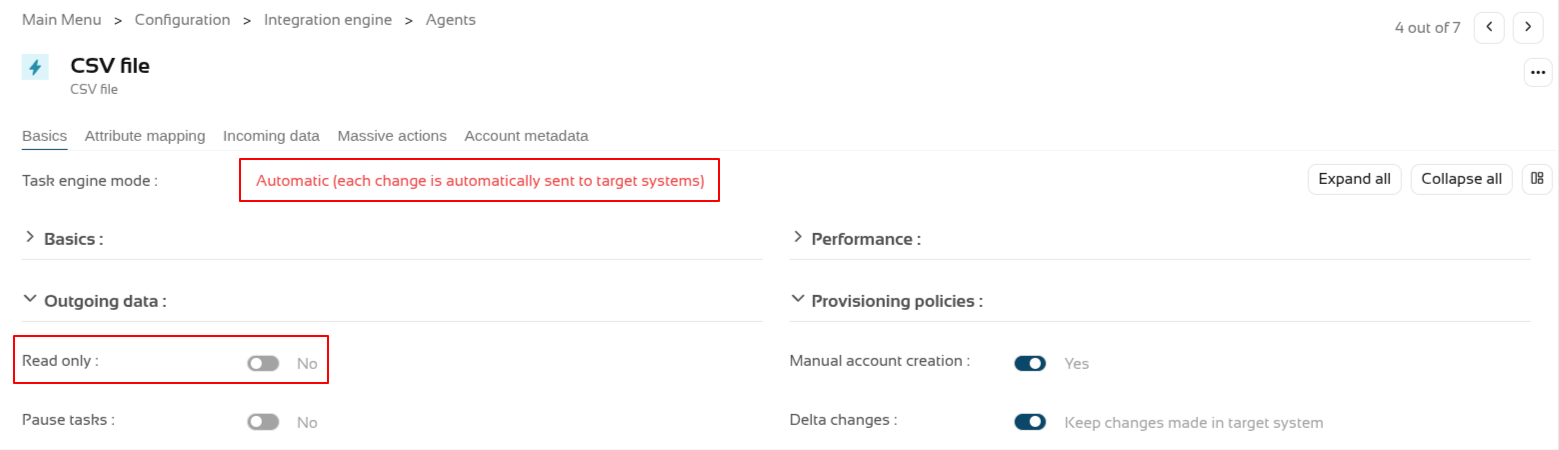
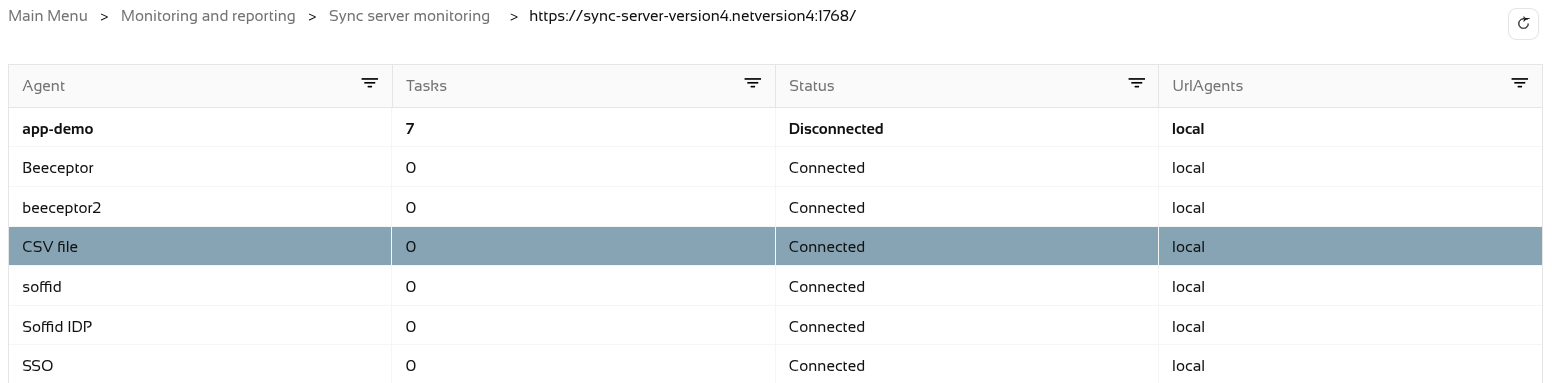
Step 5. The accounts created will have synchronised automatically as the engine is set to automatic and the agent is in write mode, and it is active in the monitoring.
The accounts.

The engine.

The agent.
And the monitoring.
Step 6. Now let’s check the CSV file. It was configured in the "/tmp/users.csv" path of the container.

2026-05-31 New feature: new authorization for the SCIM webservice
The new feature
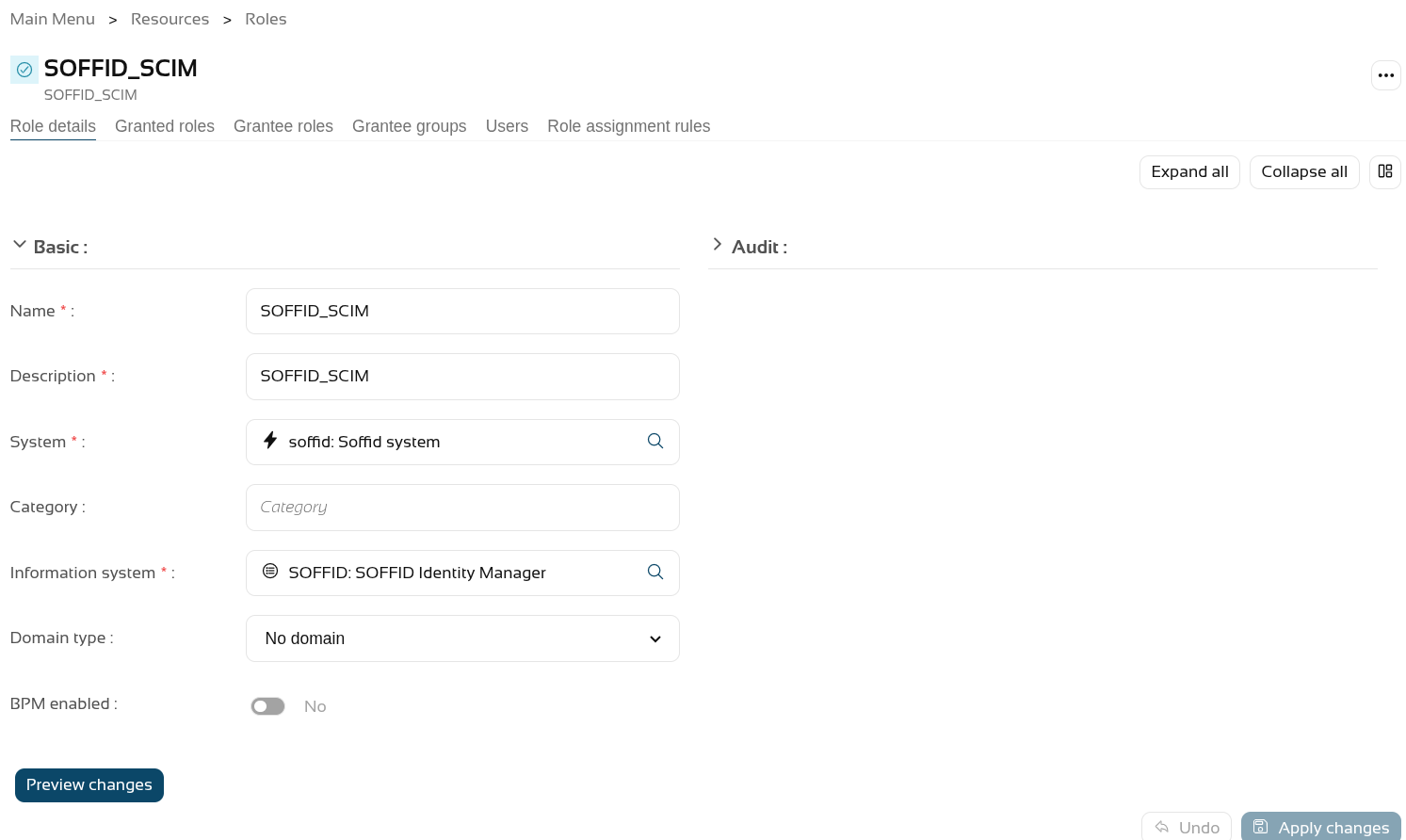
From now on, all users used to access the SCIM webservice will require the new "webservice:user" authorisation.
Bear in mind
Please note the following points:
- Users with the SOFFID_ADMIN role already have this authorisation inherited by inheritance.
- After updating Soffid, you will need to grant this authorisation to users who are not administrators and who are already using the SCIM web service.
How to configure it?
The following components must be installed:
- Console 4.0.58 (or higher)
Let's look at an example
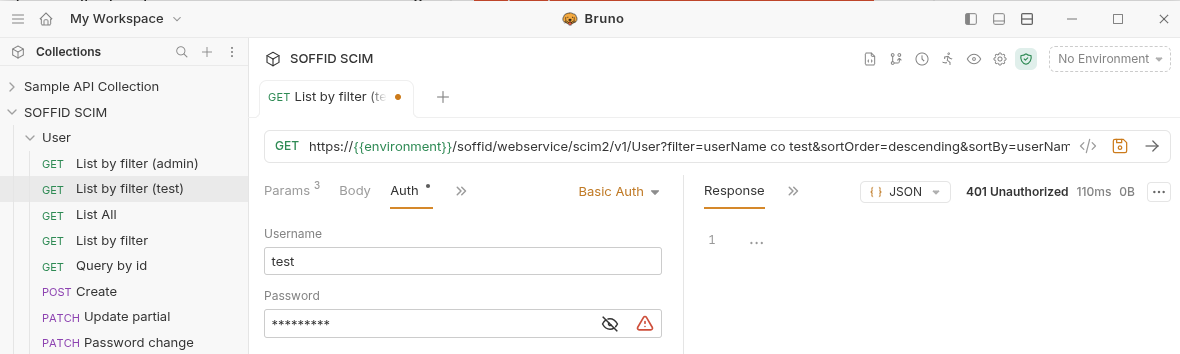
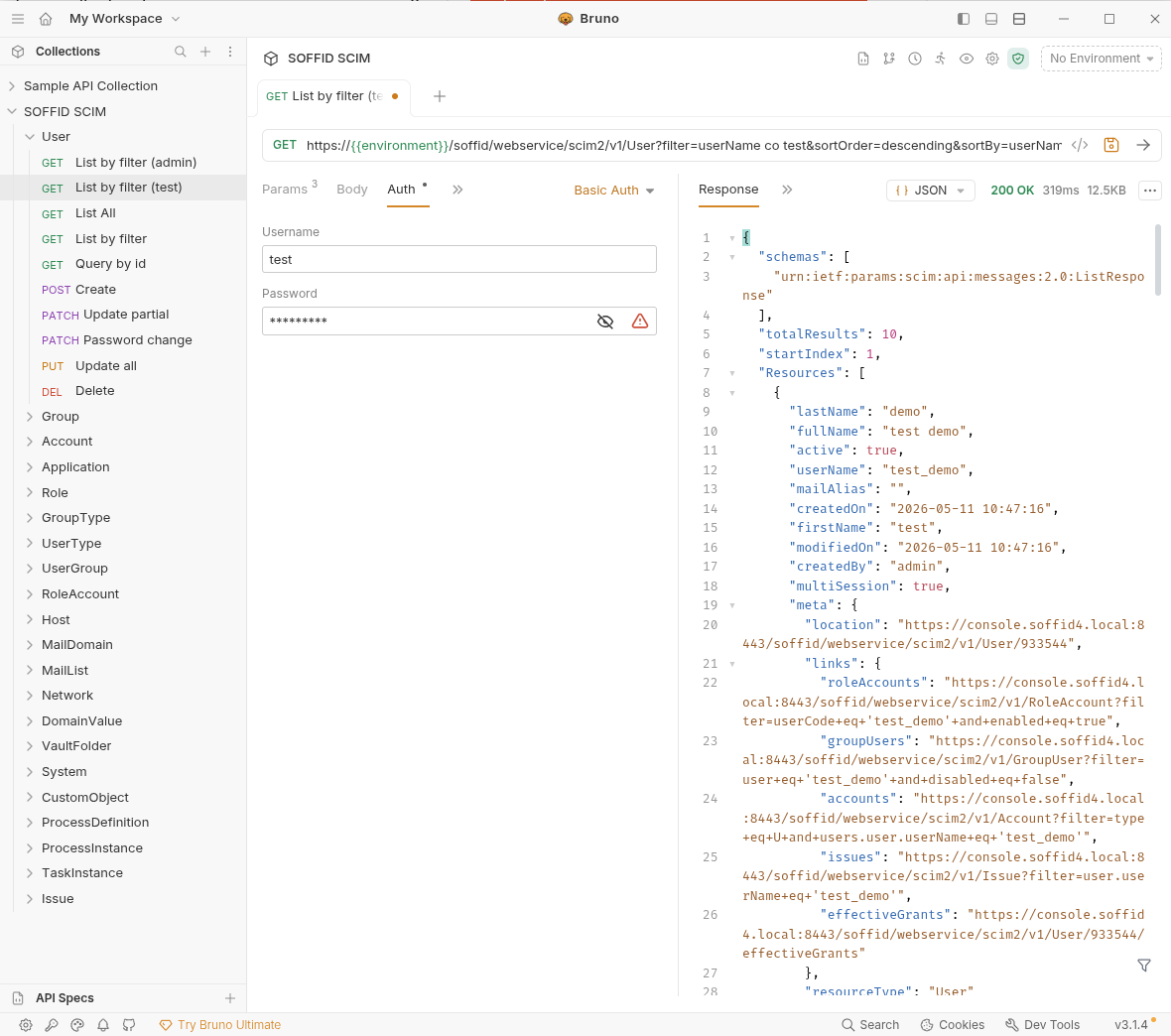
For this example, we will be using the Bruno application; for further information, please see this page Testing Tool.
First, let’s check that the "Test" user we were using in the SCIM web service no longer has access, see the "401 Unauthorized" error.
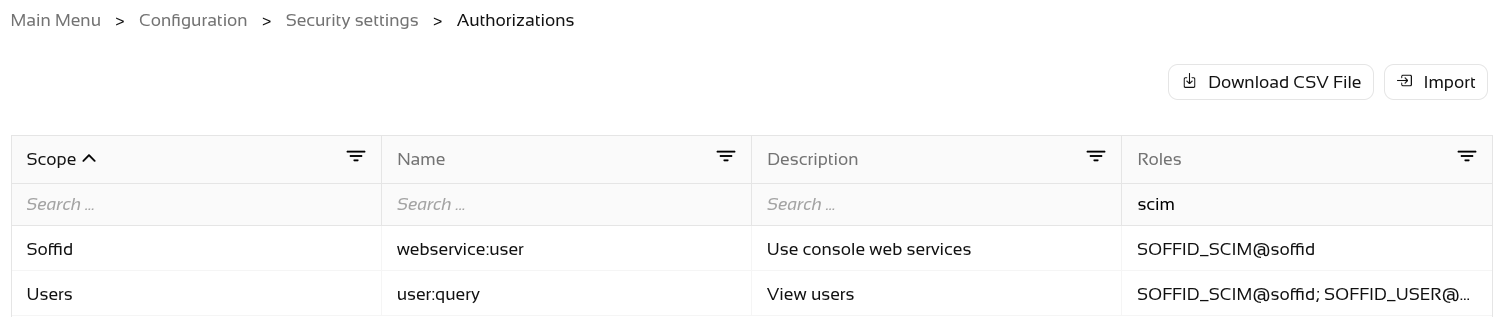
On the Roles page, we are going to create a new role, "SOFFID_SCIM", and then assign the new authorisation to it.
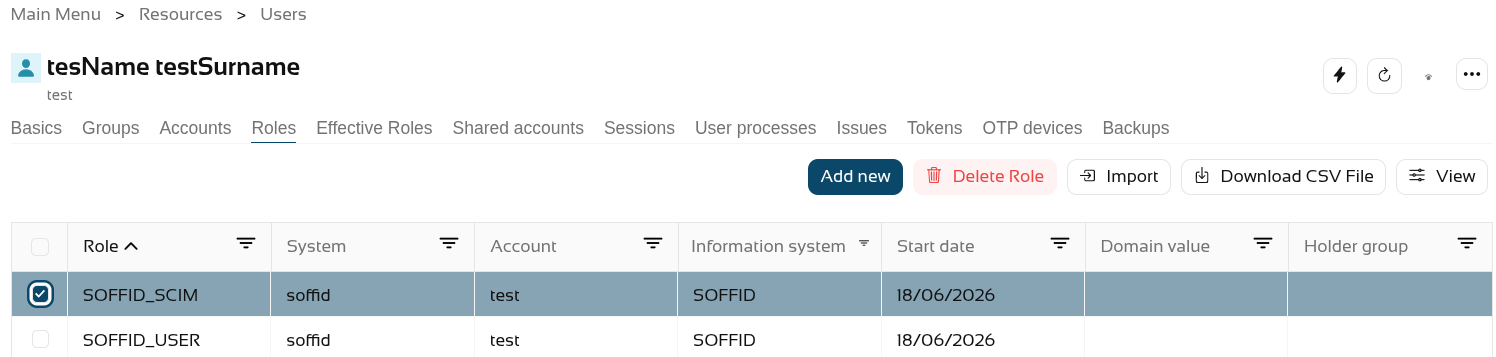
The final step is to grant the SOFFID_SCIM role to the user.
Now, when we query the web service, it returns results.
2026-05-31 New feature: hidden stack tracers
The new feature
Users who do not have the SOFFID_ADMIN role will no longer see the details of errors in the Console; instead, an identifier will be displayed so that administrators can look it up in the Console log.
Bear in mind
Please note the following points:
- Users with the SOFFID_ADMIN role will be able to view the error log.
- End users will see an identifier which they must share with the administrator.
How to configure it?
The following components must be installed:
- Console 4.0.58 (or higher) -> recommended Console 4.0.62 (or higher)
Let's look at an example
Let’s follow these steps.
- Open the Console.
- Next, go to the Identity Self Service module.
- Select the Process Search page.
- In the search bar, select the Advanced option.
- Type in any text, for example "Test".
- Then click on the magnifying glass to search.
- In the pop-up window displaying the error, click on the "+" icon to the right of the text "‘Technical data".
- You can now see the identifier.
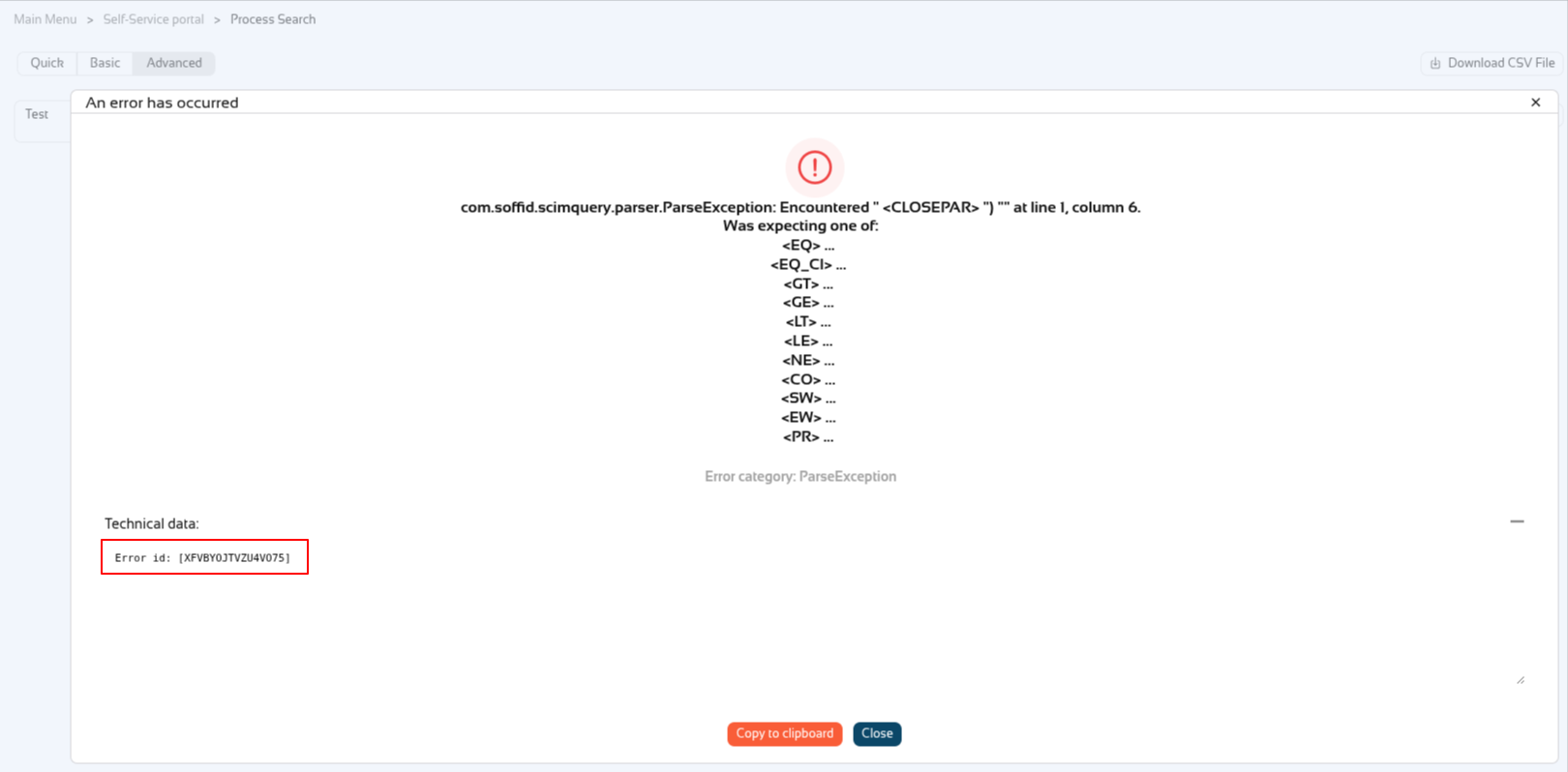
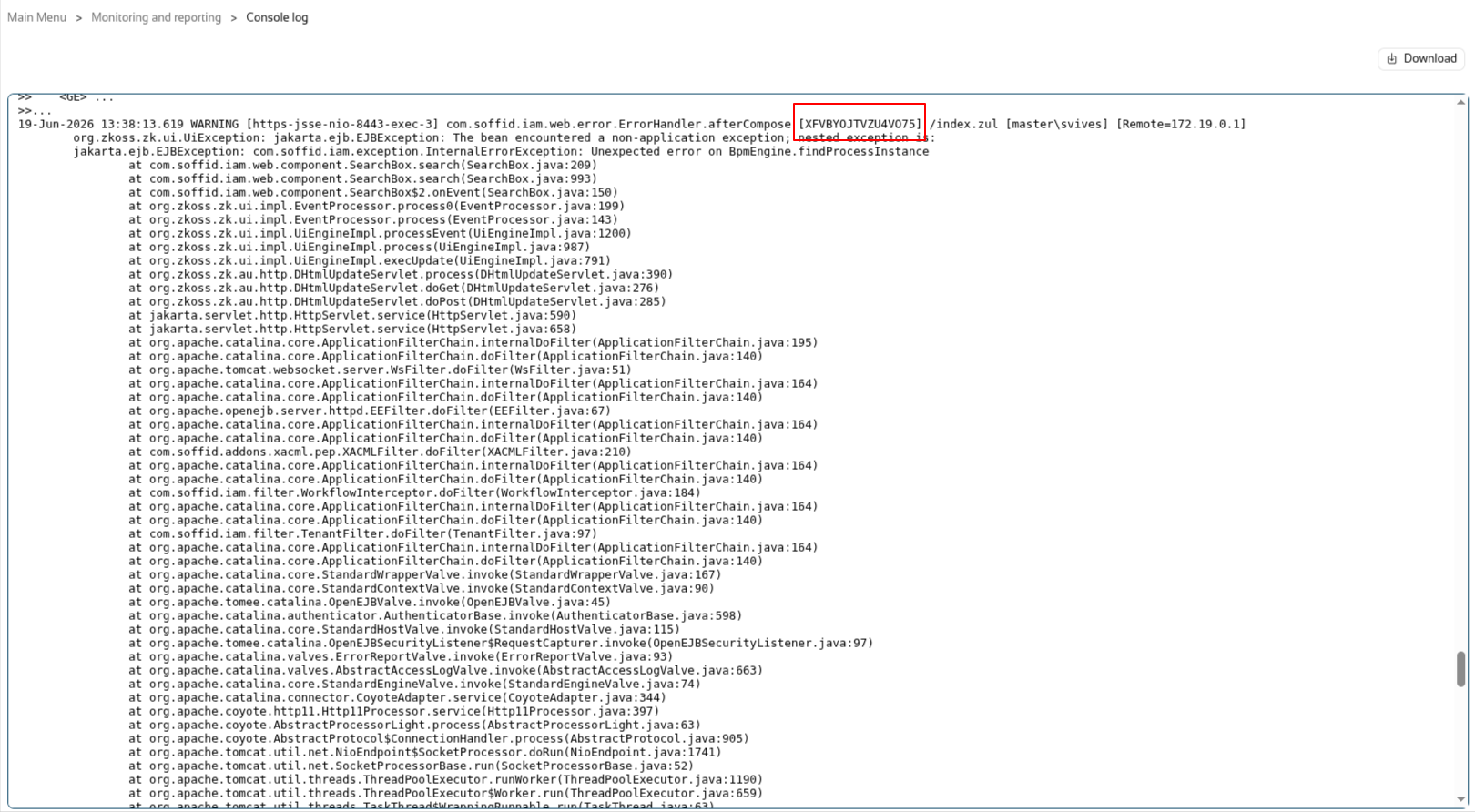
Now the user has to share the id with the Soffid administrator, in this exemple XFVBYOJTVZU4VO75.
Soffid administrators can look up the id in the "Console log" page.
2026-06-02 New feature: syslog with new protocols
The new feature
Until now, when we enabled the sending of logs via syslog to a SIEM tool, the only protocol available was UDP on port 514; now, TCP and SSL protocols have been added, and we also allow you to configure the port instead of using the default settings.
Bear in mind
Please note the following points:
- Customers who have already configured syslog will continue to use it as before.
- Configuration is done through parameters; you can check them on the Soffid Parameters page.
- Once you have created/modified/removed the parameters, there is no need to restart.
How to configure it?
The following components must be installed:
- Console 4.0.62 (or higher)
Let's look at an example
Let’s follow these steps.
- Open the Console.
- Next, go to the Soffid parameters page.
- Create the next parameters:

2026-07-08 New feature: geolocation service available by default
The new feature
From now on, the geolocation service and the use of AI service will be enabled by default if the AM or IRC modules have been activated. Consequently, the Network Intelligence page has been removed
Bear in mind
Please note the following points:
- This feature is only enabled if the licence includes the AM or IRC module.
- The geolocation service requires that the service be available on a public internet machine.
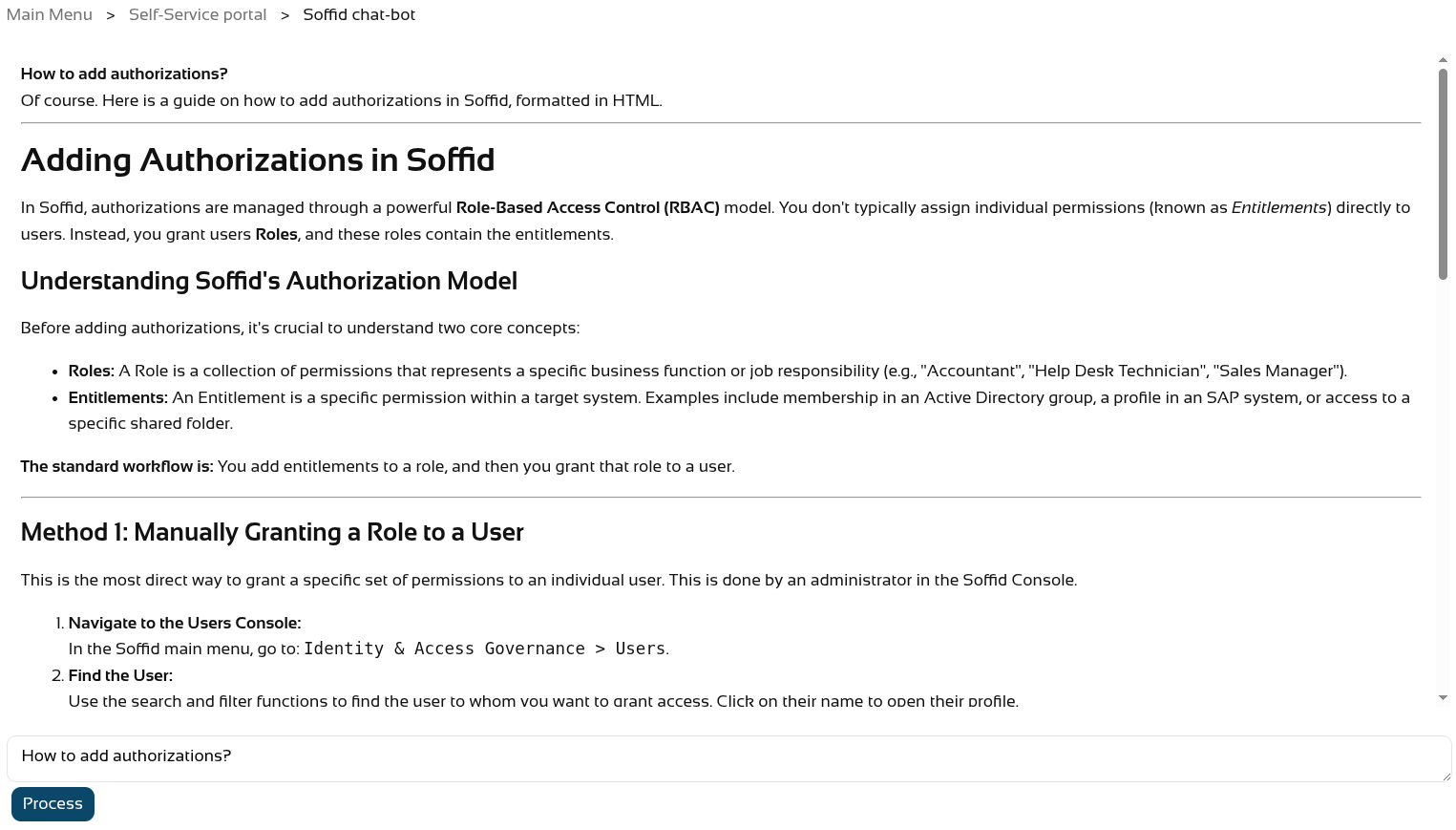
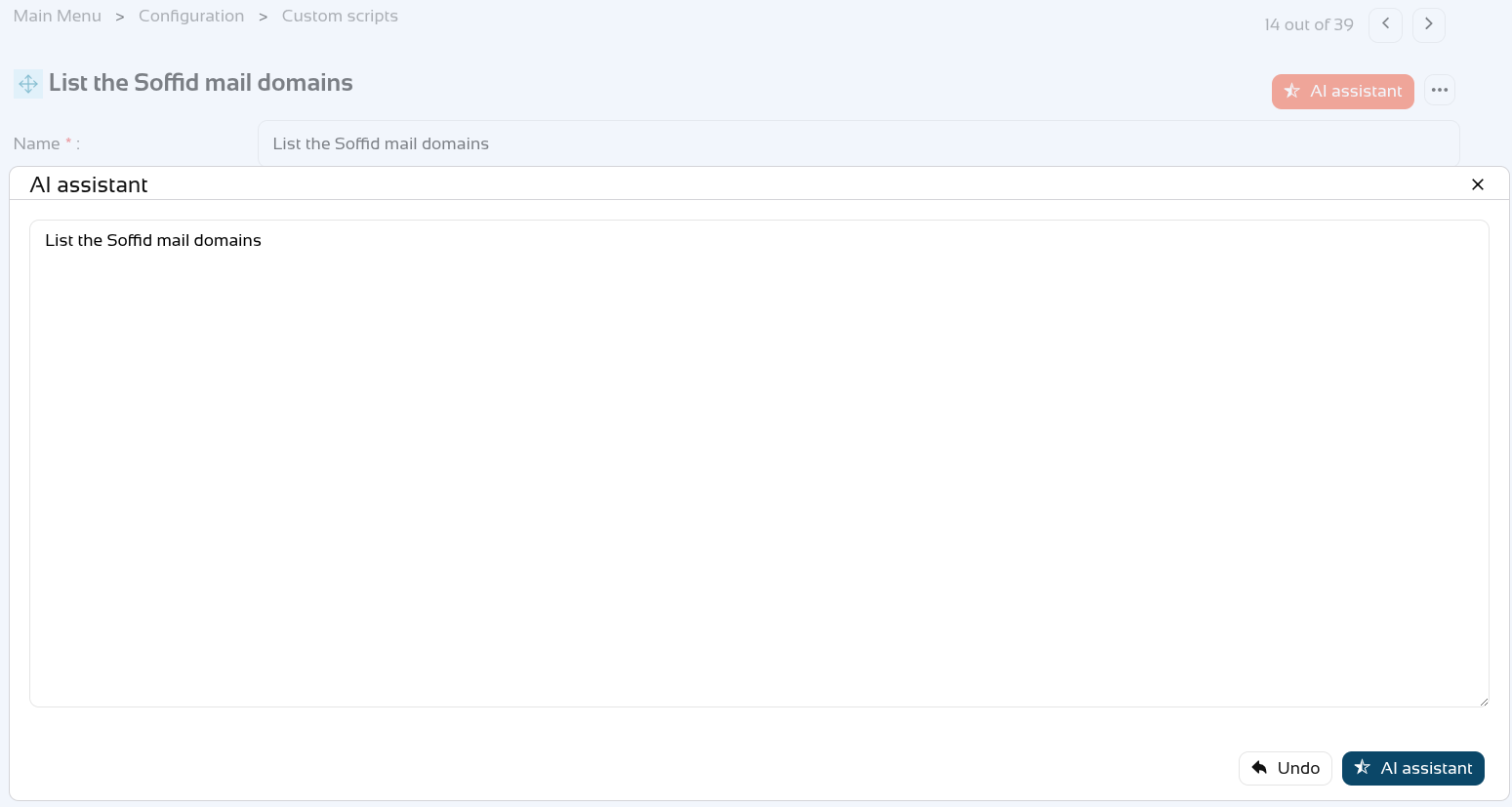
- The AI service is available on the Soffid chat-bot page and in all script-type attributes that may appear on any page in the Console.
How to configure it?
The following components must be installed:
- Console 4.0.64 (or higher)
- Syncserver 4.0.39 (or higher)
- Addon federation 4.0.36 (or higher)
Following this change, there have been further updates
- Addon admin 4.0.6 (or higher) --> to use the AI assistant correctly
- Console 4.0.67 (or higher) --> to use the variable SOFFID_DISABLE_GEOIP to disable this service
Let's look at an example
First of all, the Network Intelligence screen no longer exists.

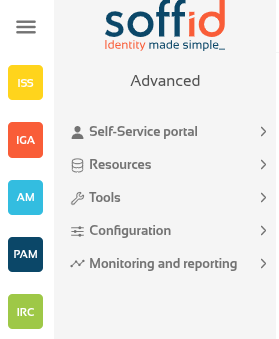
We have the necessary modules in our Soffid system.
First, let’s ask the Soffid chat-bot.
And also create a new script on the Custom scripts page.
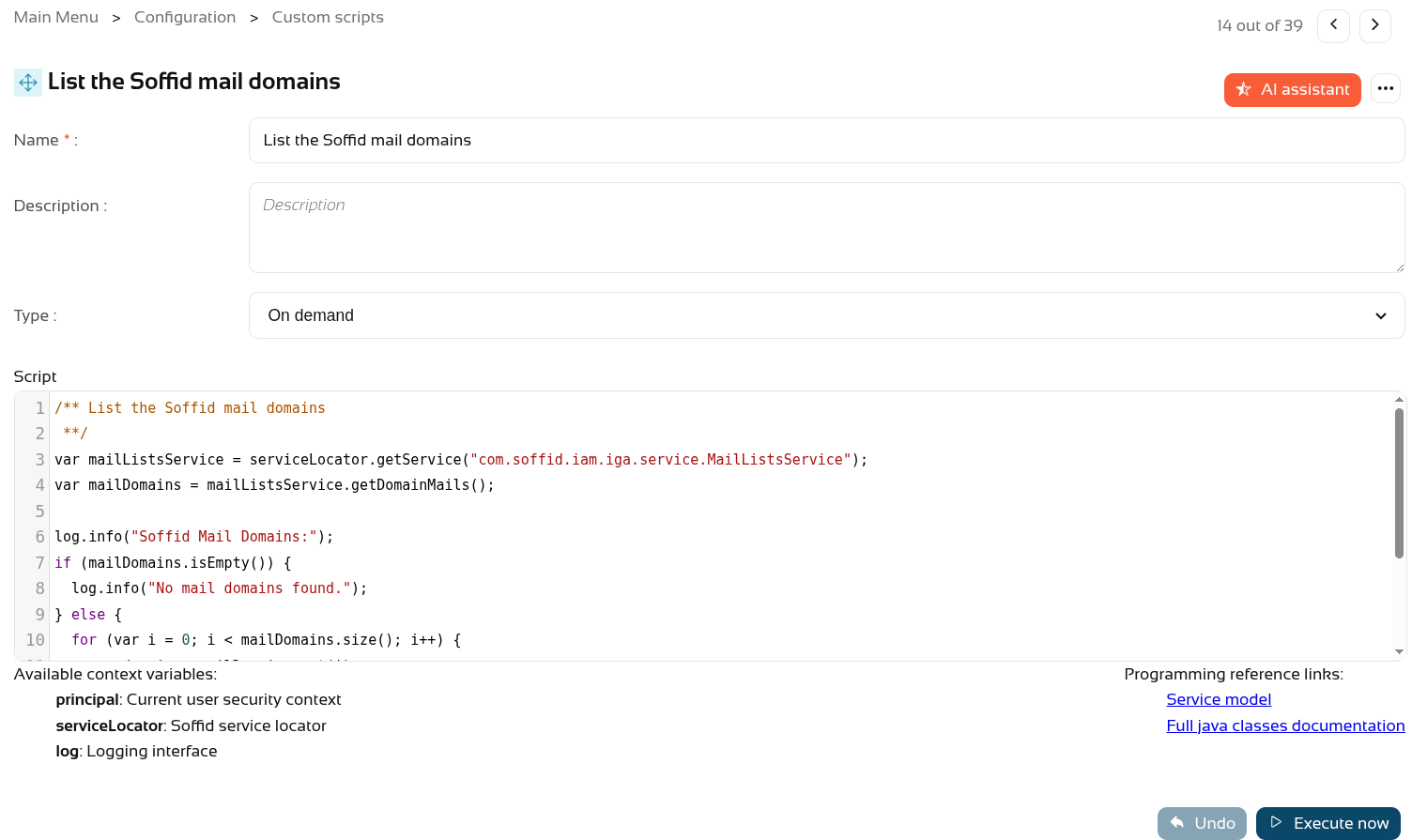
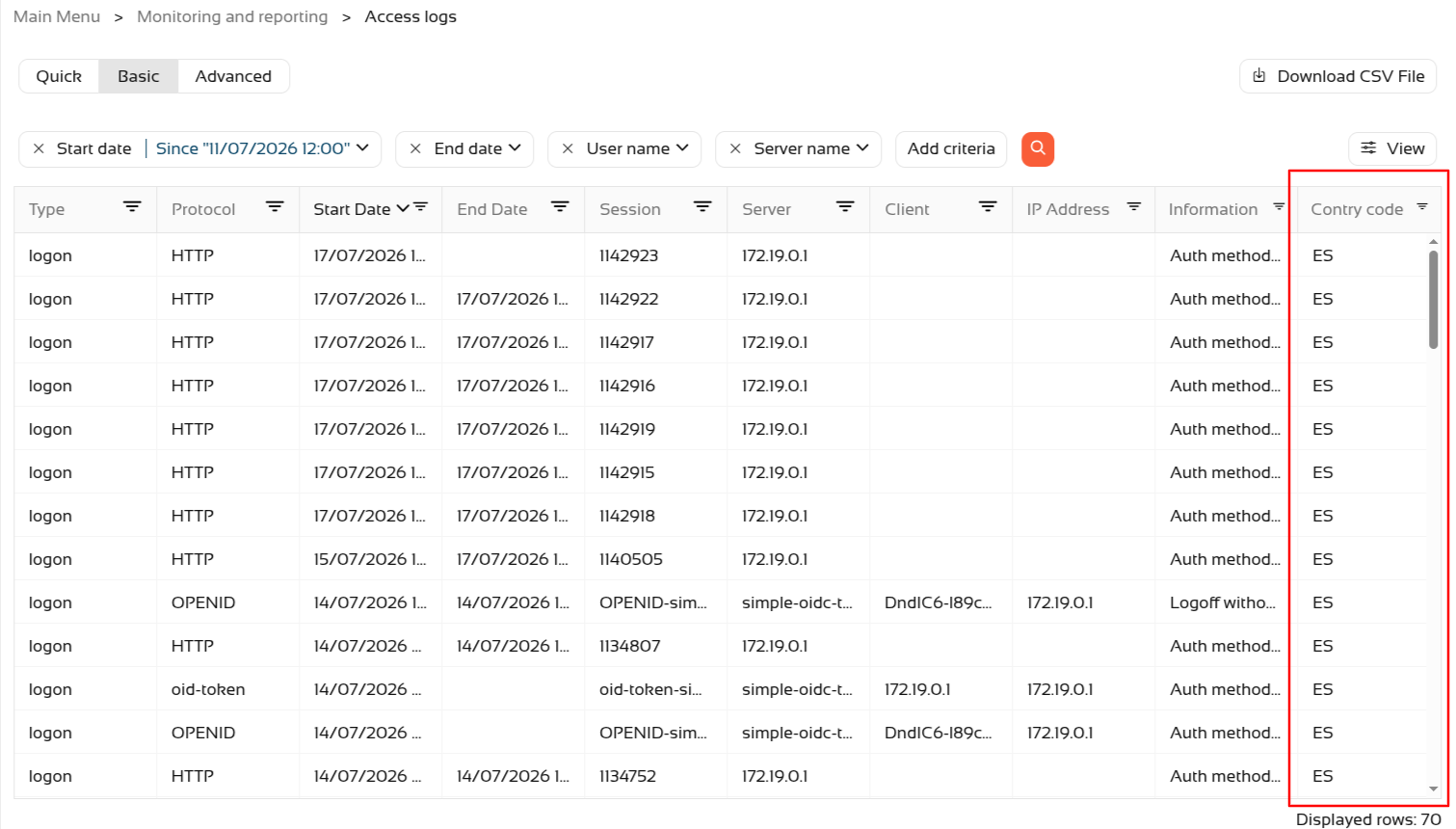
Regarding geolocation, if Soffid is installed in a public location, you can check new accesses via the Access logs page.
- Go to Access logs page (in Monitoring and reporting folder).
- Use the magnifying glass button to search.
- Sort the list by Start Date in descending order.
- Click the View button
- Add the Country Code attribute.
- The country should then appear in the most recent accesses.
2026-07-08 New feature: new property removeDisabledObjects
The new feature
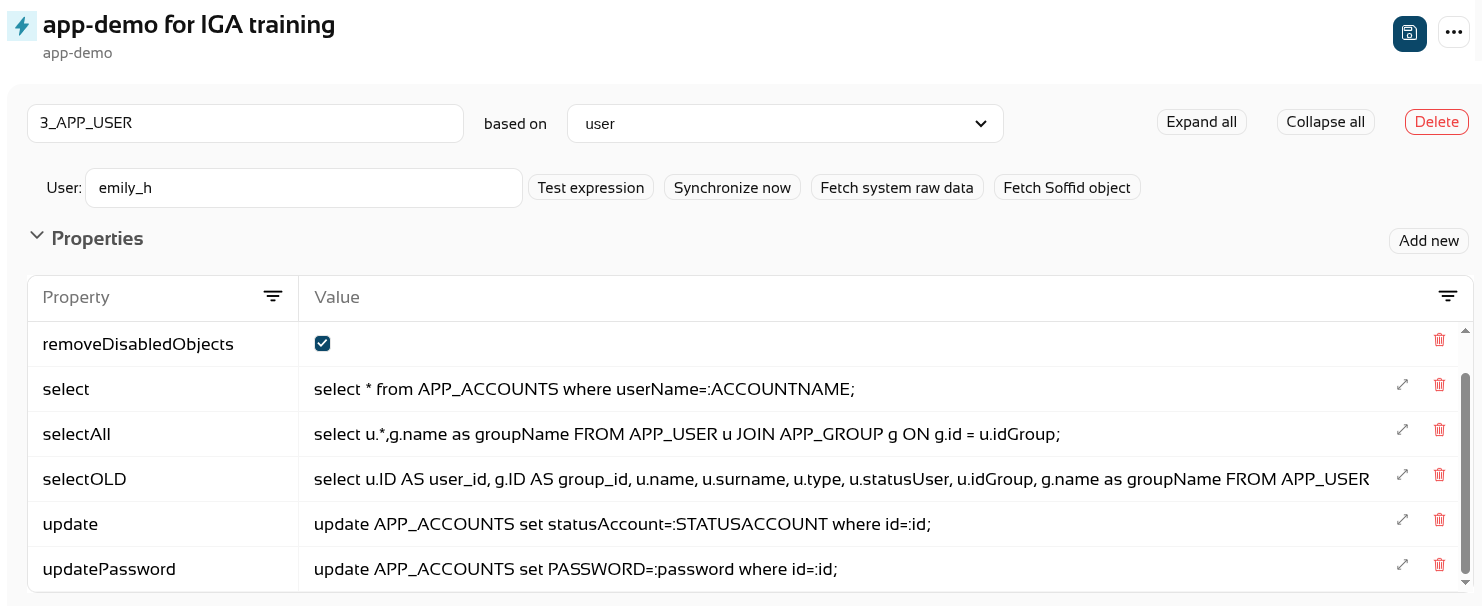
A new generic property “removeDisabledObjects” has been created which can be used in all agents, on the “user” and “accounts” objects. By default, its value is “false”.
Bear in mind
Please note the following points:
- From this version onwards, the property will always be used internally; if it is not defined, it will take the default value of "false".
- This property can be used for synchronising users and accounts.
For more informatio you can check the Windows Connector page.
How to configure it?
The following components must be installed:
- Console 4.0.67 (or higher)
- Syncserver 4.0.39 (or higher)
Let's look at an example
We have a disabled account on Soffid.
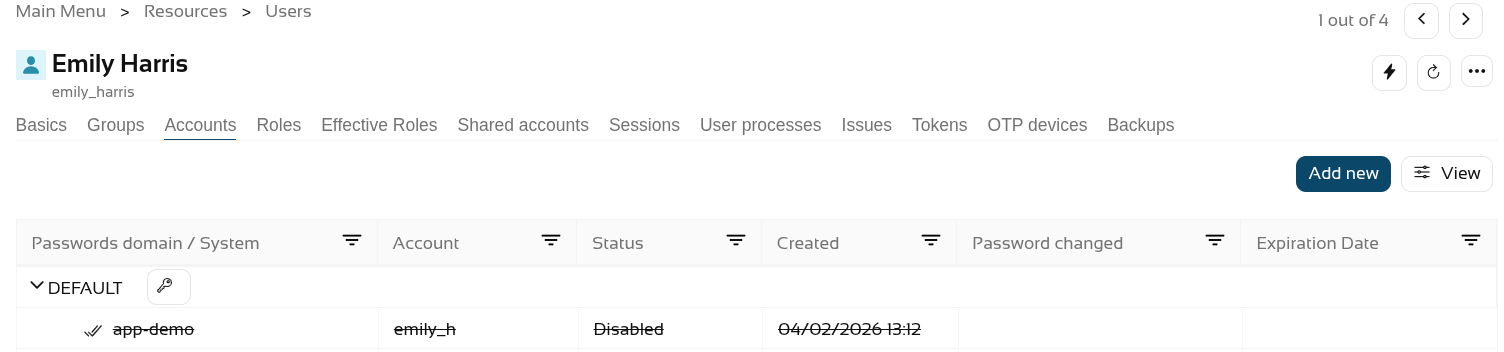
The account exists as inactive in the final system
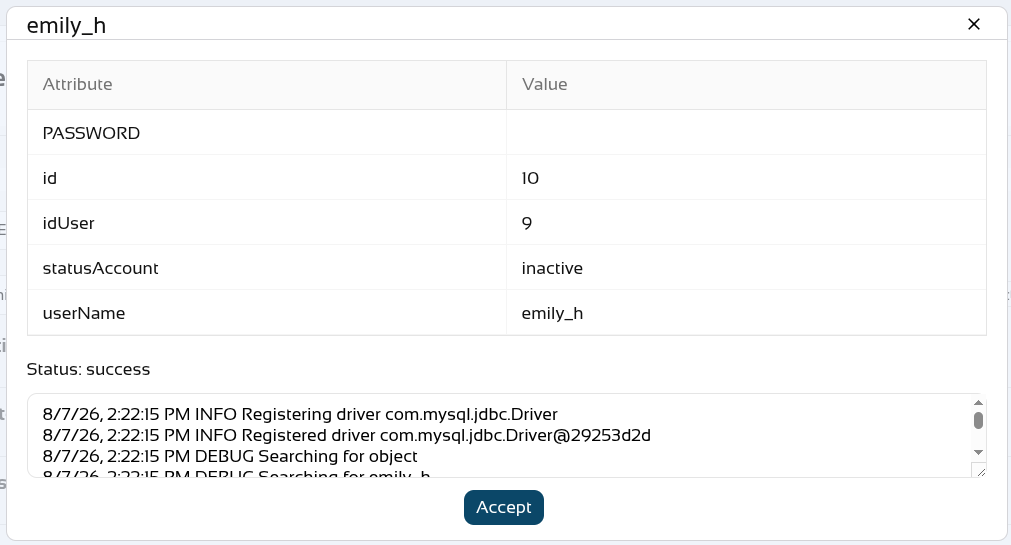
We set the removeDisableObject property
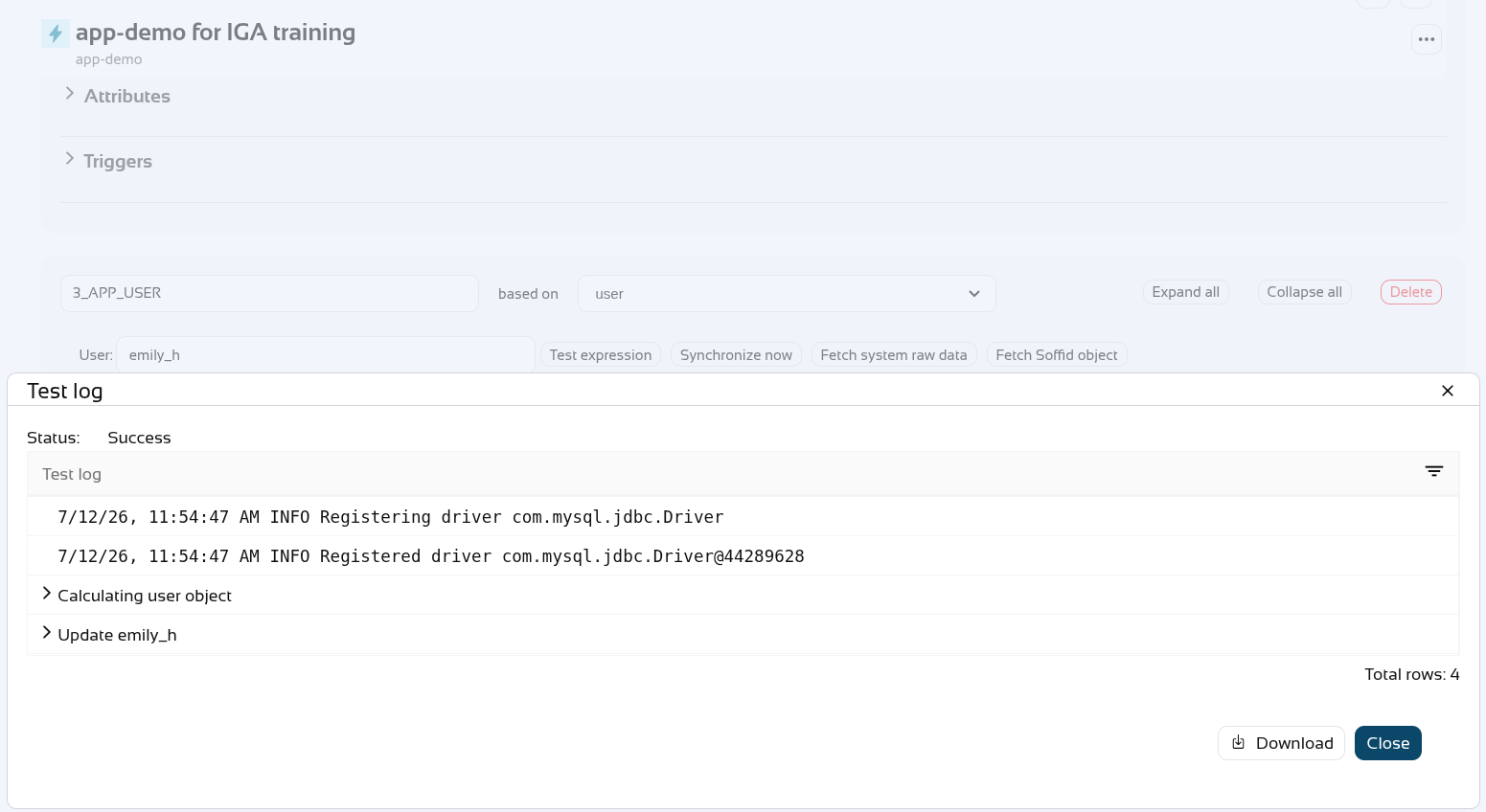
We synchronise the changes with the final system.
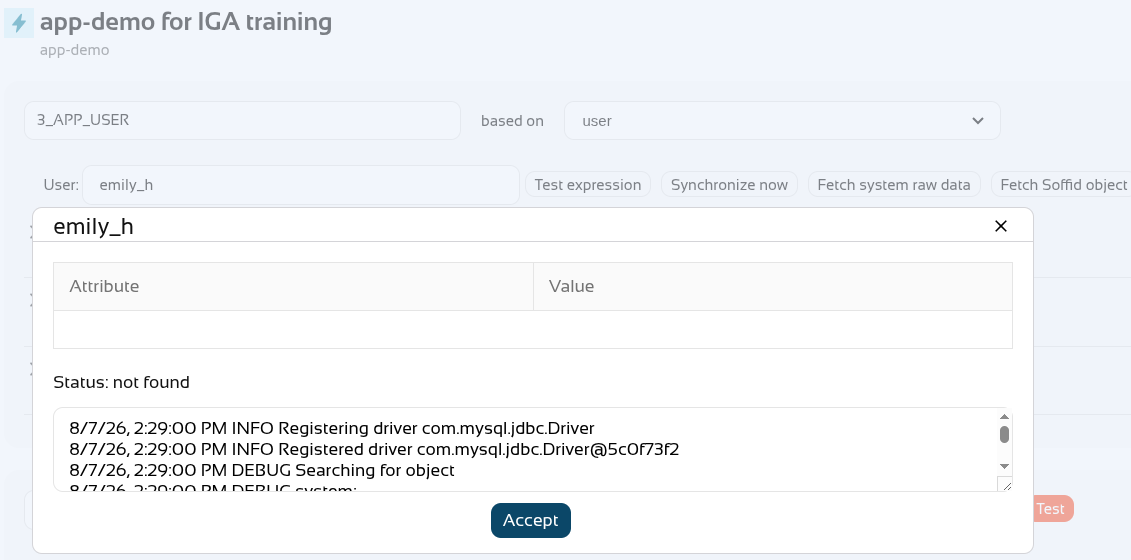
Finally, the account has been deleted from the final system.
2026-06-13 New feature: device posture
The new feature
The new "Device posture" feature allows Soffid administrators to decide whether some service providers must comply specific operating system requirements.
Bear in mind
Please note the following points:
- The "Check device posture" option must be enabled on the service providers in order for it to be evaluated.
- The "Script to check posture" for evaluating the operating system rules must be added to the identity provider.
- If you need a specific rule for different service providers, you will need to create a virtual identity provider, add the specific rules there, and select the service providers that must comply with them.
In scripts, you can use ESSO Scripting Language, for instance the SystemInfo object
How to configure it?
The following components must be installed:
- Addon federation 4.0.37 (or higher)
- ESSO 3.5.50-enterprise (or higher)
Let's look at an example
As a prerequisite, you must have a Soffid identity provider set up.
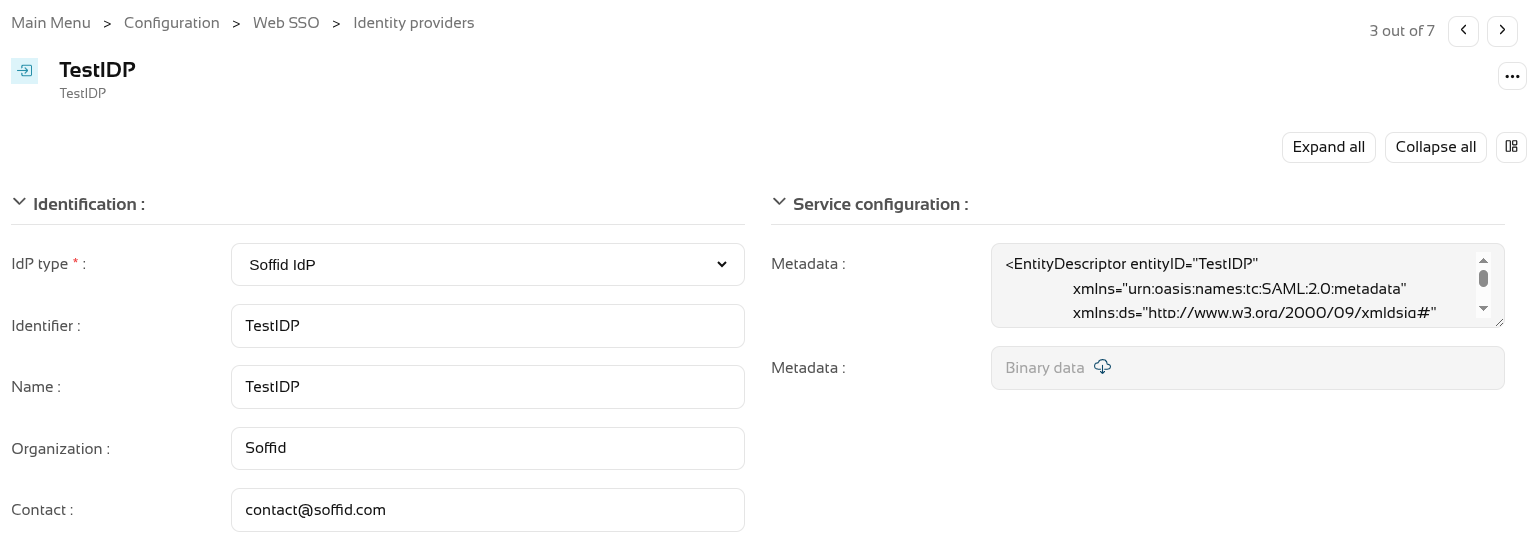
In the Authentication section, you need to fill in the "Script to check posture" field.
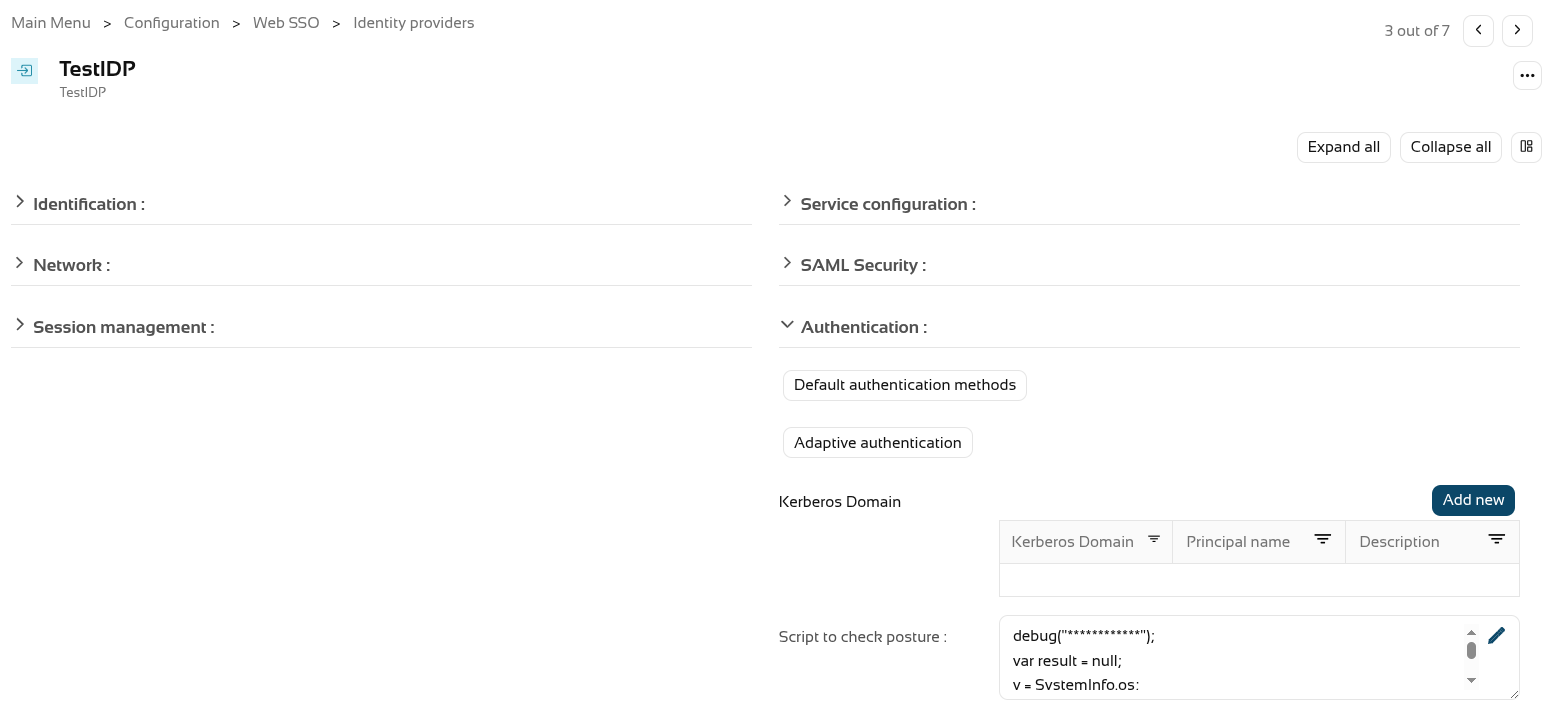
We’re going to use the following script as an example.
debug("************");
var result = null;
v = SystemInfo.os;
d = SystemInfo.domainName;
debug("In "+v+" / "+d);
if (v == 'Windows')
result = true;
else
throw "You can only start a session from Windows";
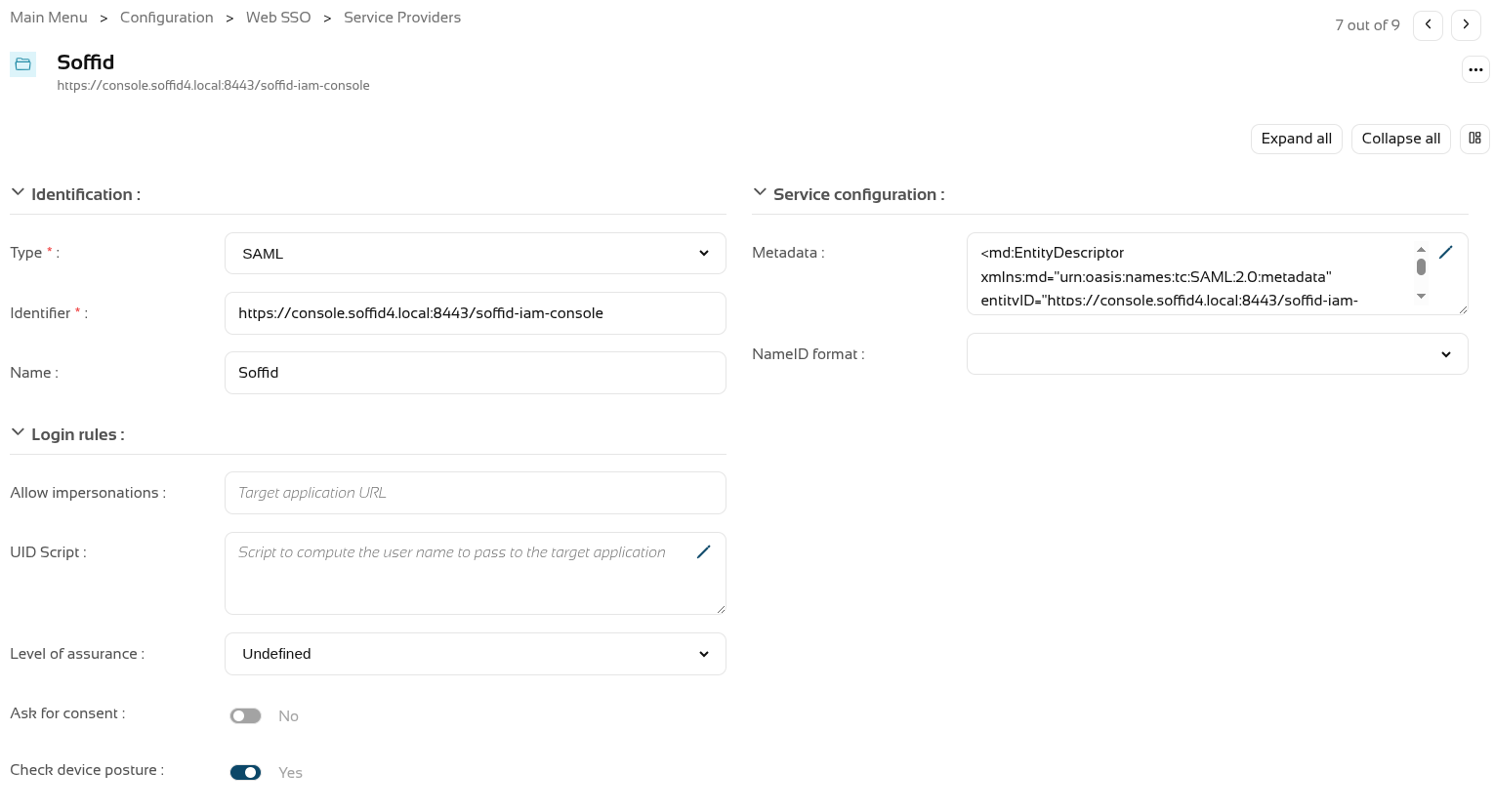
return result;You now need to enable the "Check device posture" field in the service providers.
We can now log in to this service provider, which in this case is the Soffid console.
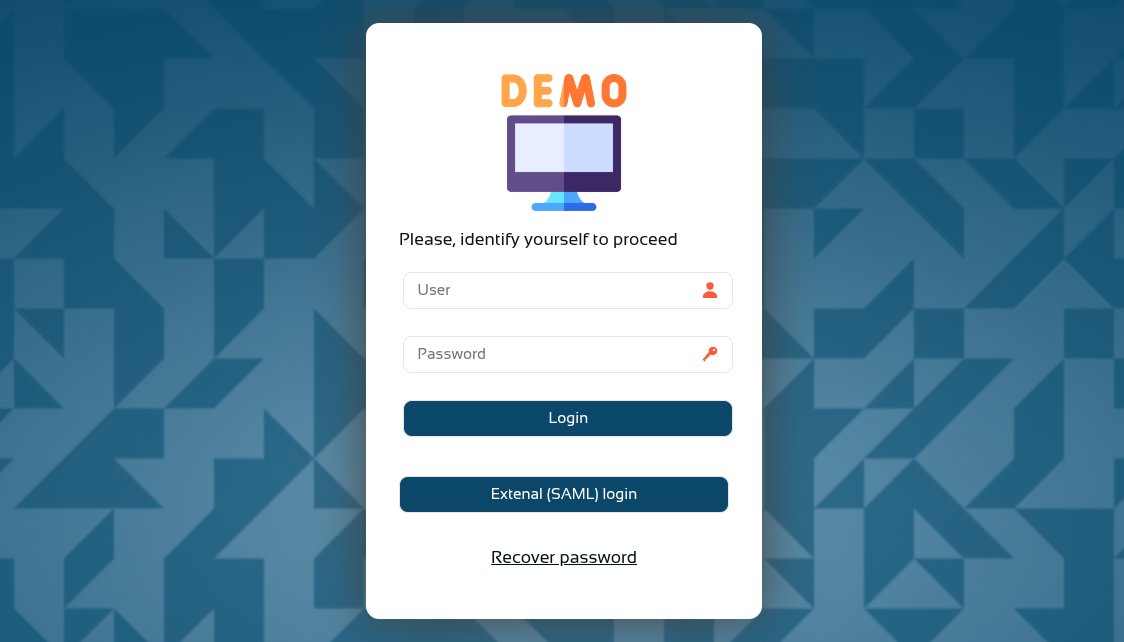
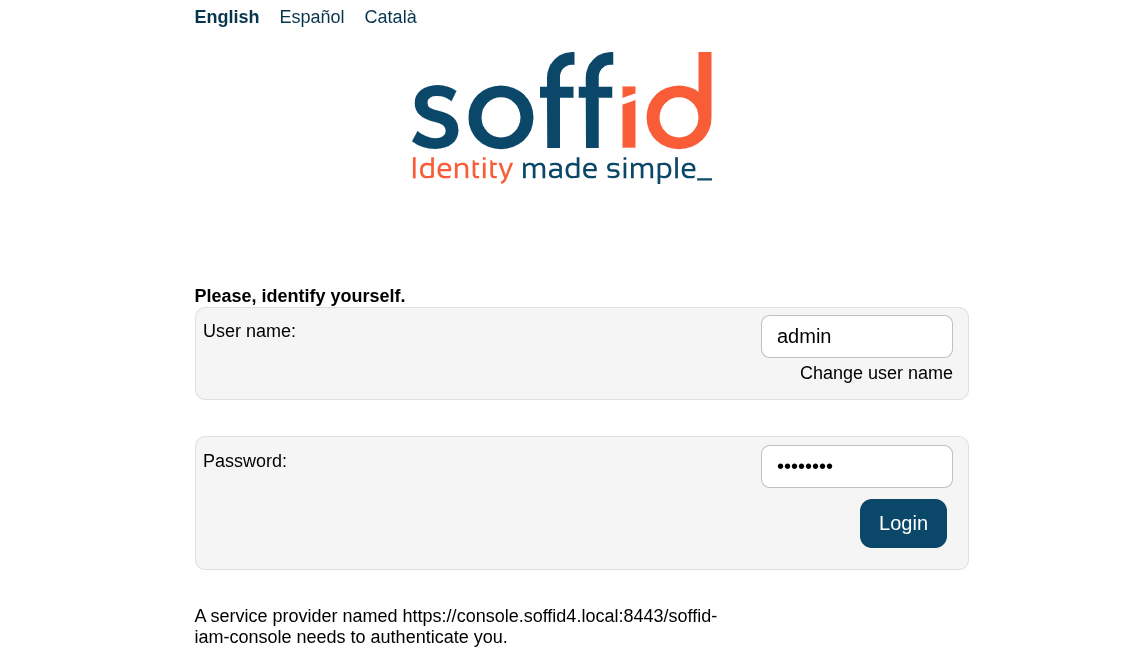
And now, following authentication, the device posture will be evaluated.
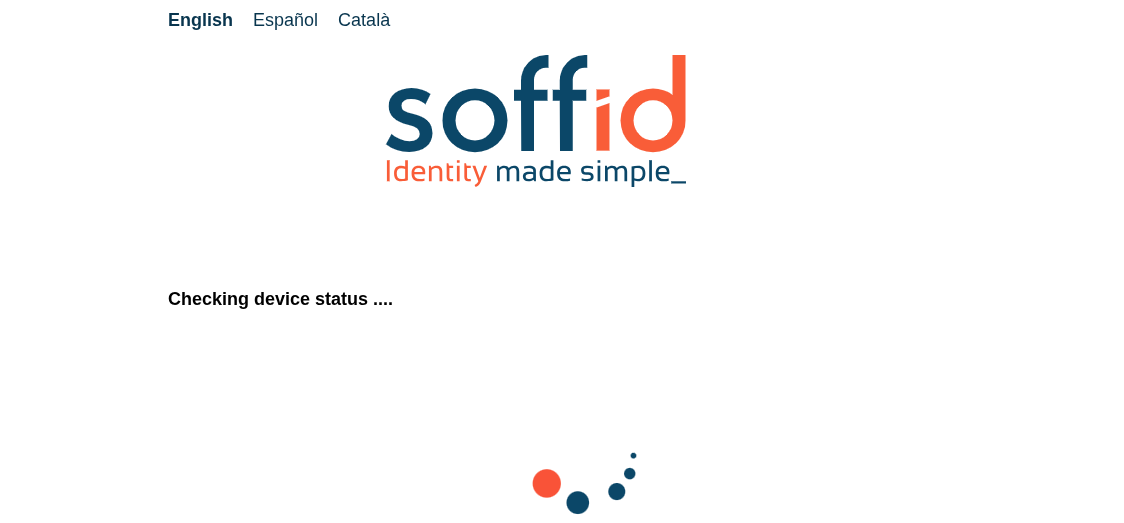
You browser may ask you permissions.
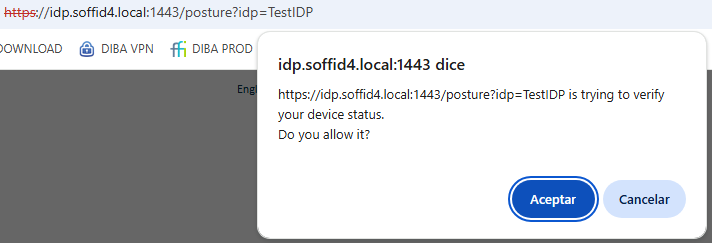
If the validation is successful, you will be redirected to the service provider.
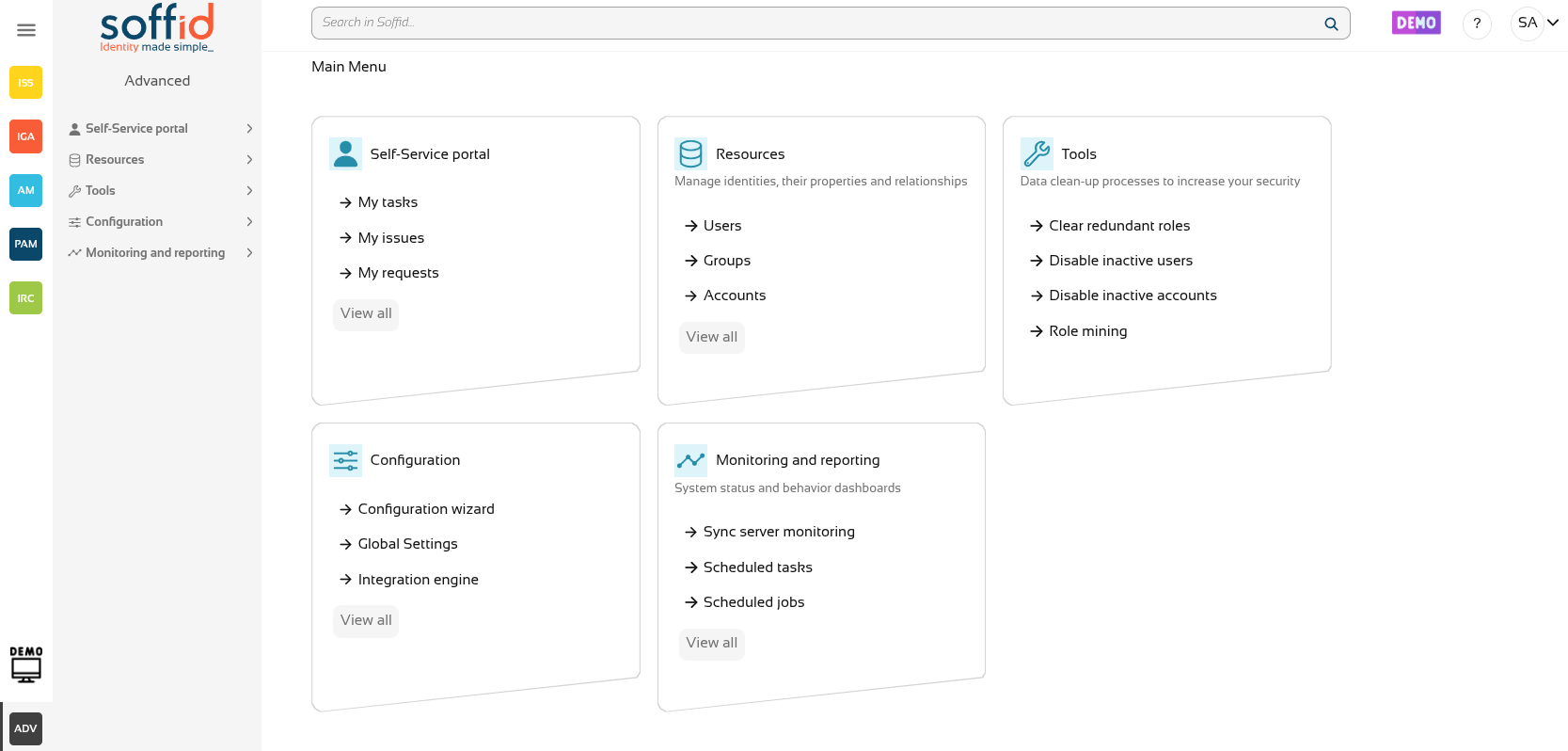
If the validation fails, the error specified in the validation script will be displayed.
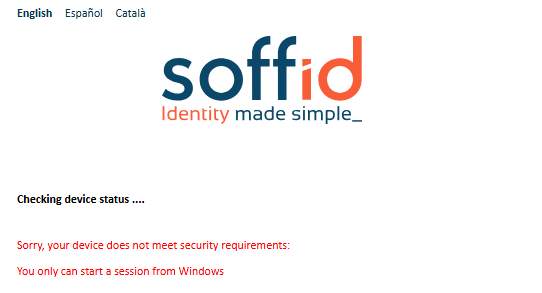
2026-06-13 New feature: select images for Soffid Authenticator
The new feature
The Soffid Authenticator app now has four different sets of images, and you can now select the set of images using the "soffid.push.images" parameter.
Bear in mind
Please note the following points:
-
A Soffid type Identity Provider must be set up, and the Soffid Authenticator (push option) must be added as the first or second factor.
-
Users are required to install the Soffid Authenticator on their phones.
The details of the parameter can be found on the Soffid parameters page, Soffid Autenticator section..
How to configure it?
The following components must be installed:
- Addon federation 4.0.36 (or higher)
Let's look at an example
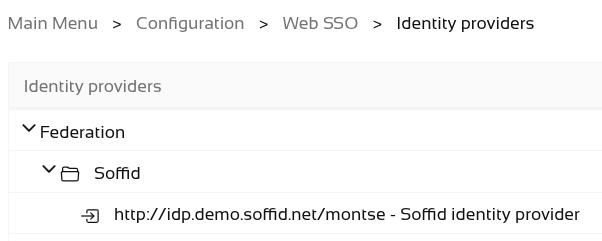
Do you need a Soffid IdP.
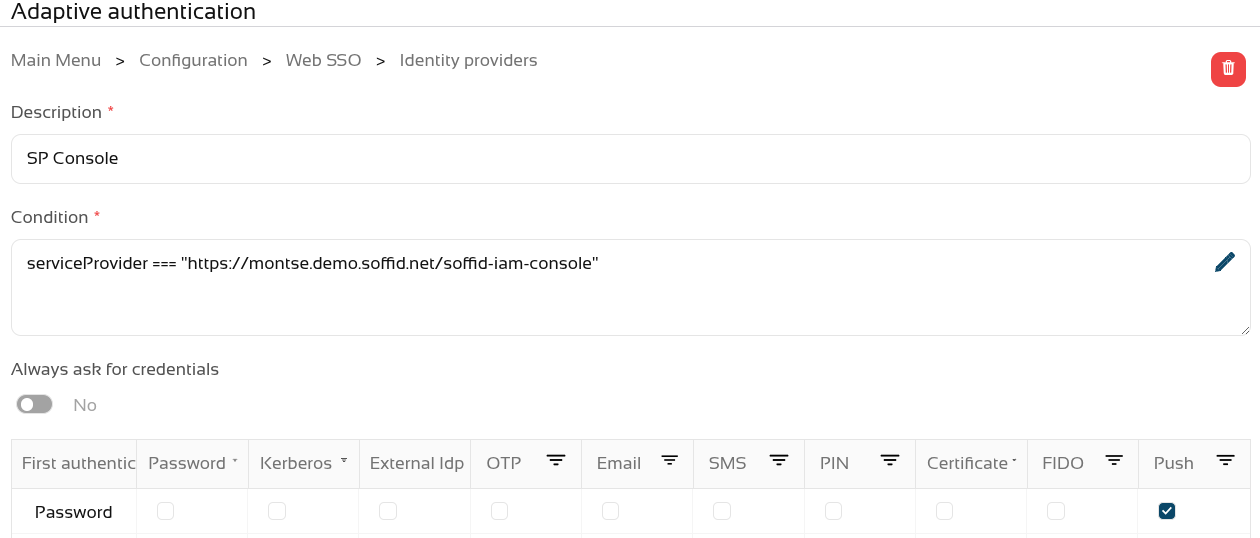
Add Soffid Authenticator as a first or second factor.
- Go to Soffid IdP.
- Go to Default authentication methods or Adaptive authentication (used this option in the example)
- Add the Soffid Authenticator (Push option) as first or second factor used this option in the example)
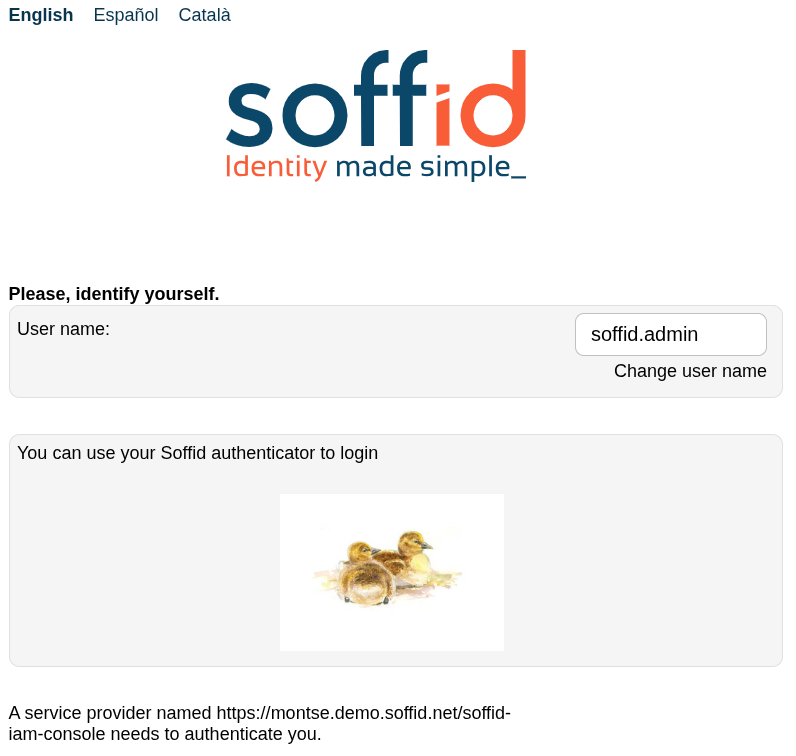
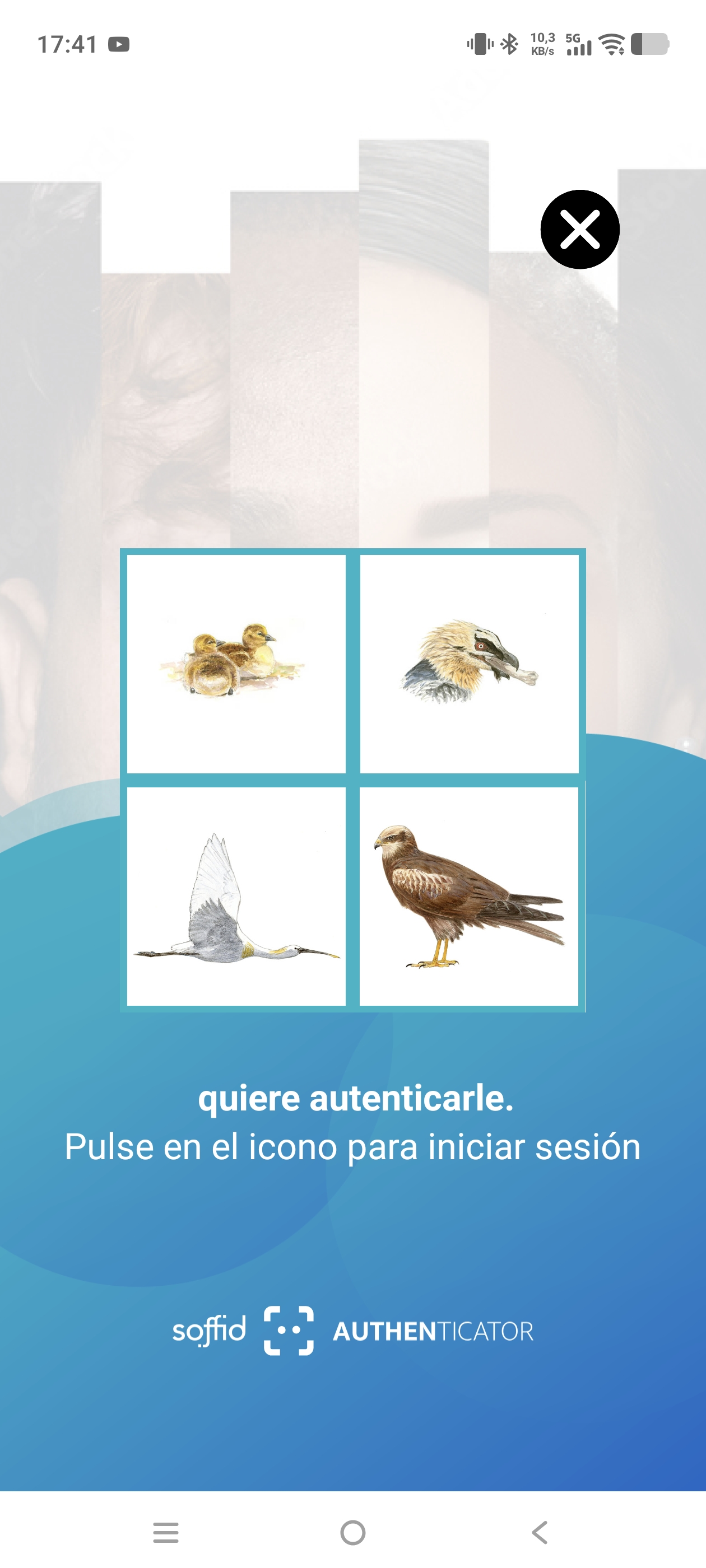
We can now use the parameter "soffid.push.images" to view the different sets of images.

Let’s take a look at the four examples of logins!
No soffid.push.images parameter or soffid.push.images=birds
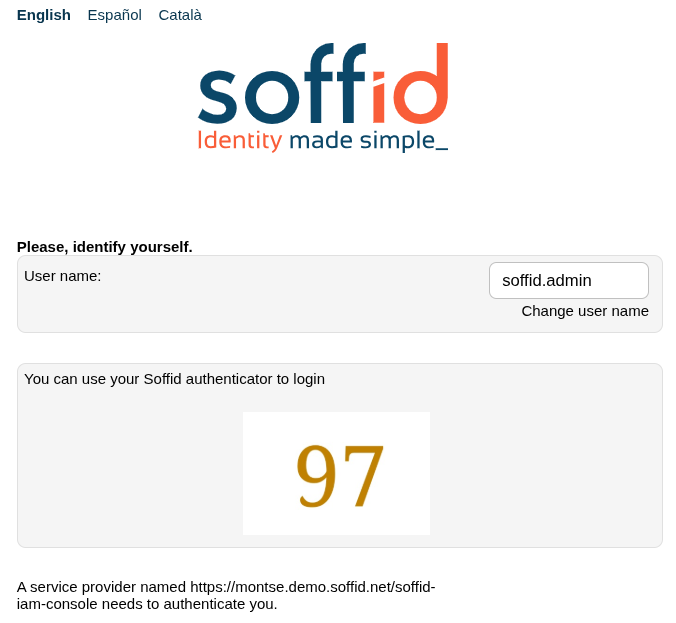
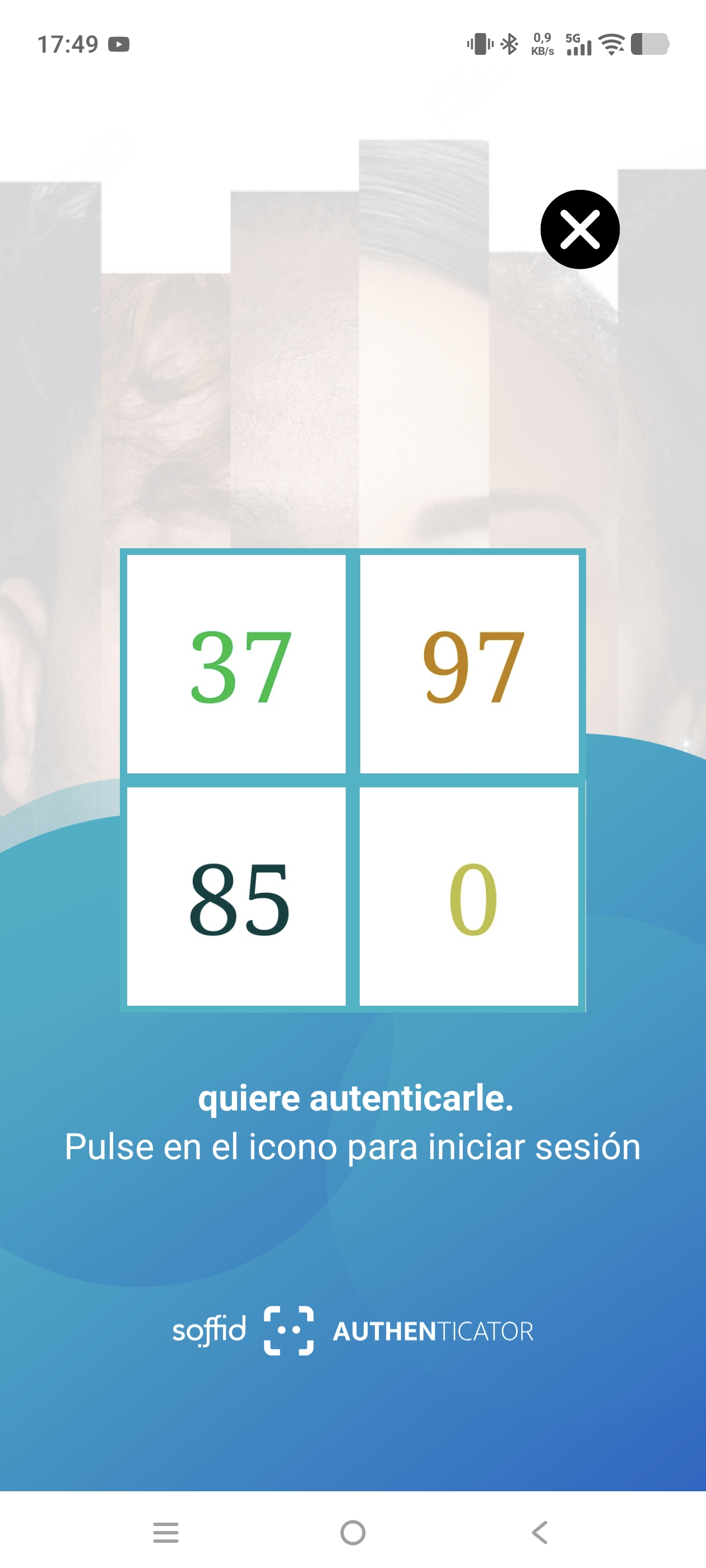
soffid.push.images=numbers
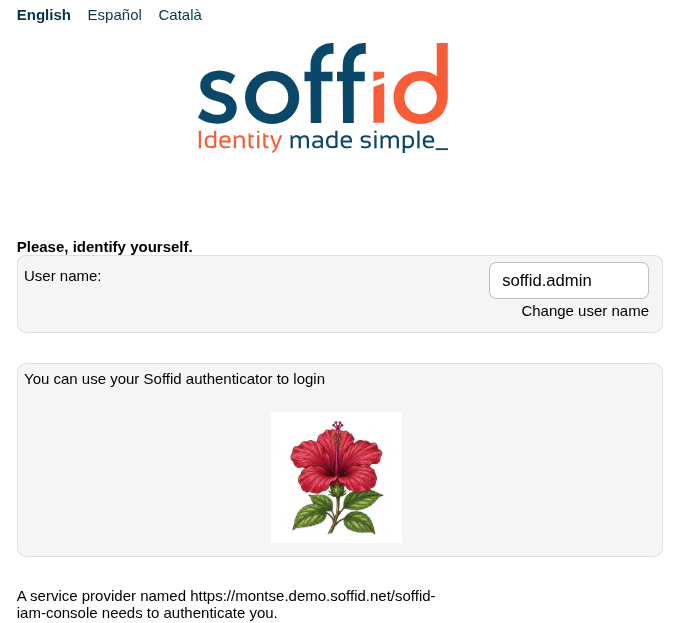
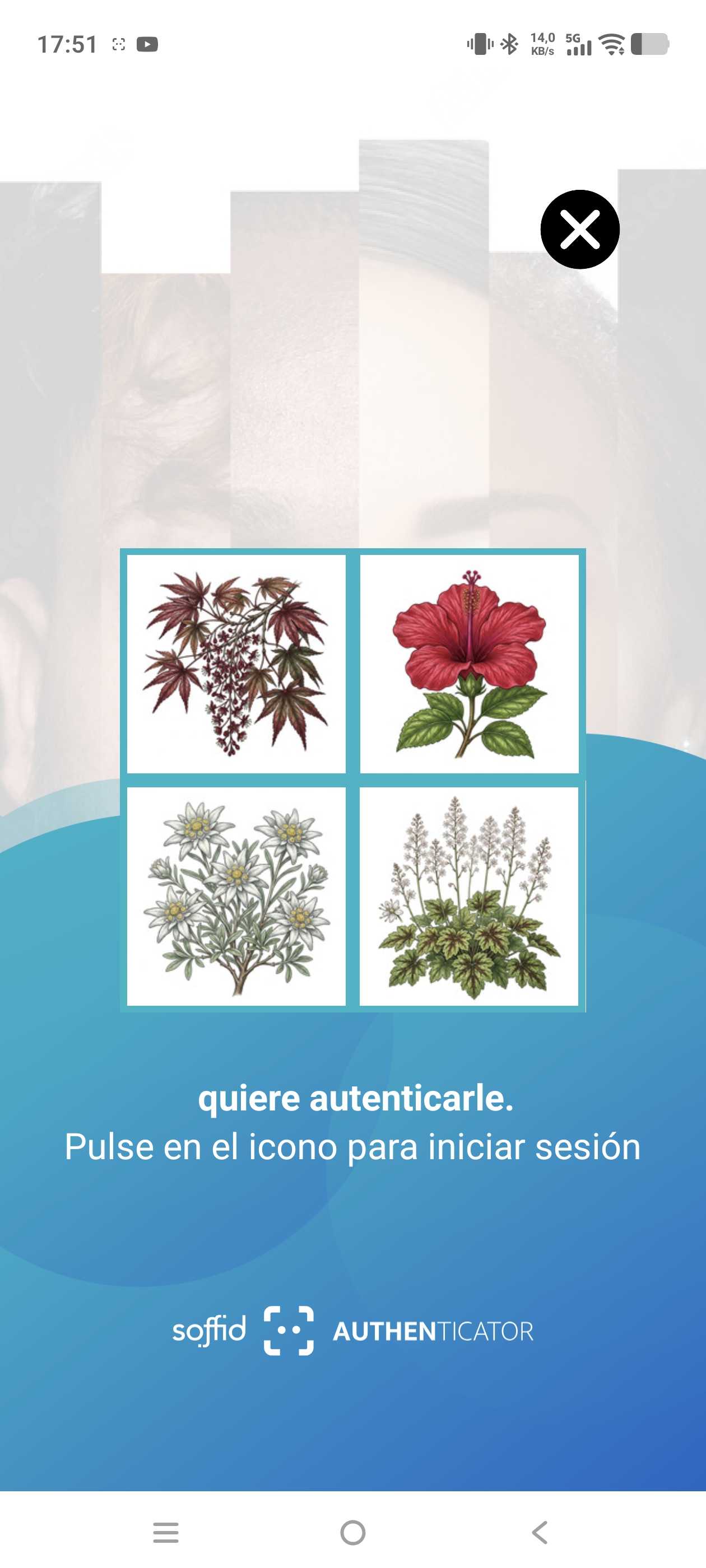
soffid.push.images=flowers
soffid.push.images=fishes
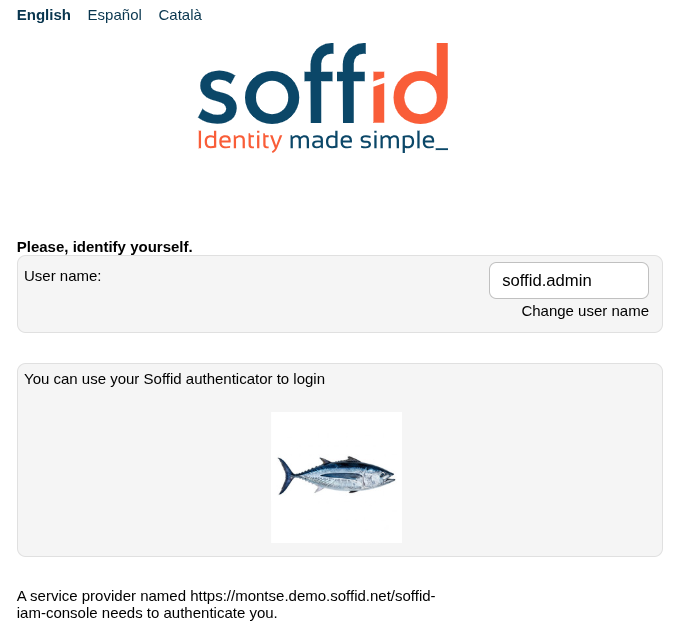
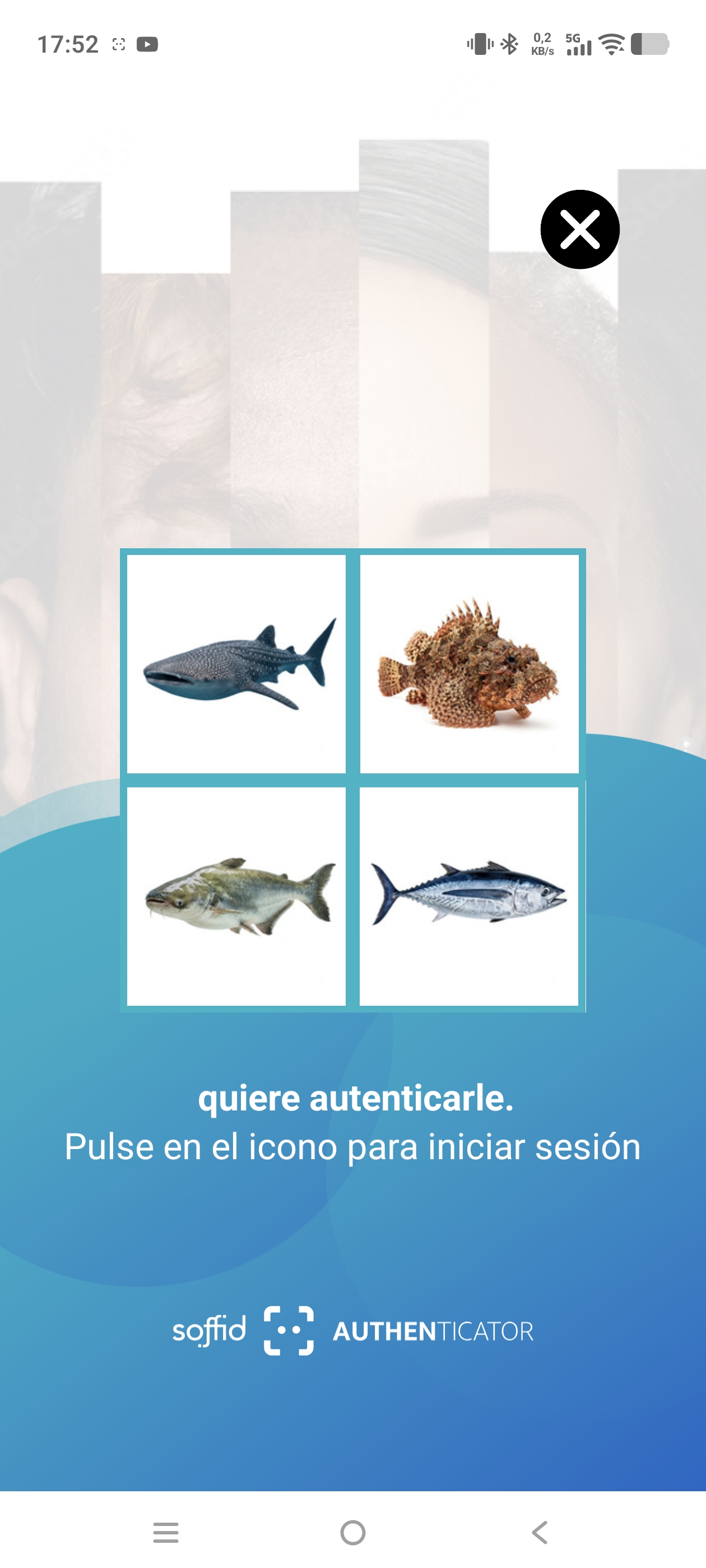
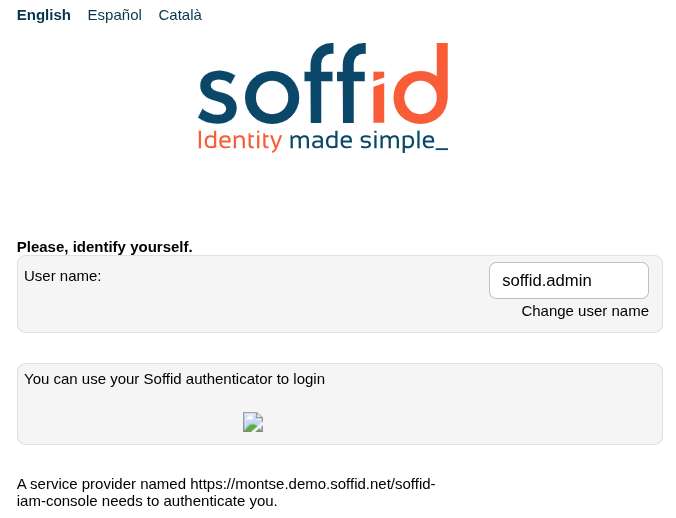
Please note that if you enter an incorrect value for the parameter, this error will appear.
2026-07-20 New feature: configure maximum openid logins
The new feature
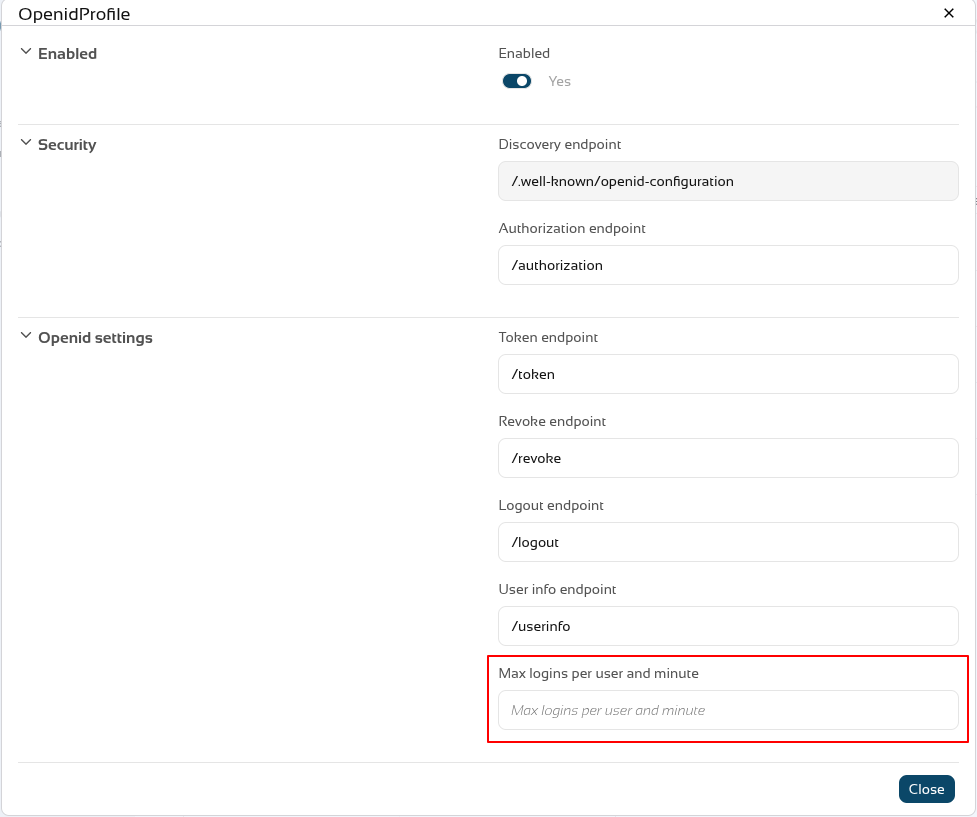
A new feature has been introduced in the Soffid Identity Provider that limits the number of requests a user can make to an OpenID Connect service provider. The new attribute is name "Max login per user and minute".
A new issue "issue-login-limit" has also been created to manage this new configuration.
Bear in mind
Please note the following points:
-
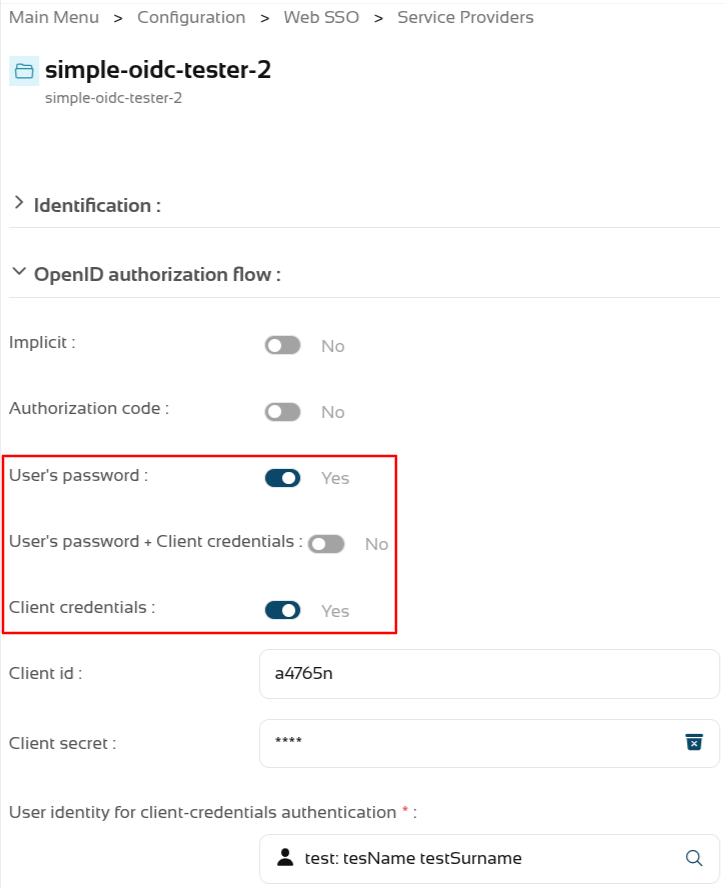
The limit only applies to OpenID service providers using "User’s password", "User’s password + Client credentials" or "Client credentials" authentication.
-
The limit applies globally to all service providers using these authentication types.
-
The limit is for a user, each user can reach or not the limit.
-
For each request, the system checks whether the limit has been exceeded in the last minute; if the total number of requests exceeds the configured number, an error is returned.
-
The system re-evaluates whether the limit has been reached with each request.
-
For example, if the limit is 30 request, and 31 requests are made in 1 second, the 31st request would return an error; and for the next 59 seconds – as 31 requests plus any new ones would still be counted within the last minute – errors would continue to be returned. If, on average, one request were made every 2 seconds, the limit would never be triggered.
About the platform:
- All the previous requisites are for a non Soffid Cloud solution.
- In the Soffid Cloud the number of request is configured for a Soffid administrator, the field is not visible for the tenant
For more information you can check the OpenIdProfile page, or the Defining profiles page
About the issue:
- The issue must be enabled and configured to suit your requirements.
For more information you can check the Issue policies page
How to configure it?
The following components must be installed:
- Console 4.0.67 (or higher)
- Addon federation 4.0.37 (or higher)
Let's look at an example
Step 1: configure the limit
Let’s go to our Soffid identity provider.
Go to Main Menu > Configuration > Web SSO > Identity providers.
Select your Soffid IDP.
And go the Profiles group and select the OpenIdProfile.
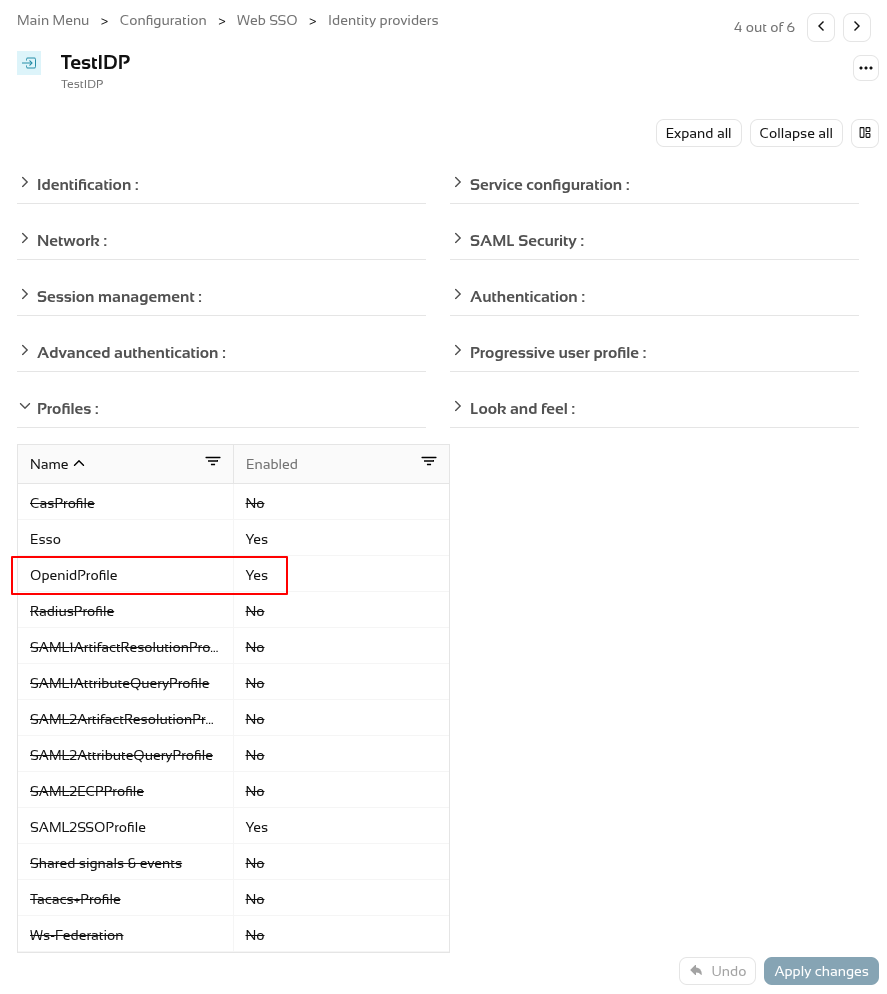
To activate the attribute "Max login per user and minute" add a number, por example 30, 60, etc.
To validate this functionality, we need to authenticate as a service provider.
First, let’s check that the service provider has configured the authentication types that the limit validates.
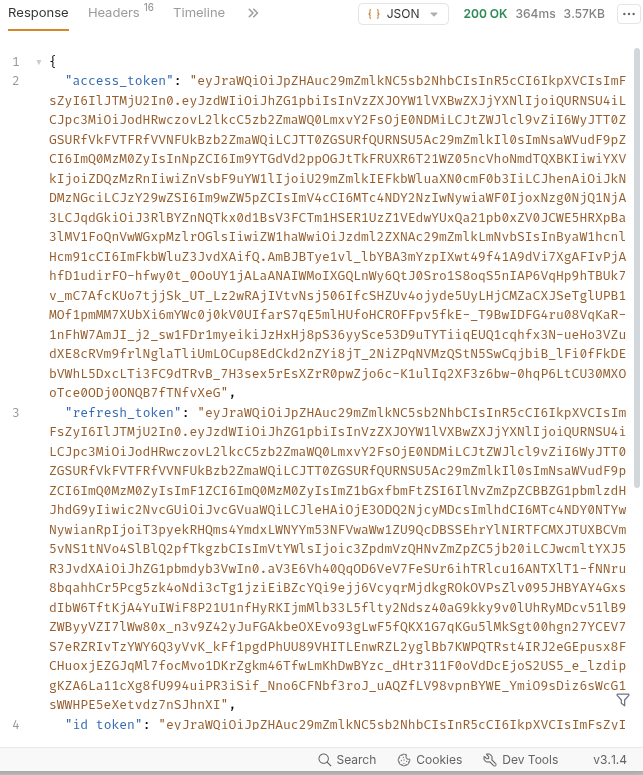
We’re going to test it using a testing tool; we can see that it responds correctly when the limit is not reached.
But when it reaches its limit, it returns a HTTP code 400 with the message "Login limit reached".
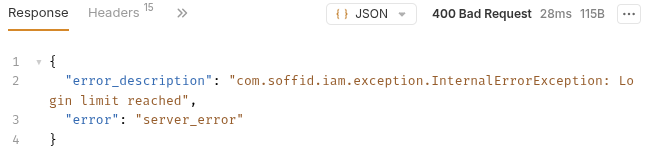
400 Bad Request
{
"error_description": "com.soffid.iam.exception.InternalErrorException: Login limit reached",
"error": "server_error"
}Step 2: configure the issue
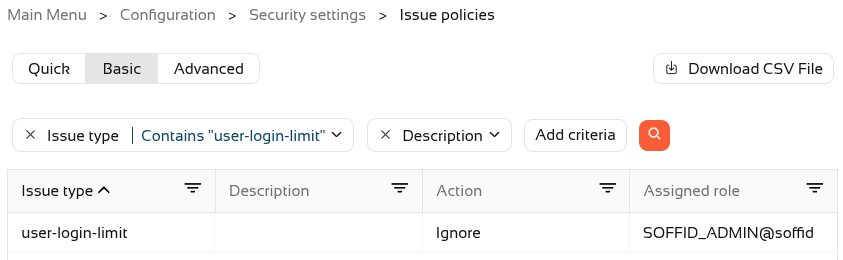
First, we need to open the new issue.
Select the user-login-limit.
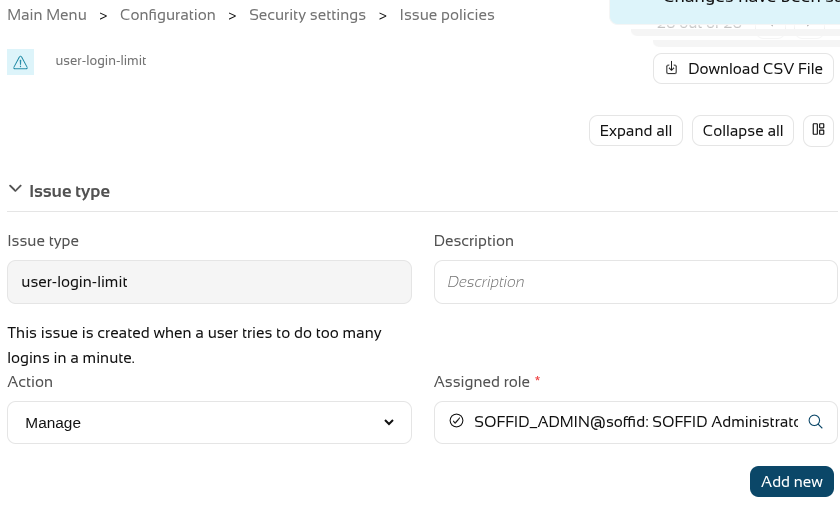
To activate the issue, we will need to assign an action type (Record or Manage).
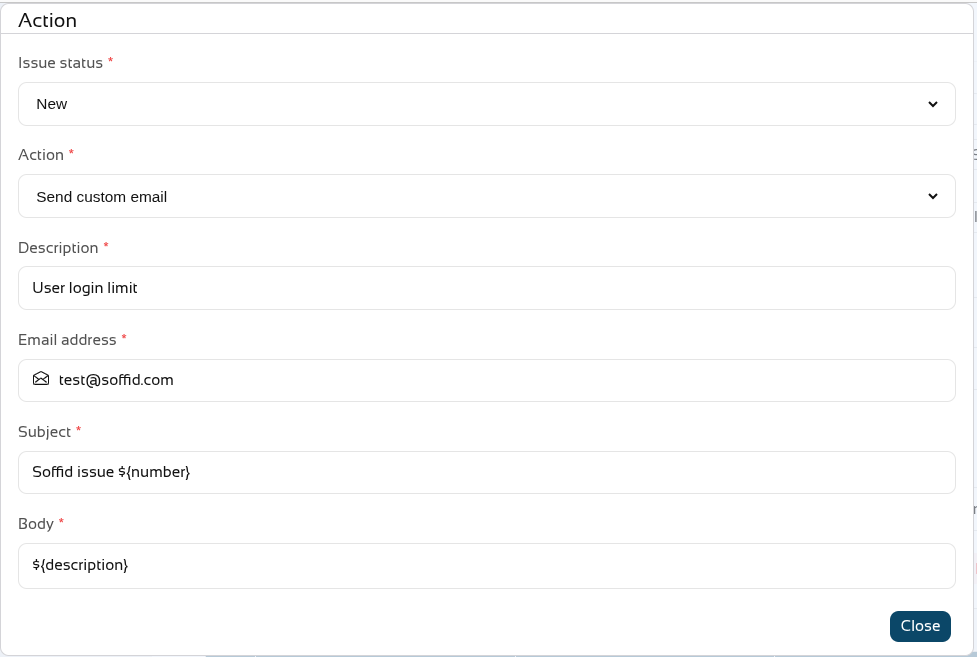
Now create one or more actions using the "Add new" button; in our case, a personalised email will be sent.
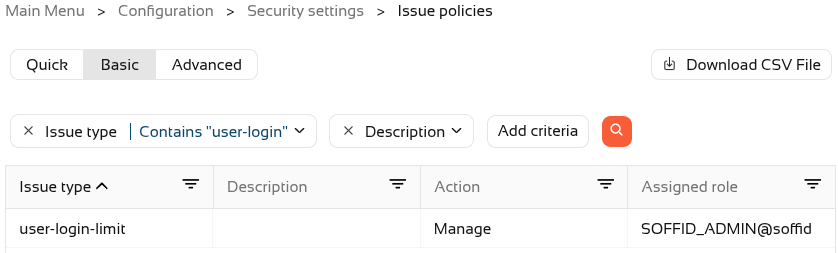
On leaving, we can see that the issue has been Managed.
If we push the limit, a new issue will now also be created in Soffid.

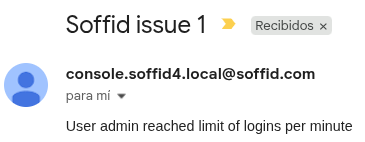
And here is an example of the email that was sent
2026-09-30 New feature: role suggestions
The new feature
A new method has been added to suggest roles that can be assigned to a user.
With this feature, on some Soffid pages, when you want to assign a role to a user, the system will suggest the most likely roles.
Bear in mind
Please note the following points:
-
This feature must be enabled and configured before it can be used.
- The configuration page is in the mining addon.
- Some addons may use this feature.
How to configure it?
The following components must be installed:
- Console 4.0.75 (or higher)
- Mining addon 4.0.2 (or higher)
And optionally some addons:
- BPM addon 4.0.10 (or higher)
Let's look at an example
Step 1: activation
To enable this feature, you need to upgrade the console and the mining addon.
A syncserver restart is also required after the upgrade.
We can now find the "Role assignment suggestions" page in the "Tools" menu.
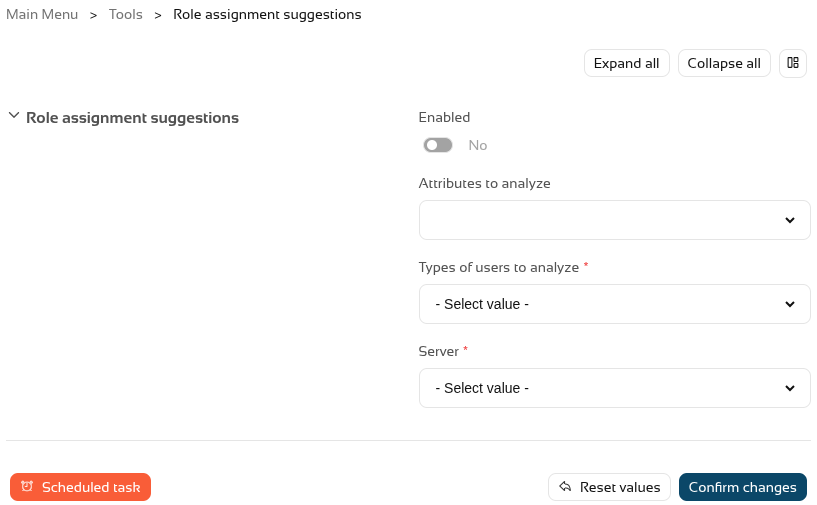
And we have to enable this feature.

Step 2: configuration
To configure this functionality, we need to decide which user attributes the system should analyse, for which types of users, and select a sync server.
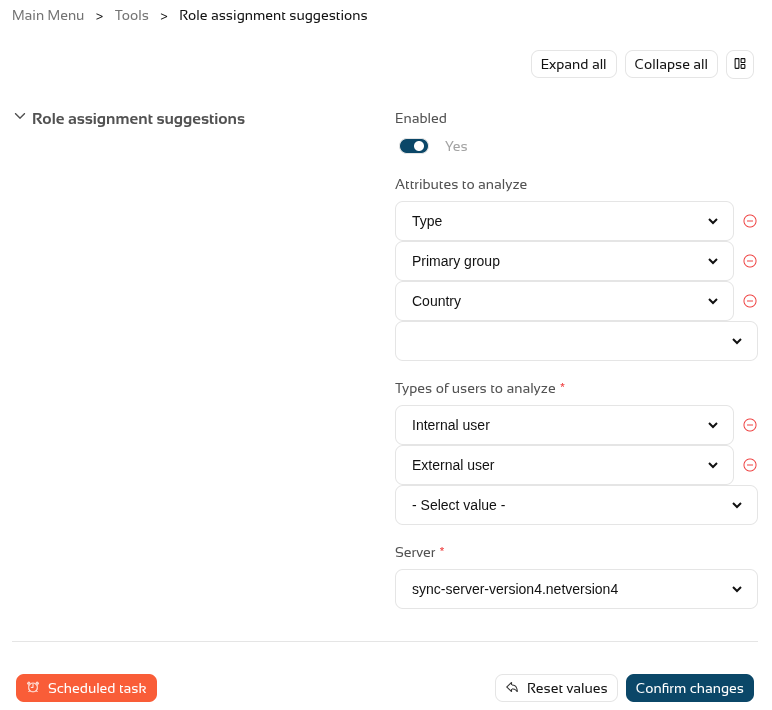
Once this step has been configured, we need to run or schedule the task so that Soffid generates an internal matrix containing all the possibilities.
Once the process has been run for the first time, this feature is ready for use.
Step 3: usage
To make use of the role suggestions, we can go to the Users page, select a user and go to the roles tab.
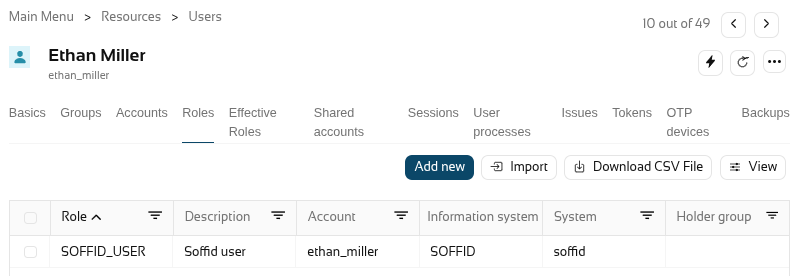
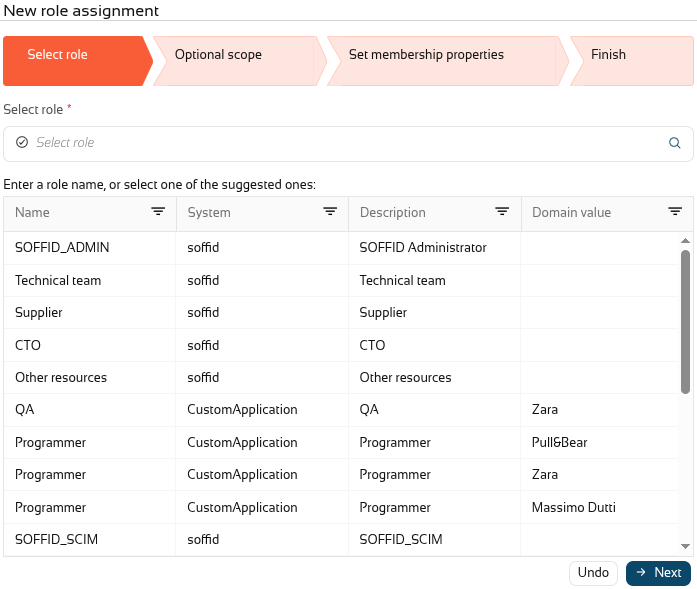
When you click on "Add new" to add a new role, Soffid will show you the suggested roles that, based on the settings from the previous step, are the most likely to apply to this user.
Step 4: BPM addon
When you upgrade the BPM addon, you will be able to use suggestions in the permission request workflows.
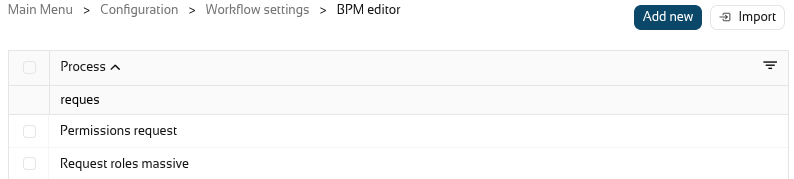
If you already have a workflow, go to the BPM editor page.
In this case, we will open the "Request roles massive".
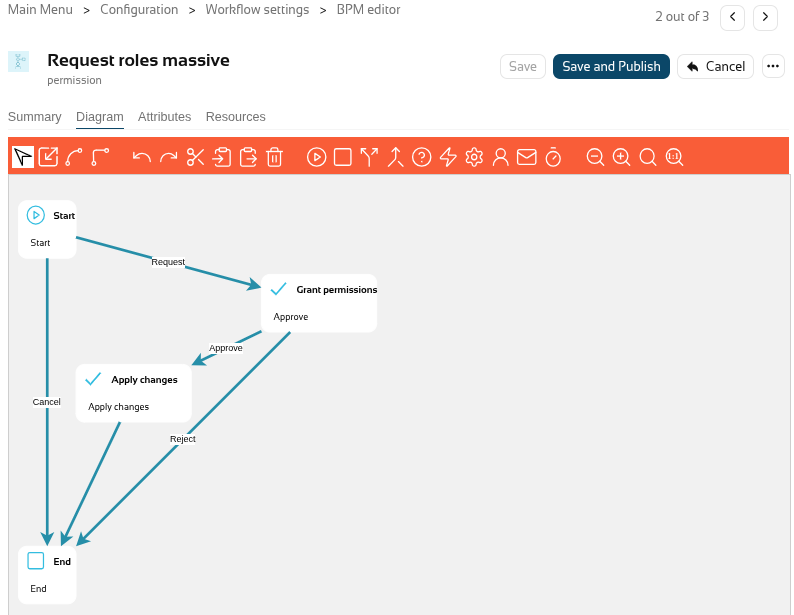
In the diagram select the "Start" node.
And enable "Suggest new roles".
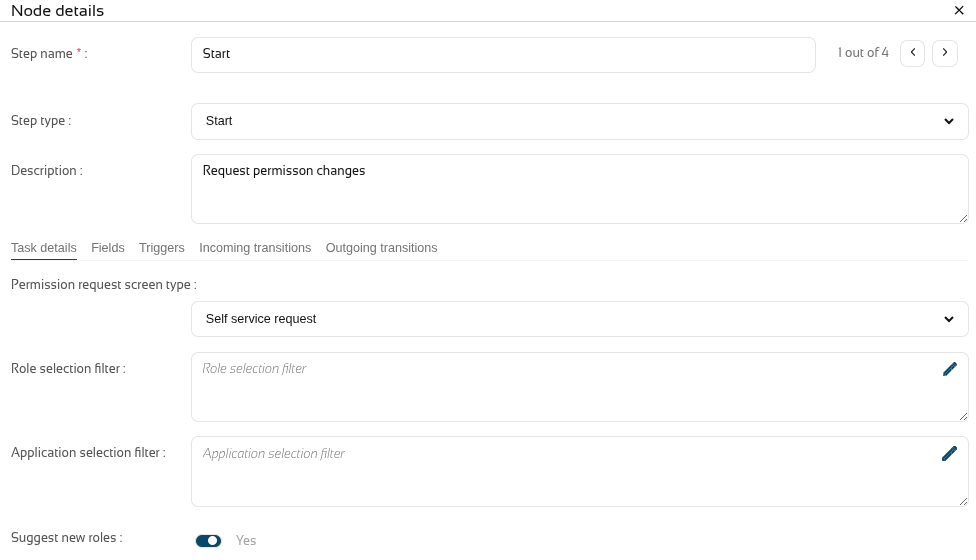
Close the popup and click on the "Save and publish" button.
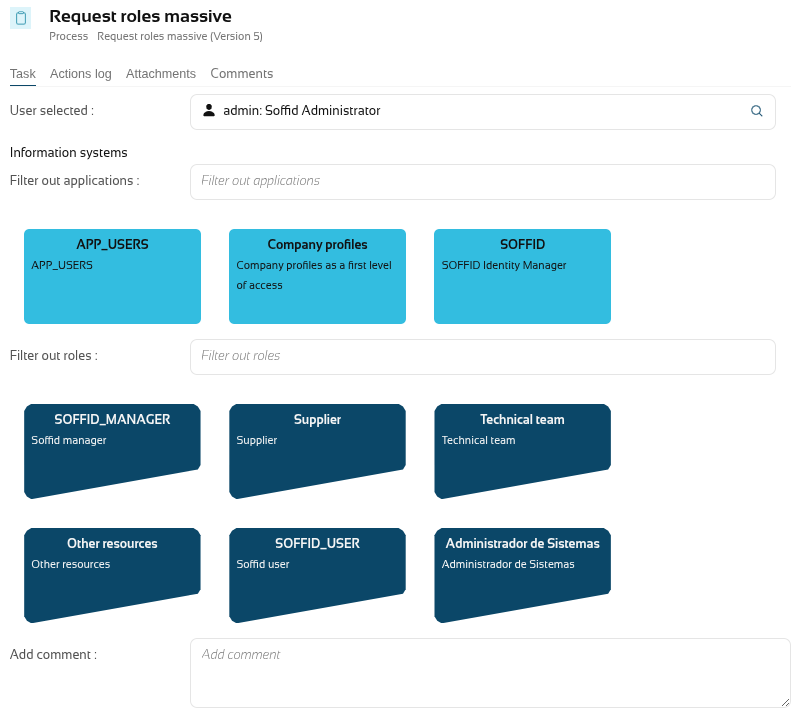
Finally, we can now go to the ISS module and, now "My requests", select the "Request roles masive" workflow, and the suggested roles will then be displayed under "Filter out roles".
2026-09-30 New feature: simulate IdP attributes
The new feature
A button has been added to the "Attribute sharing policies" page to simulate the attributes generated for a user and a service provider.
Bear in mind
Please note the following points:
-
The user must have an active Soffid IdP account.
How to configure it?
The following components must be installed:
- Federation addon 4.0.41 (or higher)
Let's look at an example
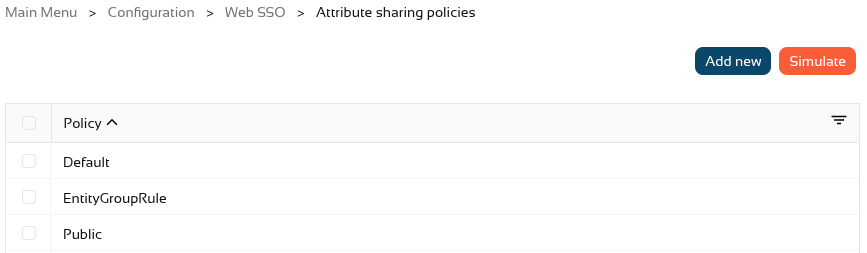
Let’s go to the "Attribute sharing policies" page, in the top right-hand corner, you’ll see the new "Simulate" button.
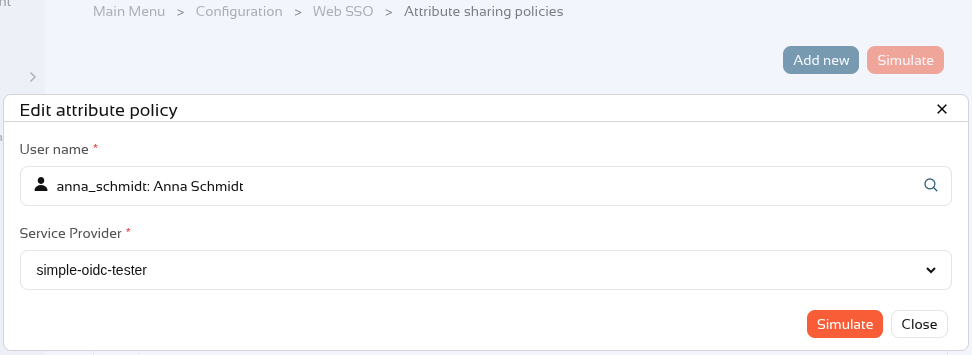
In the popup, select a user and a service provider and click on Simulate.
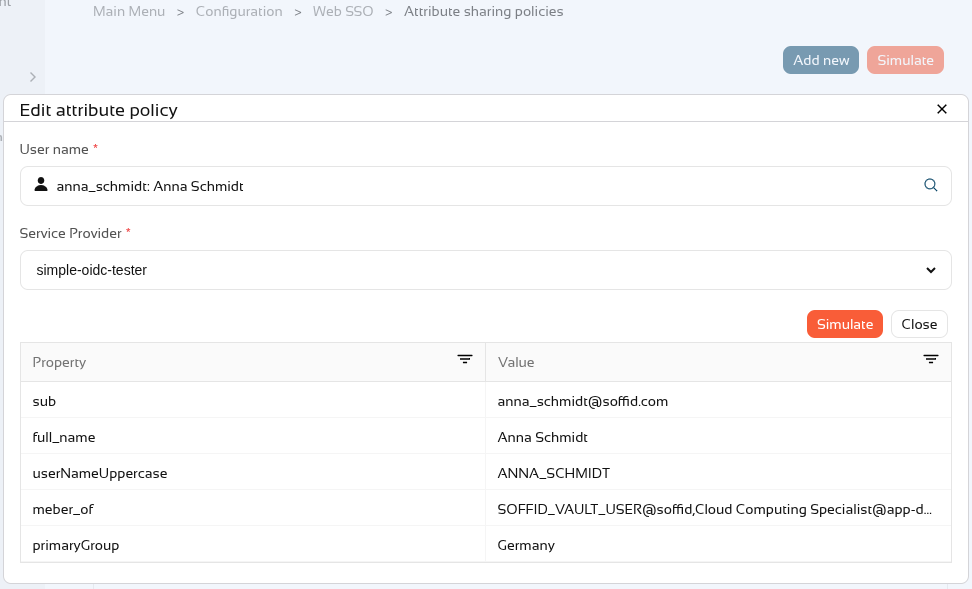
We can now see the attributes that would be sent to the service provider for this user.
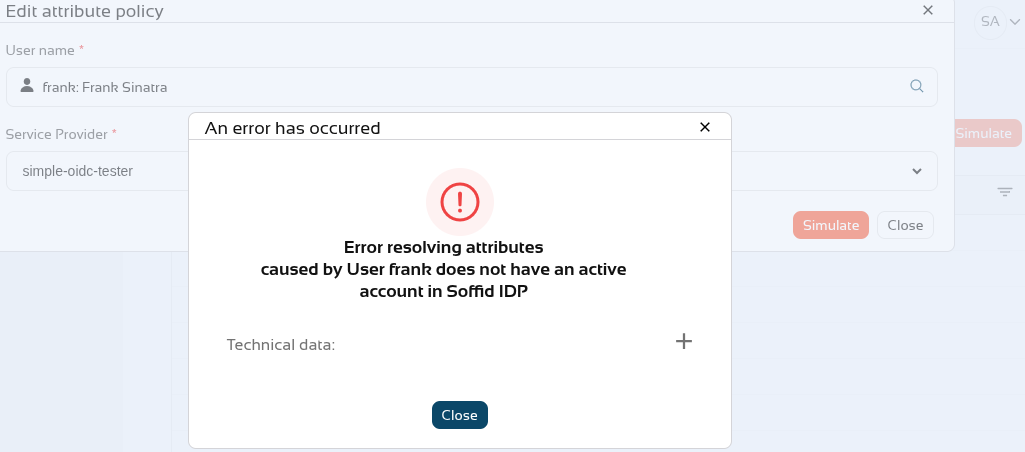
If the user does not have an account or their account is inactive, this error will appear.
2026-09-30 New feature: select external IdP using script
The new feature
If there are several external identity providers, a script has been added to the external identity providers to determine whether they are valid for authentication.
Bear in mind
Please note the following points:
-
If the script is empty, this logic is ignored.
-
Only when the script returns "false" will this identity provider not be displayed in the list of options on the login screen.
How to configure it?
The following components must be installed:
- Federation addon 4.0.41 (or higher)
Let's look at an example
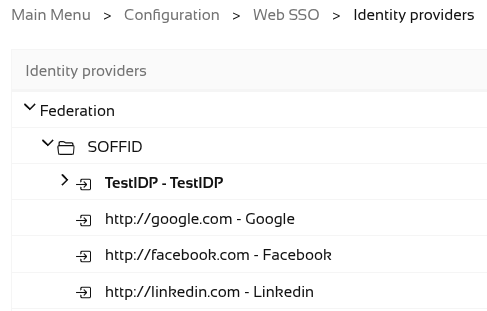
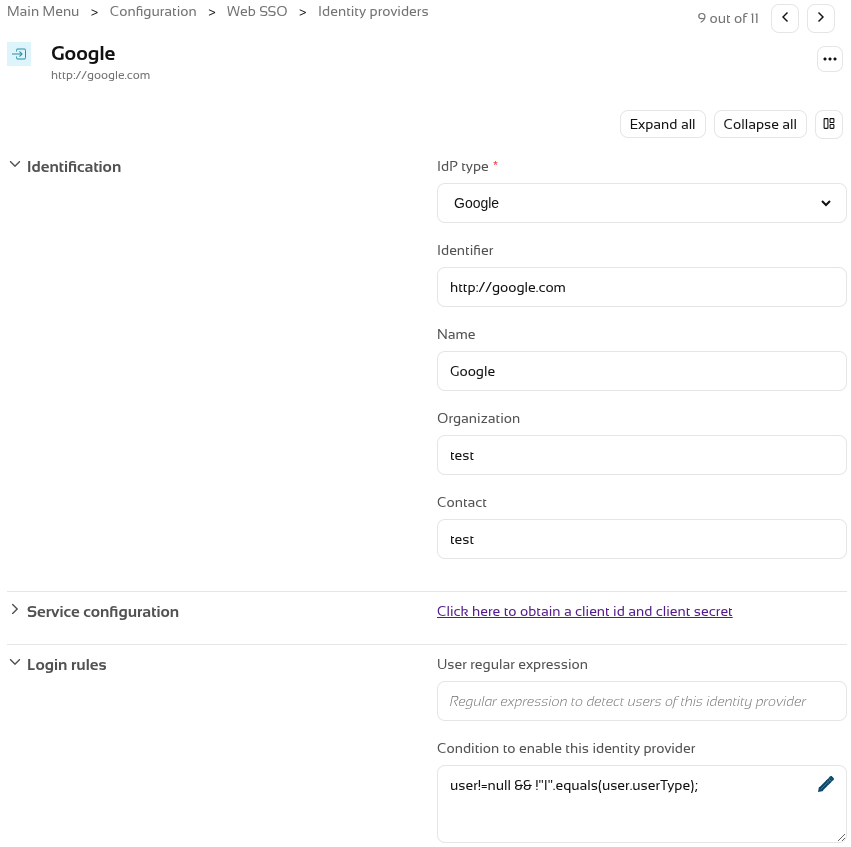
First of all, we have several external IdPs.
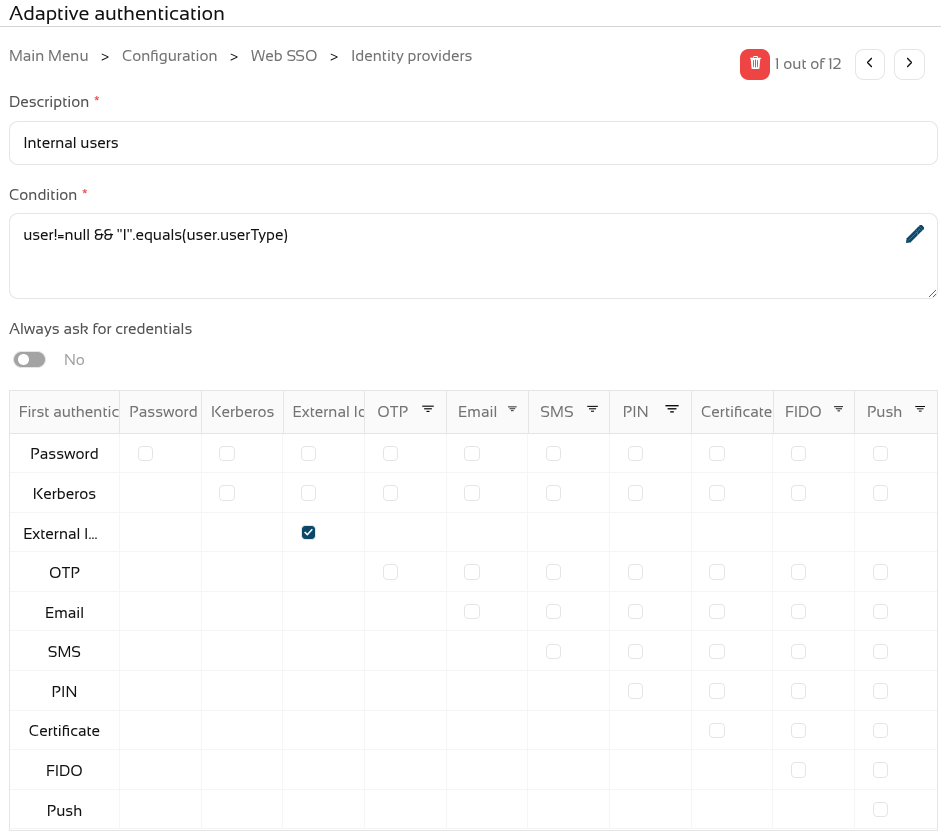
We can now see in Soffid IdP that authentication for internal users uses external providers.
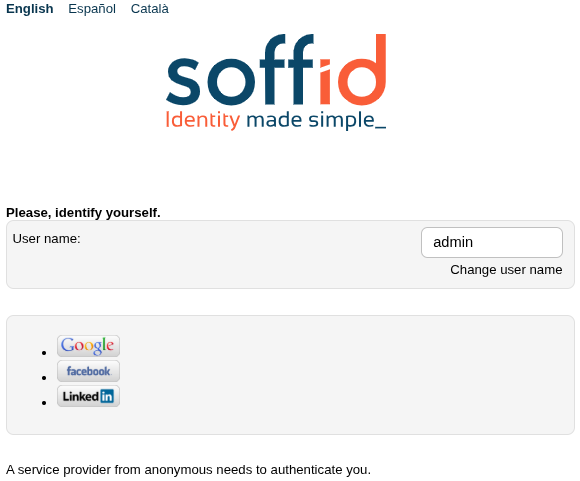
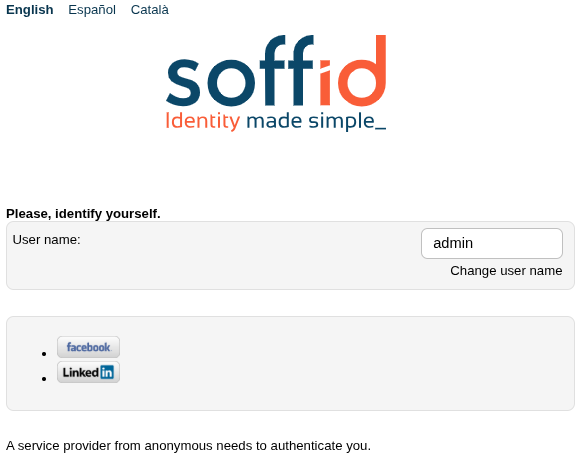
When we try to log in, a list of all the options appears.
We have now decided that one of the external IdPs is not valid for internal users.
Now, when accessing an SP, it will no longer appear in the list.
2026-09-30 New feature: Soffid metrics update
The new feature
The Soffid metrics service has been modified so that it analyses active threads every 10 seconds, rather than waiting for them to finish.
Bear in mind
Please note the following points:
-
This service is disabled by default.
-
This service generates a lot of log data; you should only enable it when necessary.
How to configure it?
The following components must be installed:
- Admin addon 4.0.6.1 (or higher)
Let's look at an example
First, you need to enable the service.
You must add two system variables in the Console and/or Syncserver.
These are the system variables:
soffid.metrics.service.enable=true
soffid.metrics.service.min=60000 (number in miliseconds)This is an example for the Console with docker compose

The instances need to be redeployed.
We can now see the statistics for active processes in the log.
2026-09-30 New feature: launcher clipboard update
The new feature
The use of the clipboard in the launcher has been drastically improved. It is now possible to copy and paste various formats in both directions: plain and rich text, as well as images and graphics
Bear in mind
Please note the following points:
-
This functionality is generic and applies to all sessions types.
-
Copy and paste works in both directions.
-
You can copy plain and rich text (UTF-8, STRING, text/plain, text/html).
-
You can copy images and graphics (PNG, BMP, JPG and JPEG).
How to configure it?
The following components must be installed:
- PAM launcher 1.4.91 (or higher)
- PAM store 1.4.91 (or higher)
- Session types in the last version (pasr images).
Let's look at an example
Example 1: copy text and html text from the PAM session
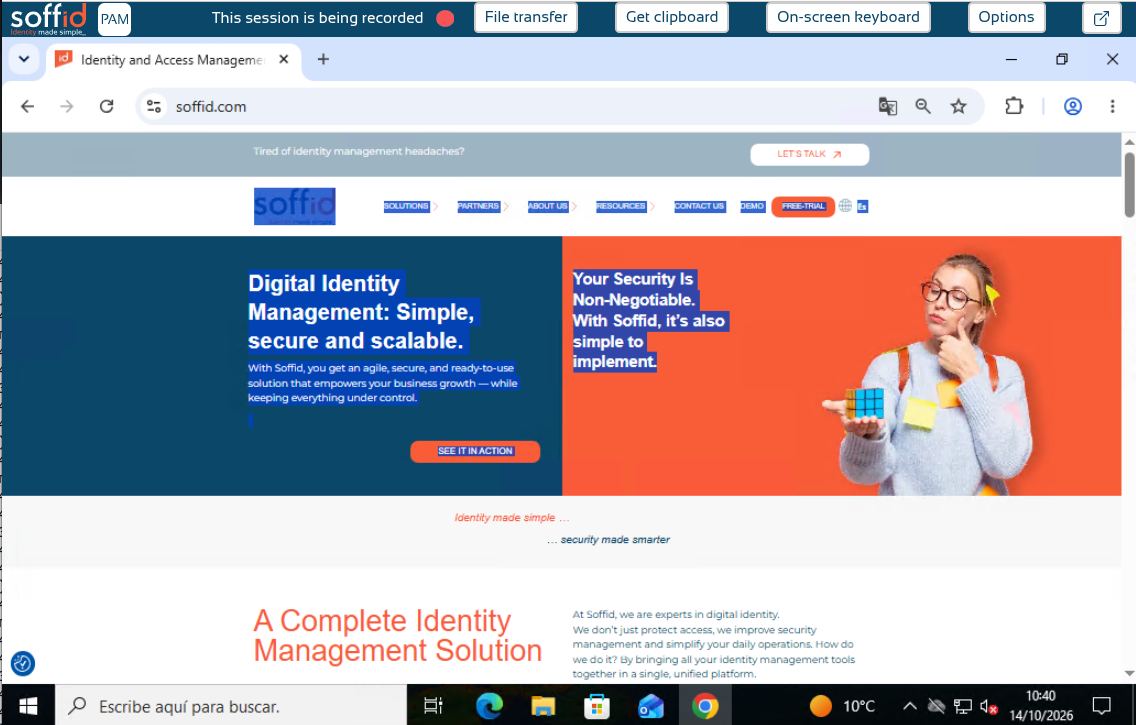
Start a windows connection with the launcher.
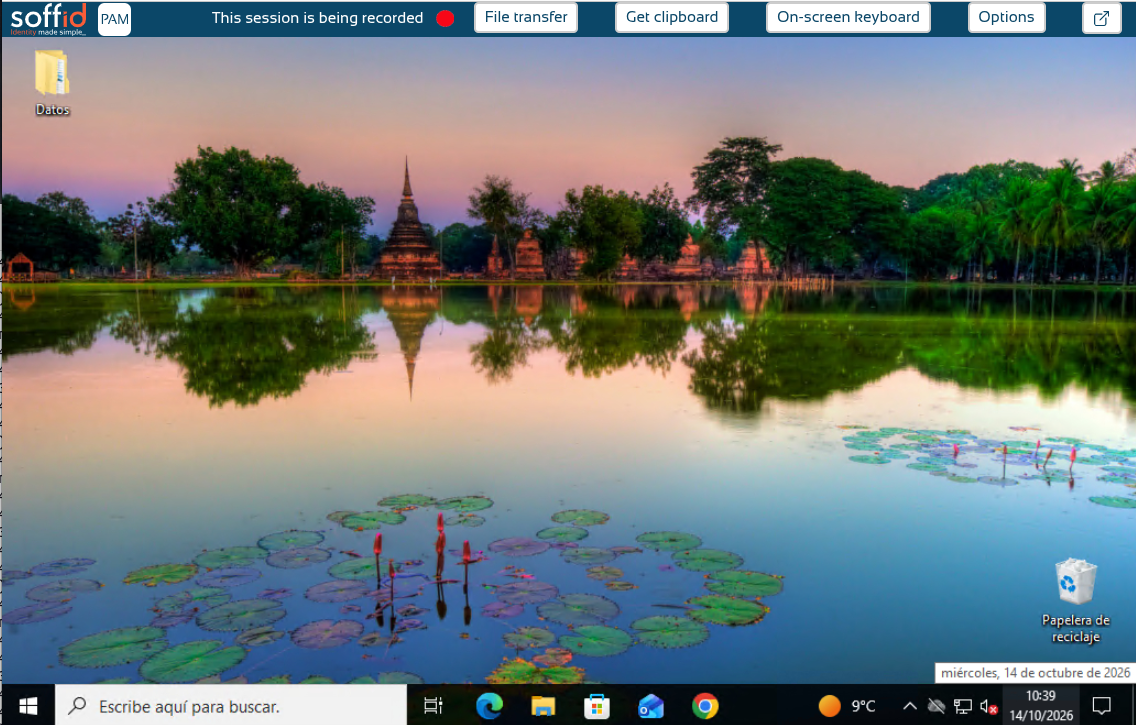
We open the Soffid.com web page.
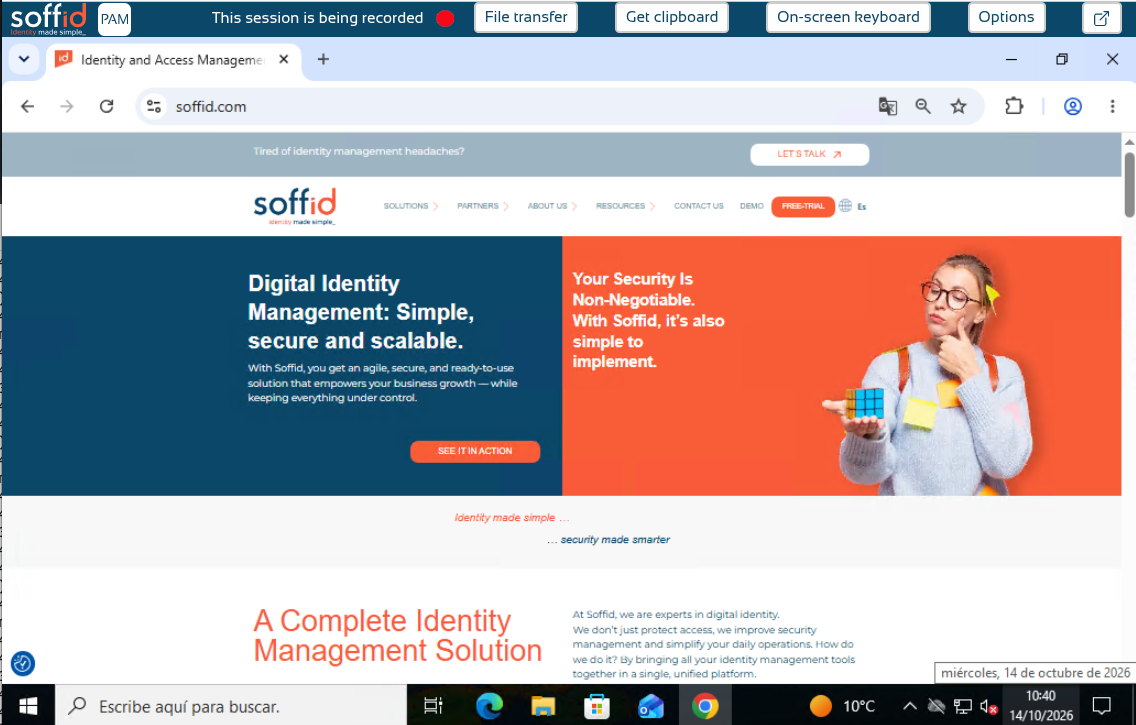
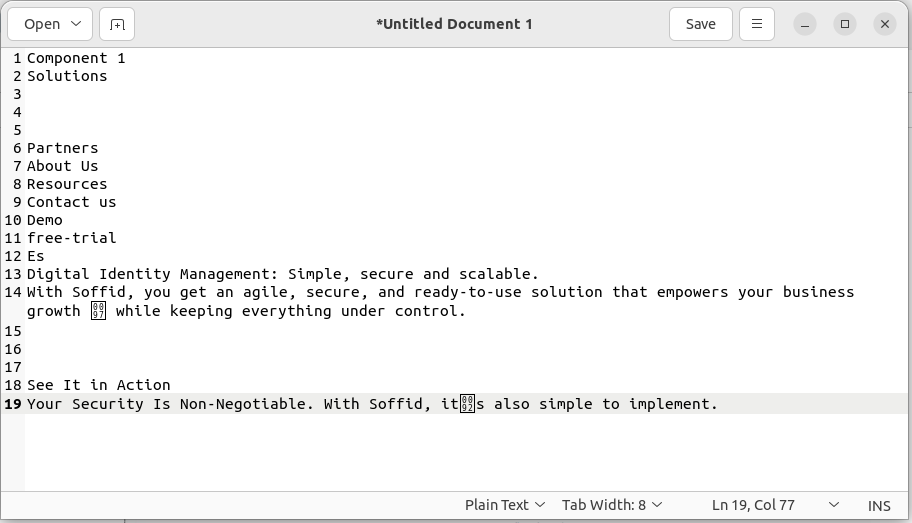
Now we can copy a text and click the Get clipboard button.
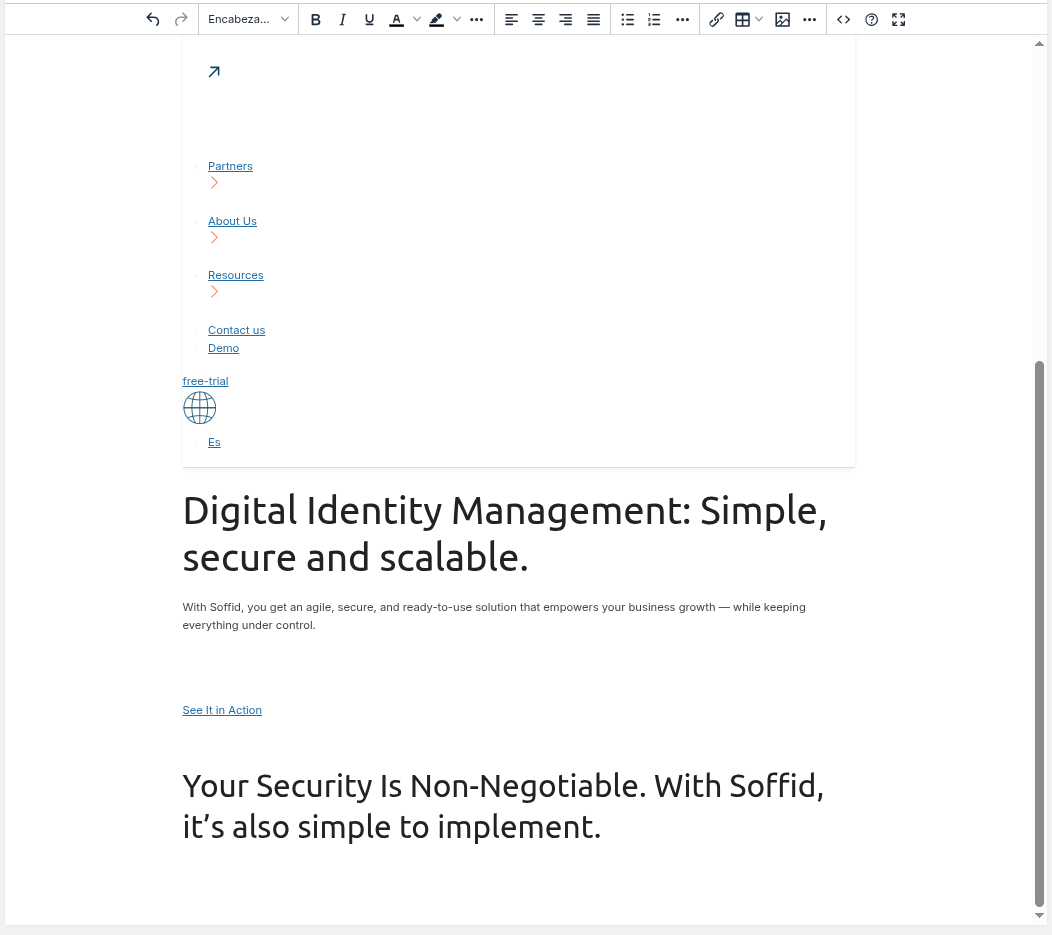
Paste it in a notepad as text.
And finally we paste it in an html editor.
Example 2: copy text and html text to the PAM session
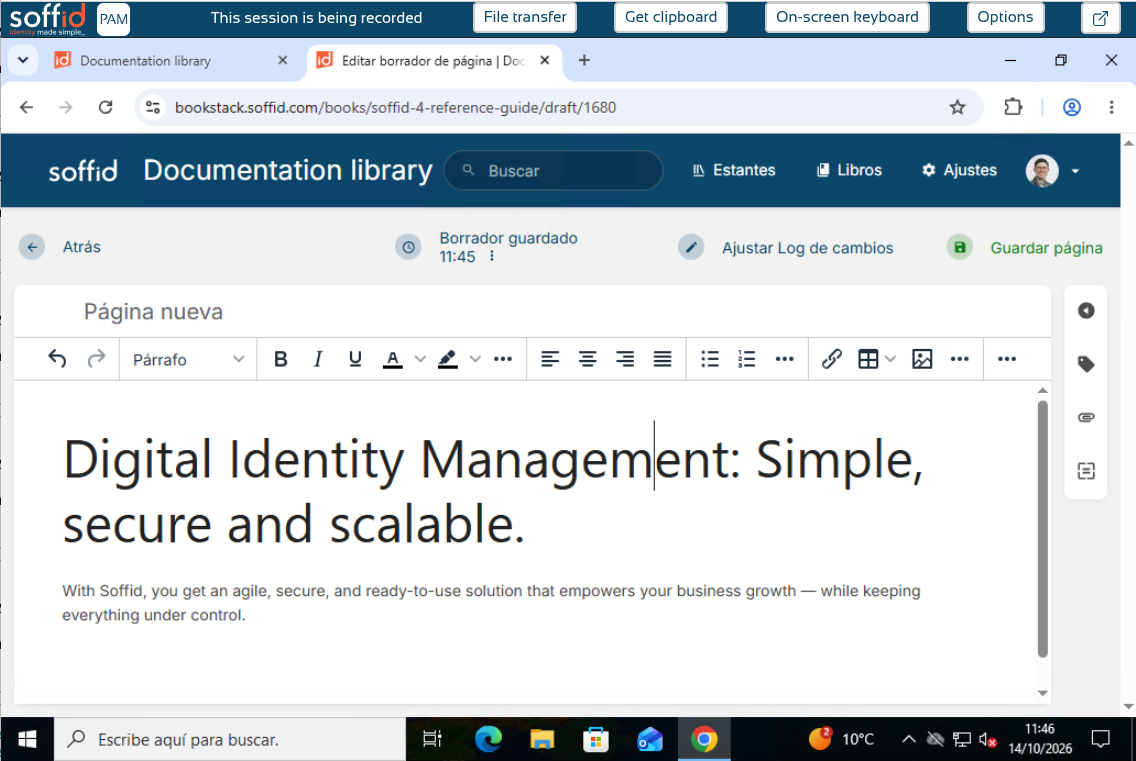
Copy a text or html on your computer.
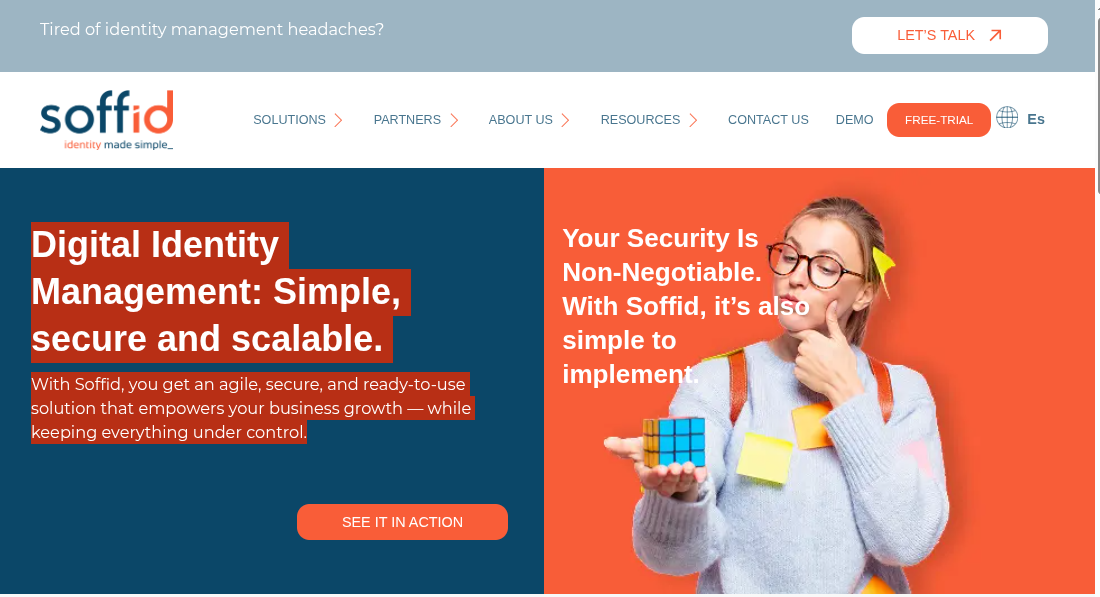
Then paste it directly into the PAM session as text.
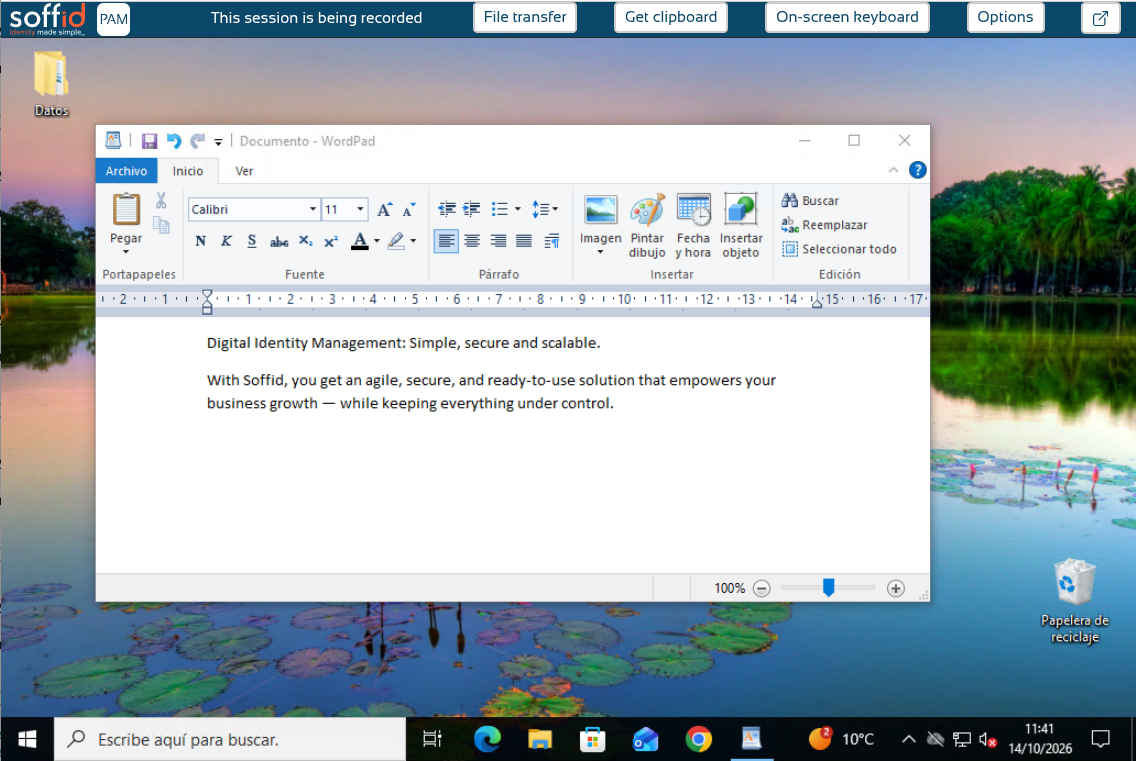
Or as html.
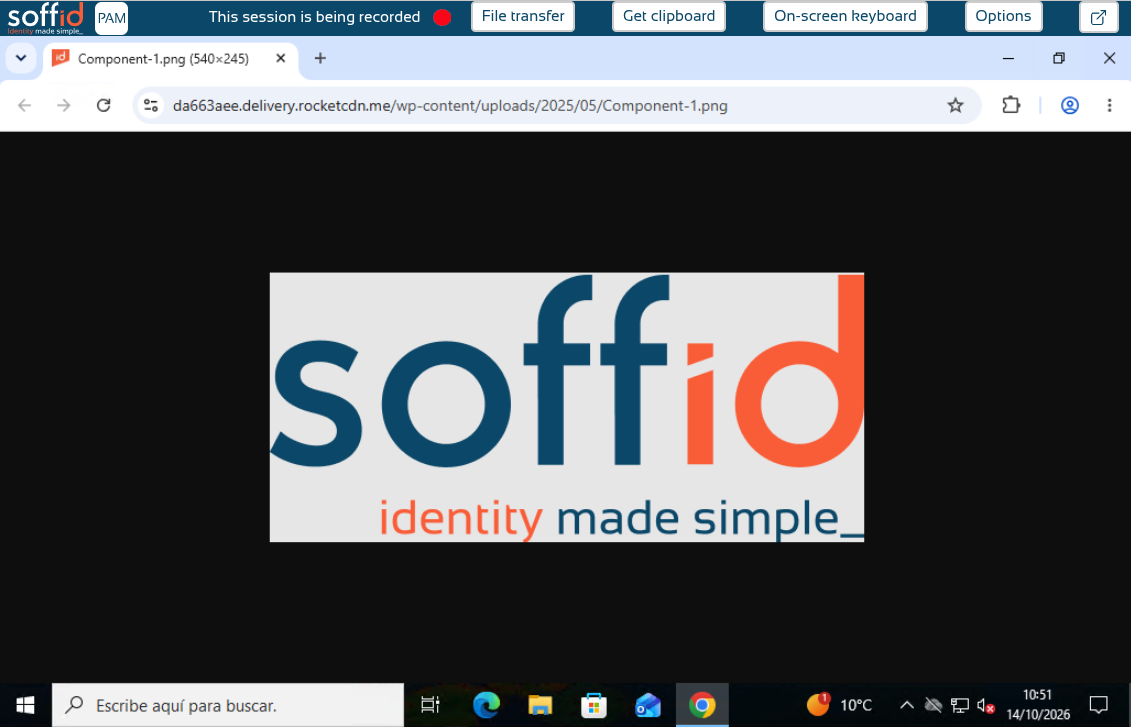
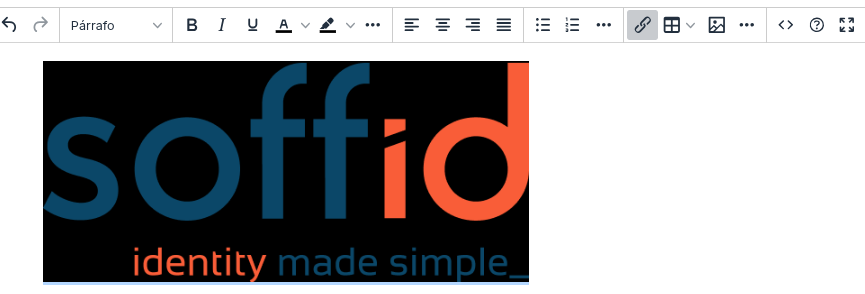
Example 3: copy an image from the PAM session
Start a windows connection with the launcher.
Copy an image.
Now we can paste it in our editor.
Example 4: copy an image to the PAM session
Copy an image or take a screenshot on your computer.
Then paste it directly into the PAM session.