To know how to config the diffent options you can visit the [OTP settings page.](https://bookstack.soffid.com/books/two-factor-authentication-2fa-VsJ/page/otp-settings)
There are three points where OTP can be used in Soffid 1. [Login Federation](#bkmrk-authentication%C2%A0) 2. [Access to pages](#bkmrk-authentication%C2%A0-0) 3. [XACML Rules](#bkmrk-xacml) 4. [Password Recovery](#bkmrk-password-recovery) ## Federation When you are configuring Soffid as Identity Provider, on the Authentication section you could config the OTP as a second authentication factor (2FA).You can visit the [How to deploy the identity & service provider step by step page](https://bookstack.soffid.com/books/federation/page/how-to-deploy-the-identity-service-provider) for more detailed information
### Example First of all, configure the OTP as a second factor authentication at the Identity & service providers page `Main Menu > Administration > Configuration > Web SSO > Identity & Service providers` [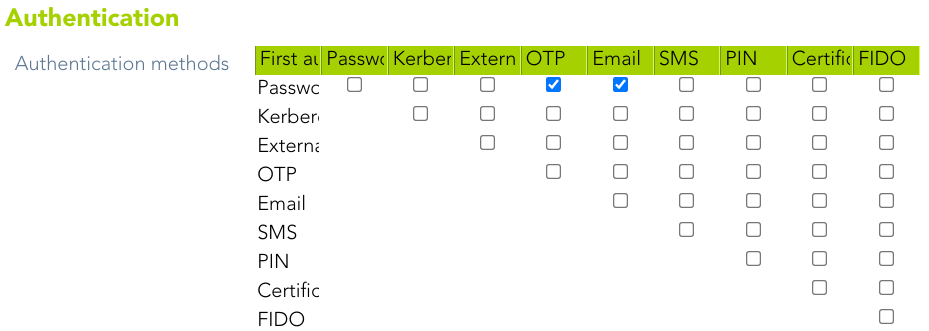](https://bookstack.soffid.com/uploads/images/gallery/2022-01/image-1643376367536.png) Then, when users login, they must write their credentials[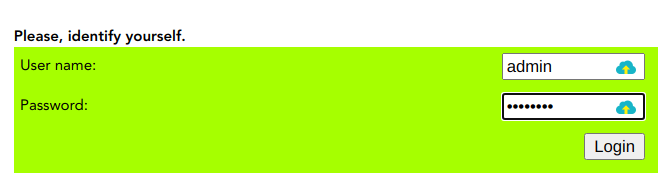](https://bookstack.soffid.com/uploads/images/gallery/2022-01/image-1643614241346.png) If the credentials written are ok, finally Soffid will ask for the 2FA [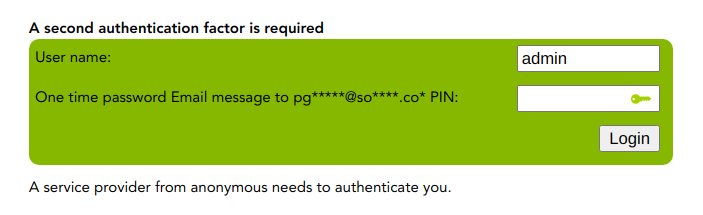](https://bookstack.soffid.com/uploads/images/gallery/2022-01/image-1643376347362.png) ## Authentication Regarding to the access to pages, you will be able to config the specific Soffid console pages that will require OTP authentication. In addition, you will be able to config if the second-factor authentication will be required to all the users or only to users with enabled token.You can visit the [Authentication page](https://bookstack.soffid.com/books/soffid-3-reference-guide/page/authentication "Authentication") for more information
### Example The following is an example of how for a given configuration, a user can access certain pages, or how a second authentication factor is required for the user. #### Second factor authentication configuration Soffid will require the PIN to access to the specified pages to users with a enabled token `Main Menu > Administration > Configuration > Security settings > Authentication` [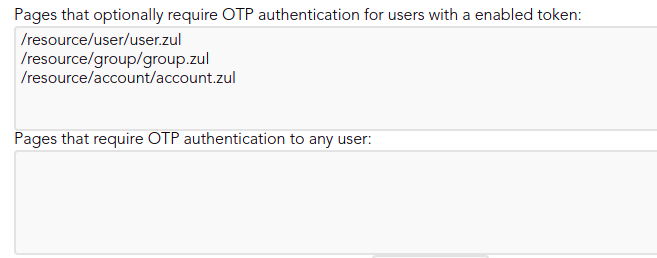](https://bookstack.soffid.com/uploads/images/gallery/2021-12/image-1639997201805.png) #### User access ## XACML OTP can also be used at **XACML Policy Management**. This policies allow adding more complex and restricted rules to the authorizations.You can visit the [XACML book](https://bookstack.soffid.com/books/xacml) for more information.
### Example A 2FA is required to launch the connection to some servers. Administrator user can configure the XACML policies. `Main Menu > Administration > Configuration > Security settings > XACML Policy Management` [](https://bookstack.soffid.com/uploads/images/gallery/2022-02/image-1643901144825.png) When dilbert launch the connection, Soffid will ask for the 2FA [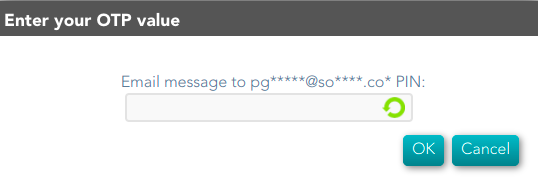](https://bookstack.soffid.com/uploads/images/gallery/2022-02/image-1643901062838.png) ## Password Recovery OTP can be use by end-user to recover the password.You can visit the [Password Recovery book](https://bookstack.soffid.com/books/password-recovery) for more information.
### Example A end-user wants to recover his password. Soffid allows to recover by clicking on the recover password option: [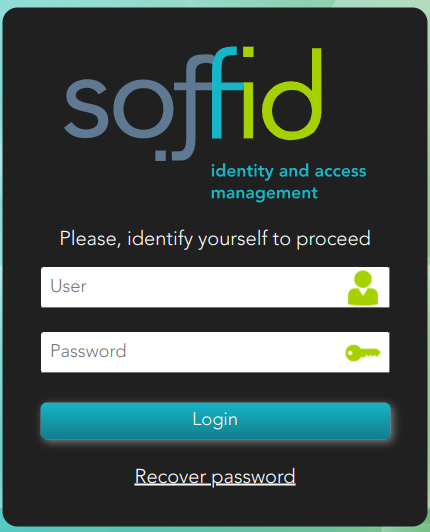](https://bookstack.soffid.com/uploads/images/gallery/2022-03/image-1646815422309.png) Then, the end-user must identify himself: [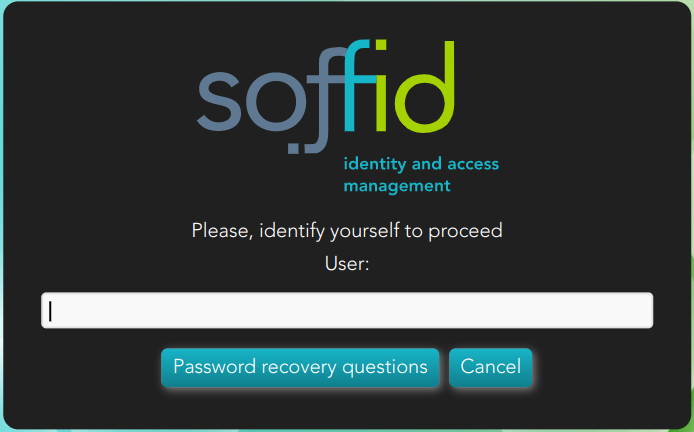](https://bookstack.soffid.com/uploads/images/gallery/2022-03/image-1646815286342.png) And Soffid requires to enter the PIN [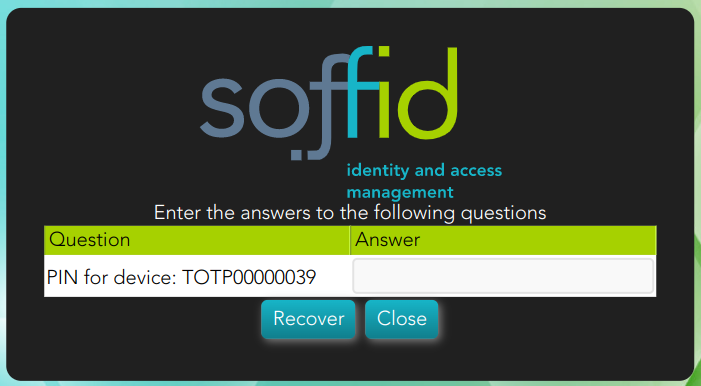](https://bookstack.soffid.com/uploads/images/gallery/2022-03/image-1646813762060.png) If the end-user has not configured the OTP devices, a error message will be display. [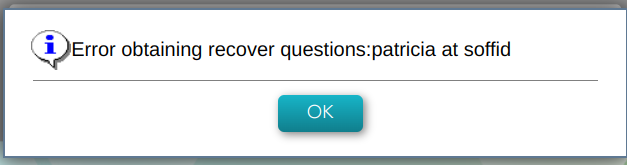](https://bookstack.soffid.com/uploads/images/gallery/2022-03/image-1646815538898.png)