User types
Description
User type is the way to categorize users and allows configuring different password policies. Those policies can be more or less restrictive depending on the user's risk. For instance, internal users (automatically created) are different from external ones.
Therefore, this field is very useful for the following cases:
- Sort or list the users on the user's page or in the reports
- Apply different password policies
- Apply restrictions on the synchronization of Soffid to the target systems
- Ease configuration in automatic rules or custom scripts
Be in mind that a user always must belong to a User Type.
Screen overview
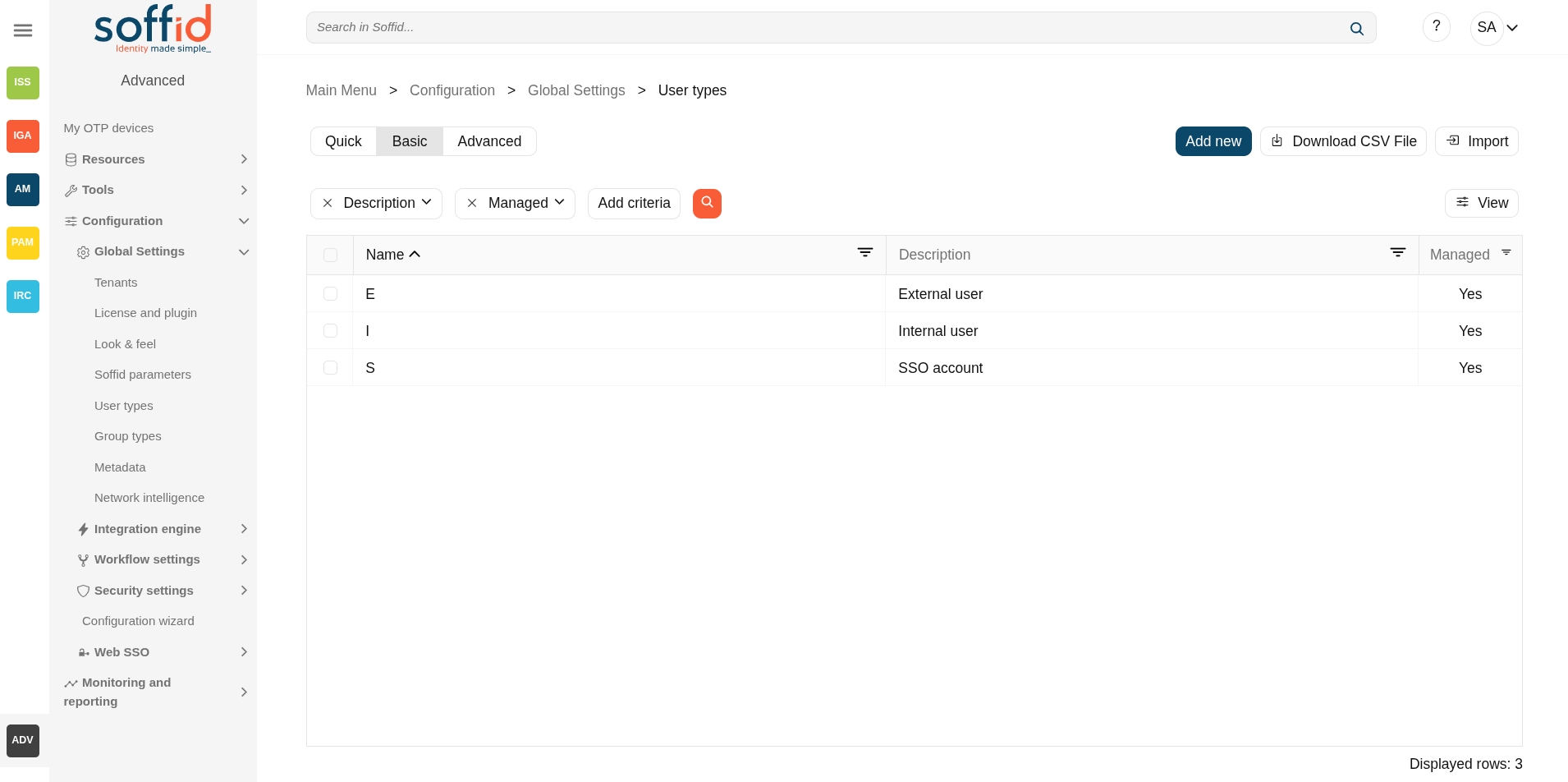
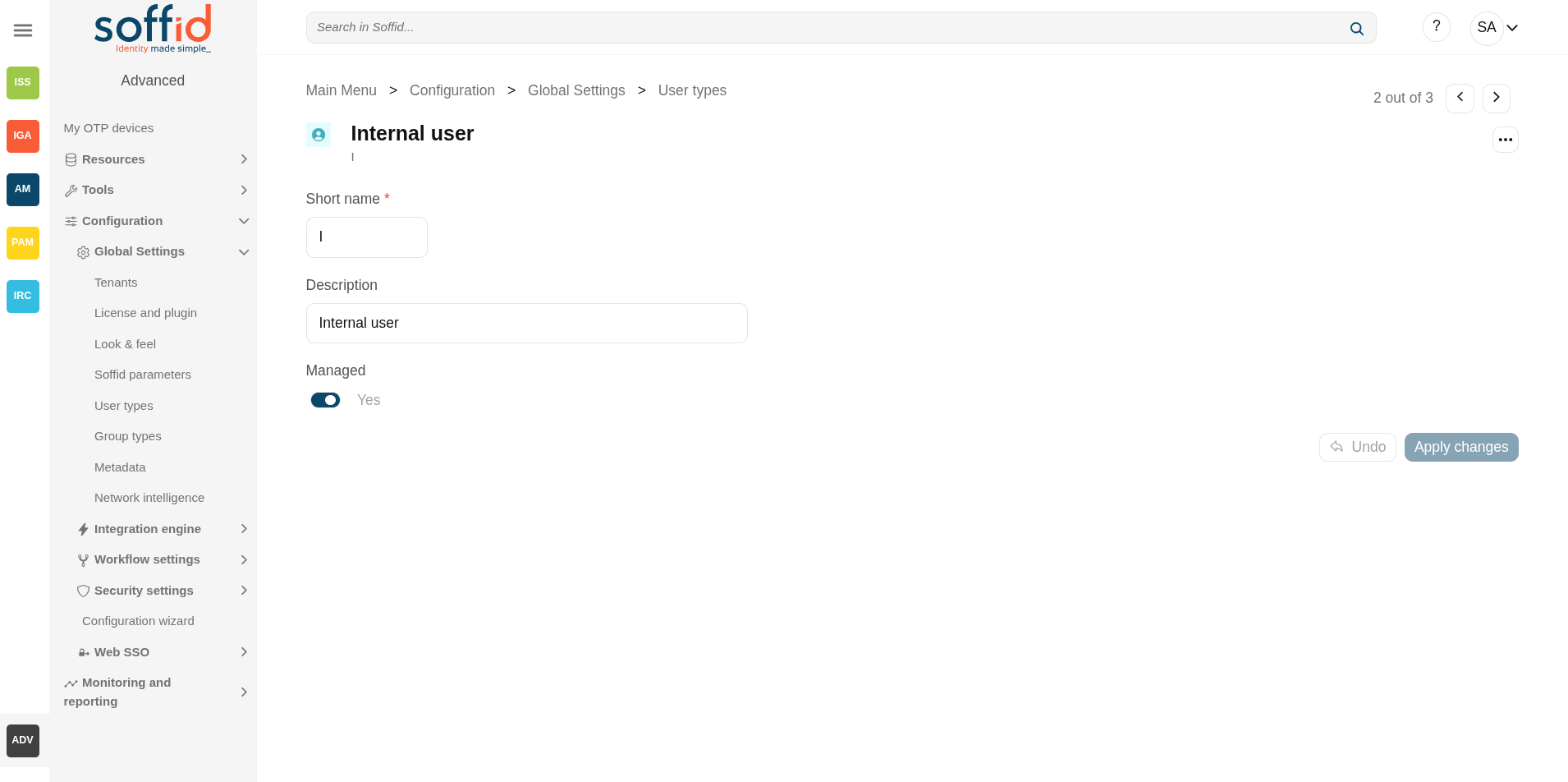
Related objects
- Users: each user must be assigned a user type.
- Accounts: the shared or privileged accounts also require having selected a user type to associate it with a password policy
- Agents: for agents not based on "Manual account creation", you must select the user types that can be synchronised.
Standard attributes
- Short name: internal code used to identify the user type.
- Description: brief description of the user type.
- Managed: (yes|no) if not managed, users belonging to this category will not be propagated to final systems. You must use it when you are developing a PoC.
Actions
User type table
| Add new | Allows you to create a new User type. To add a new User type it will be mandatory to fill in the required fields |
| Delete user type | Allows you to remove one or more User type by selecting one or more records and next clicking this button. To perform that action, Soffid will ask you for confirmation, you could confirm or cancel the operation. |
| Download CSV file | Allows you to download a csv file with the basic information of all user types. |
| Import |
Allows you to upload a CSV file with the User type list to add or update User types to Soffid. First, you need to pick up a CSV file, that CSV has to contain a specific configuration. Then you need to check the content to be loaded, it is allowed to choose if you want or not to load a specific attribute. And finally, you need to select the mappings for each column of the CSV file to import the data correctly and to click the Import button. |
| View |
Allows you to show and hide columns in the table. You can also set the order in which the columns will be displayed. |
User type detail
| Apply changes (disk button) | Allows you to save the data of a new User type or to update the data of a specific User type. To save the data it will be mandatory to fill in the required fields. |
| Delete |
Allows you to delete the User type. To delete a host you can click on the hamburger icon and then click the delete button (trash icon). Soffid will ask you for confirmation to perform that action, you could confirm or cancel the operation. |
| Undo | Allows you to undo any changes made. |
| Apply changes (disk button) | Allows you to save the data of a new User type or to update the data of a specific User type. To save the data it will be mandatory to fill in the required fields. Once you apply changes, the details page will be closed. |