Synchronization servers
Description
Sync server is the engine responsible for connecting Soffid with data sources or managed systems.
Soffid allows you to configure different synchronization servers. These synchronization servers are installed and configurated using command line tool.
More information about how to install sync server on the Installation chapter. Here you can find information on how to install a sync server in different environments.
There are several types of synchronisation servers, each with its own specific function within the Soffid architecture. You can see them in the Standard attributes section.
About tasks and systems
Whenever an action is performed on any Soffid object, a synchronization task is created in Soffid database.
Initially, most of the tasks should be forwarded to every managed system connector. The specific system connector will be responsible for applying (or ignoring) the task to the managed system.
The normal synchronization server flow for a task is as follows:
1. Engine timely reads pending tasks table (SC_TASQUE). To avoid two sync servers to process the same task, the column TAS_SERVER is updated to reflect the actual server that is processing it.
2. Engine manage tasks priorities and updates the task queue. Engine keeps track of one task queue for each managed system connector.
Soffid allows you to configure the parameter soffid.sync.engine.threads with the number of threads available to run the tasks.
For more information about this parameter you can visit the Soffid Parameters page.
3. Engine has created some execution threads to forward each task to the specific connector class. During this process, dispatcher can decide to reject (mark as done) the task without forwarding it.
4. The specific connector class gets additional information about the task from core services.
5. Task is removed from database when every dispatcher has done it.
This architecture and its optimized engine allow Soffid to achieve great performance.
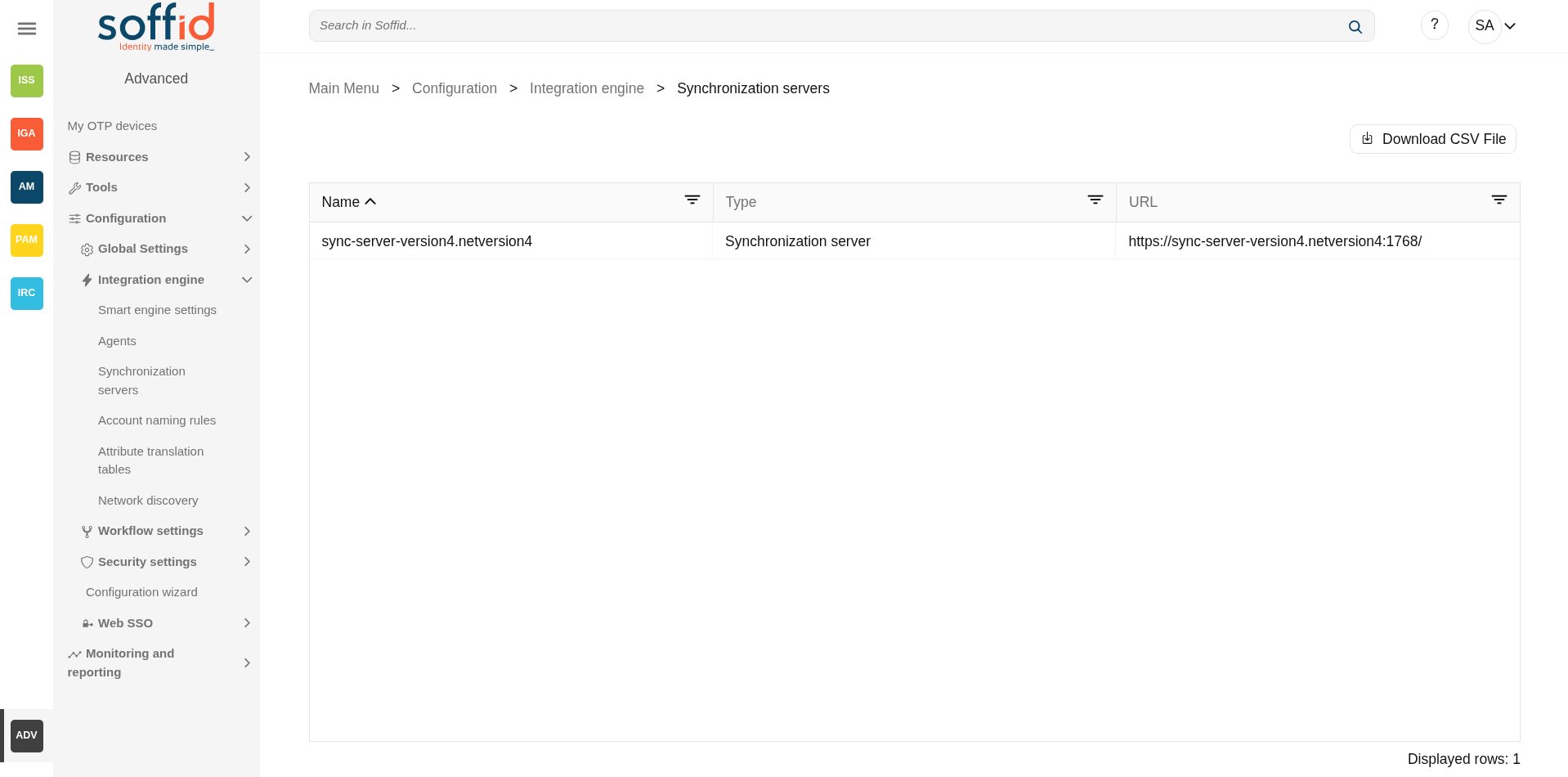
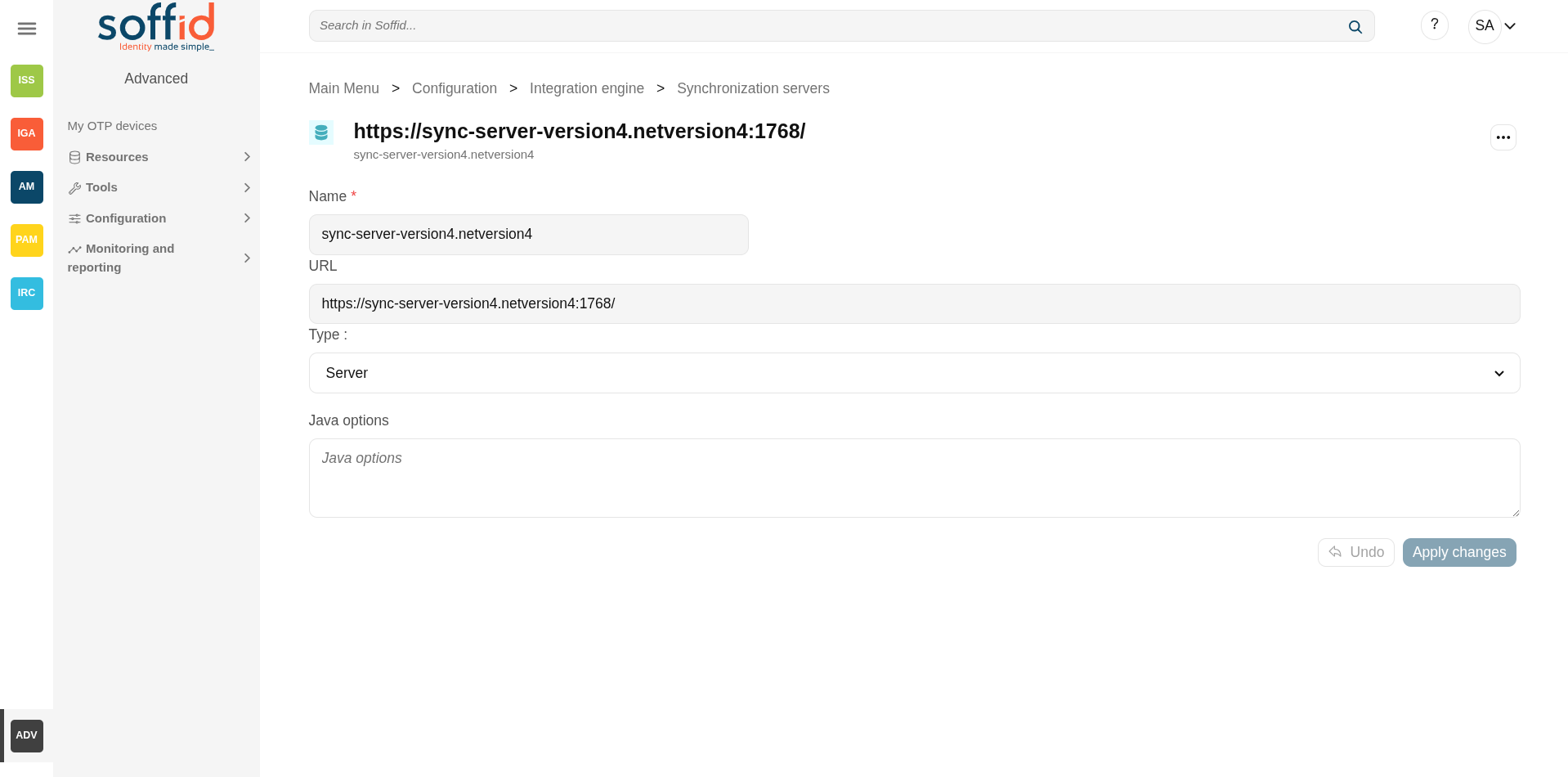
Screen overview
Related objects
- Agents : all agentes are executed on one or more synchronisation servers
- Tenants: the plugins are managed in the master tenant.
- Sync server monitoring : where the synchronisation servers are monitored
Standard attributes
- Name: name of the synchronization server (It is the name specified in the configuration; it cannot be changed by the user interface).
- URL: URL of the synchronization server (https://{name}:{port}/).
- Type: there are different kinds of synchronization servers:
- Synchronization server: or also known as the principal sync server. That server connects to the main database and allocates the task to the different agents. If more than one is configured, they balance the workload and assign synchronisation tasks themselves.
- Synchronization agent proxy: uses a push mechanism. The main Synchronization server will send the tasks to the synchronization agent proxy when it detects tasks for the proxy. That server does not connect to the main database.
- Remote synchronization server: uses a pull mechanism. That server is asking for its tasks, when it asks and the Synchronization server has a task for the remote, the Synchronization server will send that tasks. That server does not connect to the main database.
- Synchronization agent gateway: this server is the broker between the main synchronization server and the remote servers.
- Java options: additional parameters to pass to JVM (Java Virtual Machine). Some useful parameters:
- For a high capacity server are:
-Xmx1024M - For debugging communication: -Djavax.net.debug=ssl
- To enable sync server to use old TLS version in client connections (from sync server to a managed system) add
-Djdk.tls.client.protocols=TLSv1,TLSv1.1(Be in mind TLSv1.2 will be the default version, but some old applications can use TLSv1) - To enable sync server to use old TLS version for incoming connections (from a server or desktop to the sync server) add
-Dsoffid.tls.protocols=TLSv1.1,TLSv1,TLSv1.2,TLSv1.3 -Dsoffid.tls.excludedCiphers="^.*_(MD5)$"Mind that the system security can be compromised by using deprecated TLS protocols - To define how long Java keeps the DNS (domain name resolution) responses in cache you can add the paramameters
-Dsun.net.inetaddr.ttl=1or the newest-Dsun.net.inetaddr.ttl=1"time-to-live" (TTL).
- For a high capacity server are:
If you change the Java Options of an existing Syncserver, you will need to restart the Syncserver. You can visit the Sync server monitoring page for more information about how to restat the Syncserver.
Actions
Table actions
|
Download CSV file |
Allows you to download a CSV file with the information of all synchronization servers. |
Synchronization server detail
|
Apply changes (disk button) |
Allows you to save the synchronization server data. |
| Delete synchronization server |
To delete a sync server you can click on the "three points" icon and then click the delete synchronization server button. Soffid will ask you for confirmation to perform that action, you could confirm or cancel the operation. |
|
Undo |
Allows you to undo any changes made. |
|
Apply changes |
Allows you to save the synchronization server data. Once you apply changes, the details page will be closed. |