This page gathers several mechanisms related to soffid's smart engine.
Administrator users will be able to configure the engine mechanism for synchronisation tasks; a task limit to prevent unsupervised mass changes; and the language of the scripts. ## Screen overview [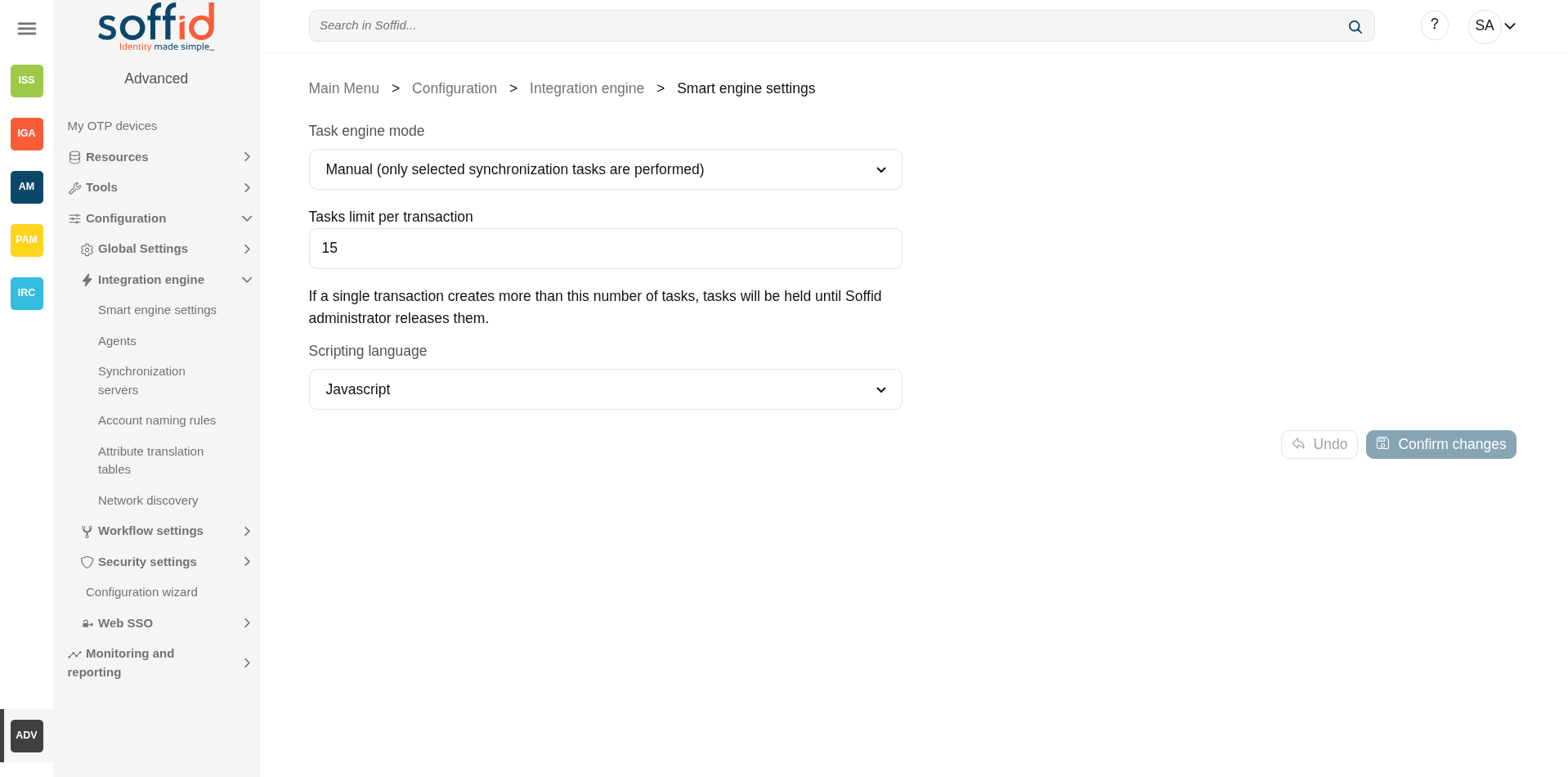](https://bookstack.soffid.com/uploads/images/gallery/2025-08/k2z6ZuD9Mv1ZYGLO-image.png) ## Related objects - [Agents](https://bookstack.soffid.com/books/soffid-4-reference-guide/page/agents "Agents") : to test the synchronization of an object - [Syncserver monitoring](https://bookstack.soffid.com/books/soffid-4-reference-guide/page/sync-server-monitoring "Sync server monitoring") : to check if a task is on hold - [Users](https://bookstack.soffid.com/books/soffid-4-reference-guide/page/users "Users") : to propagate changes manually - [Custom scripts](https://bookstack.soffid.com/books/soffid-4-reference-guide/page/custom-scripts-addon-admin "Custom scripts (addon admin)") : affected by the language script - All pages with script type attributes. ## Standard attributes 1. **Task engine mode**: allows you to select the synchronization mode. There are three available options: - **Read only**: it is the option by default in the Soffid installation. No task is synchronized to external systems. - **Manual**: only selected synchronization tasks are performed. You could synchronize manually a user, check the "Propagates the changes" action on the Users page. Or also synchronize a whole target system, check the Agents page. - **Automatic**: each change is automatically send to target systems. 2. **Tasks limit per transaction**: if a single transaction creates more than this number of tasks, tasks will be held until Soffid administrator releases them. The administrator could check them in the "Sync server monitoring" page, "Not scheduled tasks" button. 3. **Scripting language**: Soffid allows you to create scripts and you can choose the scripting language: - Beanshell - Javascript (by default) - AutodetectedSoffid offers a set of sample scripts. You can find examples visiting [the Sample scripts page](https://bookstack.soffid.com/books/administration-scripting/page/custom-scripts-samples).
Additionally, in the initial configuration of the container, we can configure the SOFFID\_TRUSTED\_SCRIPTS environment variable to allow the use of insecure classes. You can find this information visiting [the Installing IAM Console page](https://bookstack.soffid.com/link/27#bkmrk-4.-installation).
## Actions| **Confirm changes** | Allows you to update the engine settings. |
| **Undo** | Allows you to cancel the changes made and not confirmed. |
**Read Only**: use this option after the Soffid installation until you have at least one target system configured to test the synchronization.
**Manual**: use this option for testing environments, or at the beginning of a live release.
**Automatic**: use this option for live environments, or also for the testing environments when the platform is mature.
Tasks limit per transaction:Use a high task limit when you are comfortable with the configured processes of Soffid, for instance, 1000 or 10000 depending on the number of accounts of these external systems.