Shared signals & events members (addon federation)
Description
For more information, please refer to our section on the Shared signals framework.
Please note that this screen is available in the federation addon.
Screen overview
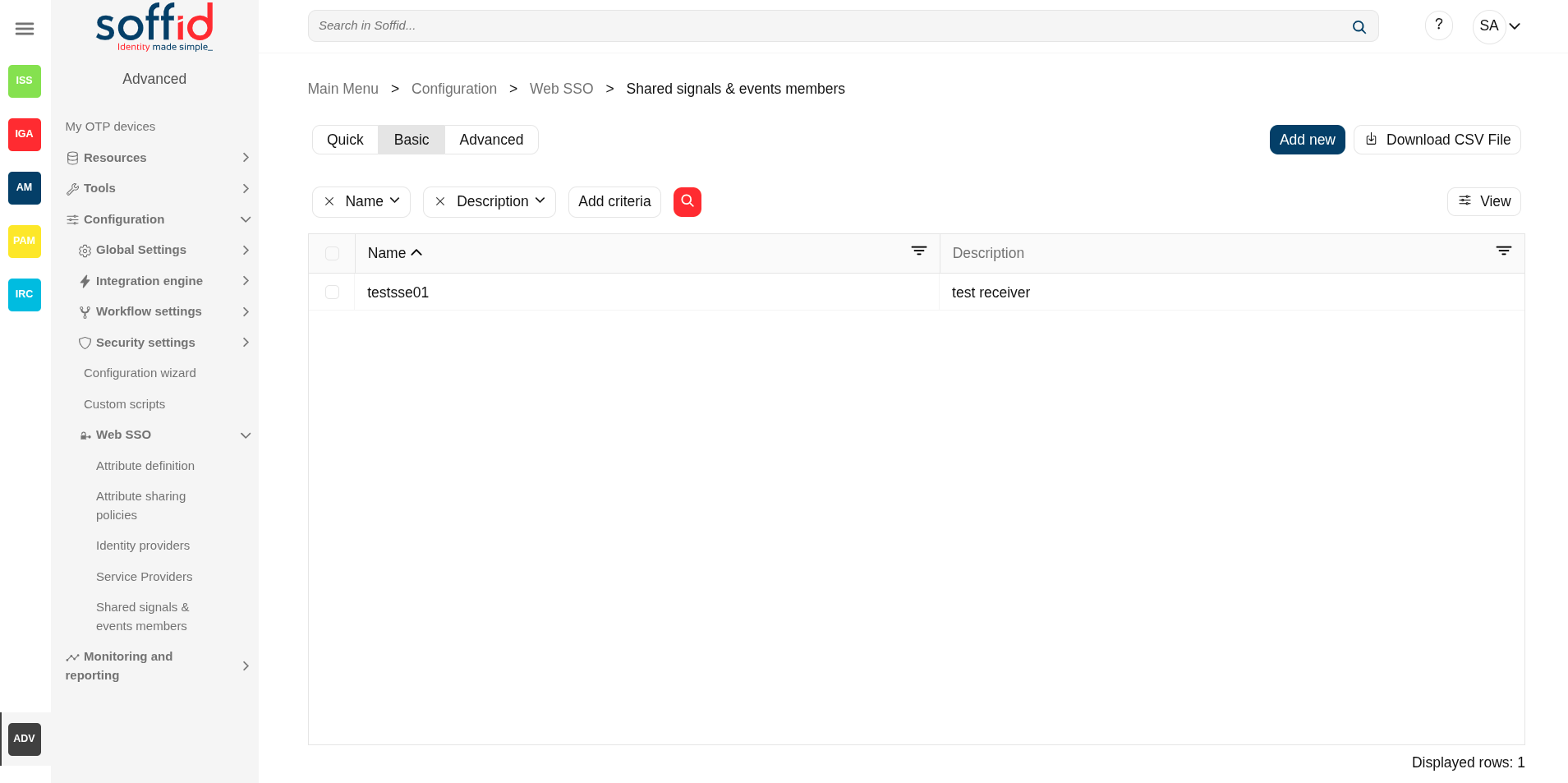
Related objects
- Identity providers : available identity providers
- Service providers : available service providers
- Metadata : where user attributes are defined
- Users : user's data
- Agents : systems to be observed
Standard attributes
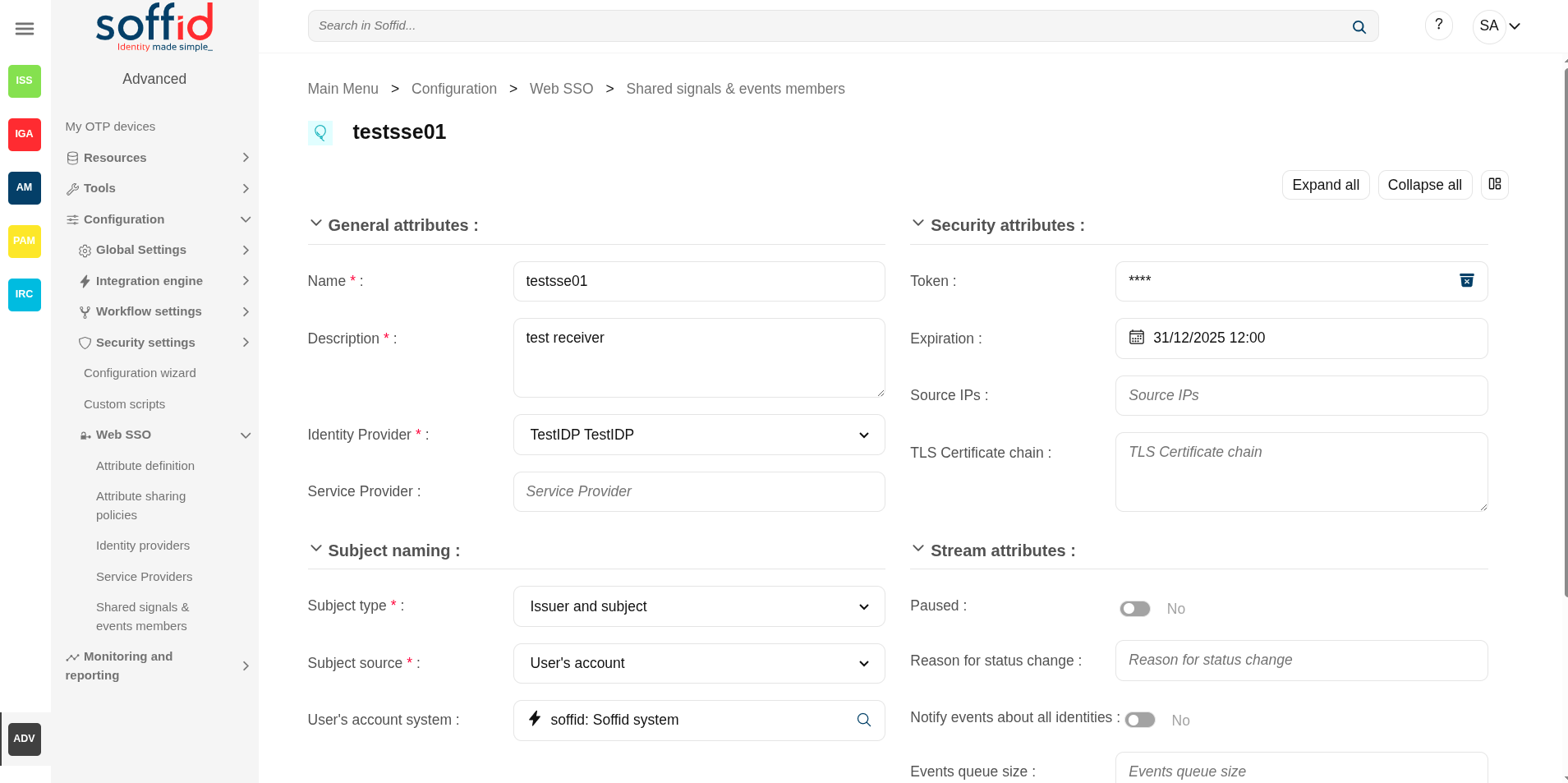
General attributes
- Name: application name.
- Description: a brief description of the application.
- Identity Provider: the IdP on which it depends.
- Service Provider: (optional) applies only to the token change event.
Security attributes
- Token: allows to you to generate a new bearer token. This token will be used in all the requests you make.
- Expiration: expiration date for this token.
- Source IPs: to enable source IPs to use this service.
- TLS certificate chain: to add a certificate chain if comucation requires it
Subject naming
- Subject type: format of the attributes.
- Accounts: accounts
- Email address: email address
- Issuer and subject: issuer and subject
- Opaque: opaque
- Phone number: phone number
- Descentralized identifier: descentralized identifier
- Subject source: where we are going to take the attributes from.
- User's account: if you select this option, then you must select the system.
- oAuth attribute: if you select this option, then you must select the attribute.
- Expression: if you select this option, then you must write a script to calculate the subject.
- Subject expression: script to compute the subject name to pass to the event subscriber
- Subject oAuth attribute: list of all attributes with a value in the "OpenID name" field on the "Attribute definition" screen
- User's account system: systems to be observed
Stream attributes
- Paused: if you choose the Yes option, the events will be registered but not yet sent.
- Reason for status change: reason for status change
- Notify events about all identities: if you select the Yes option, the events of all identities will be sent.
- Events queue size: maximum queue size. To limit and contain the number of events.
- URL: (read-only) push URL if configured.
- Stream attributes: (read-only) delivery mechanism.
- Events: (read-only) event list.
Actions
Table actions
|
Add new |
Allows you to add a new shared signals framework members object in the system. To add a new one it is necessary to fill in the required fields. |
| Delete shared signals & events members | Allows you to delete one or more shared signals framework members object by selecting one or more records and next clicking this button. To perform that action, Soffid will ask you for confirmation, you could confirm or cancel the operation. |
|
Download CSV file |
Allows you to download a CSV file with the basic information of all shared signals & events members. |
|
View |
Allows you to show and hide columns in the table. You can also set the order in which the columns will be displayed. |
Detail actions
|
Apply changes (disk button) |
Allows you to save the data of a new shared signals framework members object or to update the data of a specific shared signals framework members object. To save the data it will be mandatory to fill in the required fields. |
|
Delete |
|
| Collapse all | Hide all attributes of the different blocks. |
| "Types of views" | Change the view type: Classic view, Modern view, Compact design. |
|
Undo |
Allows you to quit without applying any changes. |
|
Apply changes |
Allows you to save the data of a new shared signals framework members object or to update the data of a specific shared signals framework members object. Once you apply changes, the plugin details page will be closed. |