Password policies
Definition
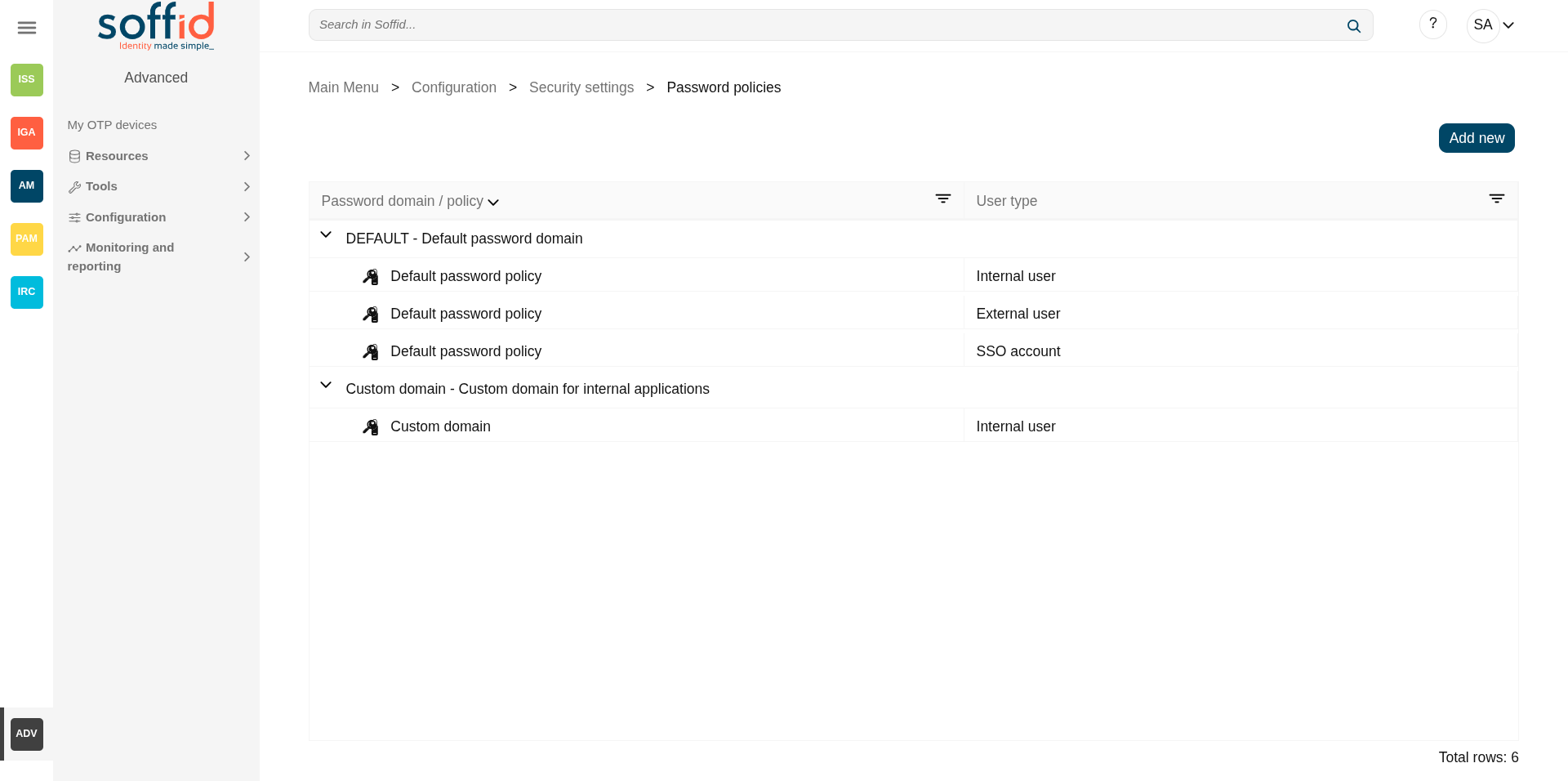
On this page, you can configure the password policies that will be applied when assigning a new password, always depending on the password domain selected by that system and the type of user selected.
Therefore, the two main components of this page are password management and password policies.
Password domain
Is a logical way of grouping managed systems that are sharing the same password for each account.
If the administrator chooses to have the same password for every system, only one password domain should exist. If the administrator chooses to assign a different password for each system, then a password domain should be created for each managed system.
Password policies
Password policies allow you to define custom rules that passwords must comply with to enhance system security.
For each password domain, Soffid allows you to create different password policies related to user type. It is only possible to define a single password policy for one password domain and one user type.
There are two kinds of password policies.
- The first one is for user selected passwords. That is the default behavior.
- The second one is system generated passwords. These policies are useful for shared accounts when using Enterprise Single Sign-on.
A password policy will also define how often the password needs to be changed and how many days are allowed to change it.
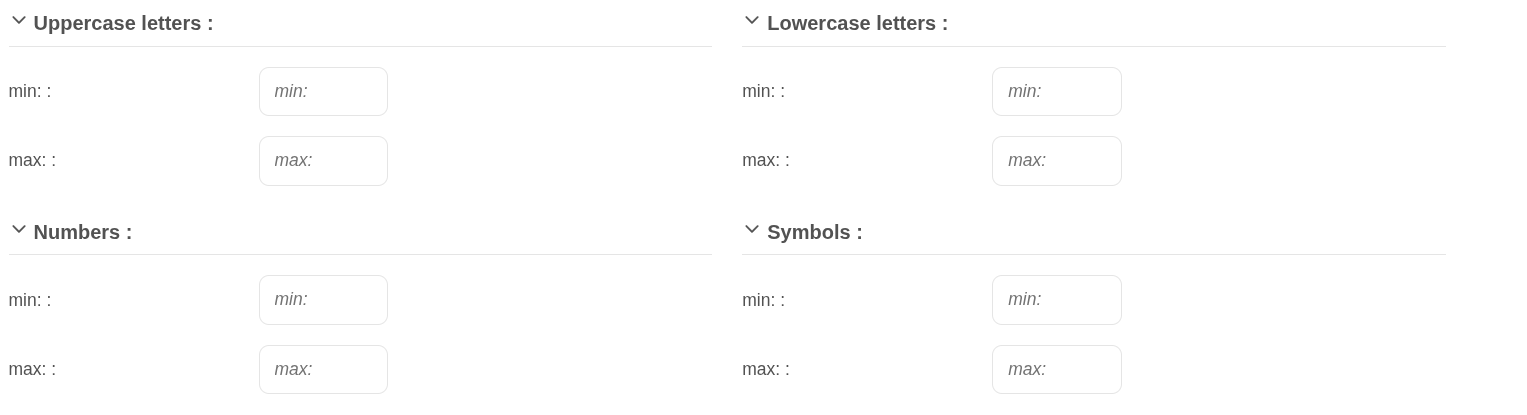
Regarding password complexity, you can specify the minimum and the maximum number of lowercase letters, uppercase letters, numbers, and symbols, as well as password length.
The administrator users can define a regular expression that must match each password. This can be used, for instance, to ensure that the first password is not numeric.
It is allowed to create a list of forbidden words that cannot be used as passwords.
Screen overview
Related objects
- User type : can be a user type for password policy and password domain
- Agents : where the password domain is selected
- Users : where a new password can be set
- Accounts : where a new password can be set
- My accounts : where a new password can be set or to query the password already set
- Network intelligence : to enable the "Check breached password" a valid token must be applied
Standard attributes
Password domain attributes
- Code: password domain identifier code.
- Description: a brief description of the password domain.
Password policies attributes
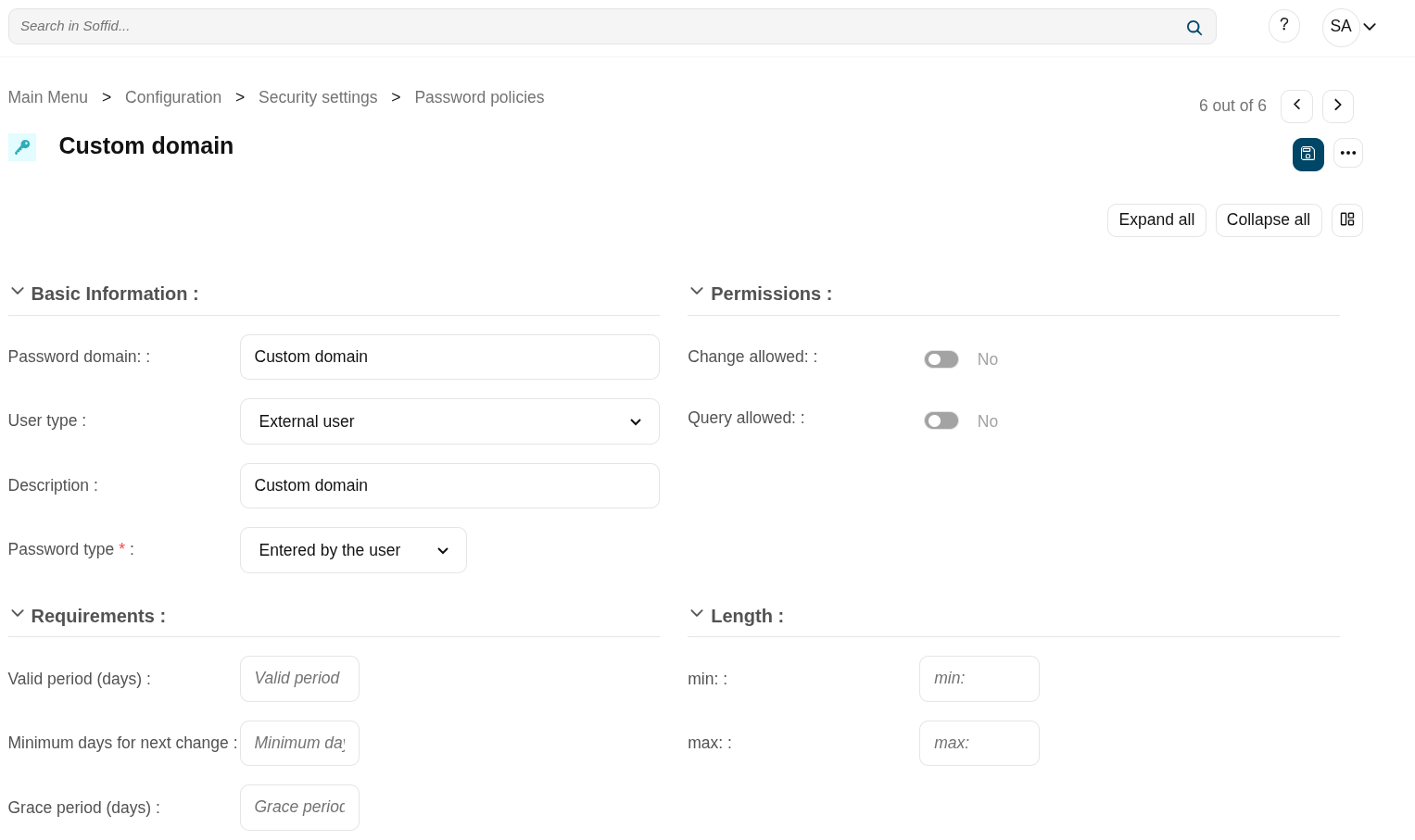
- Password domain: the password policy belongs to that password domain.
- User type: specific user type for which the password policy is created.
- Description: a brief description of the password policy.
- Password type: the king of policies password:
- Entered by the user: that is the default behavior.
- Automatically generated: these policies are useful for shared accounts when using Enterprise Single Sign-on.
- Change allowed: if it is checked, the user could change automatically generated passwords.
- Query allowed: if is checked, the user can view the current password.
- Valid period (days): the change of the password will be asked in that number of days. That option is available when you select the "Entered by the user" option.
- Minimum days for next change: number of days during which you are not permitted to change your password again
- Grace period (days): additional days allowed to the valid period, for changing the password. That option is available when you select the "Entered by the user" option.
- Renewal Time: added number of days to change the password. That option is available when you select the "Automatically generated" option.
- Length (min & max): added the number of days to change the password.
- Uppercase letters (min & max): min and max number of uppercase letters that be included on the password.
- Lowercase letters (min & max): min and max number of lowercase letters that be included on the password.
- Numbers (min & max): min and max number of numbers that be included on the password.
- Symbols (min & max): min and max number of symbols that are included on the password.
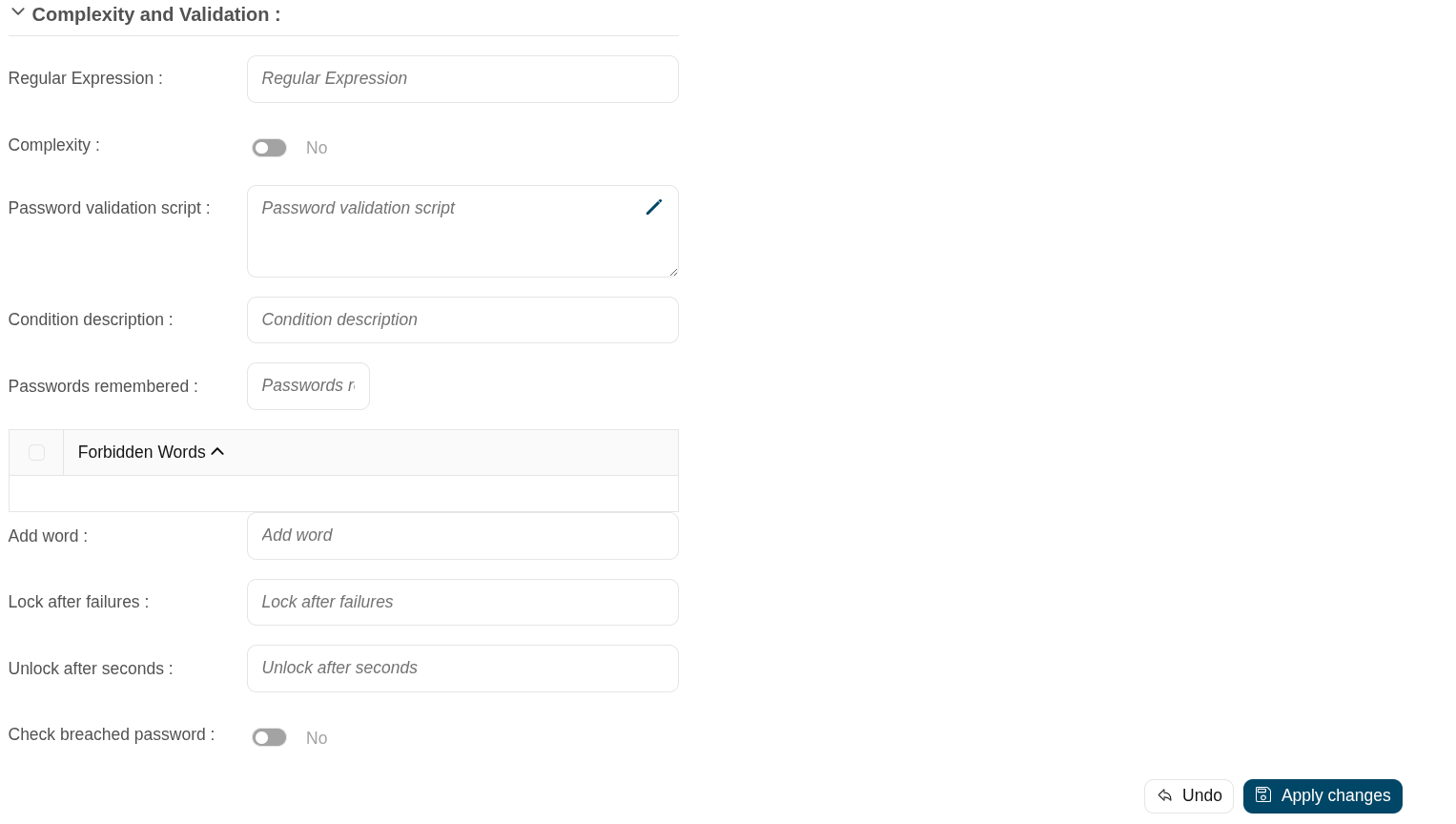
- Regular expression: the password must comply with that regular expression.
- Complexity: Similar operation to the same option in Active Directory. It is mandatory to use three different types of characters (uppercase, lowercase, numbers, and symbols), it is not allowed to use the user code, name, or surname.
- Password validation script: script to validate additional password conditions. The result must be true or false.
- Condition description: description of the validation script. This condition will be displayed in the Password policy field when the user try to change the password from My Profile.
- Passwords remembered: the number of passwords the system will remember.
- Forbidden words: list of forbidden words that may not be used to create a password if they are selected. It will be case insensitive. For instance, there will be no distinction between "Soffid", "SOFFID", or "soffid".
- Lock after failures: the number of login attempts before blocking an account.
- Unlock after seconds: the number of seconds an account is blocked.
- Check breached password: If you have a valid token in the network intelligence, Soffid will verify that the password is valid and that there have been no security breaches.
Actions
Table actions
| Add new | Allows you to create a new password domain. To add a new password domain it will be mandatory to fill in the required fields |
| Add password policy | Allows you to create a new password policy on a specific password domain. Below the father password domain, you can find the button [+] to perform that action. To add a new password policy it will be mandatory to fill in the required fields. |
Password domain detail actions
| Apply changes (dick button) | Allows you to save a new password domain or to update the password domain changes. To save the data it will be mandatory to fill in the required fields. |
| Delete |
Allows you to delete a password domain. To delete a password domain you can click on the "three points" icon and then click the delete button. Soffid will ask you for confirmation to perform that action, you could confirm or cancel the operation. |
| Undo | Allows you to quit without applying any changes. |
Password policies detail actions
| Apply changes (dick button) | Allows you to create a new password policy or to update password policy changes. To save the data it will be mandatory to fill in the required fields. |
| Delete |
Allows you to delete a password policy. To delete a password policy you can click on the "three points" icon and then click the delete button. Soffid will ask you for confirmation to perform that action, you could confirm or cancel the operation. |
| Undo | Allows you to quit without applying any changes. |
Others
Examples
Password validation script example:
codi3 = user.userName.substring(0, 3);
codi3 = codi3.toLowerCase();
if (passwordT != null)
	if(codi3.equals(passwordT.substring(0,3)))
  		return false;
return true;