# Office 365 as External SAML identity provider

### Introduction

Steps to configure Office 365 as External SAML identity provider.

### Step-by-Step

> <span style="color: #a6d100; font-weight: bold; font-size: 18px;">1.</span> Open a [https://portal.azure.com](https://portal.azure.com)

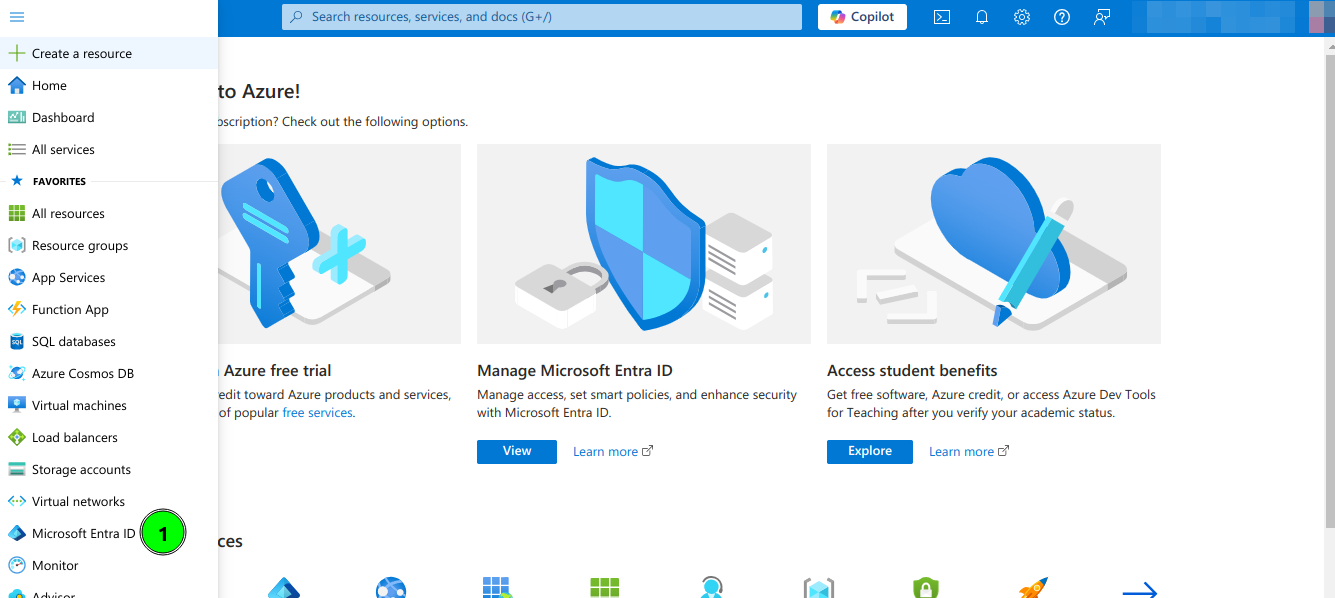
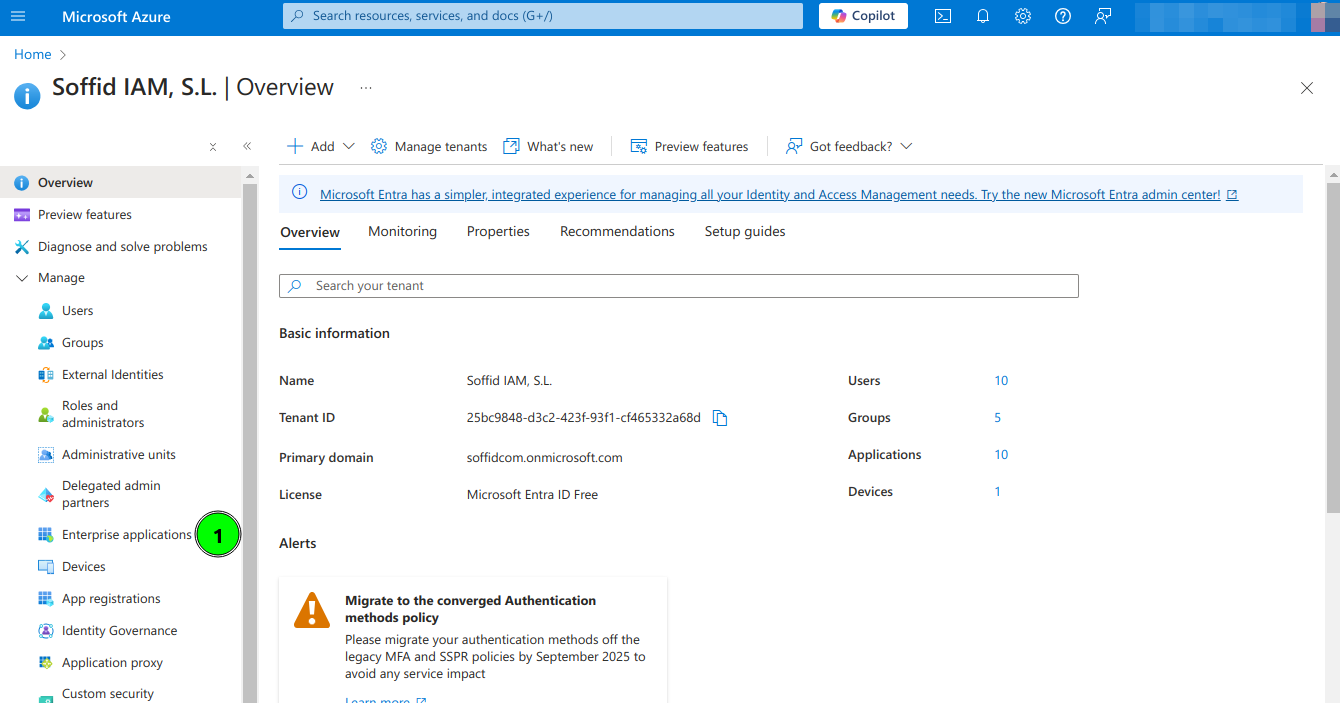
<span style="color: #a6d100; font-weight: bold; font-size: 18px;">2.</span> Open **Microsoft Entra ID** and then select **Enterprise applications** option

[![image.png](https://bookstack.soffid.com/uploads/images/gallery/2024-10/scaled-1680-/WP18dhnYbR5sissf-image.png)](https://bookstack.soffid.com/uploads/images/gallery/2024-10/WP18dhnYbR5sissf-image.png)
[![image.png](https://bookstack.soffid.com/uploads/images/gallery/2024-10/scaled-1680-/ftXynvrNNSko2rqR-image.png)](https://bookstack.soffid.com/uploads/images/gallery/2024-10/ftXynvrNNSko2rqR-image.png)
<span style="color: #a6d100; font-weight: bold; font-size: 18px;">3.</span> Select **All applications** and click **New Application**

[![image.png](https://bookstack.soffid.com/uploads/images/gallery/2024-10/scaled-1680-/yyrrWOSNAdSagMvk-image.png)](https://bookstack.soffid.com/uploads/images/gallery/2024-10/yyrrWOSNAdSagMvk-image.png)
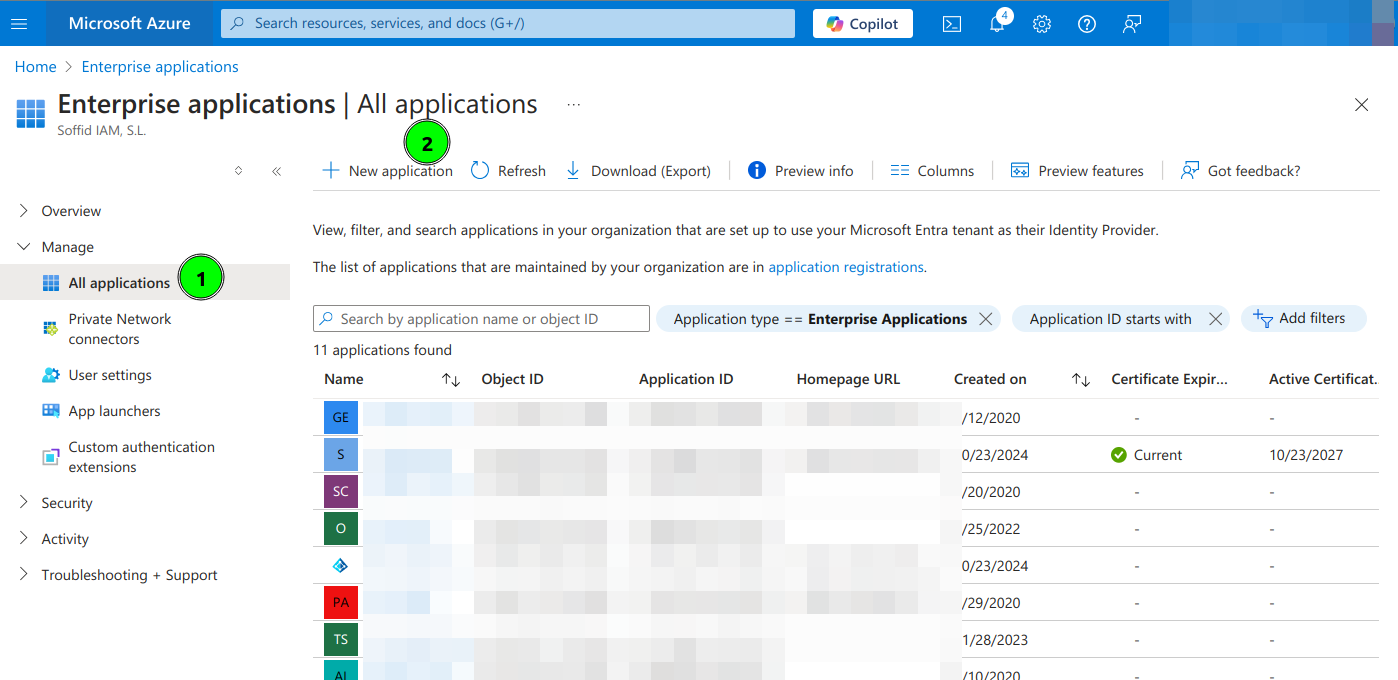
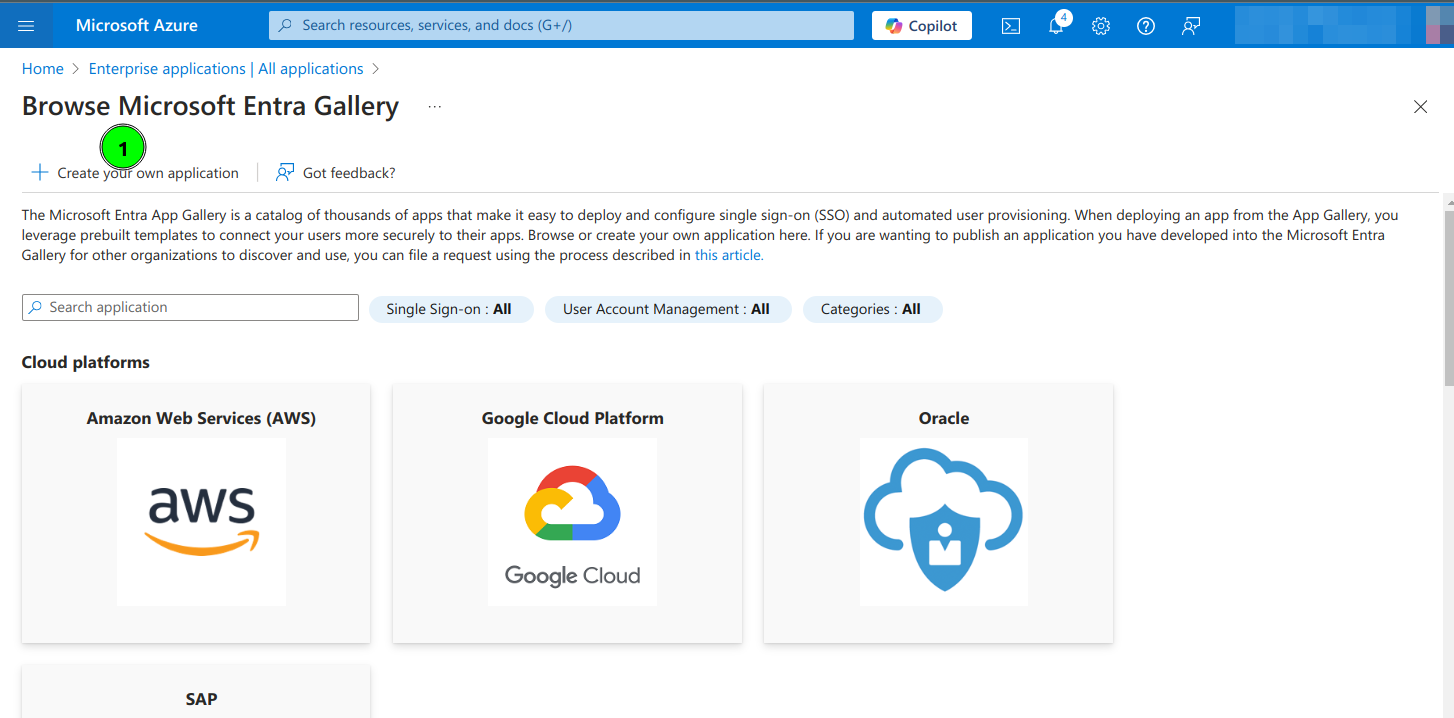
<span style="color: #a6d100; font-weight: bold; font-size: 18px;">4.</span> Select Create your own application

[![image.png](https://bookstack.soffid.com/uploads/images/gallery/2024-10/scaled-1680-/iiJbB8yPOkNYRsqu-image.png)](https://bookstack.soffid.com/uploads/images/gallery/2024-10/iiJbB8yPOkNYRsqu-image.png)

<span style="color: #a6d100; font-weight: bold; font-size: 18px;">5.</span> Type the name of your app and select the "Integrate any other application you don't find in the gallery (Non-gallery)" option

[![image.png](https://bookstack.soffid.com/uploads/images/gallery/2024-10/scaled-1680-/QhkBvx4Q45jUmT05-image.png)](https://bookstack.soffid.com/uploads/images/gallery/2024-10/QhkBvx4Q45jUmT05-image.png)
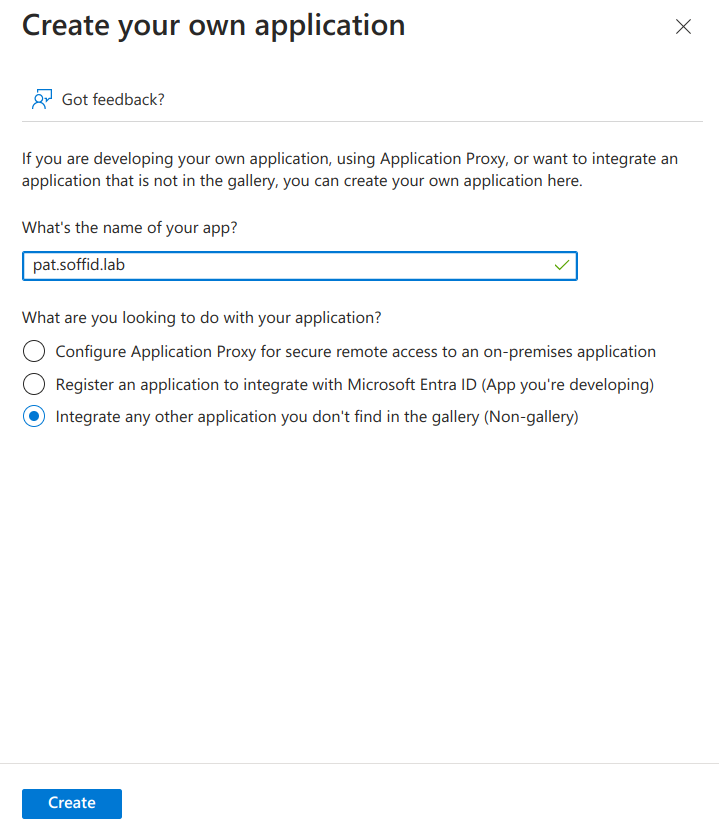
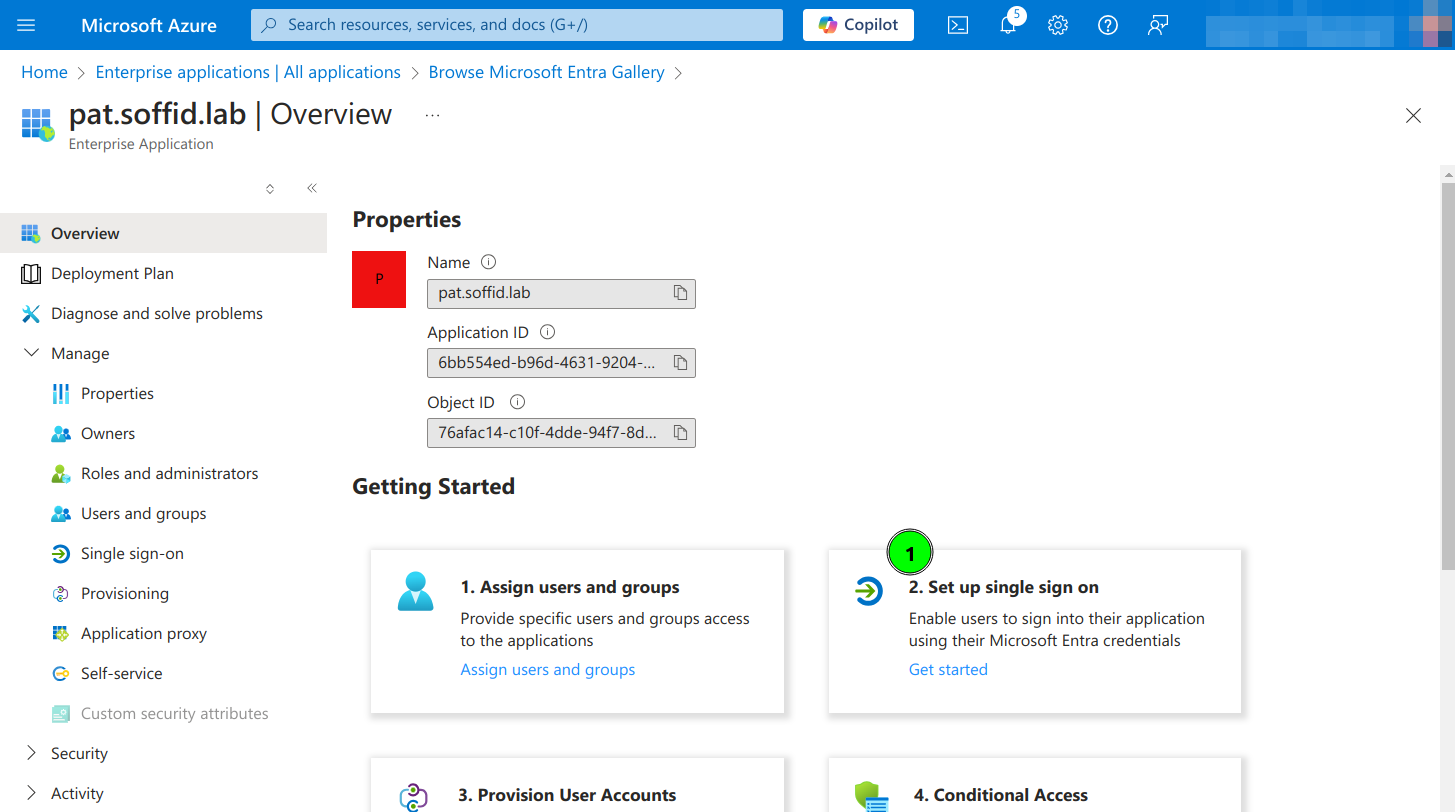
<span style="color: #a6d100; font-weight: bold; font-size: 18px;">6.</span> Click on **Set up single sign on**

[![image.png](https://bookstack.soffid.com/uploads/images/gallery/2024-10/scaled-1680-/e1skoCZPf4zZjV82-image.png)](https://bookstack.soffid.com/uploads/images/gallery/2024-10/e1skoCZPf4zZjV82-image.png)

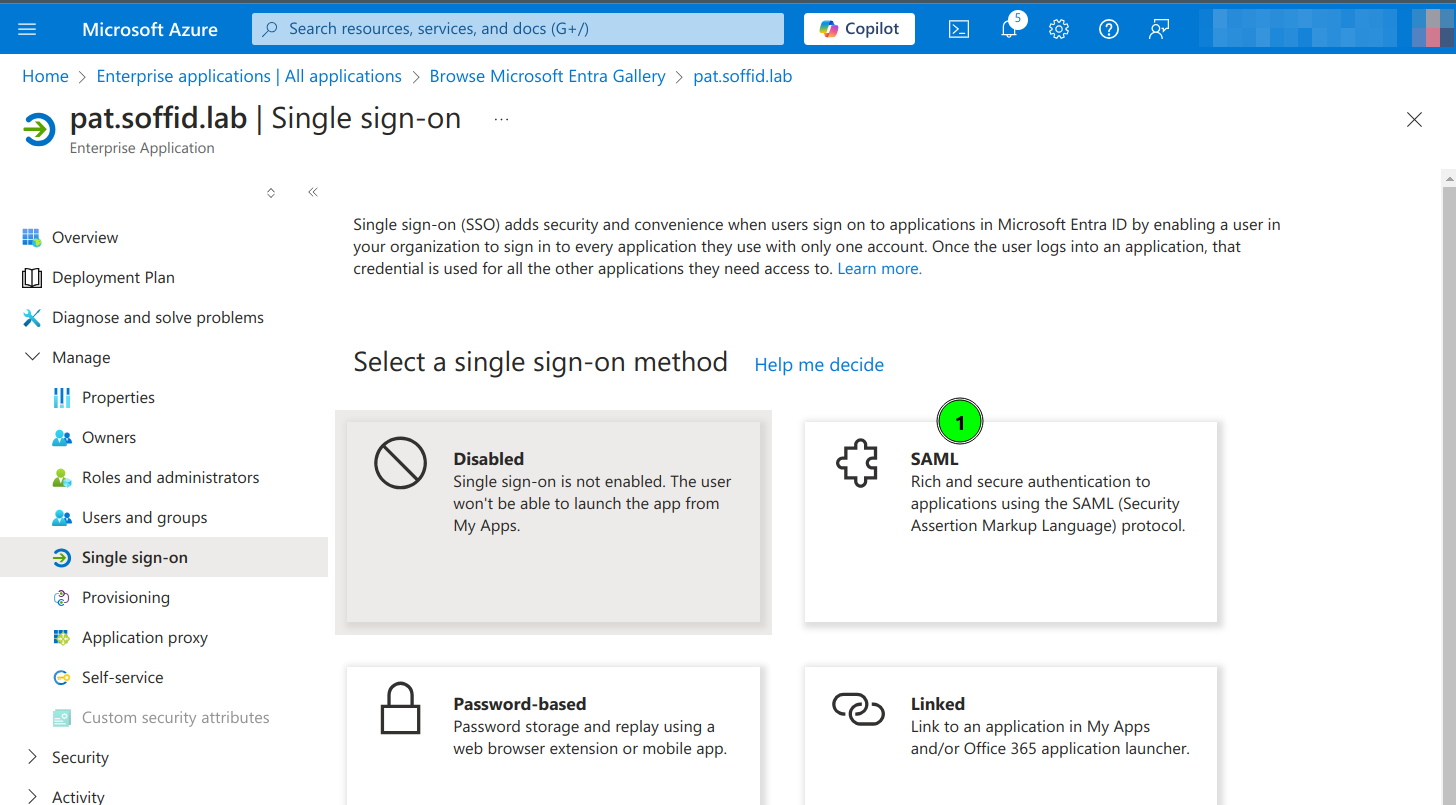
<span style="color: #a6d100; font-weight: bold; font-size: 18px;">7.</span> Click the **SAML** option

[![image.png](https://bookstack.soffid.com/uploads/images/gallery/2024-10/scaled-1680-/r5MkyeviYSsOOWc4-image.png)](https://bookstack.soffid.com/uploads/images/gallery/2024-10/r5MkyeviYSsOOWc4-image.png)

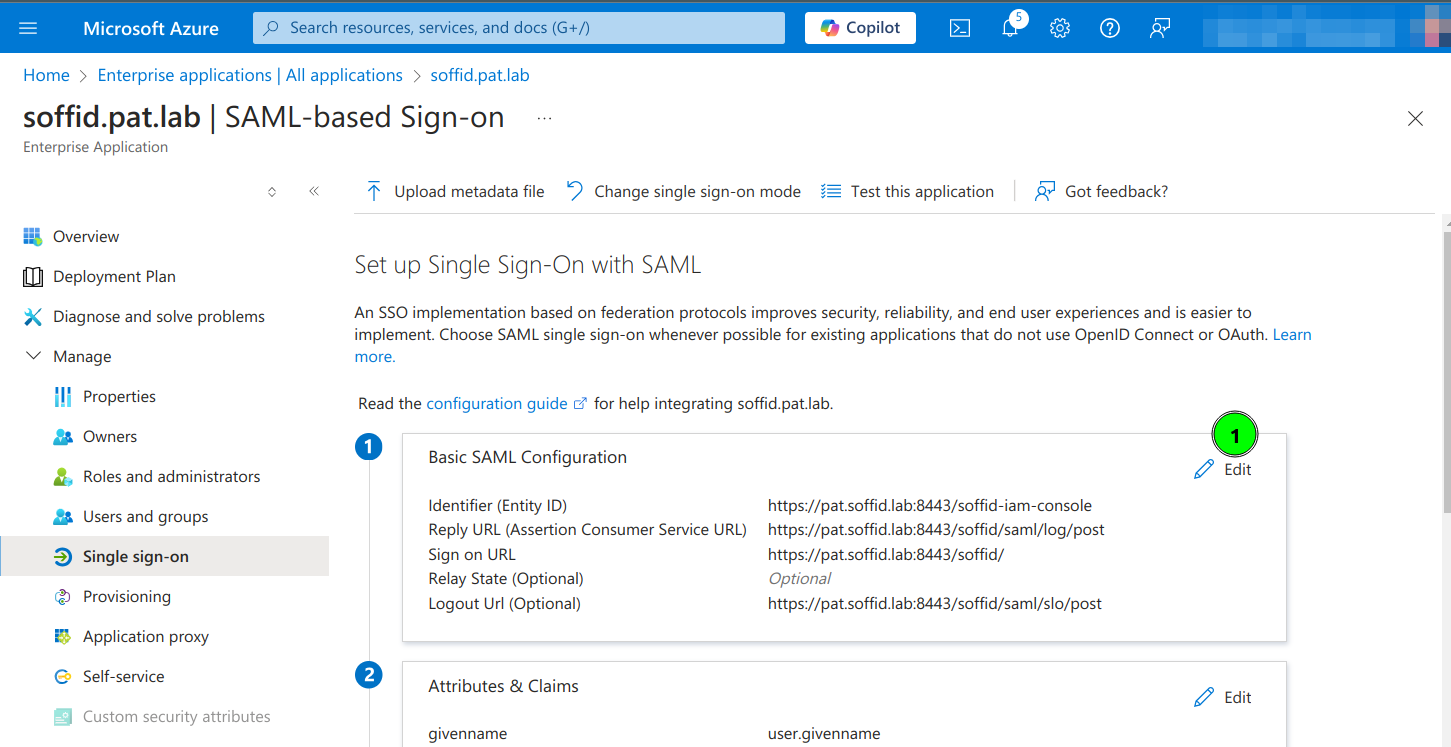
<span style="color: #a6d100; font-weight: bold; font-size: 18px;">8.</span> Enter the **Basic SAML Configuration** and Save:

- **Identifier**: https://&lt;YOUR-SERVER&gt;/soffid-iam-console
- **Reply URL**: https://&lt;YOUR-SERVER&gt;/soffid/saml/log/post
- **Sign on URL**: https://&lt;YOUR-SERVER&gt;/soffid/
- **Logout URL**: https://&lt;YOUR-SERVER&gt;/soffid/saml/slo/post

[![image.png](https://bookstack.soffid.com/uploads/images/gallery/2024-10/scaled-1680-/i7MpGYZxvPsuxic9-image.png)](https://bookstack.soffid.com/uploads/images/gallery/2024-10/i7MpGYZxvPsuxic9-image.png)

[![image.png](https://bookstack.soffid.com/uploads/images/gallery/2024-10/scaled-1680-/UOno0UL4YCZYlwk7-image.png)](https://bookstack.soffid.com/uploads/images/gallery/2024-10/UOno0UL4YCZYlwk7-image.png)
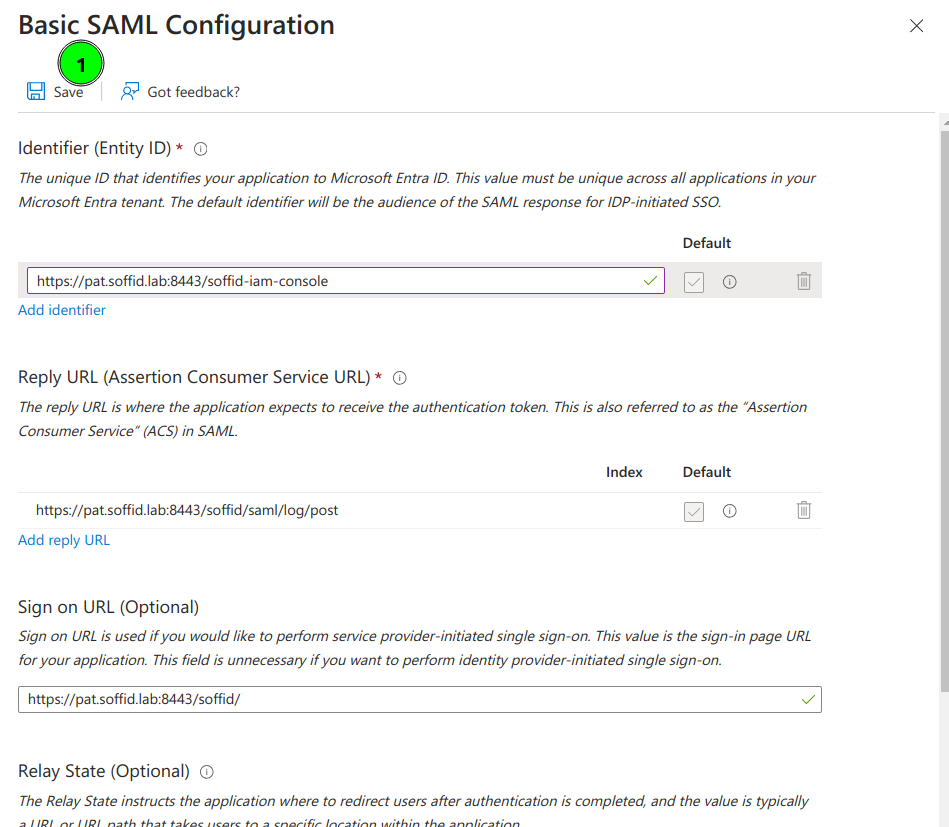
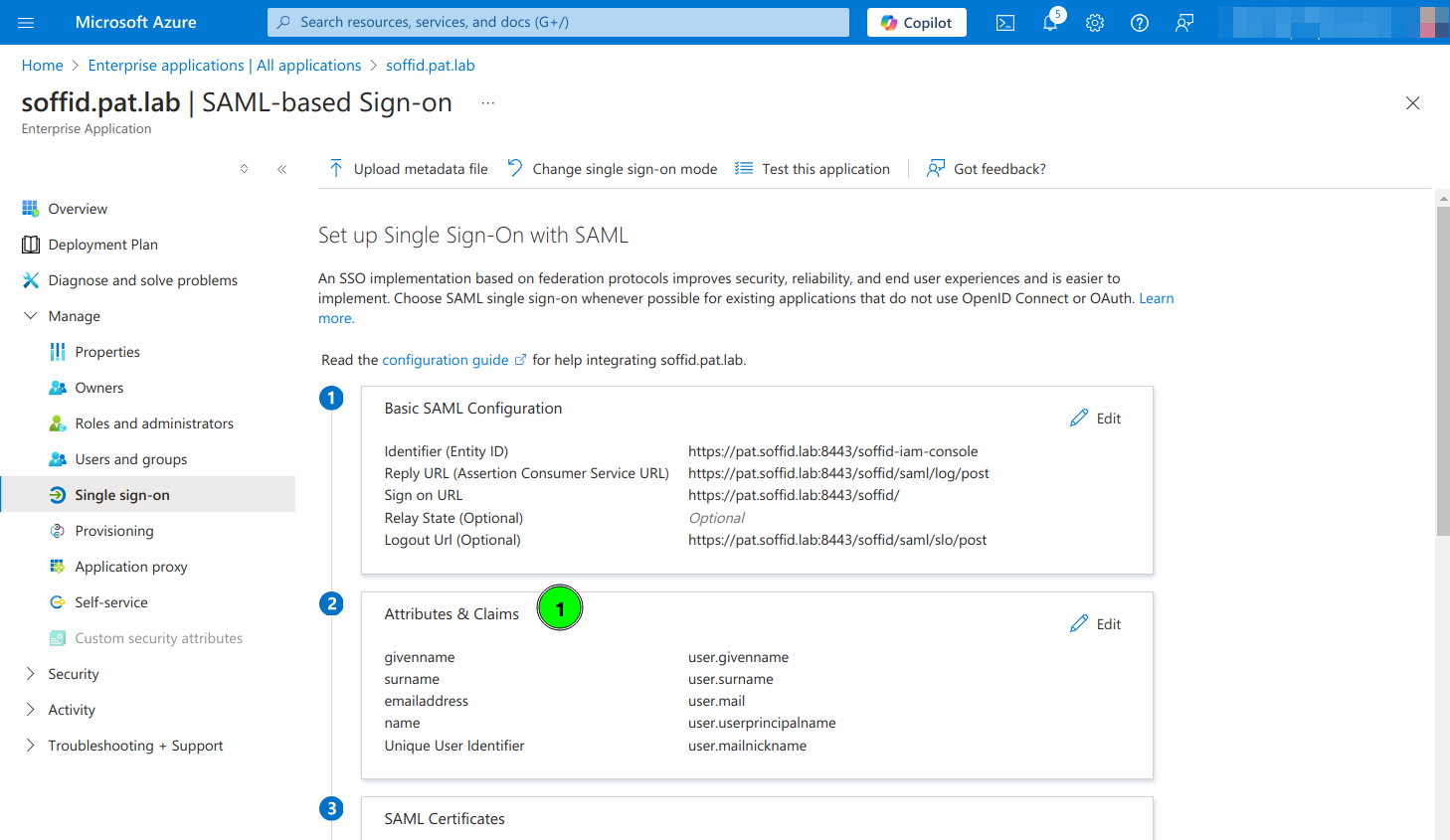
<span style="color: #a6d100; font-weight: bold; font-size: 18px;">9.</span> Configure **Attributes &amp; Claims** and change the attributes and claims to send the mailnickname as the user identifier (nameid)

[![image.png](https://bookstack.soffid.com/uploads/images/gallery/2024-10/scaled-1680-/R7CiZlxc1glst8R5-image.png)](https://bookstack.soffid.com/uploads/images/gallery/2024-10/R7CiZlxc1glst8R5-image.png)
[![image.png](https://bookstack.soffid.com/uploads/images/gallery/2024-10/scaled-1680-/PGVAYF1lyqHFdQzb-image.png)](https://bookstack.soffid.com/uploads/images/gallery/2024-10/PGVAYF1lyqHFdQzb-image.png)
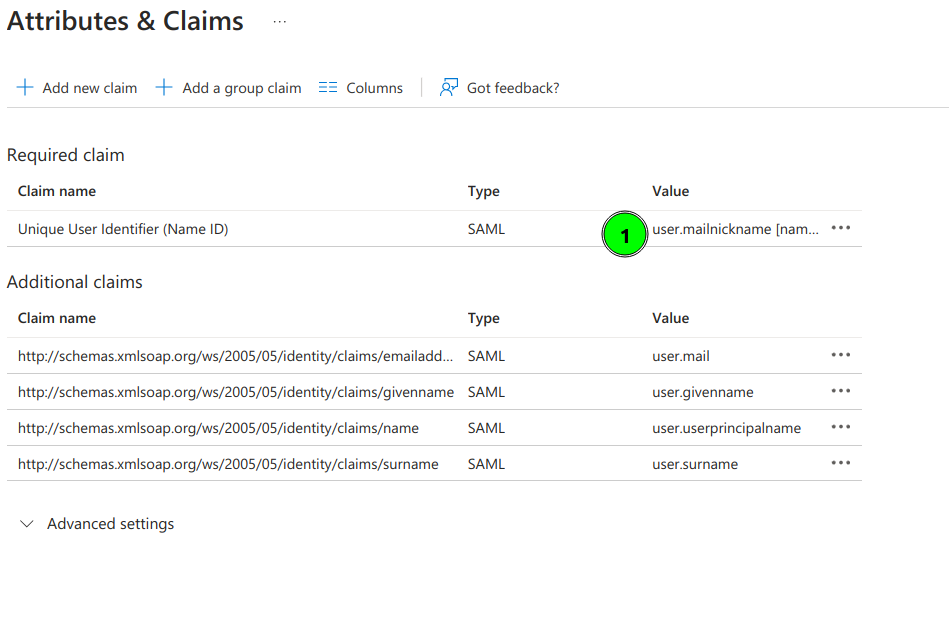
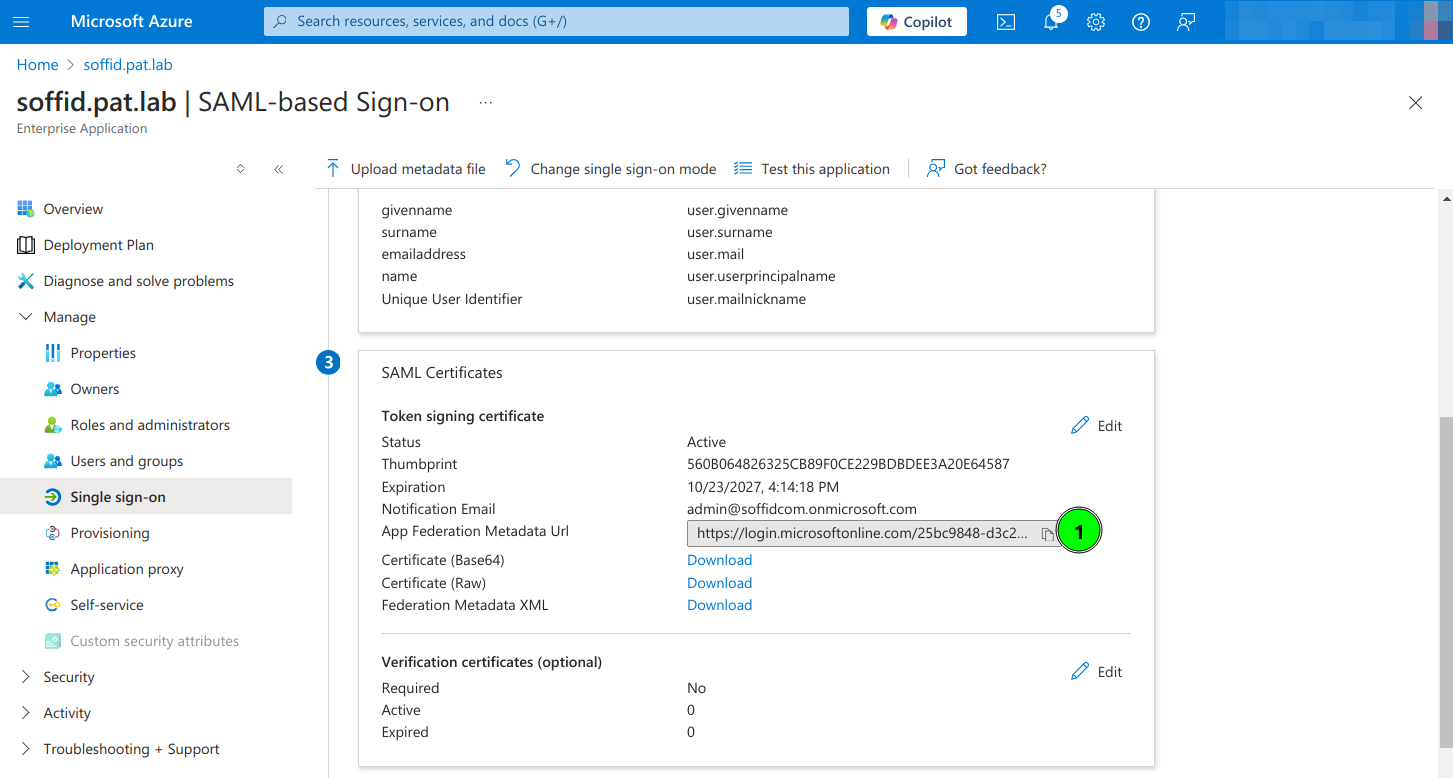
<span style="color: #a6d100; font-weight: bold; font-size: 18px;">10.</span> Copy the App Federation Metadata Url

[![image.png](https://bookstack.soffid.com/uploads/images/gallery/2024-10/scaled-1680-/gCTtECJIn6LVAtTA-image.png)](https://bookstack.soffid.com/uploads/images/gallery/2024-10/gCTtECJIn6LVAtTA-image.png)

<span style="color: #a6d100; font-weight: bold; font-size: 18px;">11.</span> Configure the **External SAML identity Provider** in the Soffid Console Authentication page

[![image.png](https://bookstack.soffid.com/uploads/images/gallery/2024-10/scaled-1680-/9RM5fLEWNrbGQAMi-image.png)](https://bookstack.soffid.com/uploads/images/gallery/2024-10/9RM5fLEWNrbGQAMi-image.png)
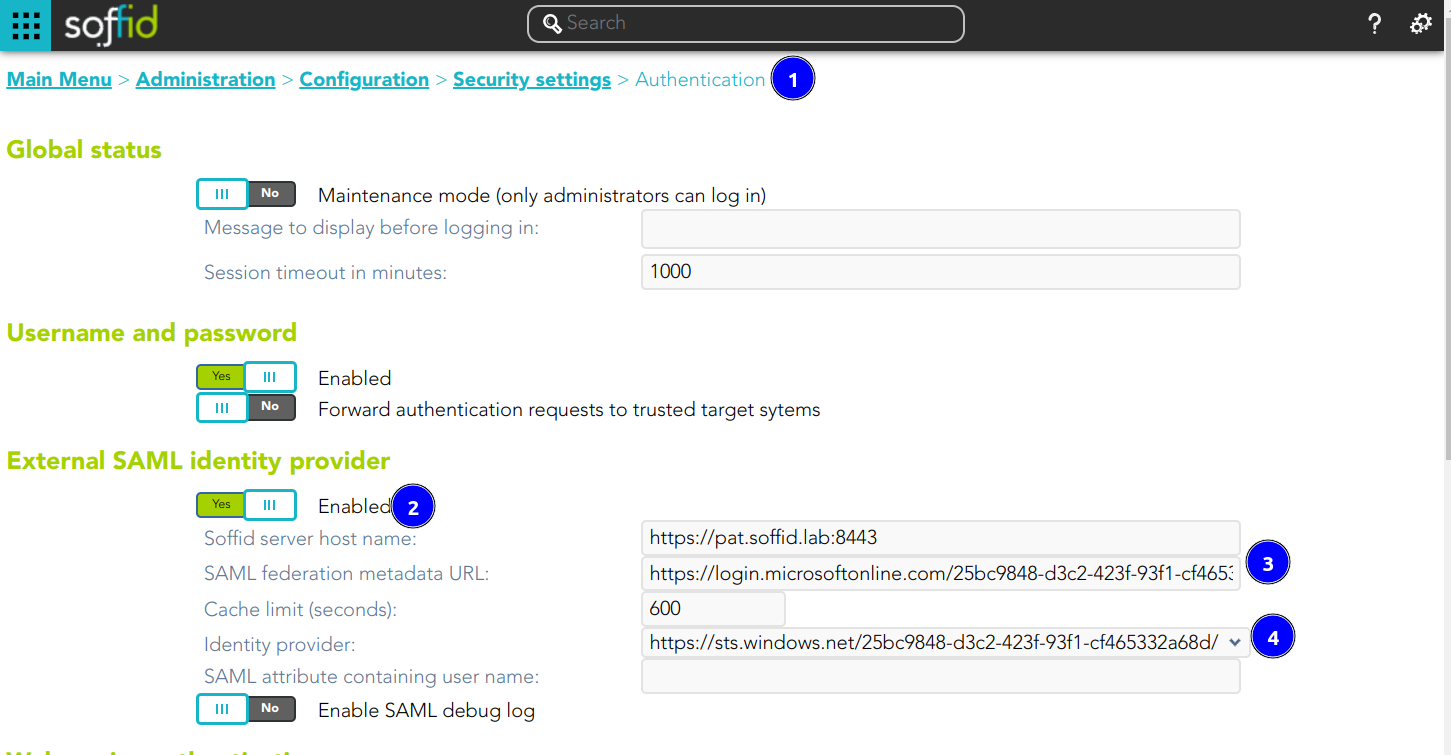
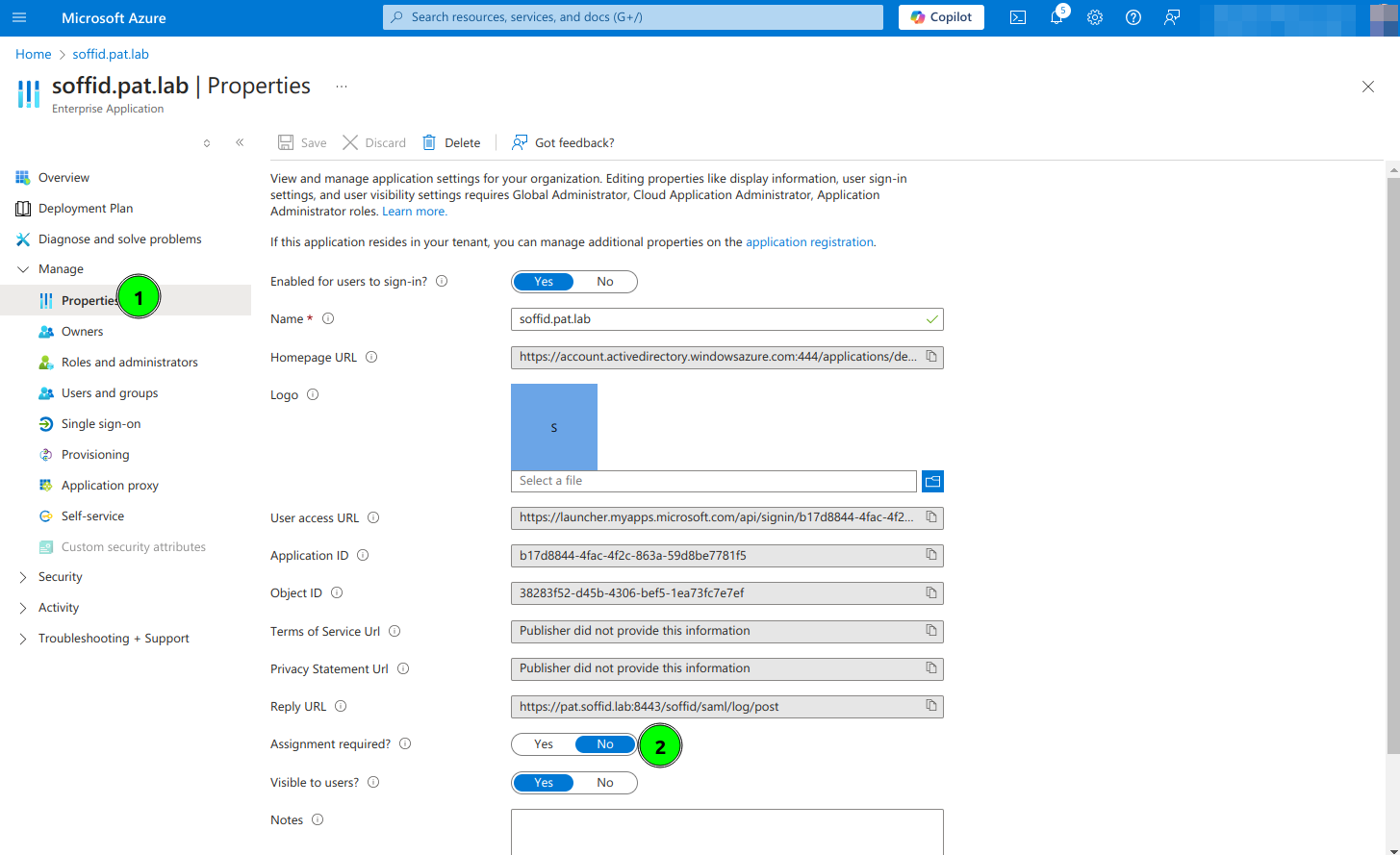
<span style="color: #a6d100; font-weight: bold; font-size: 18px;">12.</span> Optional, **enable any user to login**

[![image.png](https://bookstack.soffid.com/uploads/images/gallery/2024-10/scaled-1680-/1SLfqFQMZAWcPJKc-image.png)](https://bookstack.soffid.com/uploads/images/gallery/2024-10/1SLfqFQMZAWcPJKc-image.png)