This page has been **removed** in version **4.0.64** of the **Console**.
[2026-07-08 New feature: geolocation service available by default](https://bookstack.soffid.com/books/soffid-4-reference-guide/page/2026-07-08-new-feature-geolocation-service-available-by-default "2026-07-08 New feature: geolocation service available by default")
### Network intelliegenceOn the one hand, we have **Network intelligence**, which enables the possibility of validating that accounts and passwords have not been compromised in the end systems with which Soffid is integrated.
Once this feature is activated, you will be able to use two new functionalities: on the one hand, more detailed **geolocation** information about the IP address used to access Soffid, and on the other hand, **external validation of your account and password** to confirm that this data has not been compromised in any previously published security breach. To activate password validation, you must enable it in the password policies. - Check breached password Four new issues will also appear that can be configured: - breached-account-password - breached-email - breached-password - expired-breached-password A new process has been created to plan for the validation of email domains. -On the other hand, we have the **Chat-bot**, which enables our AI to be consulted both on its specific screen and in all components that allow scripts to be written.
Once this feature is activated, you will be able to access the **chat box** page to consult information about Soffid. You will also be able to use the **AI assistant** that appears in all script-type fields. The token used can be obtained by you yourself by accessing the Gemini page for this purpose, see the [Request a token for the AI](https://bookstack.soffid.com/books/soffid-4-reference-guide/page/network-intelligence#bkmrk-request-a-token-for- "Request a token for the AI") point. ## Screen overview [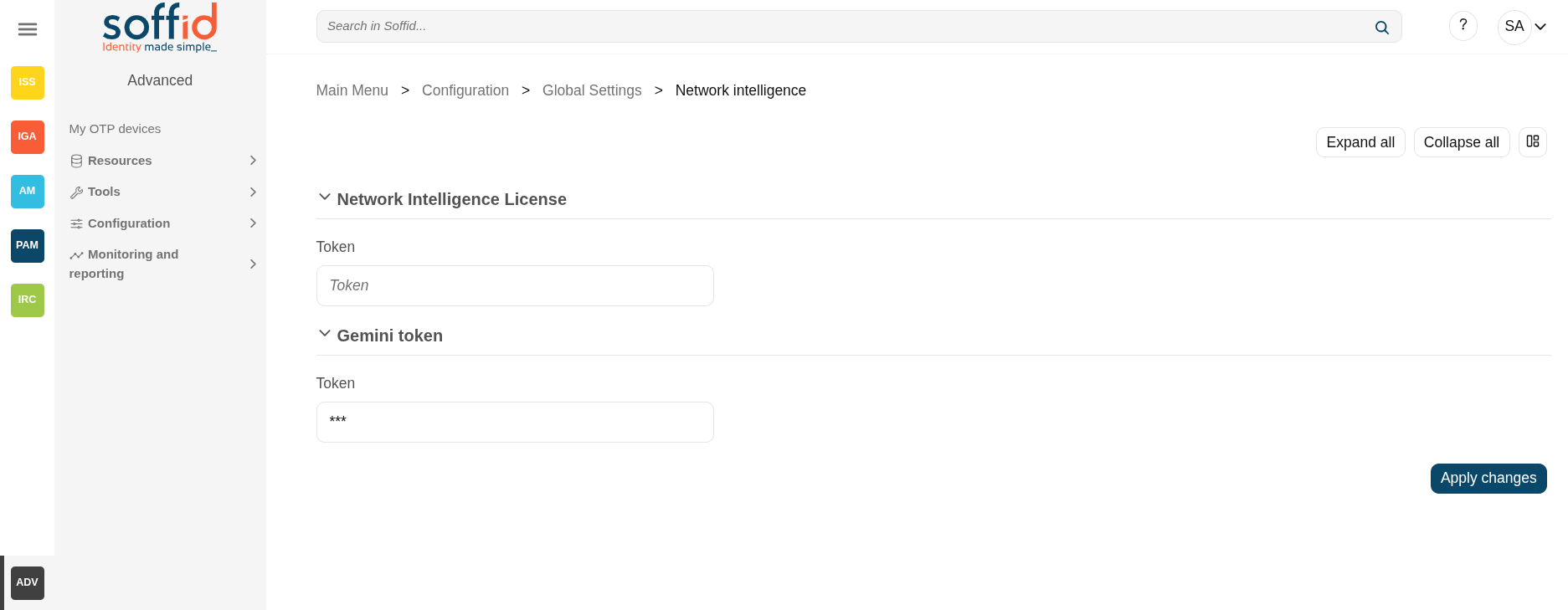](https://bookstack.soffid.com/uploads/images/gallery/2025-09/wnikLSI1yUlNCHq1-image.png) ## Related objects - **Network intelligence** - [Password policies](https://bookstack.soffid.com/books/soffid-4-reference-guide/page/password-policies "Password policies") : to enable the validation accounts - [Issue policies](https://bookstack.soffid.com/books/soffid-4-reference-guide/page/issue-policies "Issue policies") : for the new issues type - [Scheduled tasks](https://bookstack.soffid.com/books/soffid-4-reference-guide/page/scheduled-tasks "Scheduled tasks") : a new process can be scheduled to check the current accounts and systems - [Users](https://bookstack.soffid.com/books/soffid-4-reference-guide/page/users "Users") : when changing a password. - [Accounts](https://bookstack.soffid.com/books/soffid-4-reference-guide/page/accounts "Accounts") : when changing a password. - **Chat-bot** - [Soffid chat-bot](https://bookstack.soffid.com/books/soffid-4-reference-guide/page/soffid-chat-bot "Soffid chat-bot") : to chat with our AI. - [Custom scripts](https://bookstack.soffid.com/books/soffid-4-reference-guide/page/custom-scripts-addon-admin) : to use the AI. - All pages with script can use the AI to help you with the scripting: - [Agents](https://bookstack.soffid.com/books/soffid-4-reference-guide/page/agents "Agents") : properties, mappings and triggers. - [Account naming rules](https://bookstack.soffid.com/books/soffid-4-reference-guide/page/account-naming-rules "Account naming rules") : Create account condition and script. - [Role assignment rules](https://bookstack.soffid.com/books/soffid-4-reference-guide/page/role-assignment-rules "Role assignment rules") : Expression. - [Password policies](https://bookstack.soffid.com/books/soffid-4-reference-guide/page/password-policies "Password policies") : Password validation script. - [PAM policies](https://bookstack.soffid.com/books/soffid-4-reference-guide/page/pam-policies "PAM policies") : Expression. - [BPM editor](https://bookstack.soffid.com/books/soffid-4-reference-guide/page/bpm-editor-addon-bpm "BPM editor (addon bpm)") : Scritps. - [Attribute definition](https://bookstack.soffid.com/books/soffid-4-reference-guide/page/attribute-definition-addon-federation "Attribute definition") : Value. - [Metadata](https://bookstack.soffid.com/books/soffid-4-reference-guide/page/metadata "Metadata") : attribute value scripts ## Standard attributes - **Network Intelligence License** - **Token** : token that enables this functionality. This token is provided by Soffid if your licence includes it. - **Gemini token** - **Token** : token that enables this functionality. You can generate this token yourself; we will explain how to do so later on. ## Actions| **Expand all** | Displays all the attributes of the different blocks. |
| **Collapse all** | Hide all attributes of the different blocks. |
| **"Types of views"** | Change the view type: Classic view, Modern view, Compact design. |
| **Apply changes** | Save the tokens in case they are valid. |