My tasks
Description
Displays the tasks in which the user is involved like a supervisor, manager, or person responsible for approving or rejecting those tasks.
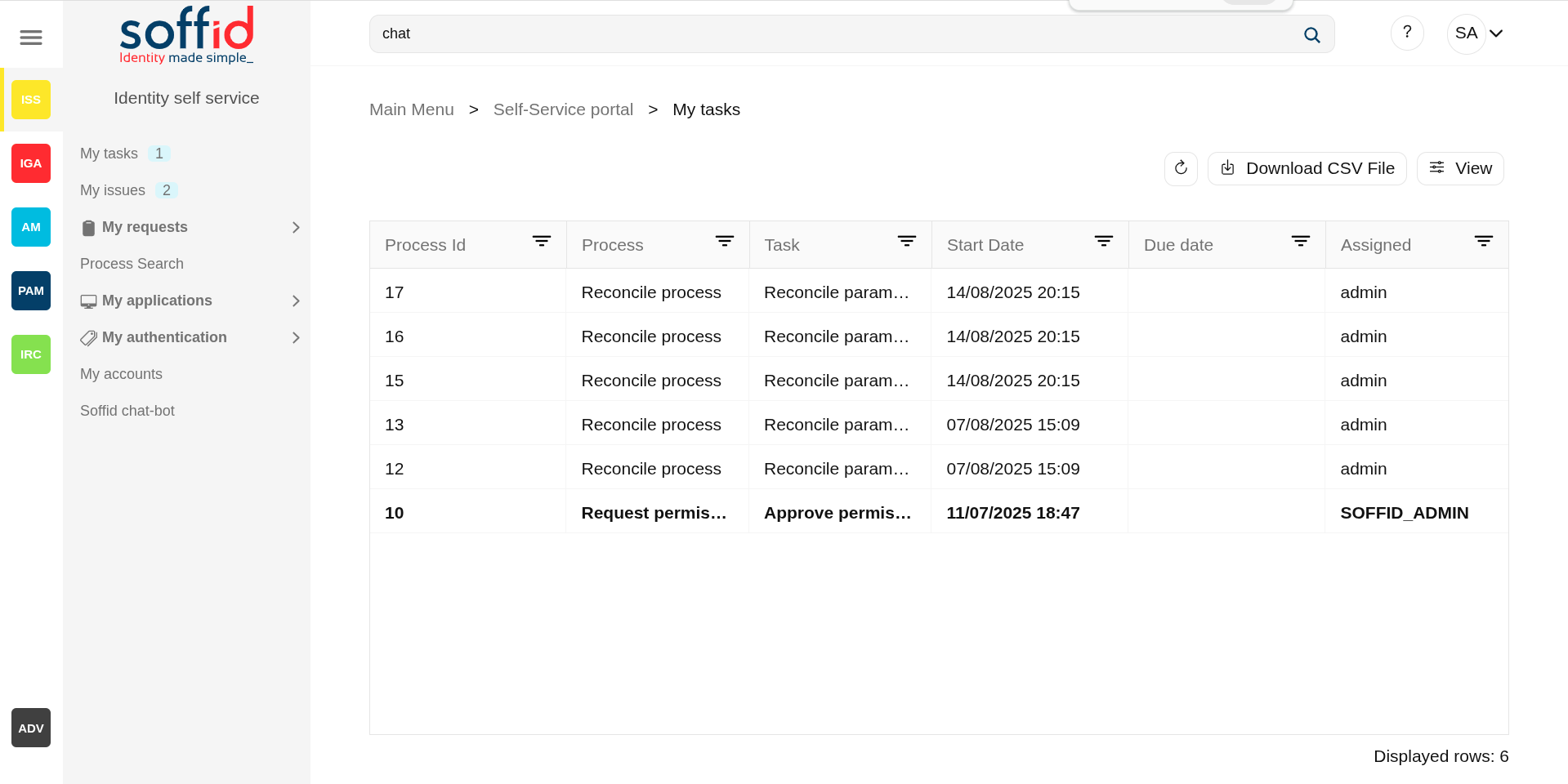
My tasks provides information about the process, the task, the start and due date and the asigned user. By clicking a record, it will be shown de task details and to perform actions will be allowed.
Manual tasks are assigned to named users, groups or roles. Whatever strategy is followed, each one of the assigned users will see the task at their tasks page.
You can differentiate tasks by their highlighted style:
- Highlighted bold: when the task is pending for the user to take ownership.
- Highlighted blue: task close to completion date
- Highlighted red: task after the completion date
- Normal: started task
The purpose of My tasks as a part of Identity seft service is to reduce the workload of IT department, as well as improve overall security of IT system. Soffid console is concerned about task delegation and workflow management.
Screen overview
Related objects
- Configure Workflow engine : where the workflow engine is configured.
- Business process definition : where workflows are published.
- BPM editor : where to create or modify workflows.
-
My tasks : pending workflows where the user has to perform an action in order to continue their workflow.
-
My requests : the workflows that the user can initiate are listed here.
-
My requests > Query request status : to search for all processes started by oneself.
-
Process Search : to search for all processes.
- Metadata : to add attributes to display in the search tables.
- Scheduled jobs : shows active workflows pending asynchronous tasks.
Standard attributes
Table
- Process id: unique process identifier in the system that stars from zero and increases by one.
- Process: process name (this is the name of the workflow).
- Task: name of the task in which the process is running.
- Start date: date and time when the process was started.
- Due date: date and time when the process will finish.
- Assigned: user who has been assigned the task.
Detail
Below you can see the workflow information, which has several tabs.
Task tab
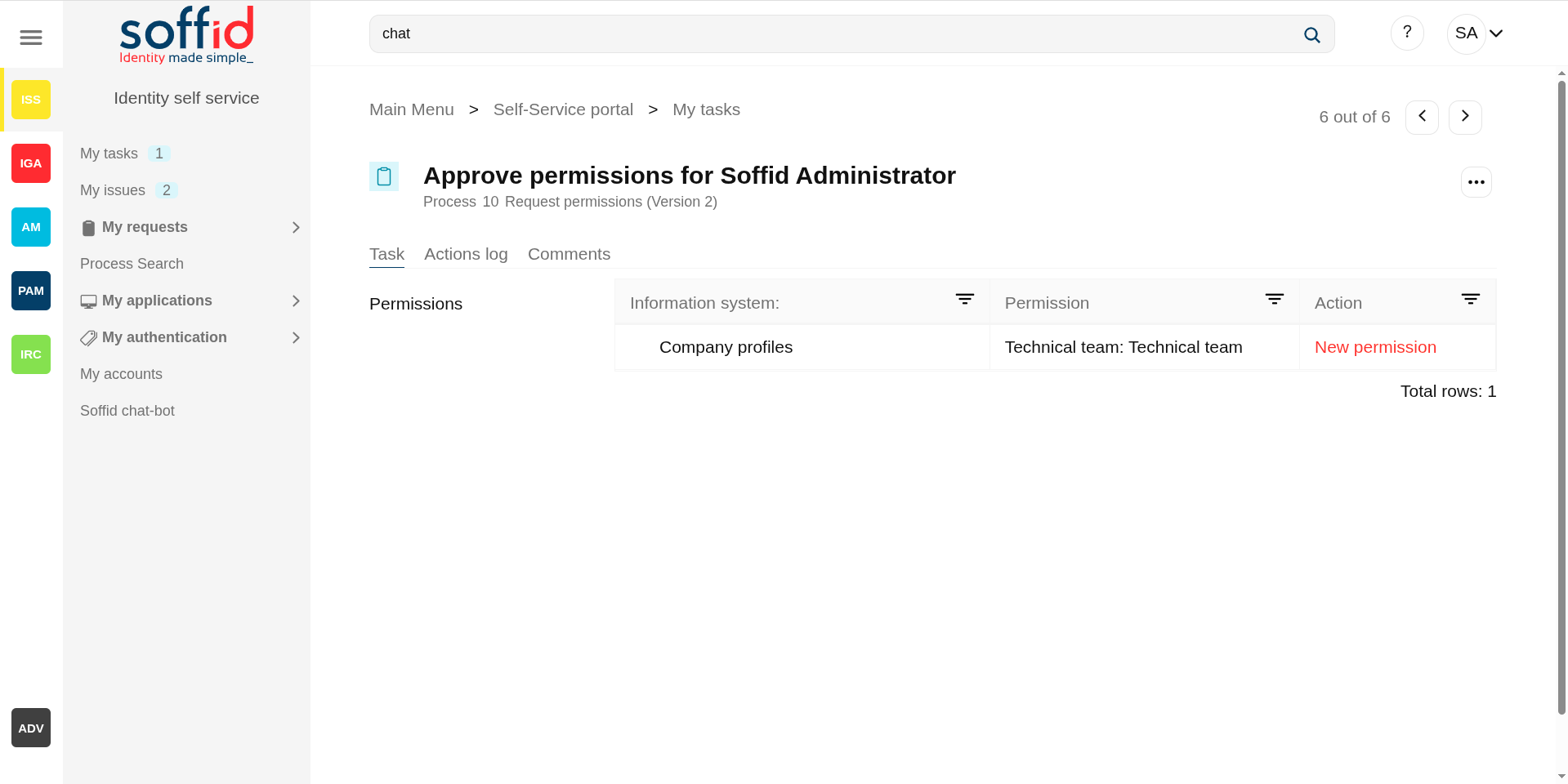
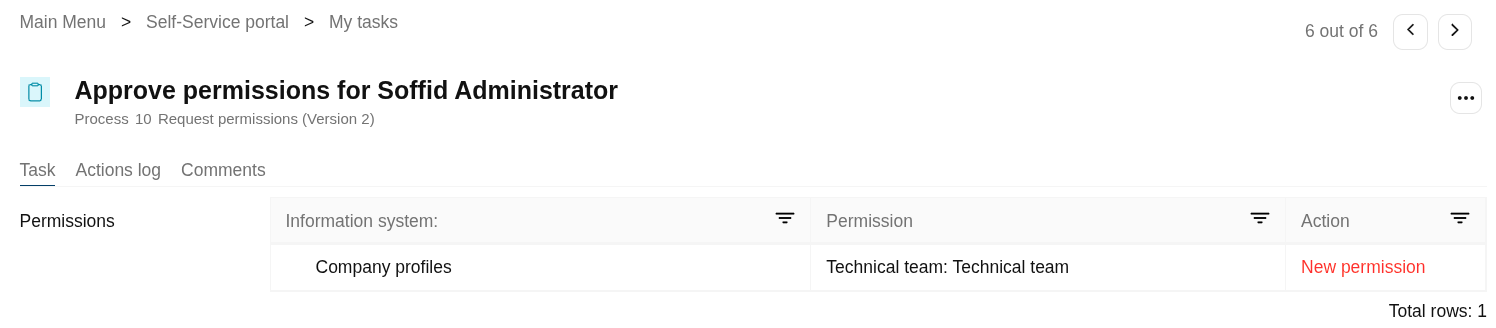
Displays information about the work performed in this task. This information varies for each workflow but is almost always structured as a form.
Image
Action logs tab
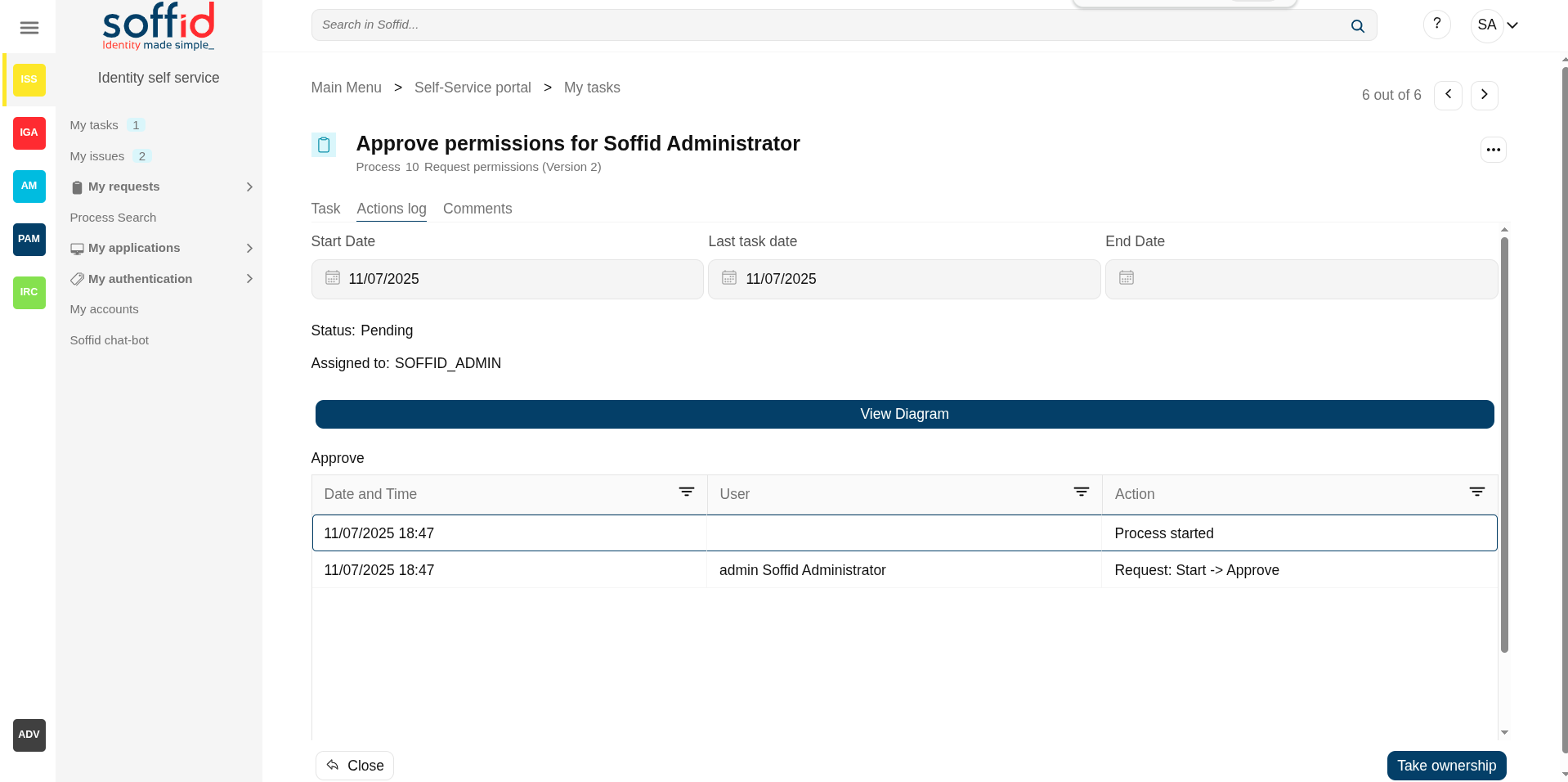
The action logs tab shows basic information about the process and a list with the summary of all the successive phases through which the task has passed.
- Start date: date and time the task starts
- Last task date: date of last task update.
- End date: date and time the process ends.
- Status: shows the point of the task (pending, on going or End/Completed)
- Approve pending permissions: Summary of all the successive phases through which the task has passed, providing information on the start date and time of the phase, the user assigned, and the action that was done.
Image
Attachments tab
This option only appears if it has been enabled in the workflow settings. This screen lists the documents attached to the task.
Allows you to download those documents and to verify any digital signature attached to them. Some tasks even allow the user to upload documents.
Comments tab
Displays the comments list added during the business process execution. Displays the comments list added during the task execution providing information about the user who wrote the comment, the date and time of that writing, and the comment that was writed.
Actions
Table
|
Refresh |
This action refresh the task table with the last current data. |
|
Download CSV file |
This action allows you to download a csv file with the list of all tasks. |
|
View |
Allows you to add or remove columns to the table. It is also possible to change the order of the columns. |
|
"Open task" |
By clicking on a record, the task detail will be shown. |
Detail
|
Close |
Allows you to closes the task window, you can add new comments and those will be saved. |
|
Take ownership |
Enables the user to self-assign the task to authorize or deny it. |
|
Schedule |
Allows you to schedule the task execution. |
|
Delegate |
Allows you to to reassign the task to another user, who will must approve or deny it. |
|
Approve |
Allows you to authorize the task. When you authorize a task all defined operations for this task will be performed. |
|
Reject |
Allows you to deny the task. When you deny a task none defined operations for this task will be performed. |