# Look & feel

## Definition

<p class="callout success">Soffid's Look &amp; feel page allows you to adjust the Console styles to your organization.</p>

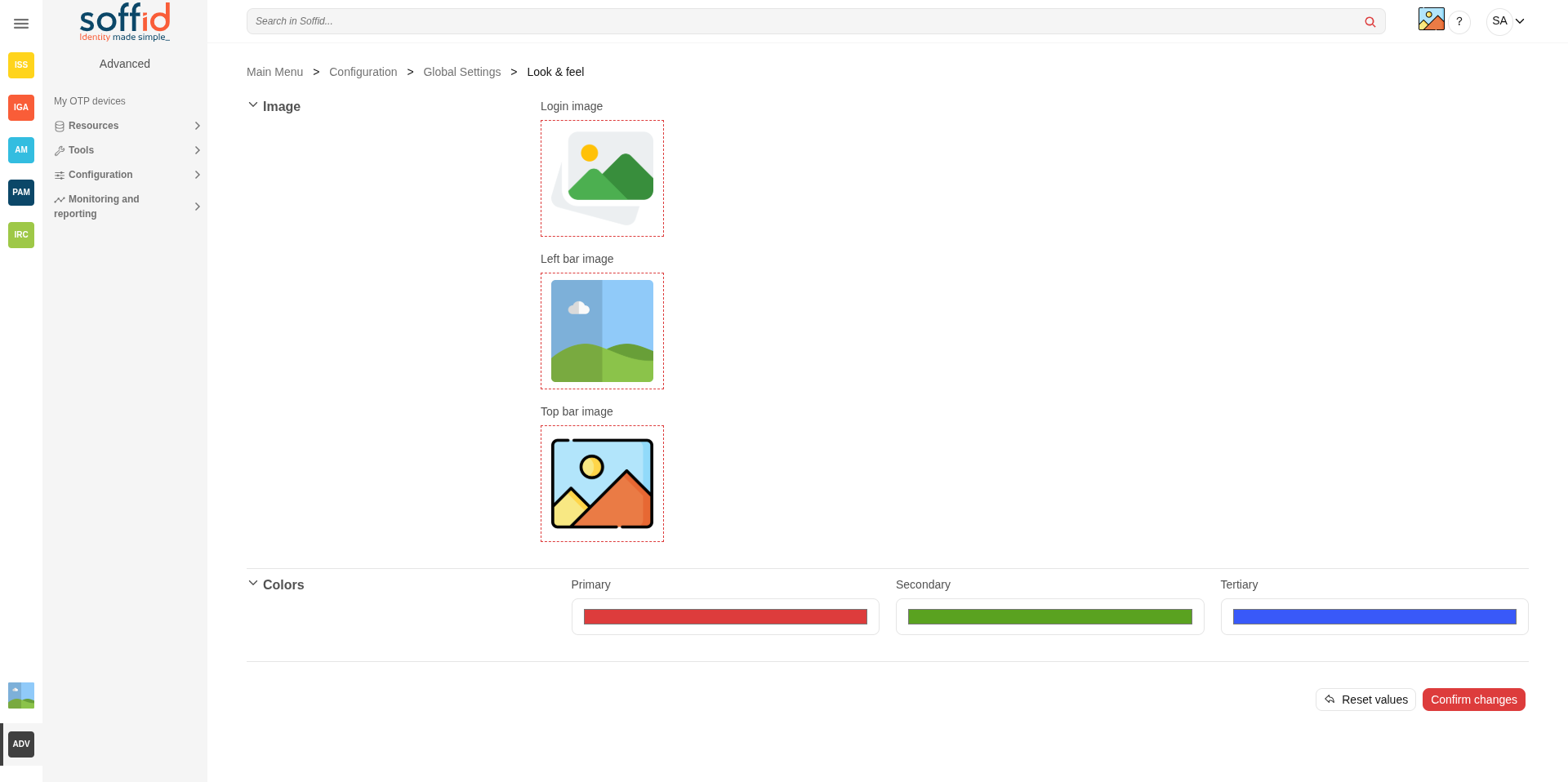
In this configuration page, the customization of two sections is allowed:

- Images:  
    
    - You can change the image of the logo that appears on the login page.
    - You can change the image of the logo that appears in the left bar.
    - You can change the image of the logo that appears in the top bar.
- Colors: 
    - You can change the colors of the Soffid components and text.

Changes made on this page affect the entire Console.

<p class="callout warning">Some changes may require updating the browser several times because some items are in the browser's cache.</p>

## Screen overview

[![image.png](https://bookstack.soffid.com/uploads/images/gallery/2025-09/scaled-1680-/0jP7ciJeVvSs1Djl-image.png)](https://bookstack.soffid.com/uploads/images/gallery/2025-09/0jP7ciJeVvSs1Djl-image.png)

## Standard attributes

Images

<table border="1" id="bkmrk-apply-changes-allow-" style="width: 96.4286%; height: 89.6355px;"><tbody><tr style="height: 29.8785px;"><td style="width: 19.3827%; height: 29.8785px;">**Login image**

</td><td style="width: 80.4938%; height: 29.8785px;">Logo used on the login and logout screens. Image in png or jpg format.

</td></tr><tr style="height: 29.8785px;"><td style="width: 19.3827%; height: 29.8785px;">**Left bar image**

</td><td style="width: 80.4938%; height: 29.8785px;">This image will appear in the menu on the left. Image in png or jpg format.

</td></tr><tr style="height: 29.8785px;"><td style="width: 19.3827%; height: 29.8785px;">**Top bar image**

</td><td style="width: 80.4938%; height: 29.8785px;">This image will appear in the menu on the top bar. Image in png or jpg format.

</td></tr></tbody></table>

Colors

<table border="1" id="bkmrk-primary-login%2Flogout" style="width: 96.4286%; height: 89.6355px;"><tbody><tr style="height: 29.8785px;"><td style="width: 19.3827%; height: 29.8785px;">**Primary**

</td><td style="width: 80.4938%; height: 29.8785px;">Login/logout background. Buttons. Page icons. Table selections.

</td></tr><tr style="height: 29.8785px;"><td style="width: 19.3827%; height: 29.8785px;">**Secondary**

</td><td style="width: 80.4938%; height: 29.8785px;">Icons in the menu pages.

</td></tr><tr style="height: 29.8785px;"><td style="width: 19.3827%; height: 29.8785px;">**Terciary**

</td><td style="width: 80.4938%; height: 29.8785px;">Buttons. Page icons.

</td></tr></tbody></table>

## Actions

For the images

<table border="1" id="bkmrk-pick-a-file-allows-y"><tbody><tr><td style="width: 157px;">**Pick a file**

</td><td style="width: 652px;">Allows you to pick a file to load. The file must have a specific configuration

</td></tr></tbody></table>

For the page

<table border="1" id="bkmrk-reset-values-allows-"><tbody><tr><td style="width: 157px;">**Reset values**

</td><td style="width: 652px;">Allows you to return to the default Soffid values.

</td></tr><tr><td style="width: 157px;">**Confirm changes**

</td><td style="width: 652px;">Allows you to apply the changes made.

</td></tr></tbody></table>

## Examples

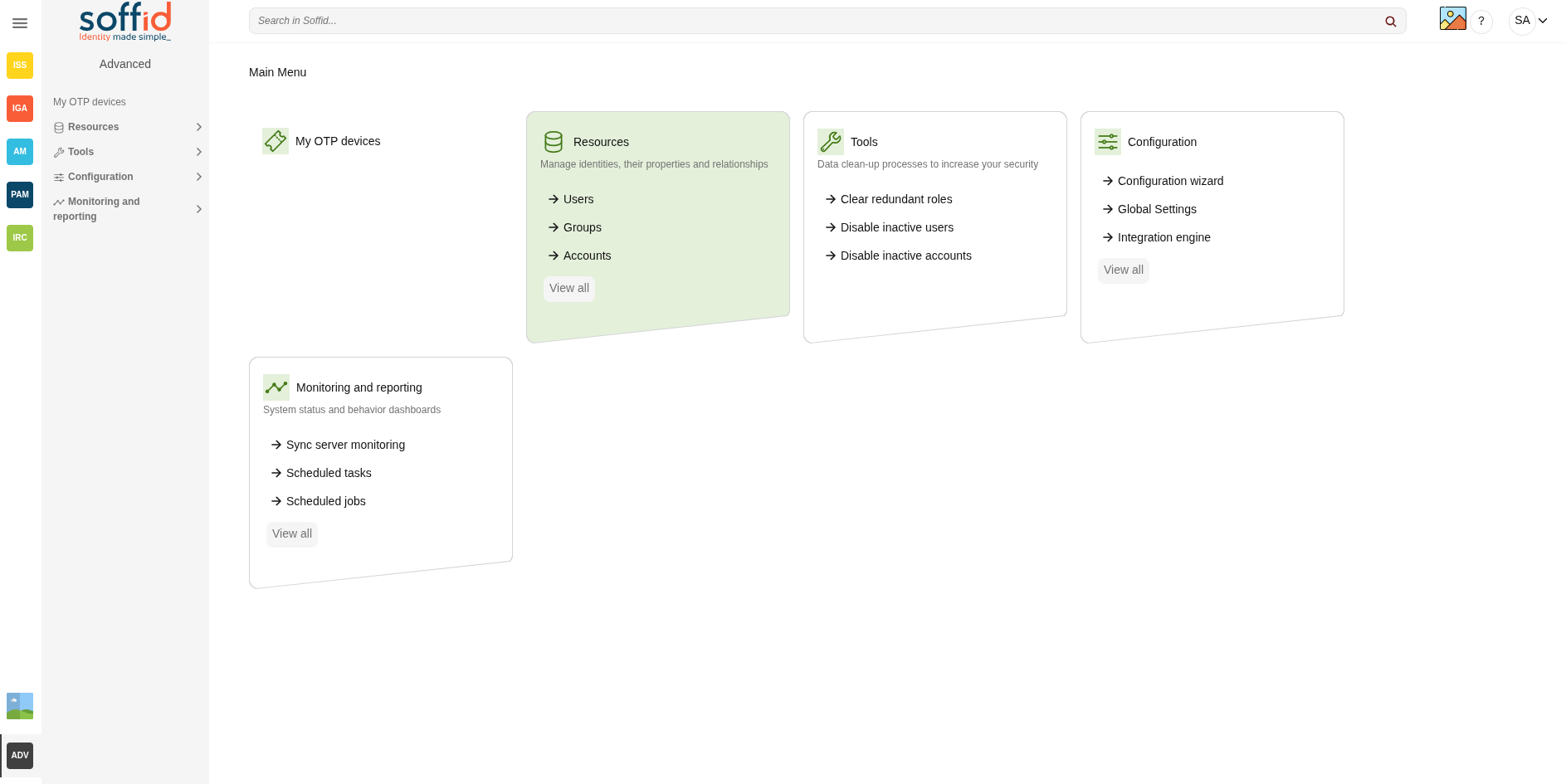
### Top icon, left bar, icons page, and colors

[![image.png](https://bookstack.soffid.com/uploads/images/gallery/2025-09/scaled-1680-/ZfLFyo49aBwWhBVO-image.png)](https://bookstack.soffid.com/uploads/images/gallery/2025-09/ZfLFyo49aBwWhBVO-image.png)
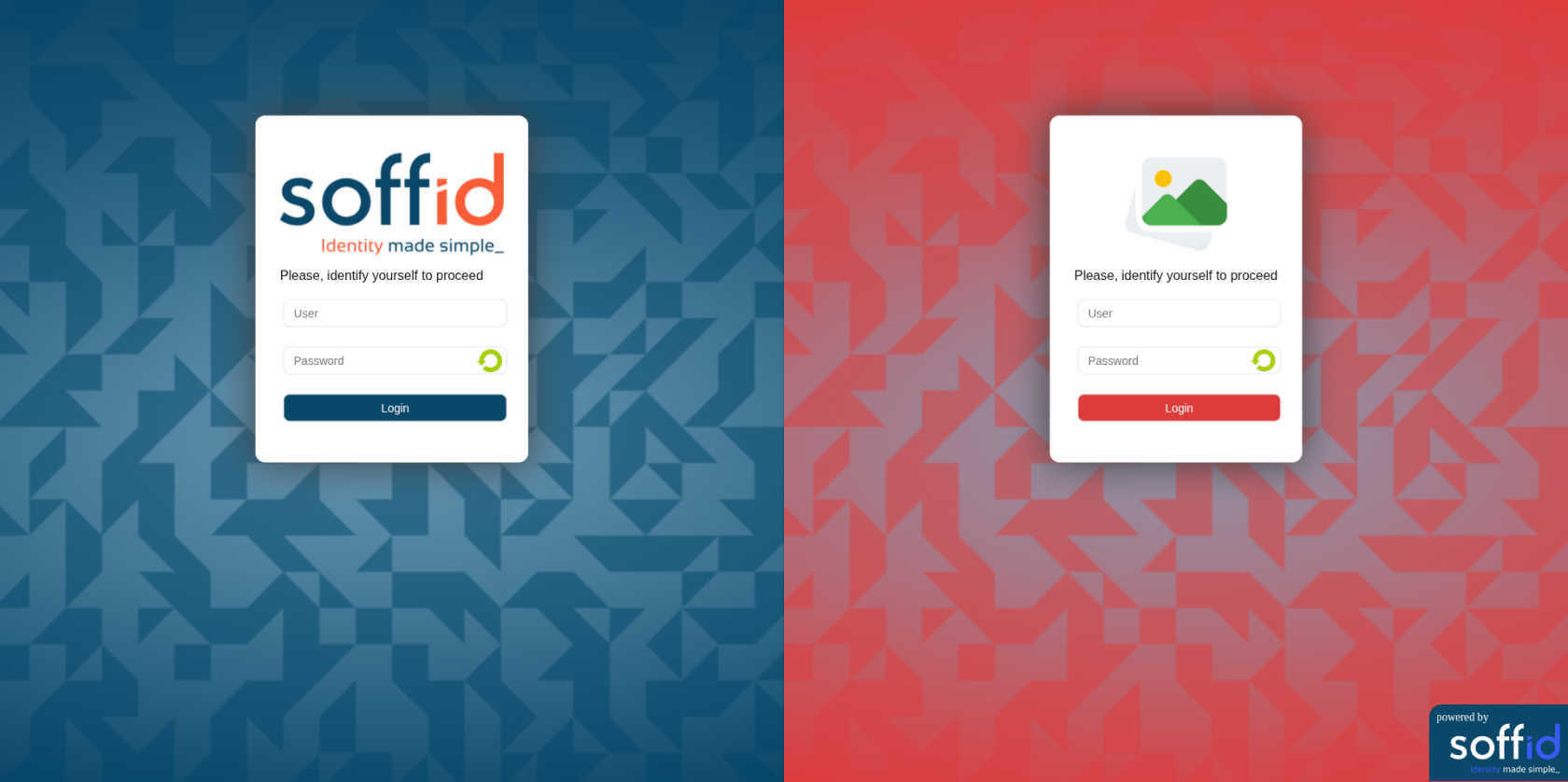
### Login page with logo and colors

[![image.png](https://bookstack.soffid.com/uploads/images/gallery/2025-09/scaled-1680-/6WsyGdPUeSBDHPdI-image.png)](https://bookstack.soffid.com/uploads/images/gallery/2025-09/6WsyGdPUeSBDHPdI-image.png)