# Digital certificates (addon federation)
## Definition
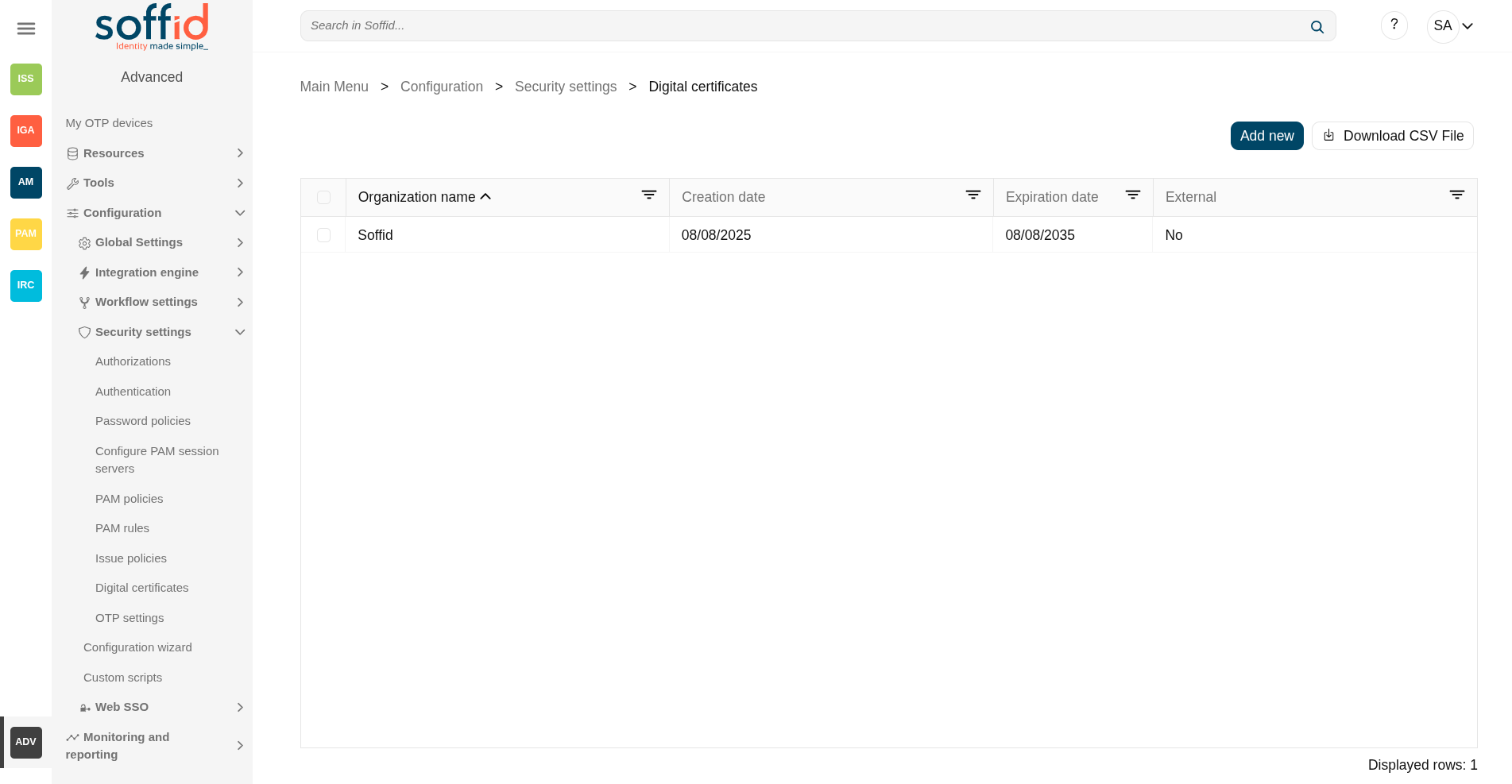
Soffid includes Digital certificate functionality as a security enhancement. You could add new Digital certificates, internal or external.
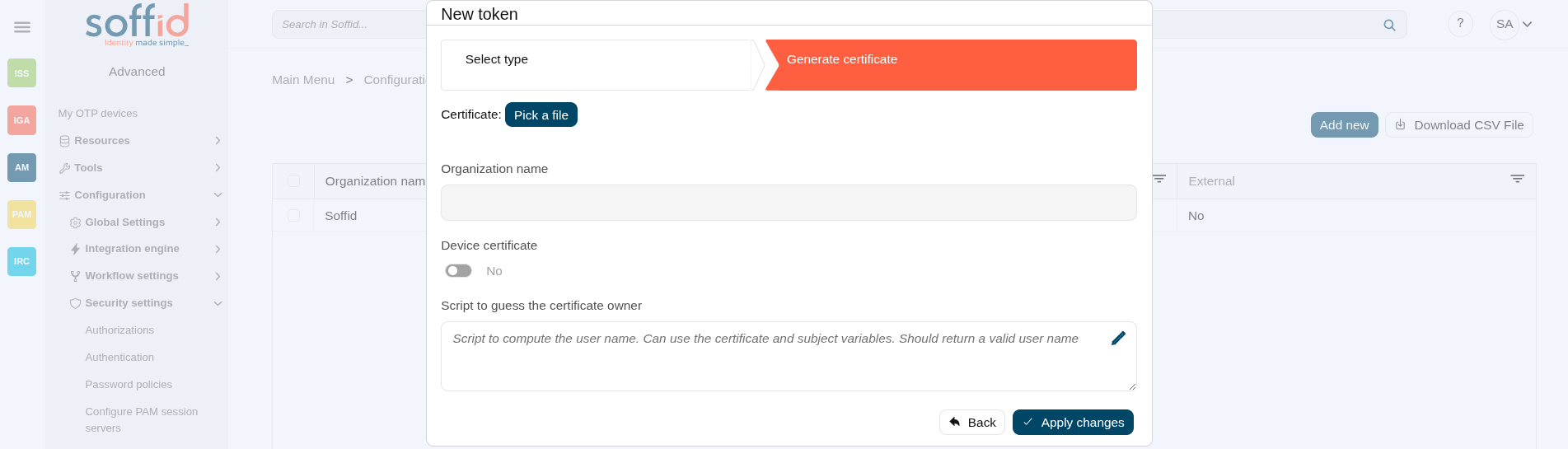
If you select the external certificate, you could add a valid certificate to Soffid; If you select the internal certificate, Soffidl will generate a valid certificate.
## Screen overview
[](https://bookstack.soffid.com/uploads/images/gallery/2025-08/HjR3L43dGkycqpH3-image.png)
[](https://bookstack.soffid.com/uploads/images/gallery/2025-08/o9CFZbG38mYWi9qC-image.png)
## Related objects
- [Identity providers](https://bookstack.soffid.com/books/soffid-4-reference-guide/page/identity-providers-addon-federation "Identity providers"): certificates can be used as two-factor authentication
## Standard attributes
#### Internal
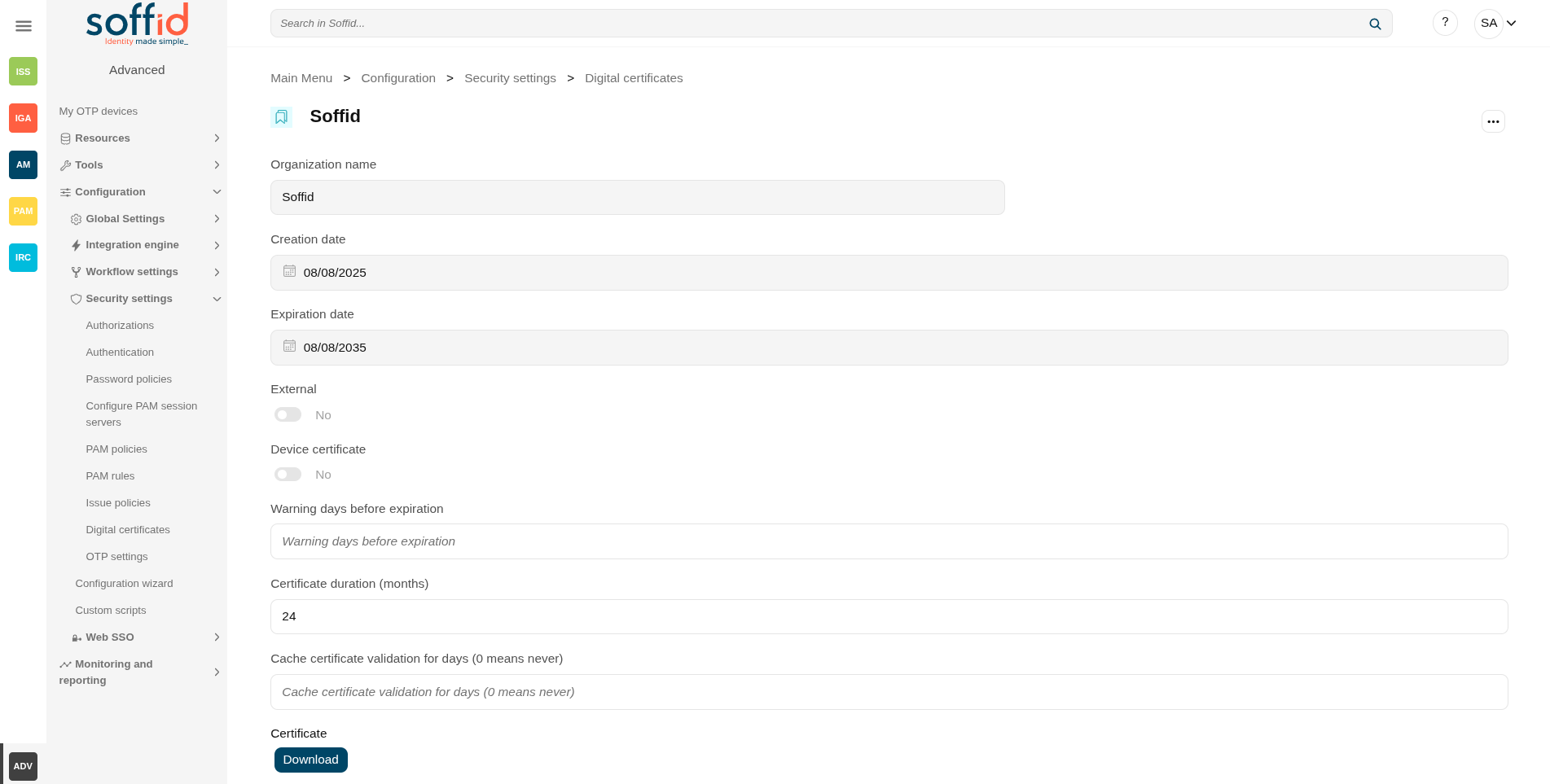
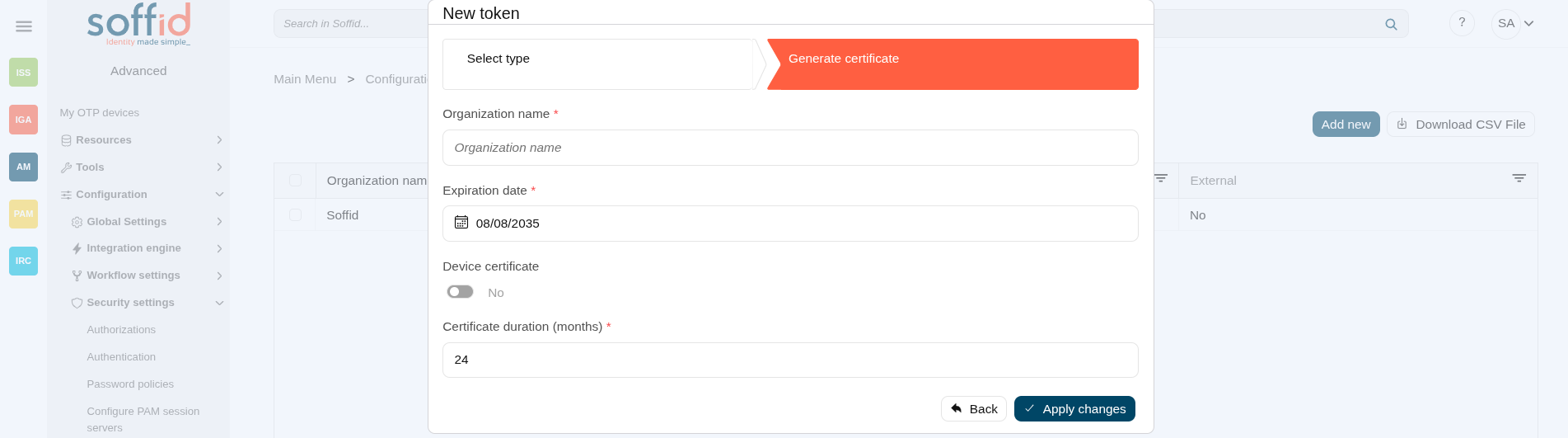
- **Organization name**: organization name
- **Expiration date**: referring to the root certificate.
- **Device certificate**: Indicates if the certificate is for a device
- **Certificate duration (months)**: Referring to users' certificates.
Image
[](https://bookstack.soffid.com/uploads/images/gallery/2025-08/YU14ZB4UqfPZiWjl-image.png)
[](https://bookstack.soffid.com/uploads/images/gallery/2025-08/91tSvjj3cKP7DKb0-image.png)
Image
[](https://bookstack.soffid.com/uploads/images/gallery/2025-08/L3OEOqAoQ9MNYbsv-image.png)
[](https://bookstack.soffid.com/uploads/images/gallery/2025-08/mhaP0jwG3AfaqZLB-image.png)
| **Add new** | Allows you to add a new certificate.
To add a new certificate it will be mandatory to fill in the required fields.
|
| **Delete** | Allows you to remove one or more certificates by selecting one or more records and next clicking this button.
To perform that action, Soffid will ask you for confirmation, you could confirm or cancel the operation.
|
| **Download CSV file** | Allows you to download a CSV file with the digital certificates data.
|
#### New token
| **Undo**
| Allows you to quit without applying any changes.
|
| **Next**
| Allows you to browse the wizard to create a new certificate.
|
| **Back**
| Go to theprevious step.
|
| **Apply changes**
| Allows you to save the data of a new certificate or to update the data of a specific certificate. To save the data it will be mandatory to fill in the required fields
|