Configure dashboards > Dataset editor (addon-reports)
Description
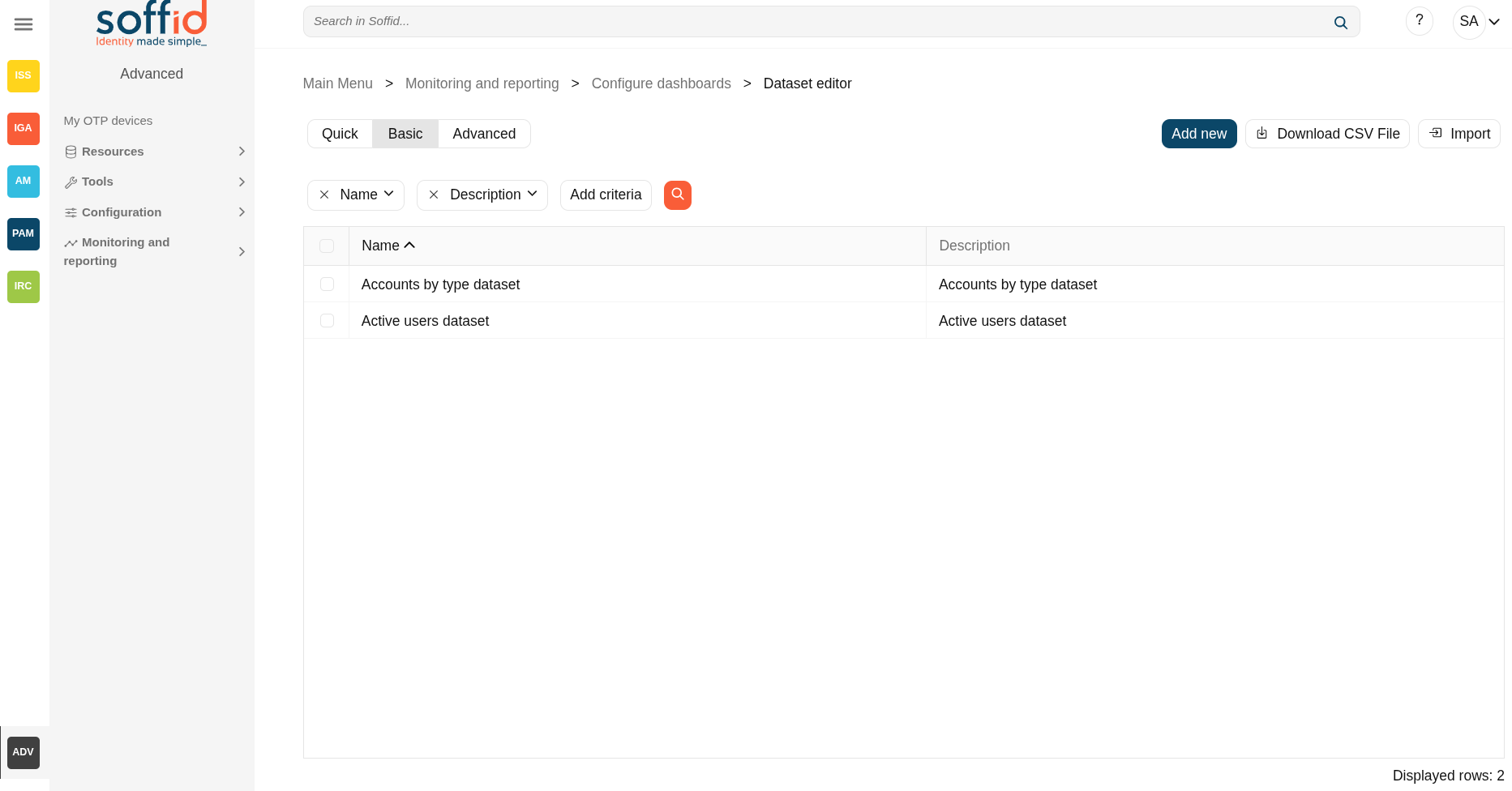
The datasets used to generate the charts, which in turn generate the dashboards, will be registered on the "Dataset editor" screen.
SQL queries will be used directly on the Soffid database to retrieve the data sets. If you wish to consult the structure of the Soffid database, you can consult the internal Soffid API (Entities section).
Screen overview
Related objects
- Dashboard editor : to create and manage dashboards
- Chart editor : to manage charts to be used in the dashboard editor
- Dataset editor : to manage datasets to be used in the chart editor
- Dashboards : where the dashboards created in the dashboard editor are displayed
Standard attributes
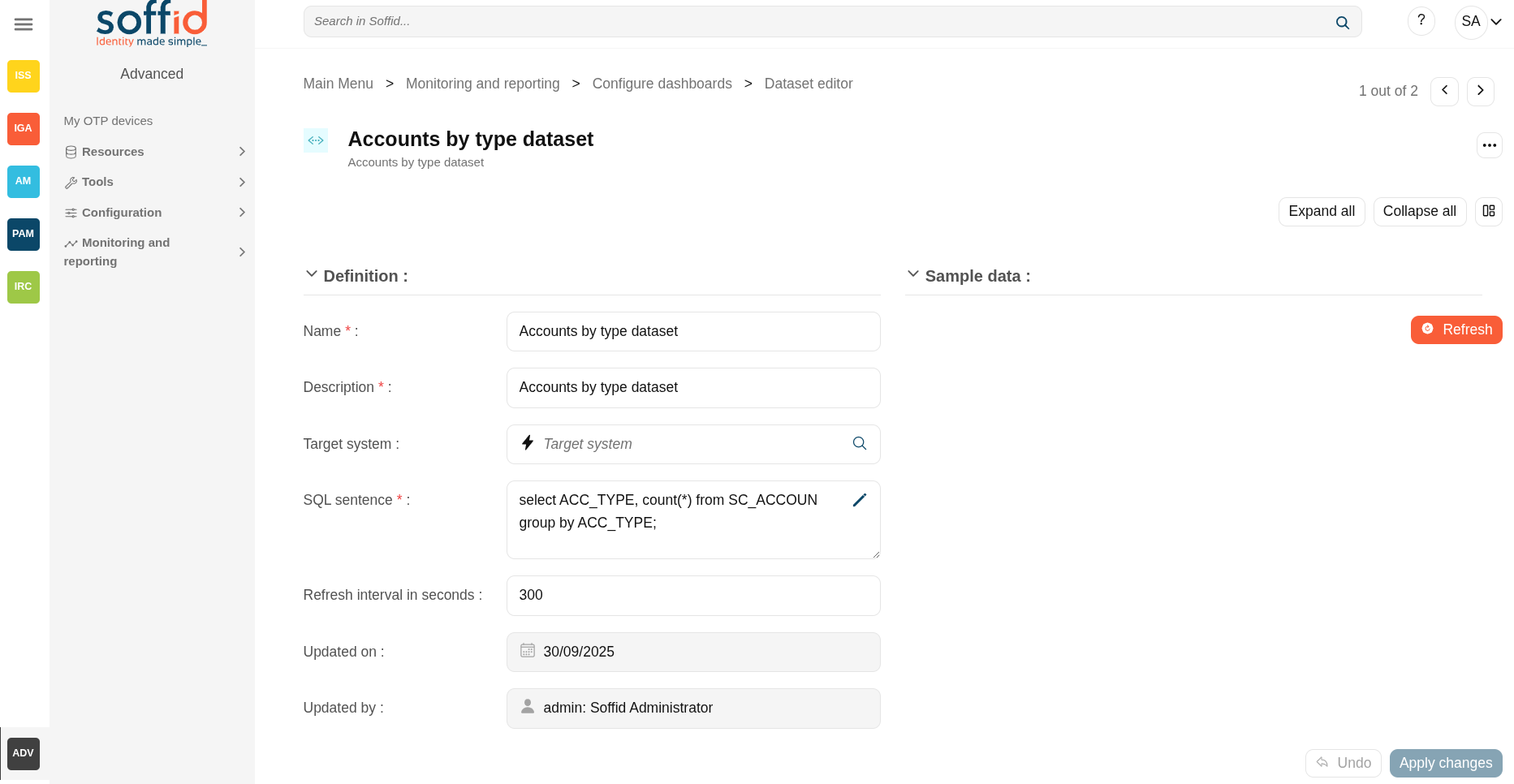
- Name: name of the dataset
- Description: description of the dataset
- Target system: use this field when the SQL query needs to be executed from an agent
- SQL sentence: SQL sentence to retrieve the dataset from the Soffid database
- Refresh interval in seconds: refresh interval in seconds to refresh the database
- Updated on: date of the last update
- Updated by: user or the last update
Actions
Table actions
| Add new | Allows you to create a new dataset. |
| Delete | Allows you to delete all datasets selected with the checkbox in the first column. |
| Download CSV file | Allows you to download a CSV file with the dataset data. |
Dataset actions
| Apply changes (disk icon) | Allows you to save the updates of the dataset. |
| Delete | Allows you to delete the dataset. |
| Expand all | Displays all the attributes of the different blocks. |
| Collapse all | Hide all attributes of the different blocks. |
| "Types of views" | Change the view type: Classic view, Modern view, Compact design. |
| Refresh | Allows you to display a table with the result of the SQL sentence. |
| Undo | Allows you to quit without applying any changes. |
| Apply changes | Allows you to save the updates of the group. |