Configure dashboards > Dashboard editor (addon-reports)
Description
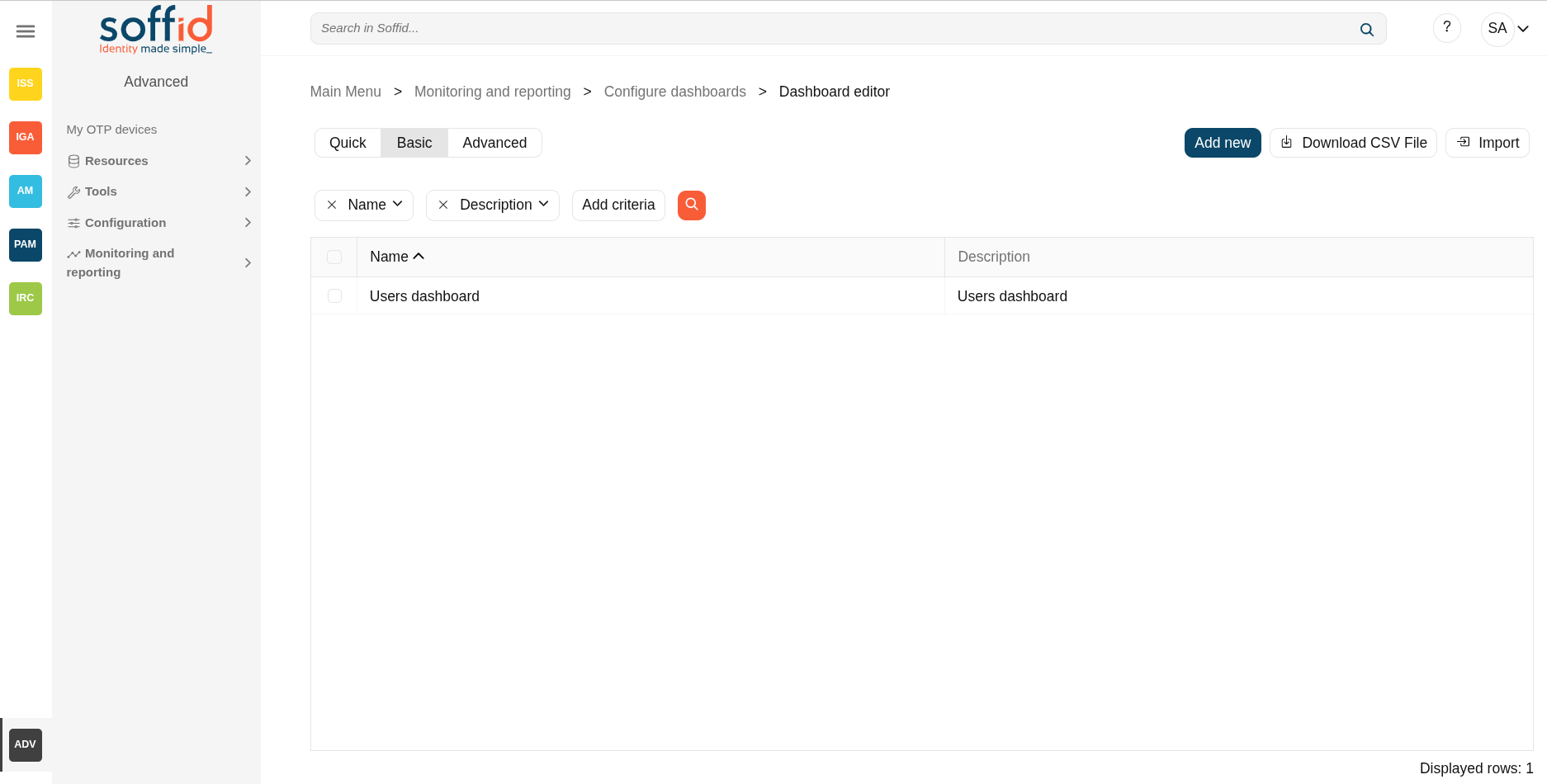
On this dashboard editor screen, you can create dashboards for different users/roles/groups that will contain the charts we have available.
You can create as many dashboards as you need. Each dashboard will have a different access list. For example, you can create one dashboard for administrator users, another for managers, and another for end users.
Screen overview
Related objects
- Dashboard editor : to create and manage dashboards
- Chart editor : to manage charts to be used in the dashboard editor
- Dataset editor : to manage datasets to be used in the chart editor
- Dashboards : where the dashboards created in the dashboard editor are displayed
Standard attributes
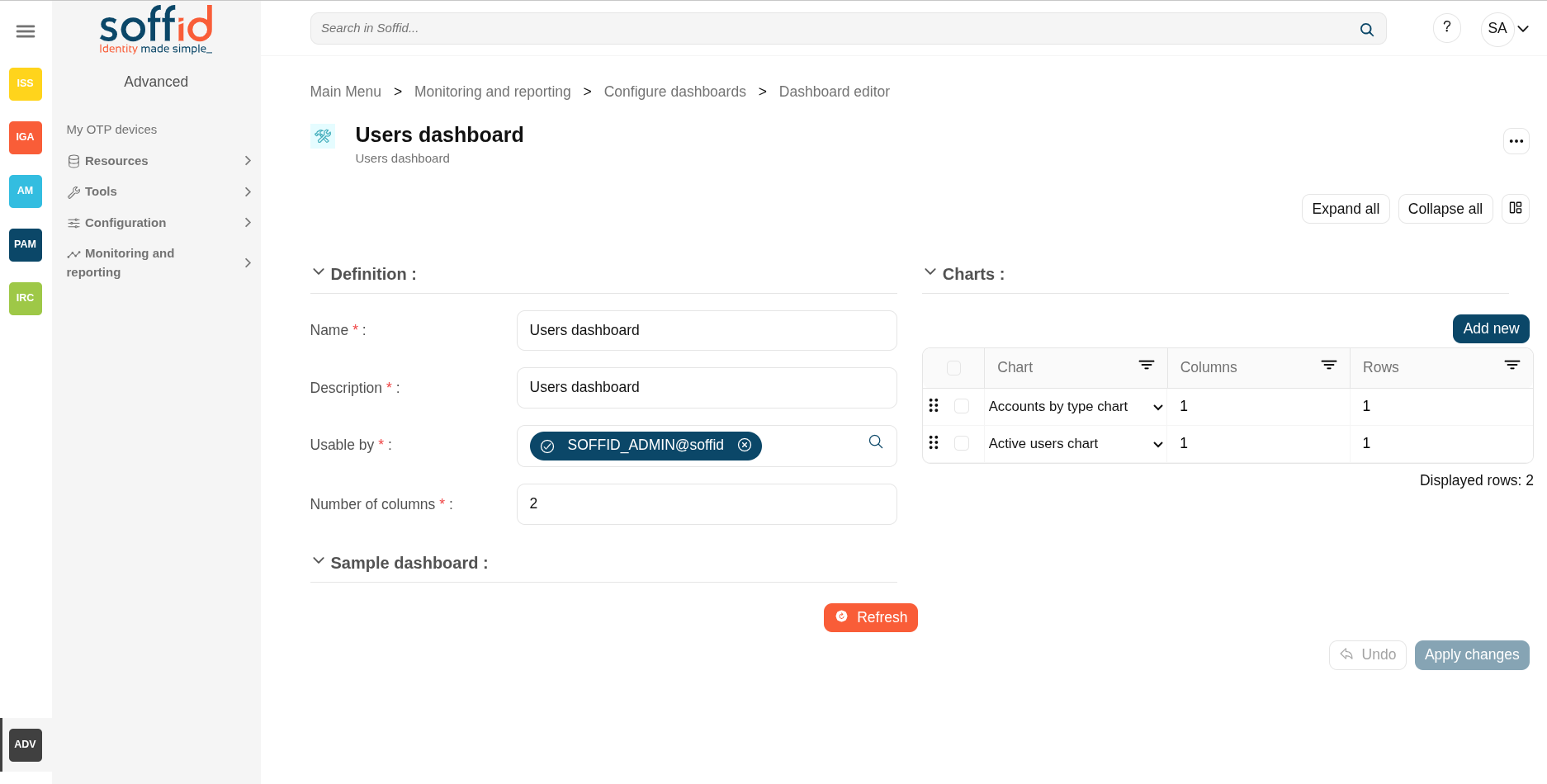
Definition:
- Name: name of the dashboard
- Description: description of the dashboard
- Usable by: who will be able to view the dashboard, can be selected users, roles and groups.

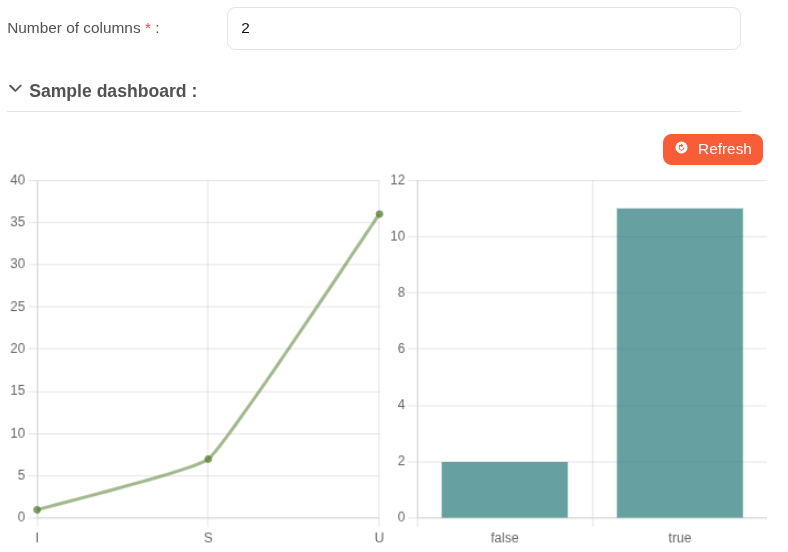
- Number of columns: number of columns to display in the dashboard page, 1 is the whole page, 2 are two columns


Charts:
- Chars: chart to be displayed
- Columns: columns needed to be displayed
- Rows: rows needed to be displayed
How to configure columns
| Chart | Number of columns (dashboard) | Columns (chart) | Rows (chart) |
| One single chart | 1 | 1 | 1 |
| Two charts square | 2 | 1/1 | 1/1 |
| Two rectangular charts one above the other | 2 | 2/2 | 1/1 |
| A double chart with two small ones on its right | 3 | 2/1/1 | 2/1/1 |
Actions
Table actions
| Add new | Allows you to create a new dashboard. |
| Delete | Allows you to delete all dashboards selected with the checkbox in the first column. |
| Download CSV file | Allows you to download a CSV file with the dashboard data. |
Dataset actions
| Apply changes (disk icon) | Allows you to save the updates of the dashboard. |
| Delete | Allows you to delete the dashboard |
| Expand all | Displays all the attributes of the different blocks. |
| Collapse all | Hide all attributes of the different blocks. |
| "Types of views" | Change the view type: Classic view, Modern view, Compact design. |
| Refresh | Allows you to display the selected charts. |
| Delete | Allows you to delete all charts selected with the checkbox in the first column. |
| Add new | Allows you to add a new chart to the chart. |
| Undo | Allows you to quit without applying any changes. |
| Apply changes | Allows you to save the updates of the group. |