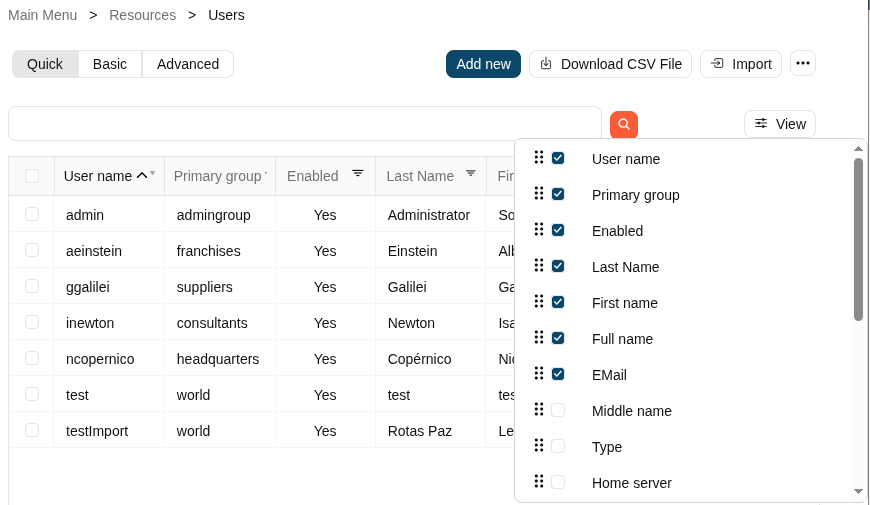
Column selector
Description
Throughout the Soffid Console, we can find a large number of list-type components. These lists are used to display the corresponding objects data in each case, for instance users, accounts, etc.
The "View" component allows you to add or remove columns, but also allows you to sort by the name of the columns to display them in the list. Be in mind, the columns are the attributes of an object (an user, or an account...).
It is easy to use, once you click on the "View" button, Soffid will display a popup with the available columns for the object, then add, remove or drag and drop them in the order you want and click outside the popup, Soffid will refresh the list with the attributes with the changes that you defined.