The attribute definition page displays all the **auto-generated user attributes**. Those attributes will be the attributes to deliver from the identity providers to the service providers depending on the defined rules.
Soffid has a default implementation for common attributes like FullName or uid, but you can modify it by creating a custom script.Please note that this screen is available in the federation addon.
## Screen overview [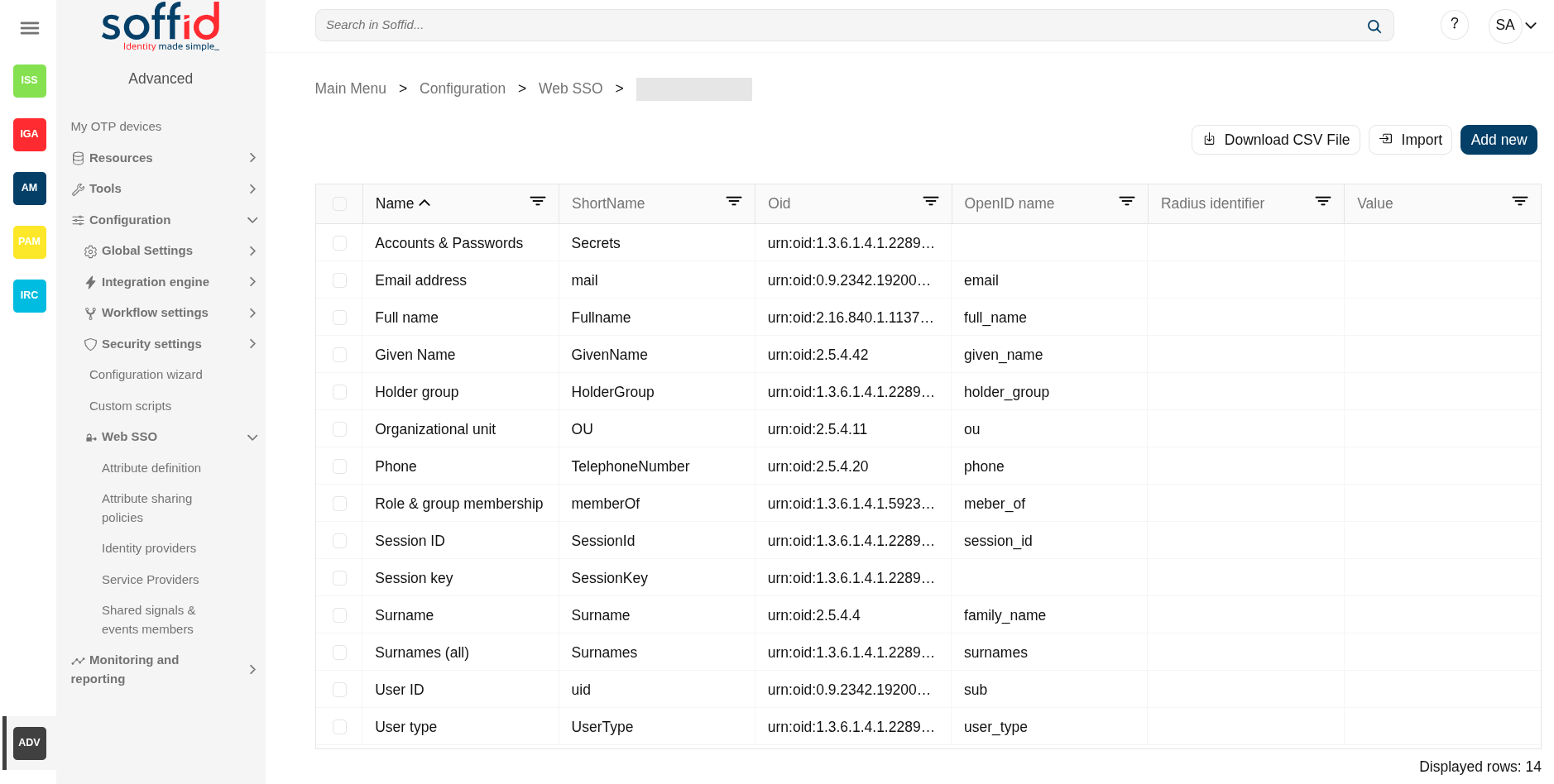](https://bookstack.soffid.com/uploads/images/gallery/2025-08/abpJHUudVdSiVQsE-image.png) ## Related objects - [Attribute definition](https://bookstack.soffid.com/books/soffid-4-reference-guide/page/attribute-definition-addon-federation "Attribute definition (addon federation)") : where the list of possible attributes to be returned in the IdP response is defined - [Attribute sharing policies](https://bookstack.soffid.com/books/soffid-4-reference-guide/page/attribute-sharing-policies-addon-federation "Attribute sharing policies (addon federation)") : where policies are defined with the attributes to be sent according to the authenticated service provider - [Identity providers](https://bookstack.soffid.com/books/soffid-4-reference-guide/page/identity-providers-addon-federation "Identity providers (addon federation)") : configuration of the identity providers - [Service providers](https://bookstack.soffid.com/books/soffid-4-reference-guide/page/service-providers-addon-federation "Service Providers (addon federation)") : configuration of the service providers - [Metadata](https://bookstack.soffid.com/books/soffid-4-reference-guide/page/metadata "Metadata") : where user attributes are defined ## Standard attributes - **Name**: a descriptive name. - **ShortName**: short name to be used by SAML 2 service providers (without blanks). - **Oid**: OID to be used by SAML 1 and SAML 2 service providers. - **OpenID name**: OpenID name to be used by OAuth and OpenID connect service provider. - **Radius identifier**: Radius ID name. - **Value**: an attribute value. Allows you to define a script to determine the value of the attribute. ## Actions ### Table actions| **Download CSV file** | Allows you to download a csv file with the data included in the table. |
| **Import** | Allows you to upload a CSV file with the attribute list to add or update them. First, you need to pick up a CSV file, that CSV has to contain a specific configuration. Then you need to check the content to be loaded, it is allowed to choose if you want or not to load a specific attribute. And finally, you need to select the mappings for each column of the CSV file to import the data correctly and to click the Import button. |
| **Add new** | Allows you to add a new attribute. To add a new attribute it will be mandatory to fill in the required fields. |
| **Delete attribute** | Allows you to delete one or more attributes by selecting one or more records and next clicking this button. To perform that action, Soffid will ask you for confirmation, you could confirm or cancel the operation. |
| **Apply changes (disk button)** | Allows you to save the data of a new attribute or to update the data of a specific attribute. To save the data it will be mandatory to fill in the required fields. |
| **Delete parameter** | Allows you to delete a specific Soffid parameter. To delete a parameter you can click on the "three points" icon and then click the delete parameter button. Soffid will ask you for confirmation to perform that action, you could confirm or cancel the operation. |
| **Undo** | Allows you to quit without applying any changes. |
| **Apply changes** | Allows you to save the data of a new attribute or to update the data of a specific attribute. Once you apply changes, the plugin details page will be closed. |