A new method has been added to **suggest roles** that can be assigned to a user.
With this feature, on some Soffid pages, when you want to **assign a role to a user**, the **system will suggest the most likely roles**.
### Bear in mind Please note the following points: - This feature must be **enabled** and **configured** before it can be used. - The **configuration** page is in the **mining** addon. - Some **addons** may use this feature. ### How to configure it? The following **components** must be installed: - Console 4.0.75 (or higher) - Mining addon 4.0.2 (or higher) And optionally some addons: - BPM addon 4.0.10 (or higher) ### Let's look at an example #### Step 1: activation To enable this feature, you need to **upgrade** the **console** and the **mining** **addon**. A **syncserver** **restart** is also required after the upgrade. We can now find the "**Role assignment suggestions**" page in the "**Tools**" menu. [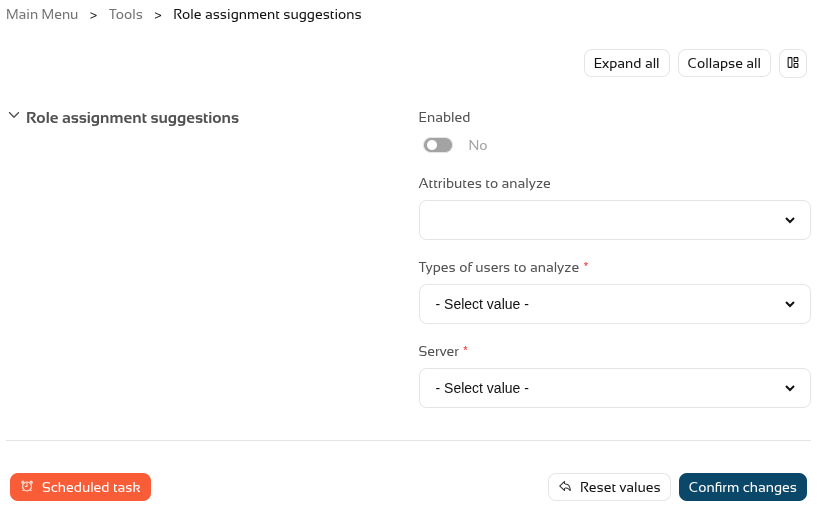](https://bookstack.soffid.com/uploads/images/gallery/2026-10/lXNMe9uXe7w7xZvZ-image.png) And we have to enable this feature. [](https://bookstack.soffid.com/uploads/images/gallery/2026-10/uDa5nfJyDfJOCOPg-image.png) #### Step 2: configuration To configure this functionality, we need to **decide** which **user** **attributes** the system should analyse, for which **types of users**, and select a **sync server**. [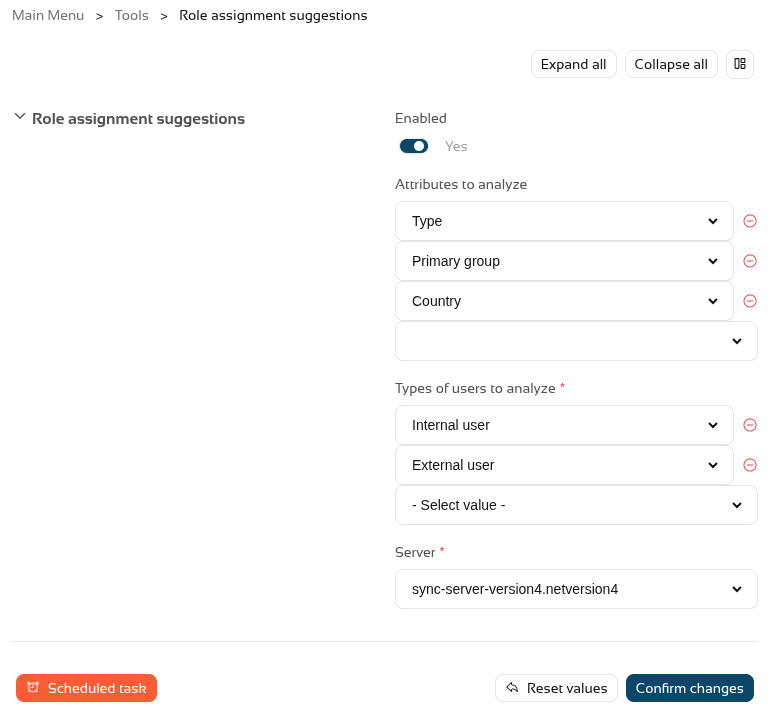](https://bookstack.soffid.com/uploads/images/gallery/2026-10/DSRzjaCBHGDUoqLH-image.png) Once this step has been configured, we need to **run** or **schedule** the **task** so that Soffid generates an internal **matrix** containing all the **possibilities**. Once the process has been run for the first time, this **feature** is **ready** for **use**. #### Step 3: usage To make use of the **role** **suggestions**, we can go to the **Users** **page**, select a user and go to the **roles tab**. [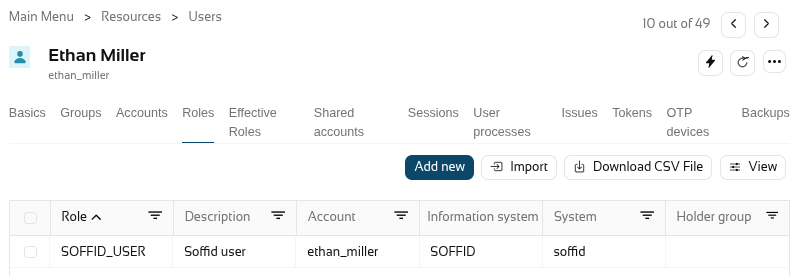](https://bookstack.soffid.com/uploads/images/gallery/2026-10/1DmkLgoxldX4gn3f-image.png) When you click on "**Add new**" to add a new role, Soffid will show you the **suggested roles** that, based on the settings from the previous step, are the most likely to apply to this user. [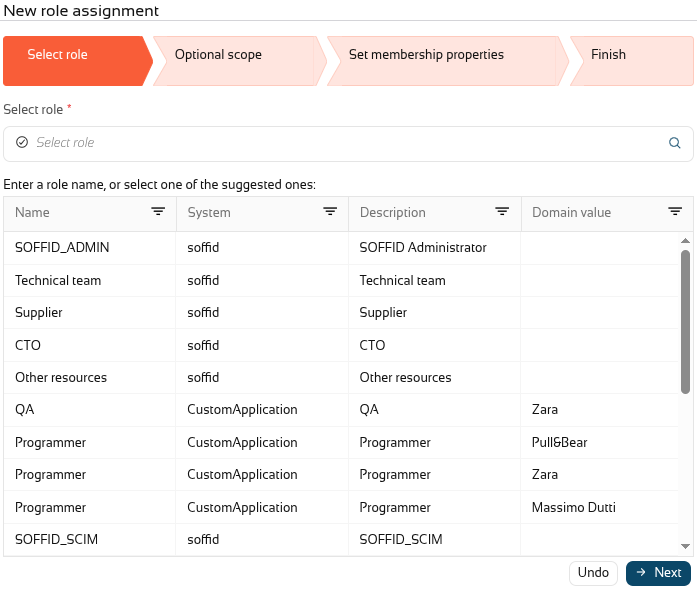](https://bookstack.soffid.com/uploads/images/gallery/2026-10/JHQud1wCJi07jLRG-image.png) #### Step 4: BPM addon When you **upgrade** the **BPM addon**, you will be able to use suggestions in the **permission request workflows**. If you already have a workflow, go to the **BPM editor** page. In this case, we will open the "Request roles massive". [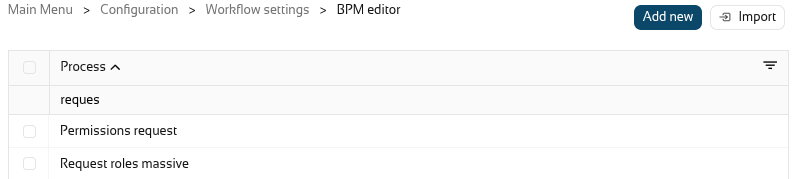](https://bookstack.soffid.com/uploads/images/gallery/2026-10/SYTLmSNAY0RoHouA-image.png) In the diagram select the "**Start**" **node**. [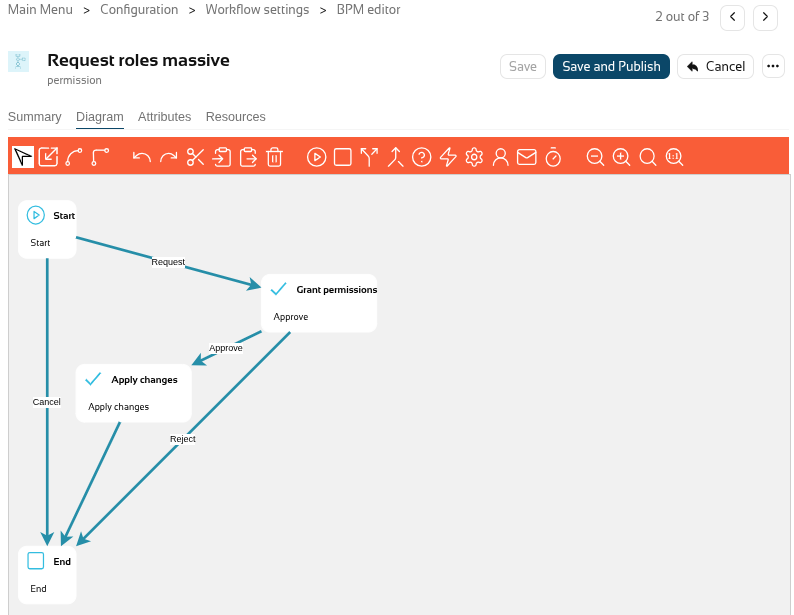](https://bookstack.soffid.com/uploads/images/gallery/2026-10/fxjFjsxBKHU3MmHF-image.png) And **enable** "**Suggest new roles**". [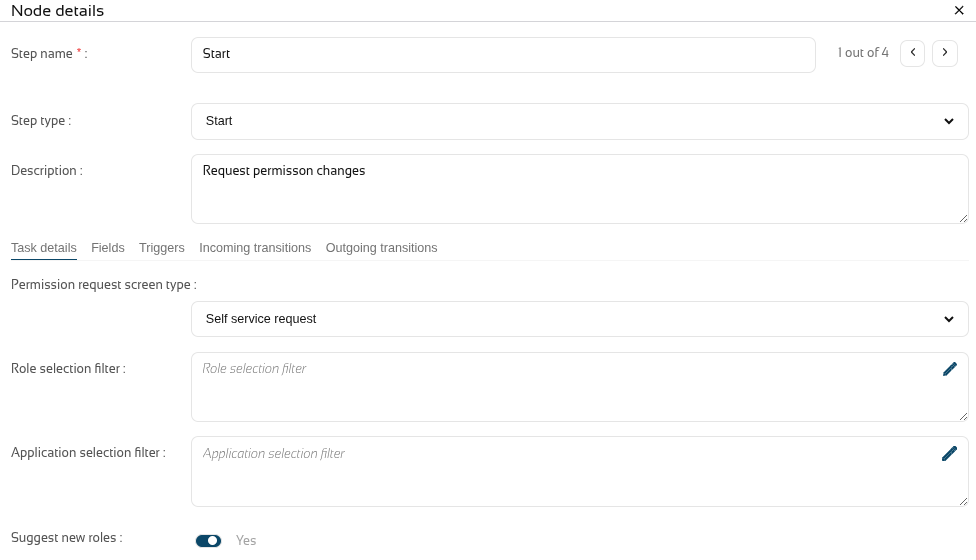](https://bookstack.soffid.com/uploads/images/gallery/2026-10/E8XR2ZXFrOKUzb9k-image.png) **Close** the popup and click on the "**Save and publish**" button. Finally, we can now go to the **ISS** **module** and, now "**My requests**", select the "**Request roles masive**" workflow, and the **suggested roles** will then be displayed under "**Filter out roles**". [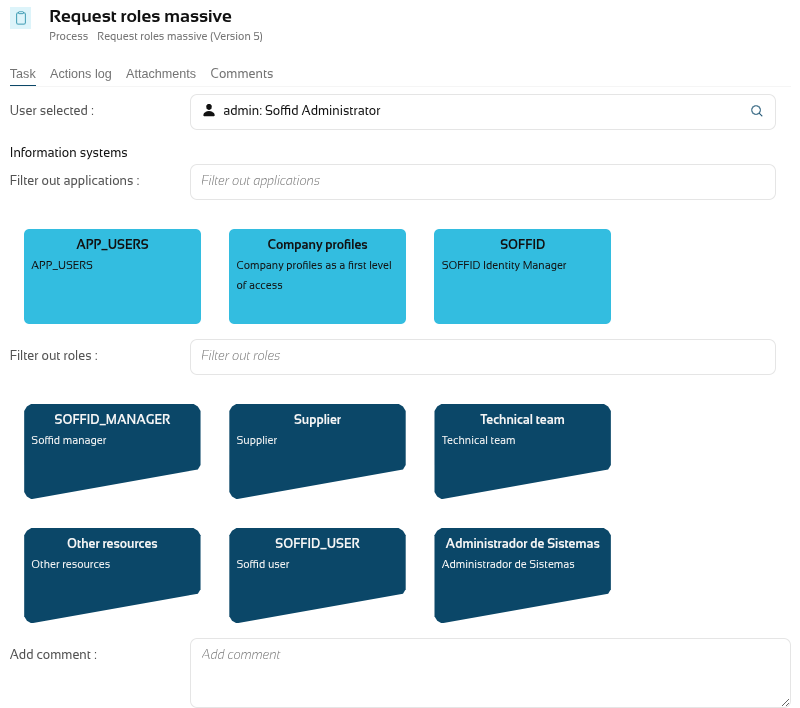](https://bookstack.soffid.com/uploads/images/gallery/2026-10/P4y1Sctf8ydo9J0v-image.png)