From now on, all **users** used to access the **SCIM webservice** will **require** the new "**webservice:user**" authorisation.
### Bear in mind Please note the following points: - Users with the **SOFFID\_ADMIN** role **already have** this authorisation inherited by inheritance. - After updating Soffid, you will need to grant this authorisation to users who are not administrators and who are already using the SCIM web service. ### How to configure it? The following **components** must be installed: - Console 4.0.58 (or higher) ### Let's look at an exampleFor this example, we will be using the Bruno application; for further information, please see this page [Testing ](https://bookstack.soffid.com/books/scim/page/testing-tool "Testing Tool")[Tool](https://bookstack.soffid.com/books/scim/page/testing-tool "Testing Tool").
First, let’s check that the "**Test**" user we were using in the SCIM web service no longer has access, see the "**401 Unauthorized**" error. [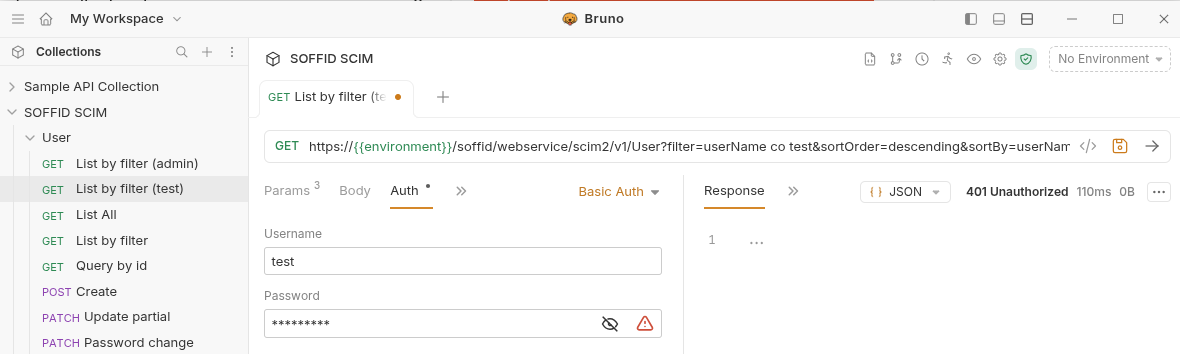](https://bookstack.soffid.com/uploads/images/gallery/2026-06/YOxbb2qt0WTvXENH-image.png) On the **Roles page**, we are going to create a new role, "**SOFFID\_SCIM**", and then assign the new authorisation to it. [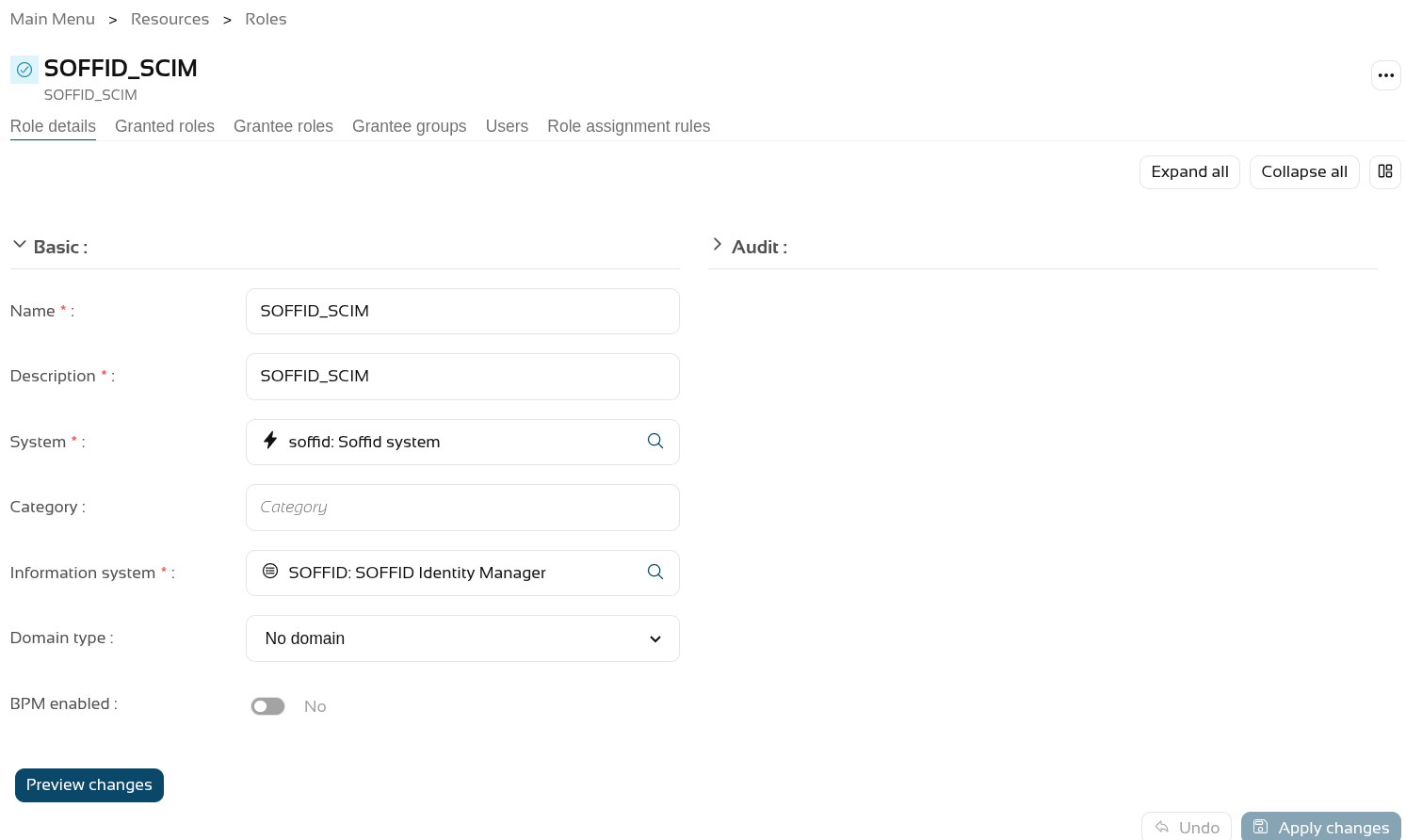](https://bookstack.soffid.com/uploads/images/gallery/2026-06/7PvJwwbnBMztwL3i-image.png) On the **Authorisations page**, we assign the new authorisation "**webservice:user**" to it. [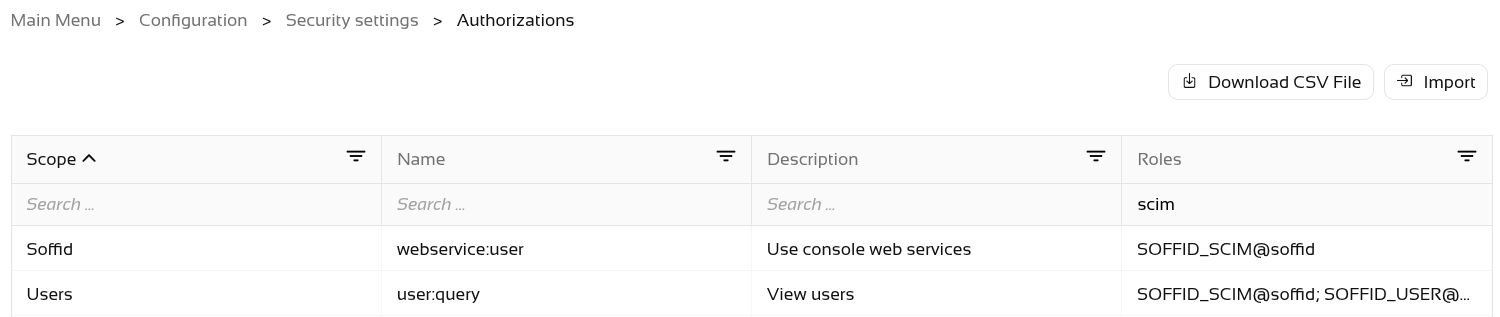](https://bookstack.soffid.com/uploads/images/gallery/2026-06/aKeNA4AKyeJsXCtY-image.png) The final step is to **grant** the **SOFFID\_SCIM** role to the **user**. [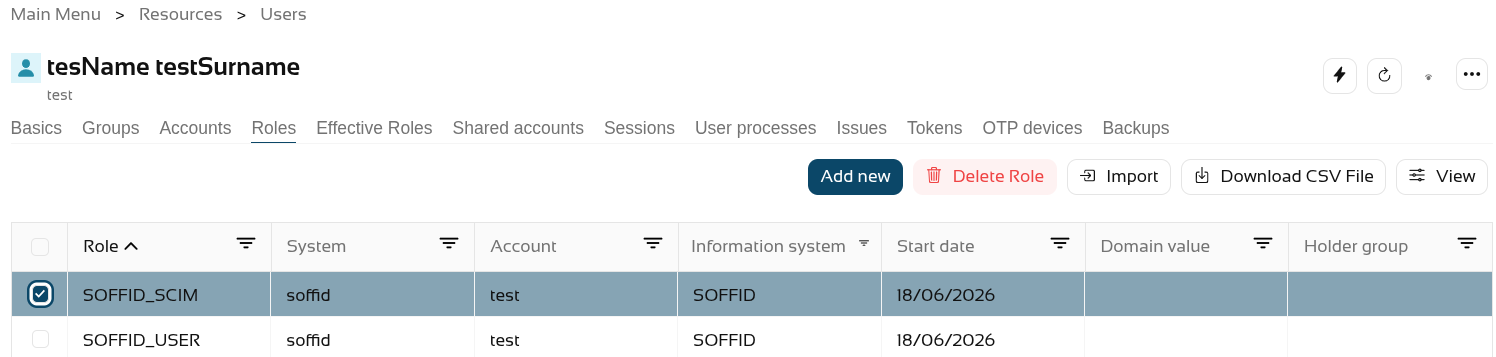](https://bookstack.soffid.com/uploads/images/gallery/2026-06/7Yegz9EcBDB6t9PU-image.png) Now, when we query the web service, it returns results. [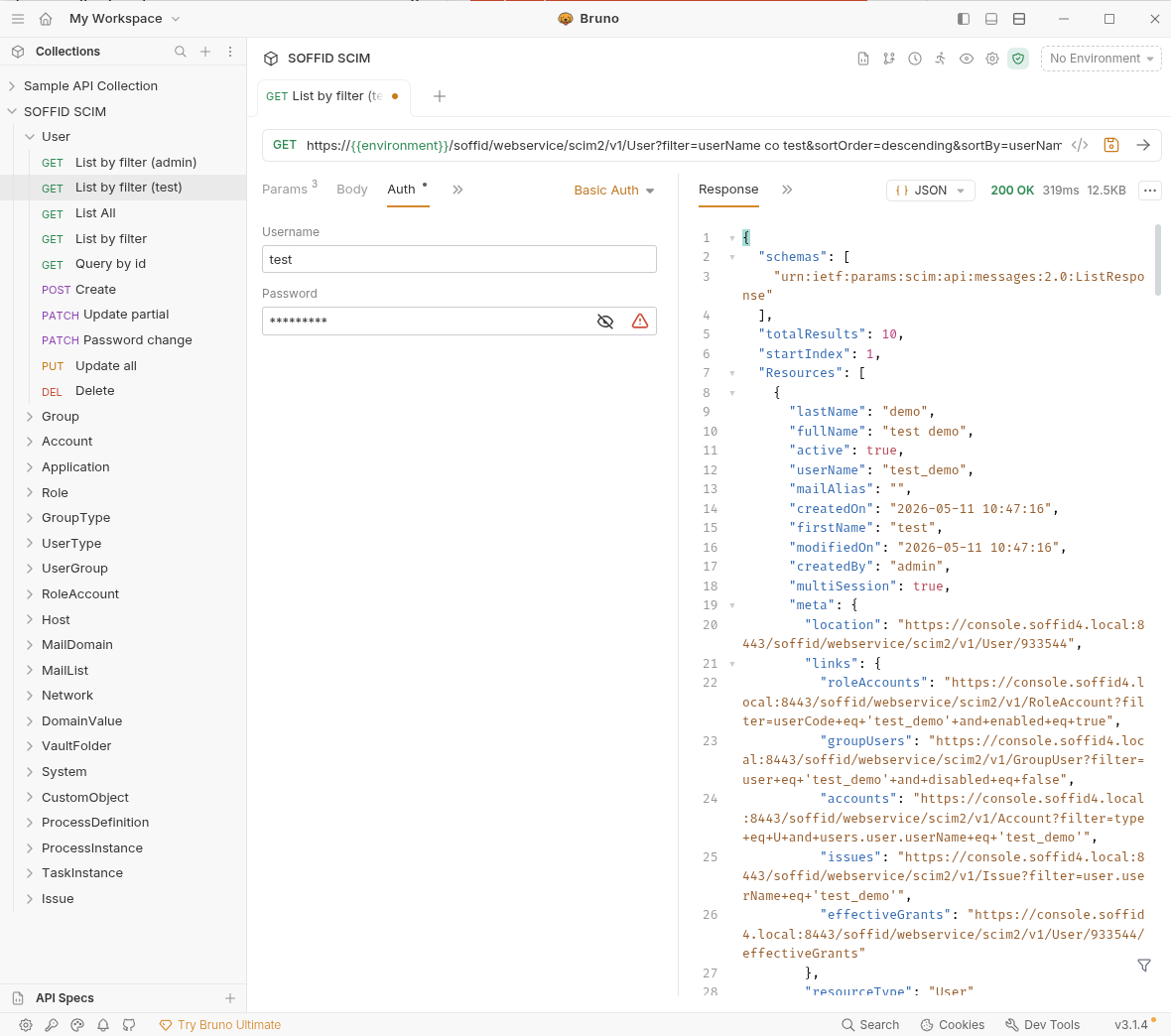](https://bookstack.soffid.com/uploads/images/gallery/2026-06/shHwcMrzgAyCMKh3-image.png)