The first version of the "**CSV connector**" has been released in Soffid 4. This connector only includes the “**Customisable CSV file**” agent. In this version, this agent is used to **generate a CSV file** as part of the Soffid synchronisation engine.
### Bear in mind Please note the following points: - The "Customisable CSV file" agent is used to **synchronice**, not for load authoritative o reconcile. - **Users** who need to be created in the CSV file must **have** an **account** with that **agent**. - Please note the **location** where the file will be created; its configuration will depend on the **operating system** and the type of Soffid **architecture/installation** ### How to configure it? The following **components** must be installed: - CSV plugin 4.0.0 (or higher) ### Let's look at an example Step 1: install the **CSV plugin** from the marketplace (Add new button) in the [License and plugin](https://bookstack.soffid.com/books/soffid-4-reference-guide/page/license-and-plugin "License and plugin") page. The name of the connector is "Test plugin". [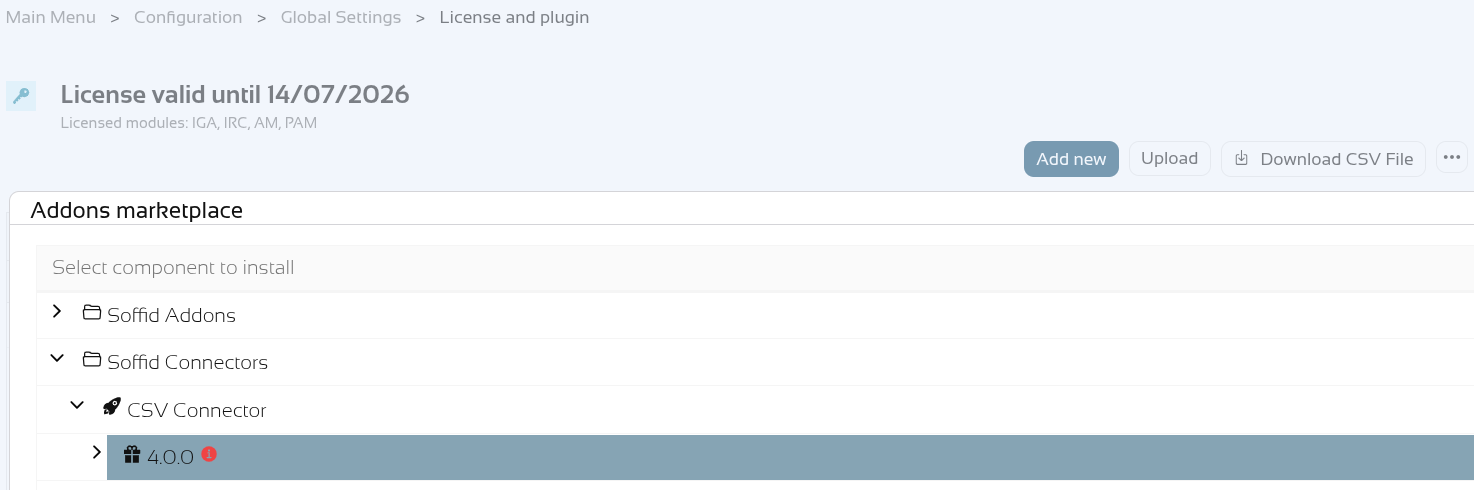](https://bookstack.soffid.com/uploads/images/gallery/2026-06/2oB9SLFndZ0lcQaW-image.png) [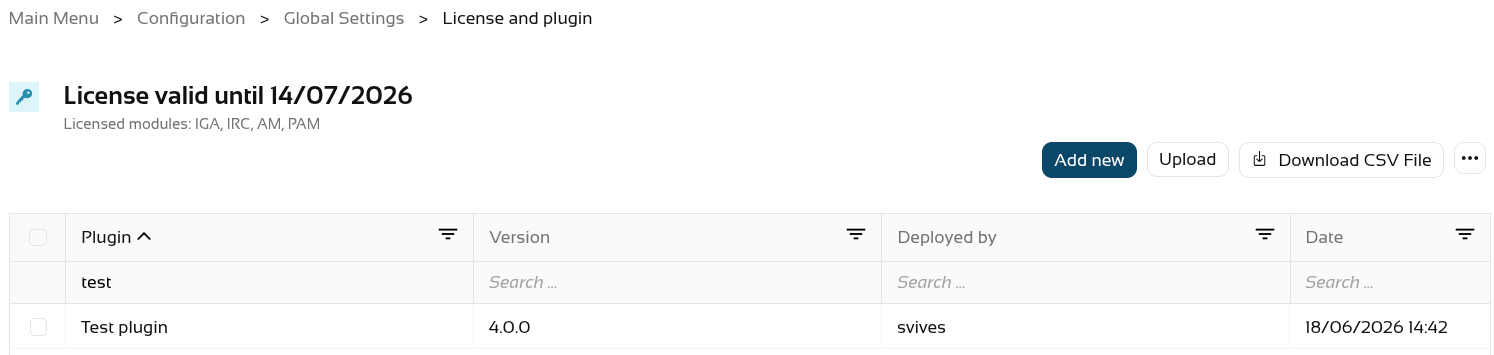](https://bookstack.soffid.com/uploads/images/gallery/2026-06/dhespCDZJ3dOM1sl-image.png) Step 2: **create** an **agent** of the "Customisable CSV file" type. [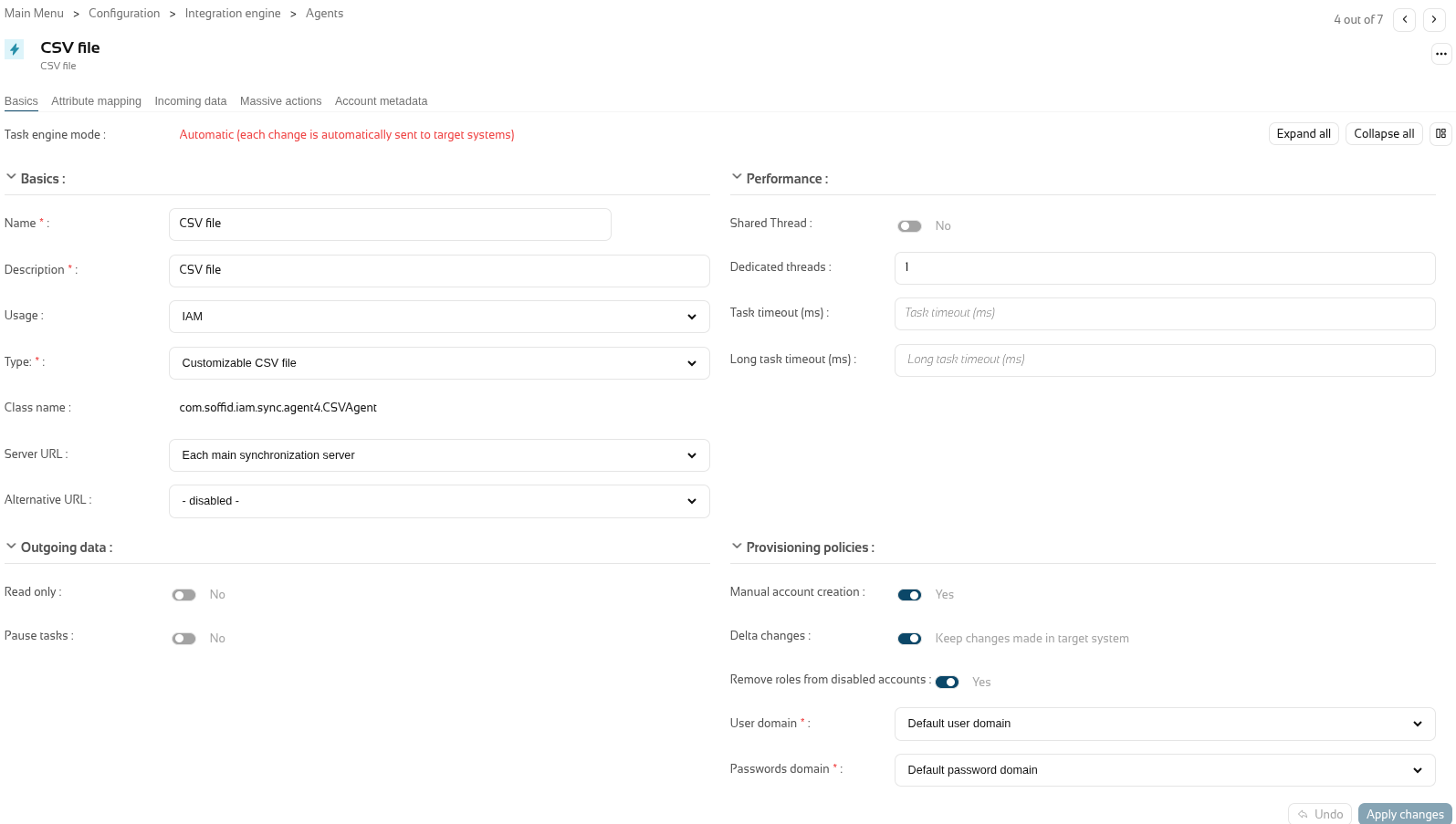](https://bookstack.soffid.com/uploads/images/gallery/2026-06/APaiPdzP2khgdjXu-image.png) Step 3: **configure** the agent with the **mappins** you need (in the "Attribute mapping" tab).For further information on how to configure this agent, please refer to the [CSV connector in Soffid 4](https://bookstack.soffid.com/books/connectors/page/csv-connector-in-soffid-4 "CSV connector in Soffid 4") page.
[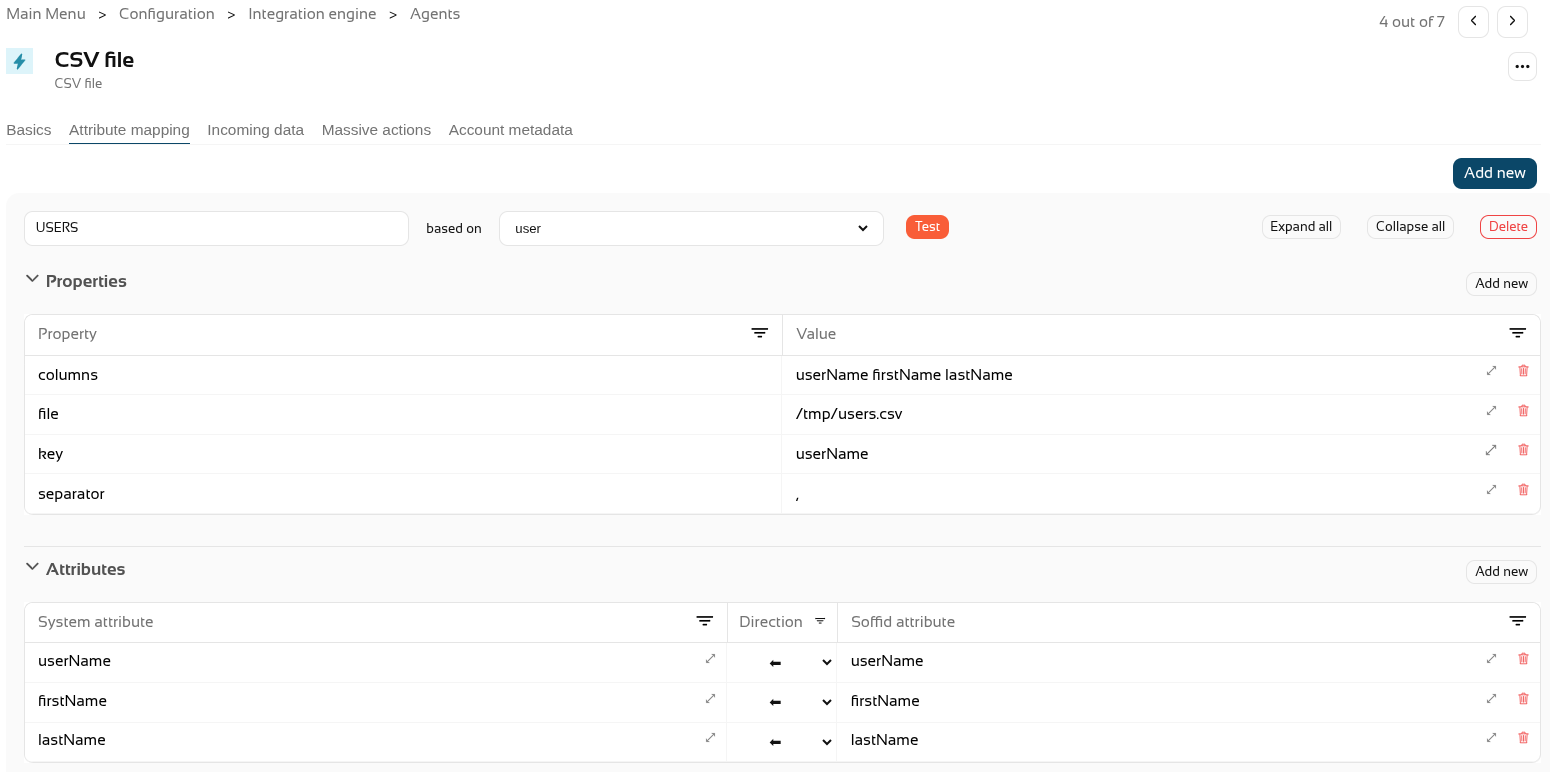](https://bookstack.soffid.com/uploads/images/gallery/2026-06/wGHA94XZpt2v0SM4-image.png) Step 4. Create **CSV accounts** for users. [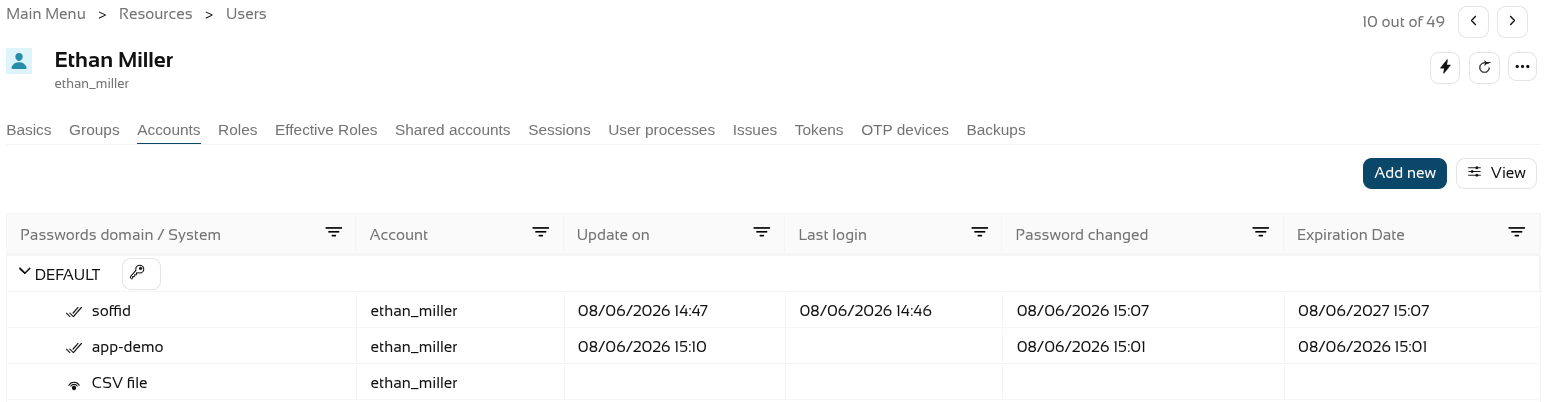](https://bookstack.soffid.com/uploads/images/gallery/2026-06/5D2TnLjvWXwEAvSc-image.png) Step 5. The **accounts** created will have synchronised automatically as the **engine** is set to automatic and the **agent** is in write mode, and it is active in the **monitoring**. The accounts. [](https://bookstack.soffid.com/uploads/images/gallery/2026-06/HZ82yAznNziSLr0g-image.png) The engine. [](https://bookstack.soffid.com/uploads/images/gallery/2026-06/yqx43Nf2PizJgw15-image.png) The agent. [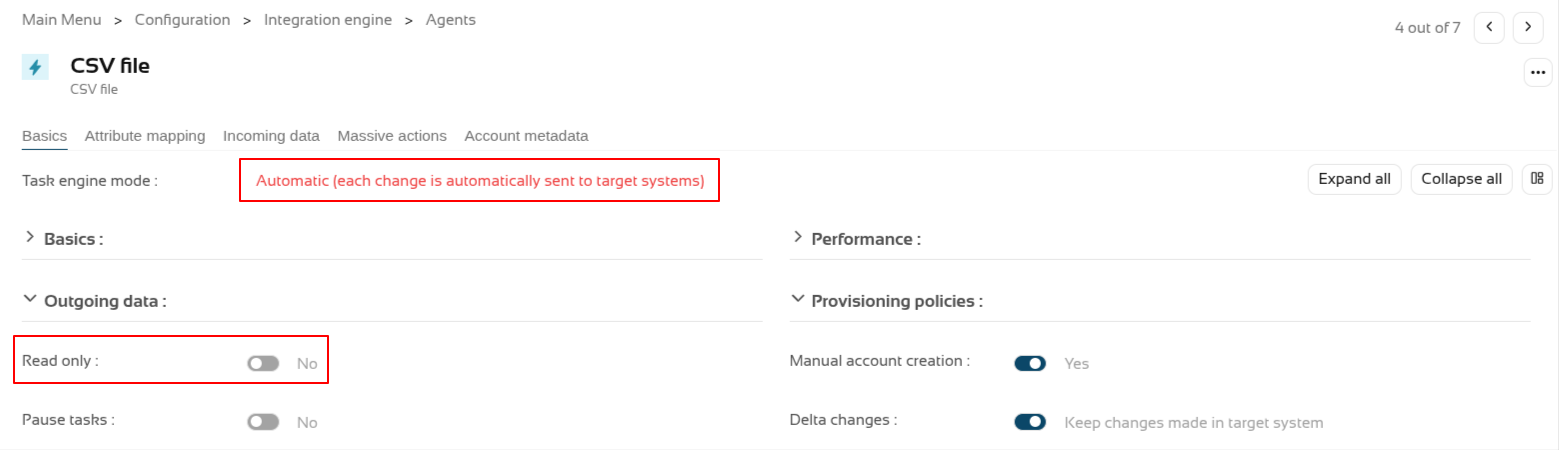](https://bookstack.soffid.com/uploads/images/gallery/2026-06/2FWWp81w2FGprT3F-image.png) And the monitoring. [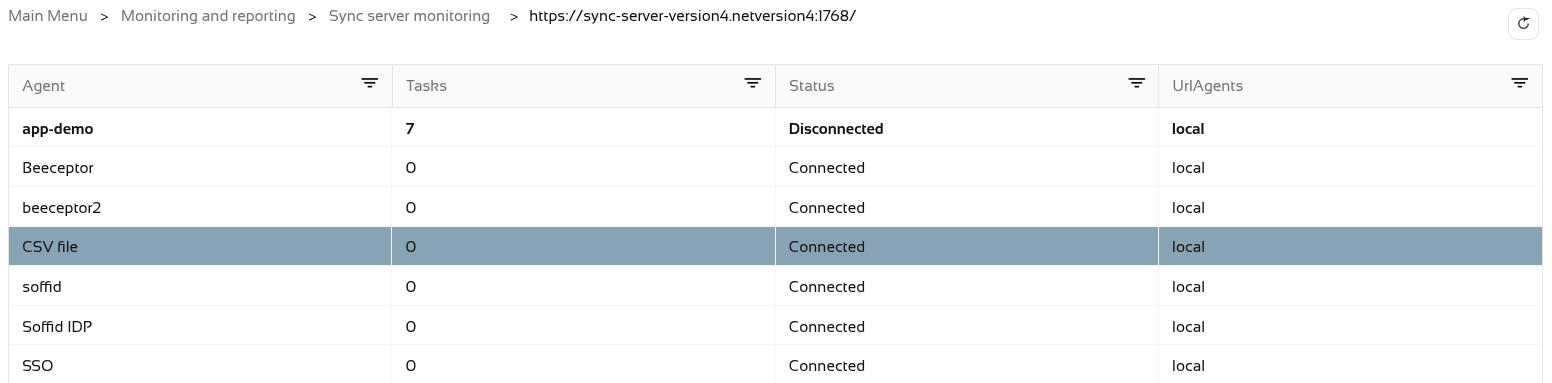](https://bookstack.soffid.com/uploads/images/gallery/2026-06/gMGGVd6cwWGO37Be-image.png) Step 6. Now let’s **check** the CSV file. It was configured in the "/tmp/users.csv" path of the container. [](https://bookstack.soffid.com/uploads/images/gallery/2026-06/HPjZQHTHOTP0y1wY-image.png)