2026-05-21 New feature: CSV connector in Soffid 4
The new feature
The first version of the "CSV connector" has been released in Soffid 4. This connector only includes the “Customisable CSV file” agent. In this version, this agent is used to generate a CSV file as part of the Soffid synchronisation engine.
Bear in mind
Please note the following points:
- The "Customisable CSV file" agent is used to synchronice, not for load authoritative o reconcile.
- Users who need to be created in the CSV file must have an account with that agent.
- Please note the location where the file will be created; its configuration will depend on the operating system and the type of Soffid architecture/installation
How to configure it?
The following components must be installed:
- CSV plugin 4.0.0 (or higher)
Let's look at an example
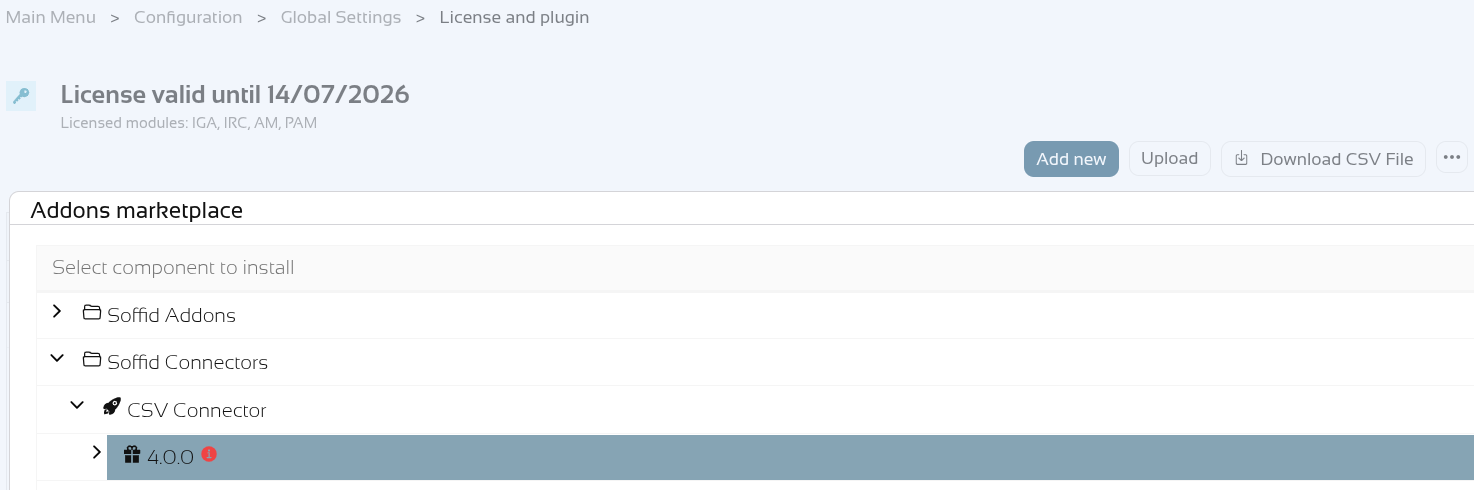
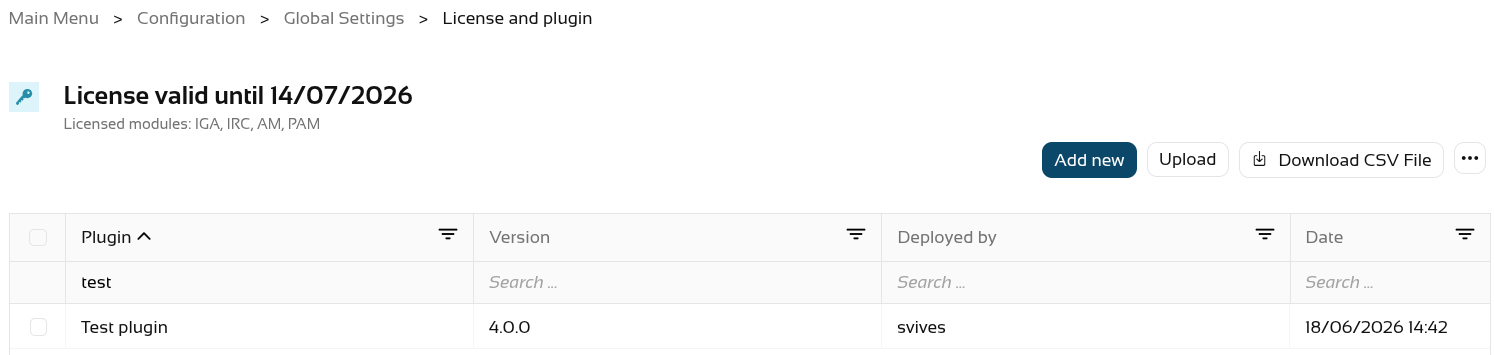
Step 1: install the CSV plugin from the marketplace (Add new button) in the License and plugin page. The name of the connector is "Test plugin".
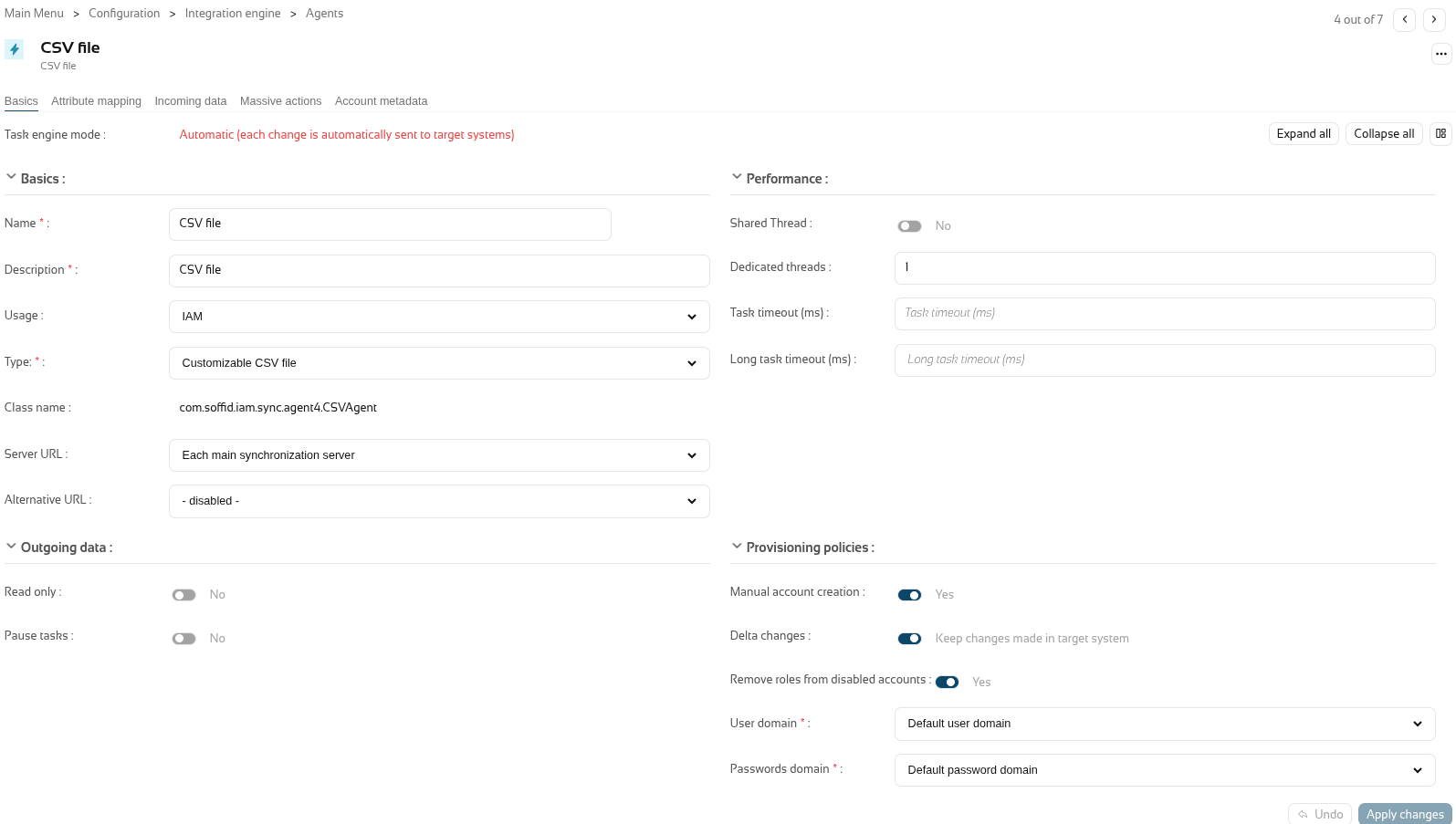
Step 2: create an agent of the "Customisable CSV file" type.
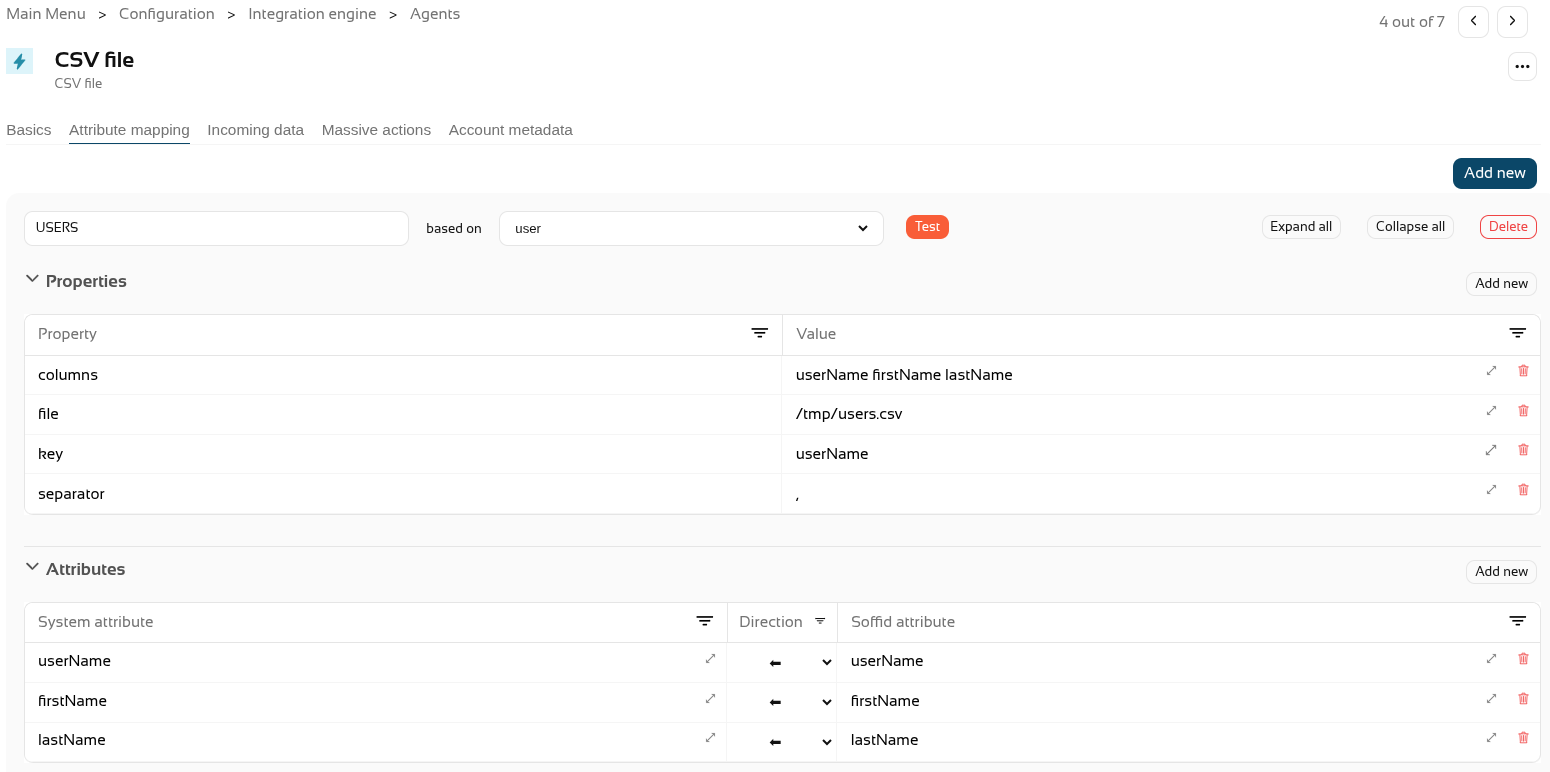
Step 3: configure the agent with the mappins you need (in the "Attribute mapping" tab).
For further information on how to configure this agent, please refer to the CSV connector in Soffid 4 page.
Step 4. Create CSV accounts for users.
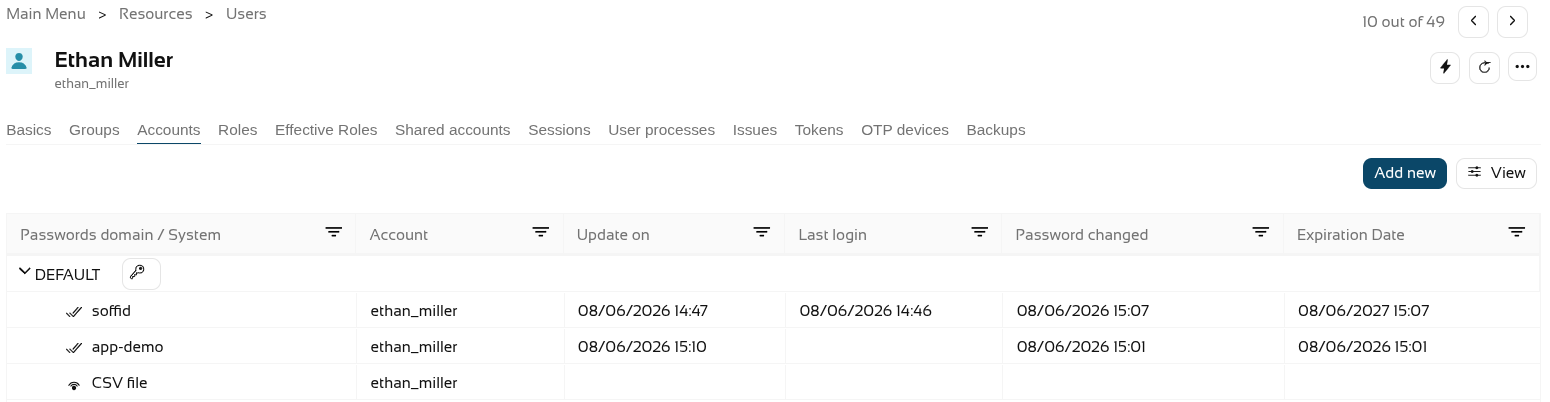
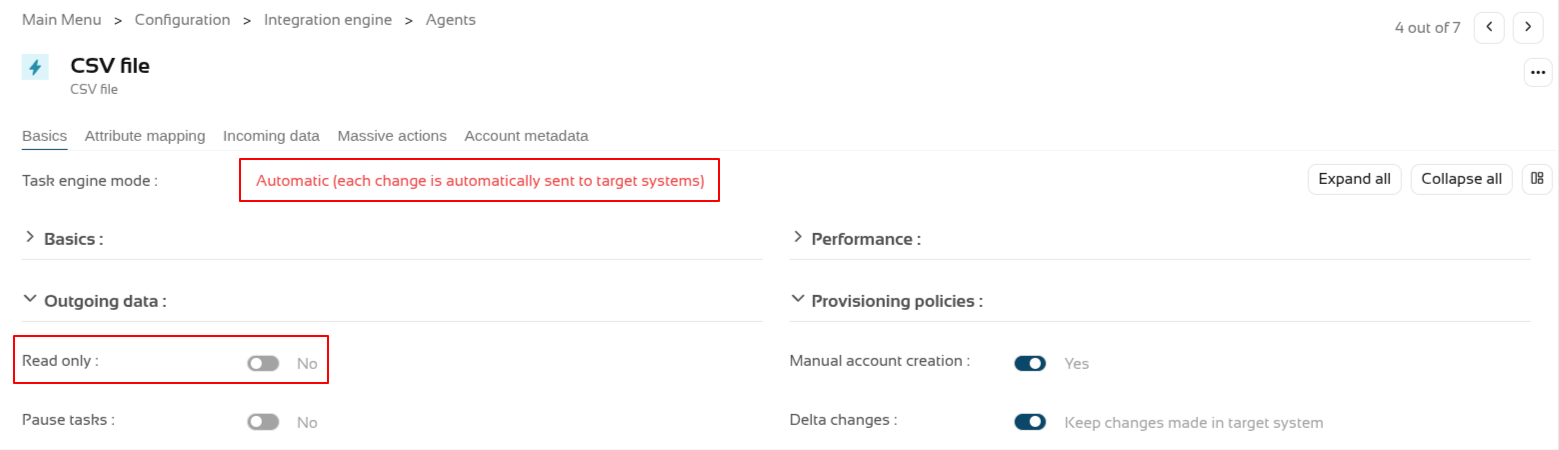
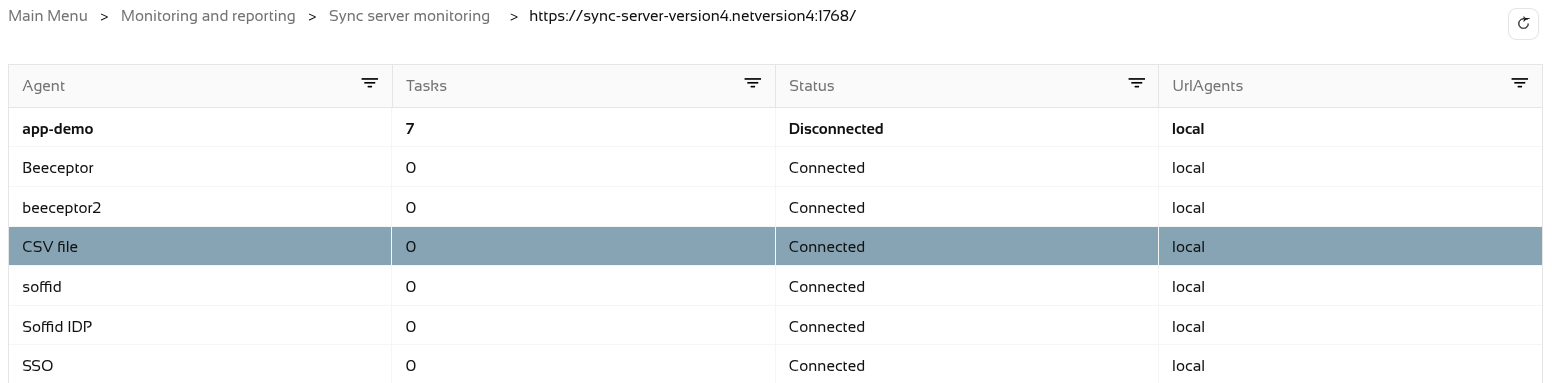
Step 5. The accounts created will have synchronised automatically as the engine is set to automatic and the agent is in write mode, and it is active in the monitoring.
The accounts.

The engine.

The agent.
And the monitoring.
Step 6. Now let’s check the CSV file. It was configured in the "/tmp/users.csv" path of the container.
