Now, when an account is **disabled**, its **password** is **deleted**. Afterwards, if the user changes his password, the disabled account will still have no password. If the disabled account is **enabled**, the agent of the account will **set** the password of the **password domain** to the account and send it to the target system.
### Bear in mind Please note the following points: - The user's **password domain** will have **value** once at least one password has been assigned. - The account must be a **single-user account**; these are the ones that can be viewed in a user’s accounts tab. ### How to configure it? The following **components** must be installed: - Console 4.0.57 (or higher) - Syncserver 4.0.35 (or higher) - SAP plugin 4.0.2 (or higher) ### Let's look at an example Let’s look at an example, here we have the user "**ethan\_miller**" to whom we are going to assign the password "**Dummy01.**". [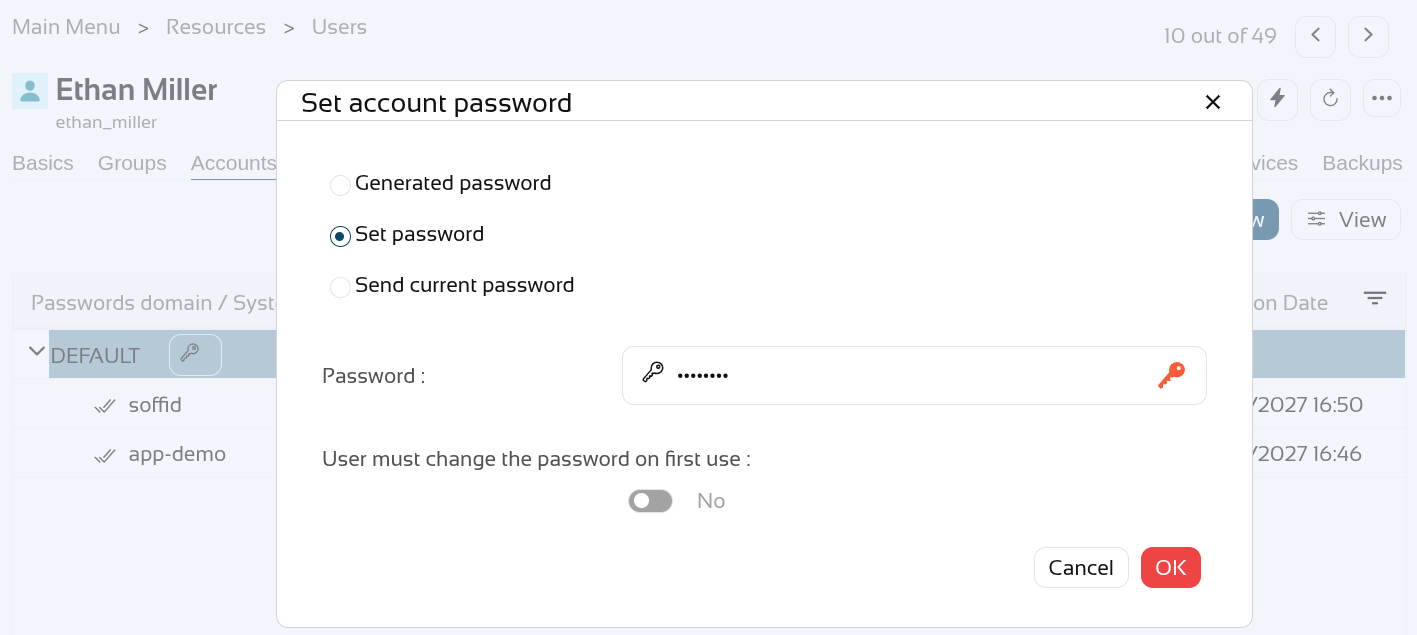](https://bookstack.soffid.com/uploads/images/gallery/2026-06/8KacmI0v1LGoDJfV-image.png) You can check your password on the "**My accounts**" page, click on the "**View password**" of the "**app-demo**" account. [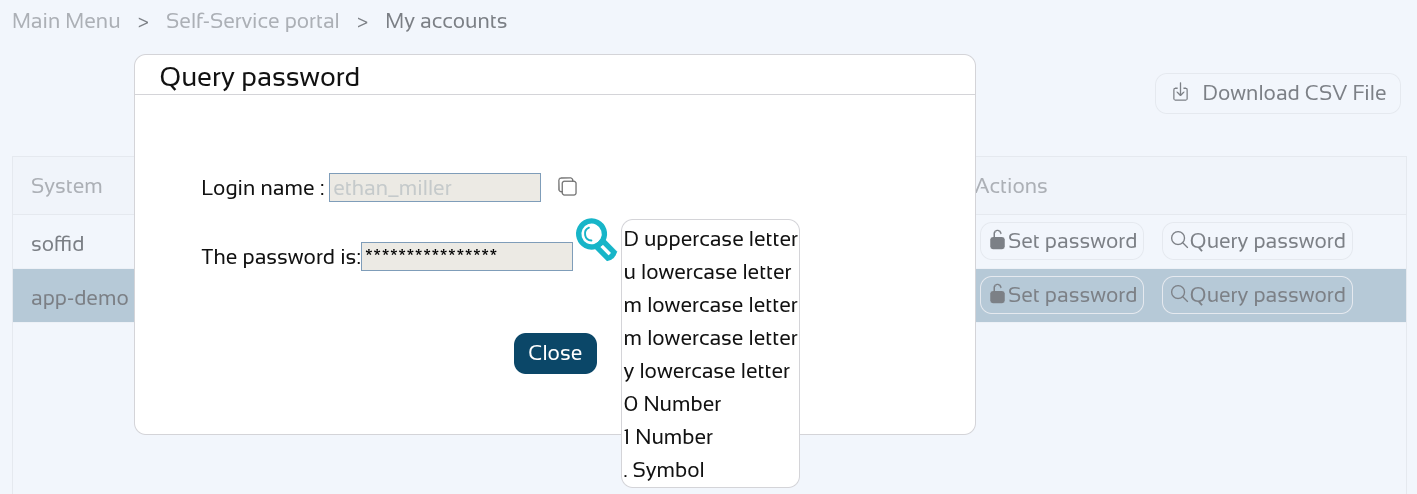](https://bookstack.soffid.com/uploads/images/gallery/2026-06/xcUYNTHc1zmEcTHX-image.png) Now let's **disable** the "app-demo" account. [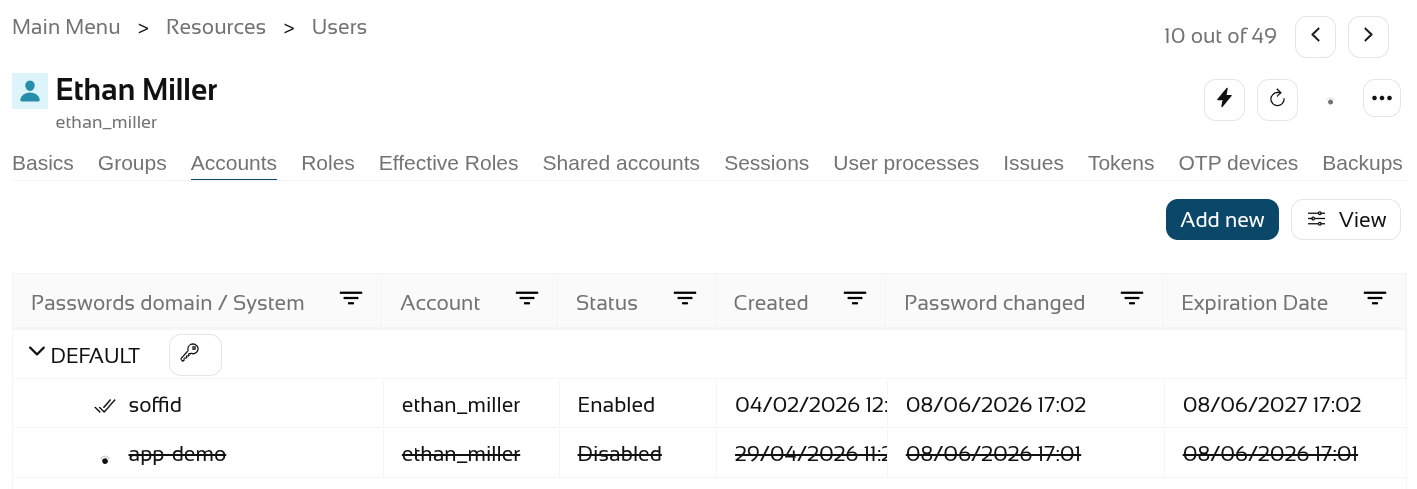](https://bookstack.soffid.com/uploads/images/gallery/2026-06/6t1qrUFAOBlmIeqP-image.png) Check the password again, it must be empty. [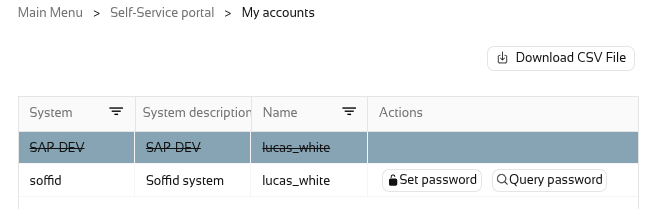](https://bookstack.soffid.com/uploads/images/gallery/2026-05/BeGQeZT3Rla7fpaH-image.png) We are going to assign a new password "**Dummy02.**". [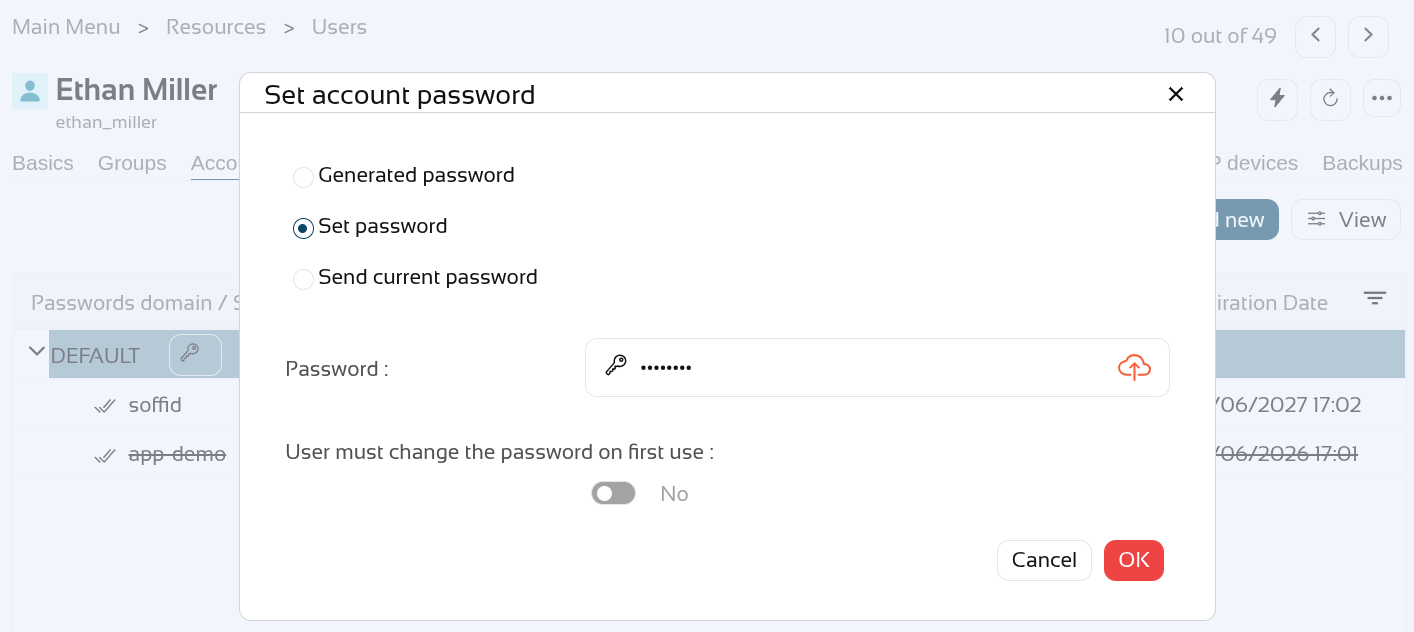](https://bookstack.soffid.com/uploads/images/gallery/2026-06/18lgUFrATVmk75jn-image.png) The other account has the new password. [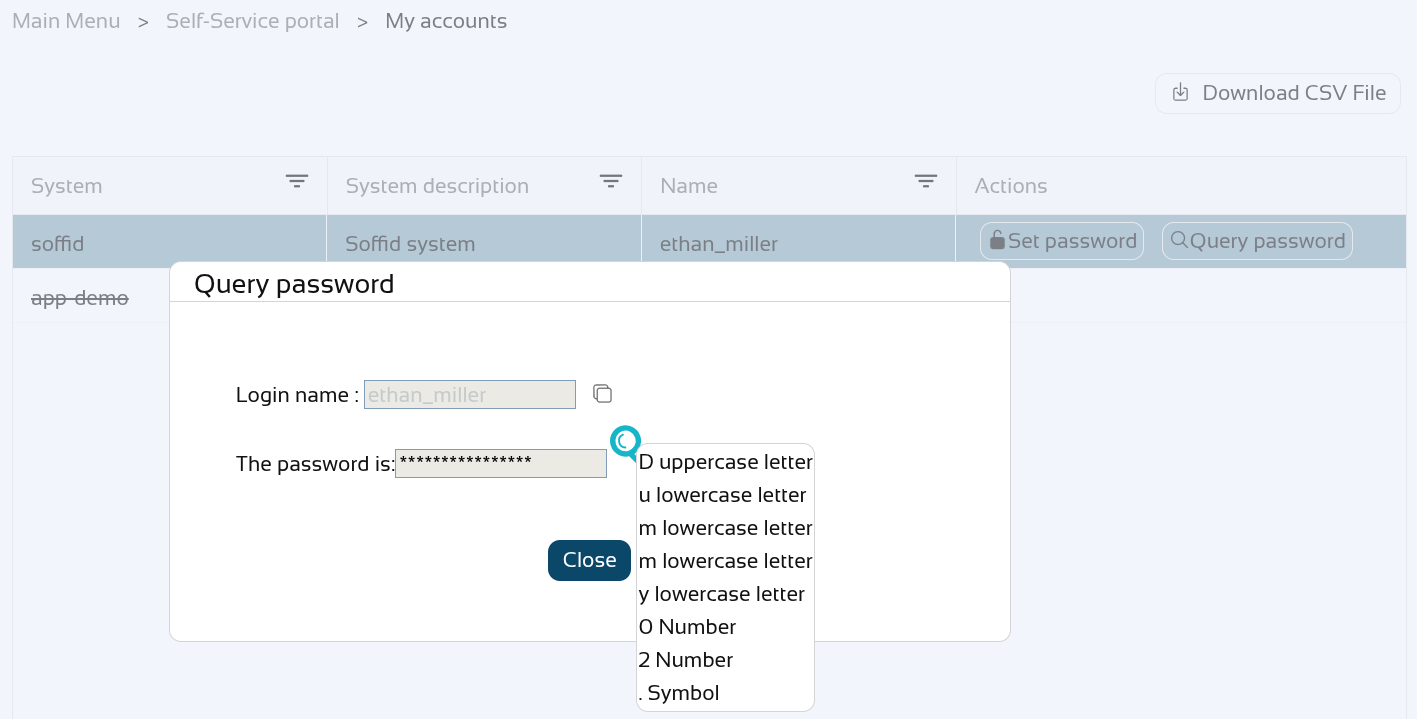](https://bookstack.soffid.com/uploads/images/gallery/2026-06/gT7ORlraCtVORk9z-image.png) **Enable** the "app-demo" account. [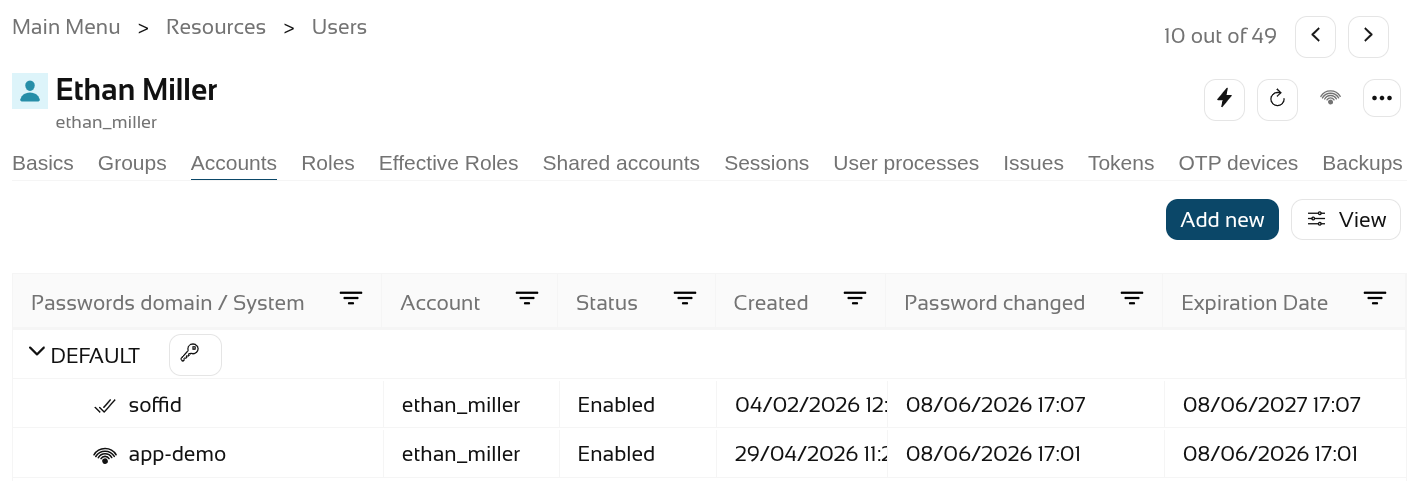](https://bookstack.soffid.com/uploads/images/gallery/2026-06/ZA3P6gdNmBQCncYV-image.png) Check the account with the new password. [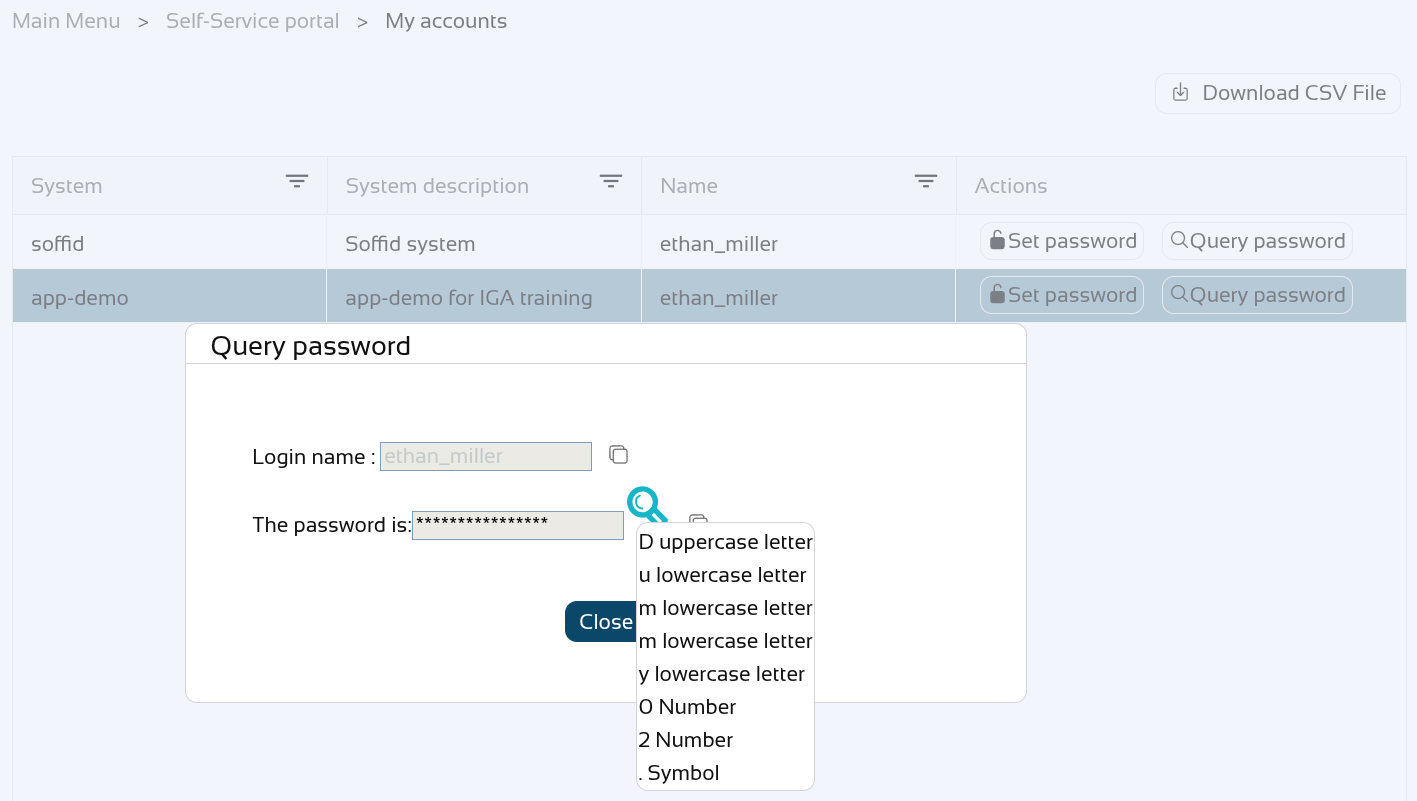](https://bookstack.soffid.com/uploads/images/gallery/2026-06/FR3F7F3Qdx8kpCs6-image.png) # Página nueva # 2026-05-19 New feature: filter holder groups at the IdP login ### The new featureFrom now on, the **service providers** who have selected the “**Ask for group membership after authentication**” option will be able to filter which of these should be selectable with the attribute "**Script to filter out group memberships**".
### Bear in mind Please note the following points: - The **holder groups** **must be** correctly **configured** in Soffid. - If there is only **one** possible **holder group**, it is **selected automatically** and is not displayed to the user. ### How to configure it? The following **components** must be installed: - Addon federation 4.0.25 (or higher) In a later release, further attributes have been added to the script: - Addon federation 4.0.40 (or higher)The [Service Providers](https://bookstack.soffid.com/books/soffid-4-reference-guide/page/service-providers-addon-federation#bkmrk-login-rules) reference page lists the attributes that can be used.
### Let's look at an example Let’s look at an example, here we have the user "**user4**" who has already set up the **holder groups**. [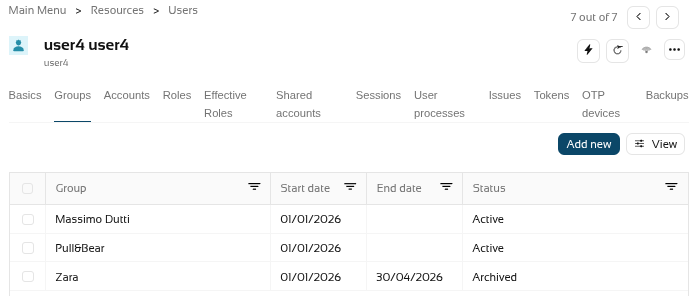](https://bookstack.soffid.com/uploads/images/gallery/2026-05/JpAKXBOb9tYRKvLA-image.png) We had a **service provider** that was already selected the option "**Ask for group membership after authentication**". [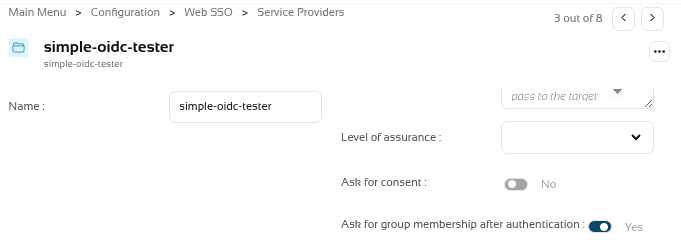](https://bookstack.soffid.com/uploads/images/gallery/2026-05/kP8QV9hPqFVt8sdA-image.png) The holder groups have several **custom attributes** (startDate, endDate and status). [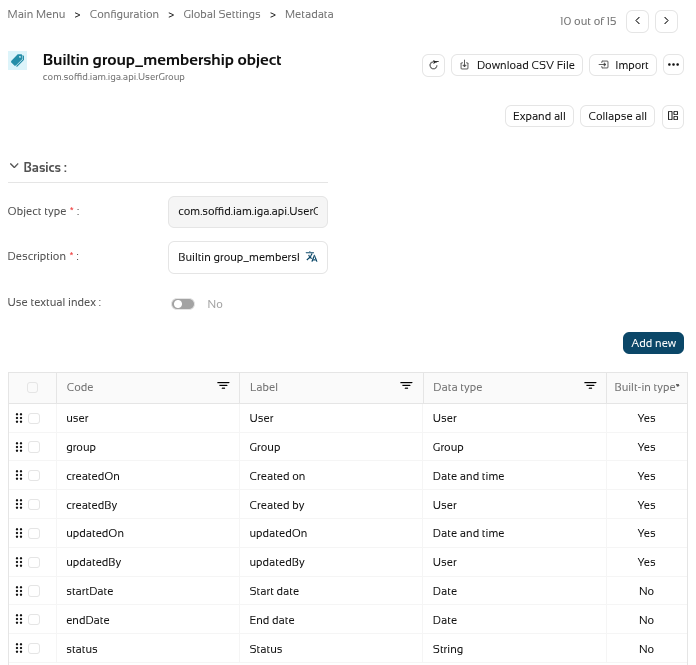](https://bookstack.soffid.com/uploads/images/gallery/2026-05/jSgdoRMeh0qAllS1-image.png) We now want to **filter** the **holder groups** with the attibute **status** with the **Active** value. [](https://bookstack.soffid.com/uploads/images/gallery/2026-05/YqrDoi5j8iFQ3WLV-image.png) So we're going to create a script in the "**Script to filter out group memberships**" of the service provider. [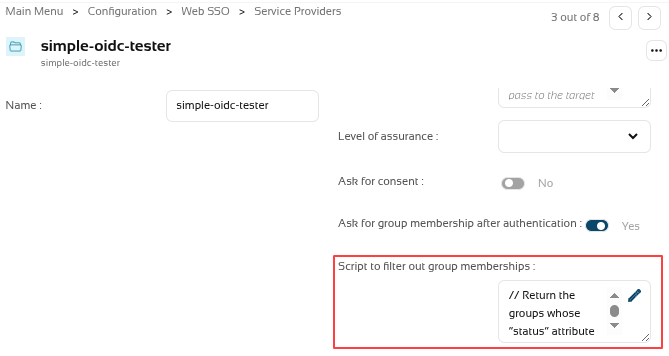](https://bookstack.soffid.com/uploads/images/gallery/2026-05/9PjFDOz2srel64TD-image.png) This is the script. ``` // Return the groups whose “status” attribute has the value "Active" // l = new java.util.ArrayList(); lug = serviceLocator.getGroupService().findUsersGroupByUserName(user.userName); for (i=0; iFor further information on how to configure this agent, please refer to the [CSV connector in Soffid 4](https://bookstack.soffid.com/books/connectors/page/csv-connector-in-soffid-4 "CSV connector in Soffid 4") page.
[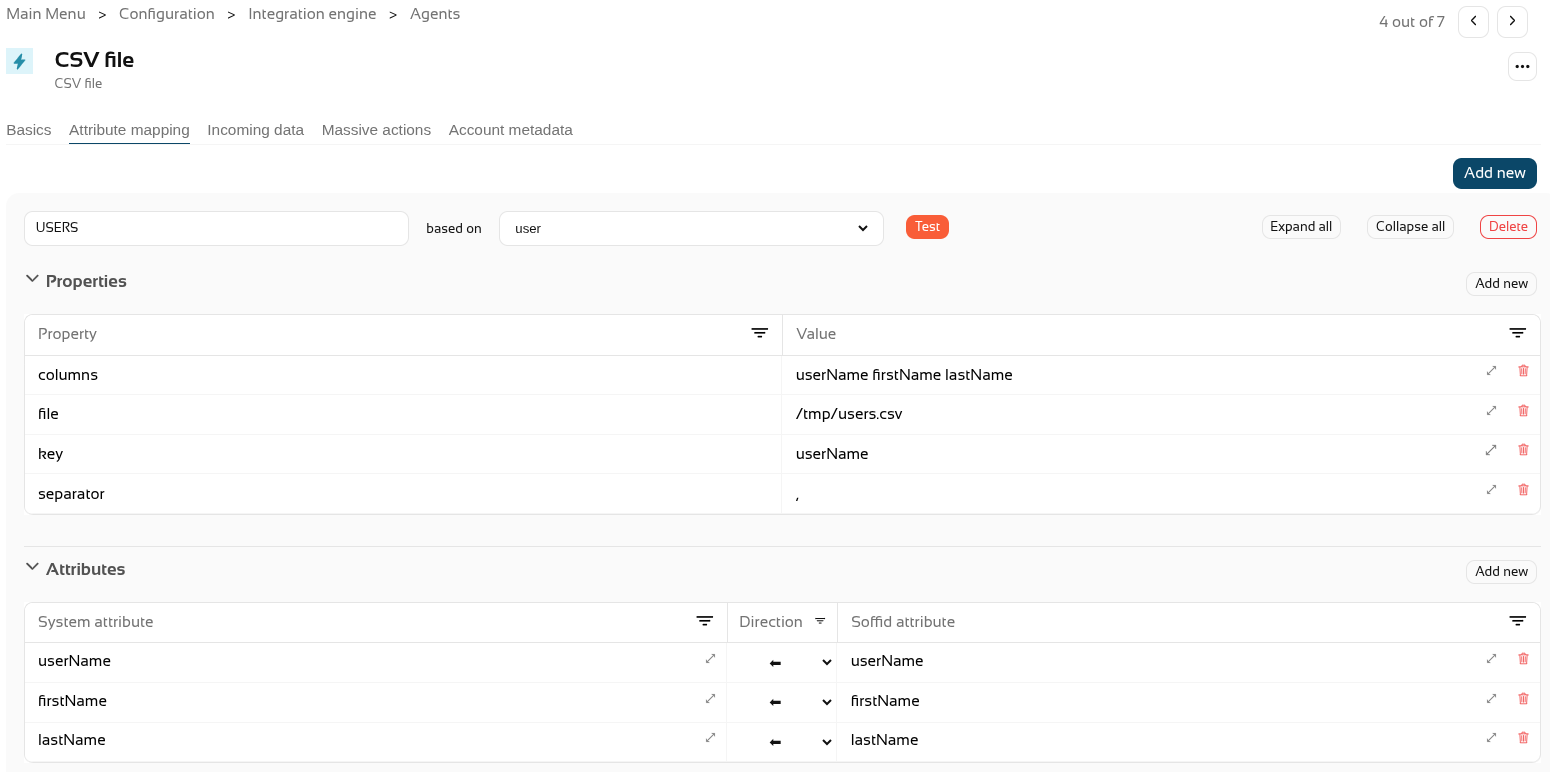](https://bookstack.soffid.com/uploads/images/gallery/2026-06/wGHA94XZpt2v0SM4-image.png) Step 4. Create **CSV accounts** for users. [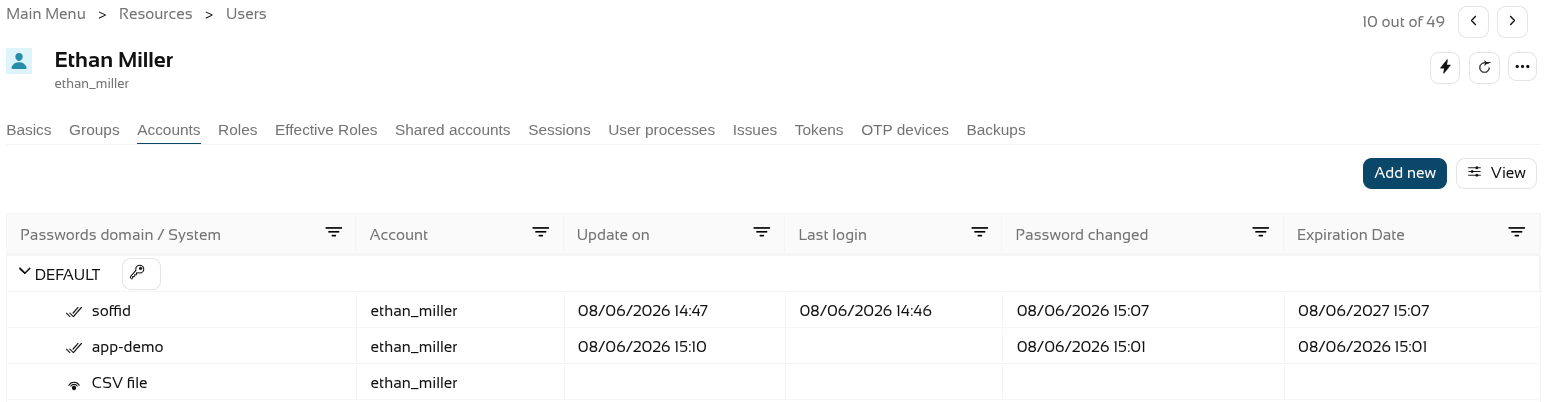](https://bookstack.soffid.com/uploads/images/gallery/2026-06/5D2TnLjvWXwEAvSc-image.png) Step 5. The **accounts** created will have synchronised automatically as the **engine** is set to automatic and the **agent** is in write mode, and it is active in the **monitoring**. The accounts. [](https://bookstack.soffid.com/uploads/images/gallery/2026-06/HZ82yAznNziSLr0g-image.png) The engine. [](https://bookstack.soffid.com/uploads/images/gallery/2026-06/yqx43Nf2PizJgw15-image.png) The agent. [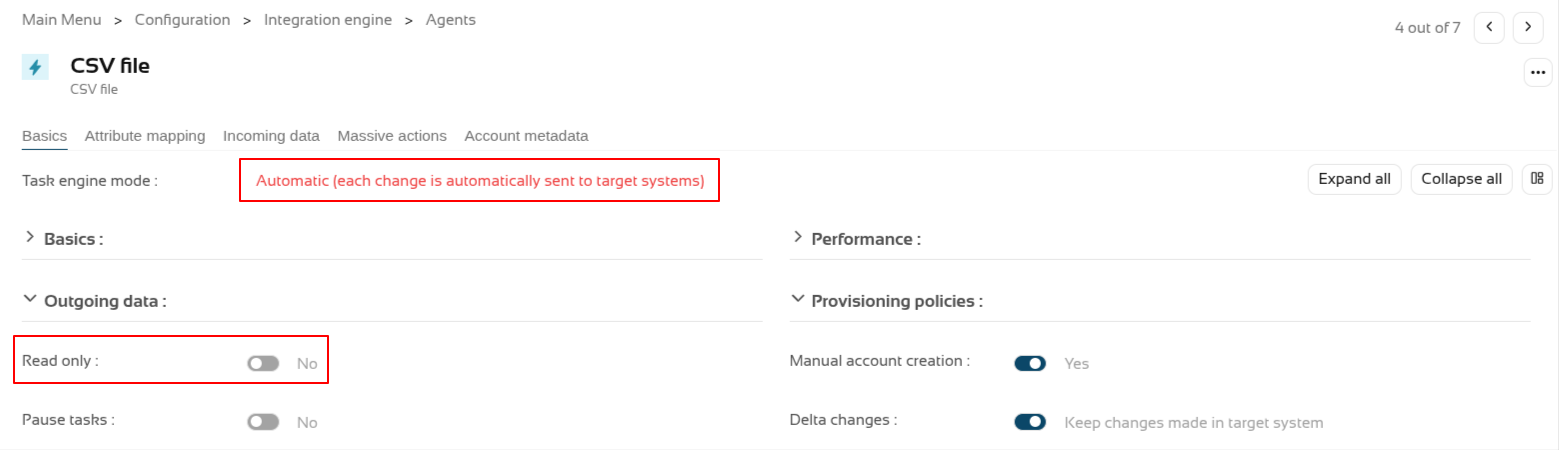](https://bookstack.soffid.com/uploads/images/gallery/2026-06/2FWWp81w2FGprT3F-image.png) And the monitoring. [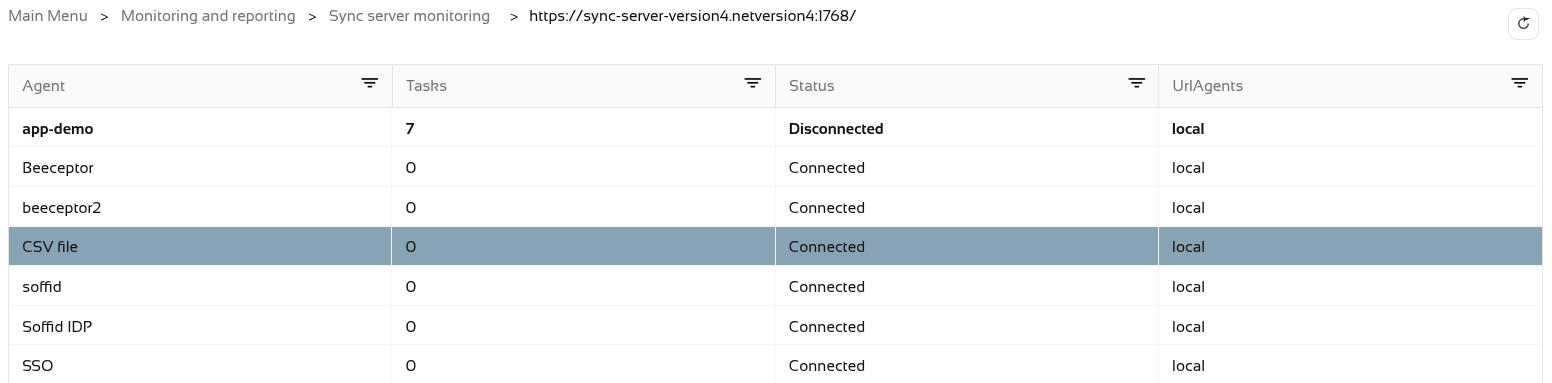](https://bookstack.soffid.com/uploads/images/gallery/2026-06/gMGGVd6cwWGO37Be-image.png) Step 6. Now let’s **check** the CSV file. It was configured in the "/tmp/users.csv" path of the container. [](https://bookstack.soffid.com/uploads/images/gallery/2026-06/HPjZQHTHOTP0y1wY-image.png) # 2026-05-31 New feature: new authorization for the SCIM webservice ### The new featureFrom now on, all **users** used to access the **SCIM webservice** will **require** the new "**webservice:user**" authorisation.
### Bear in mind Please note the following points: - Users with the **SOFFID\_ADMIN** role **already have** this authorisation inherited by inheritance. - After updating Soffid, you will need to grant this authorisation to users who are not administrators and who are already using the SCIM web service. ### How to configure it? The following **components** must be installed: - Console 4.0.58 (or higher) ### Let's look at an exampleFor this example, we will be using the Bruno application; for further information, please see this page [Testing ](https://bookstack.soffid.com/books/scim/page/testing-tool "Testing Tool")[Tool](https://bookstack.soffid.com/books/scim/page/testing-tool "Testing Tool").
First, let’s check that the "**Test**" user we were using in the SCIM web service no longer has access, see the "**401 Unauthorized**" error. [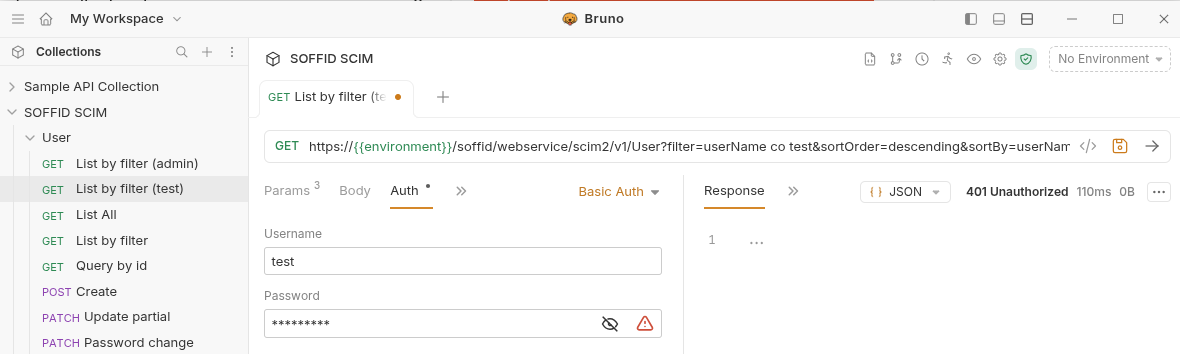](https://bookstack.soffid.com/uploads/images/gallery/2026-06/YOxbb2qt0WTvXENH-image.png) On the **Roles page**, we are going to create a new role, "**SOFFID\_SCIM**", and then assign the new authorisation to it. [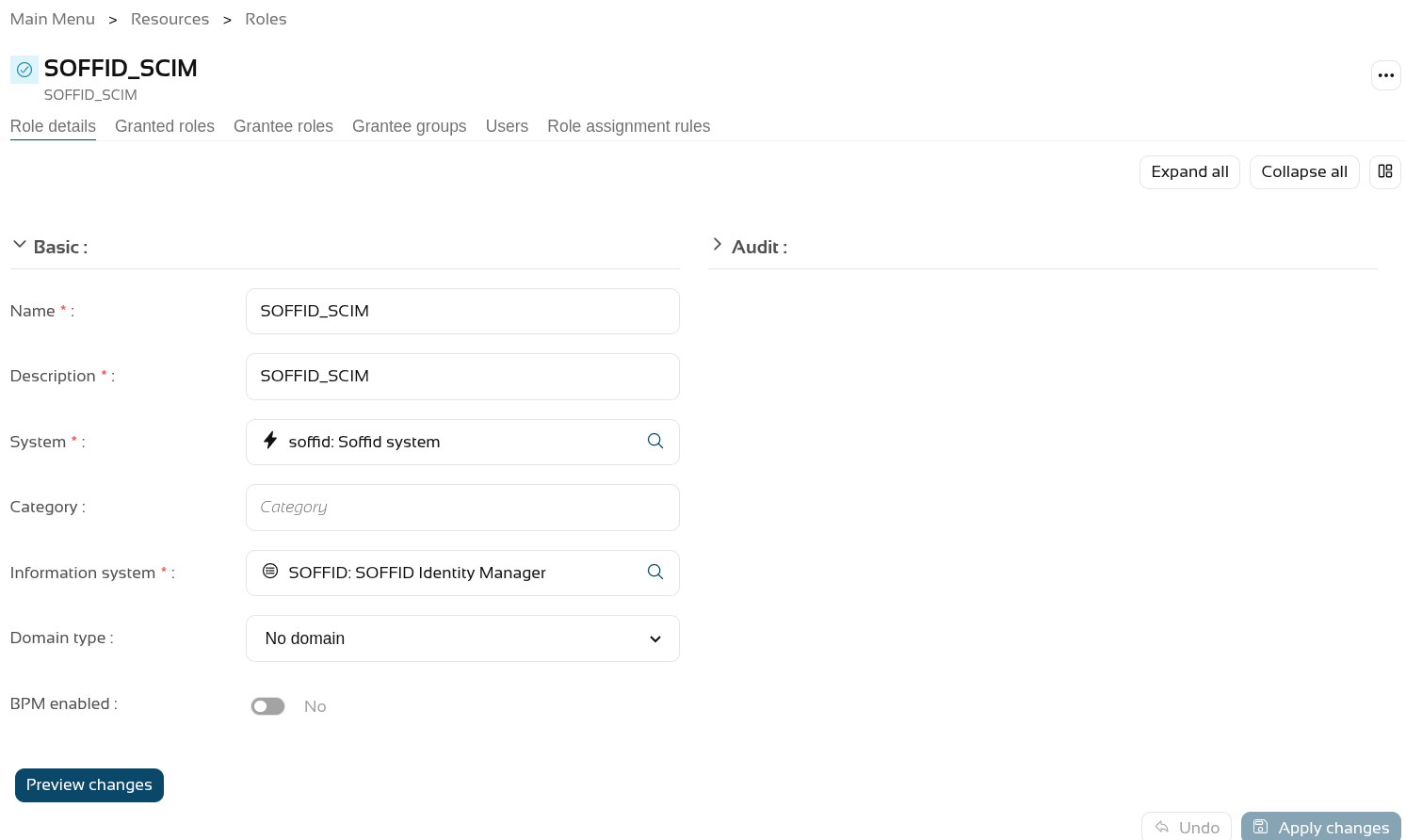](https://bookstack.soffid.com/uploads/images/gallery/2026-06/7PvJwwbnBMztwL3i-image.png) On the **Authorisations page**, we assign the new authorisation "**webservice:user**" to it. [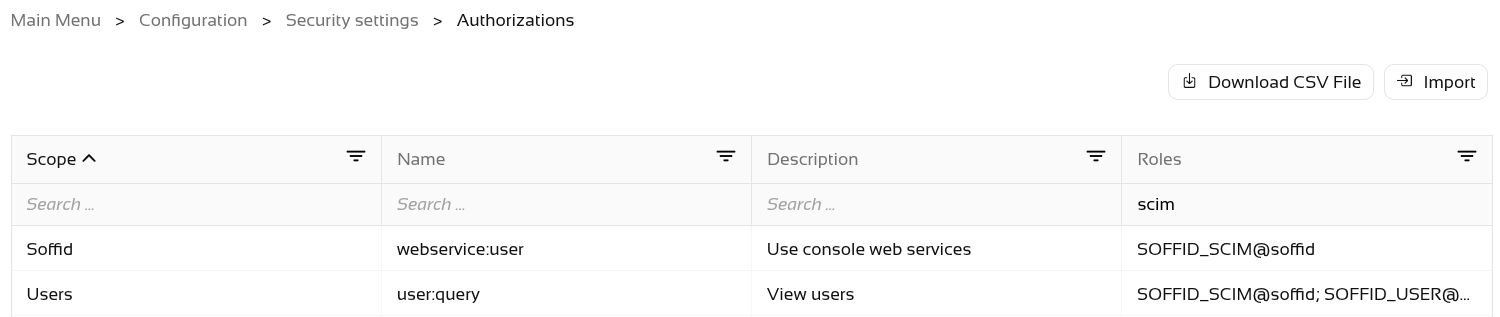](https://bookstack.soffid.com/uploads/images/gallery/2026-06/aKeNA4AKyeJsXCtY-image.png) The final step is to **grant** the **SOFFID\_SCIM** role to the **user**. [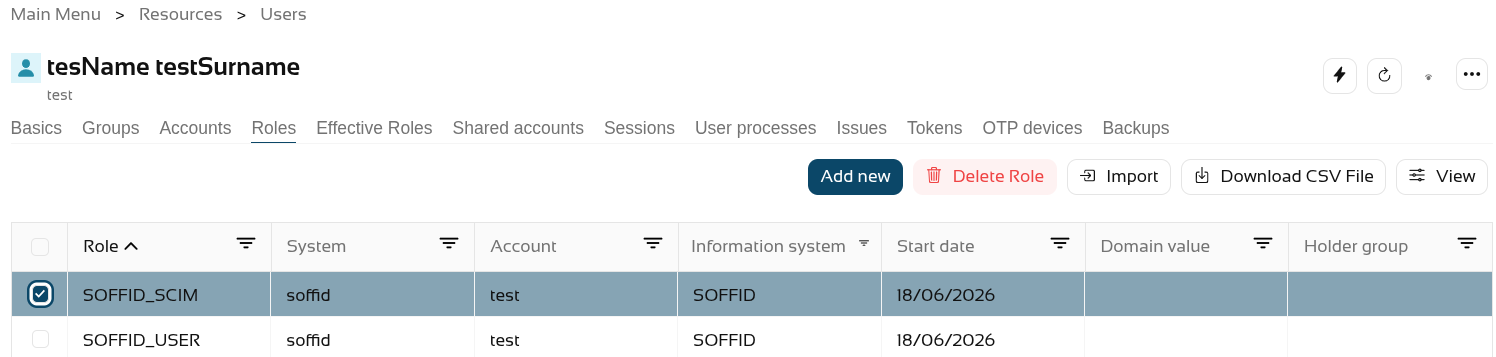](https://bookstack.soffid.com/uploads/images/gallery/2026-06/7Yegz9EcBDB6t9PU-image.png) Now, when we query the web service, it returns results. [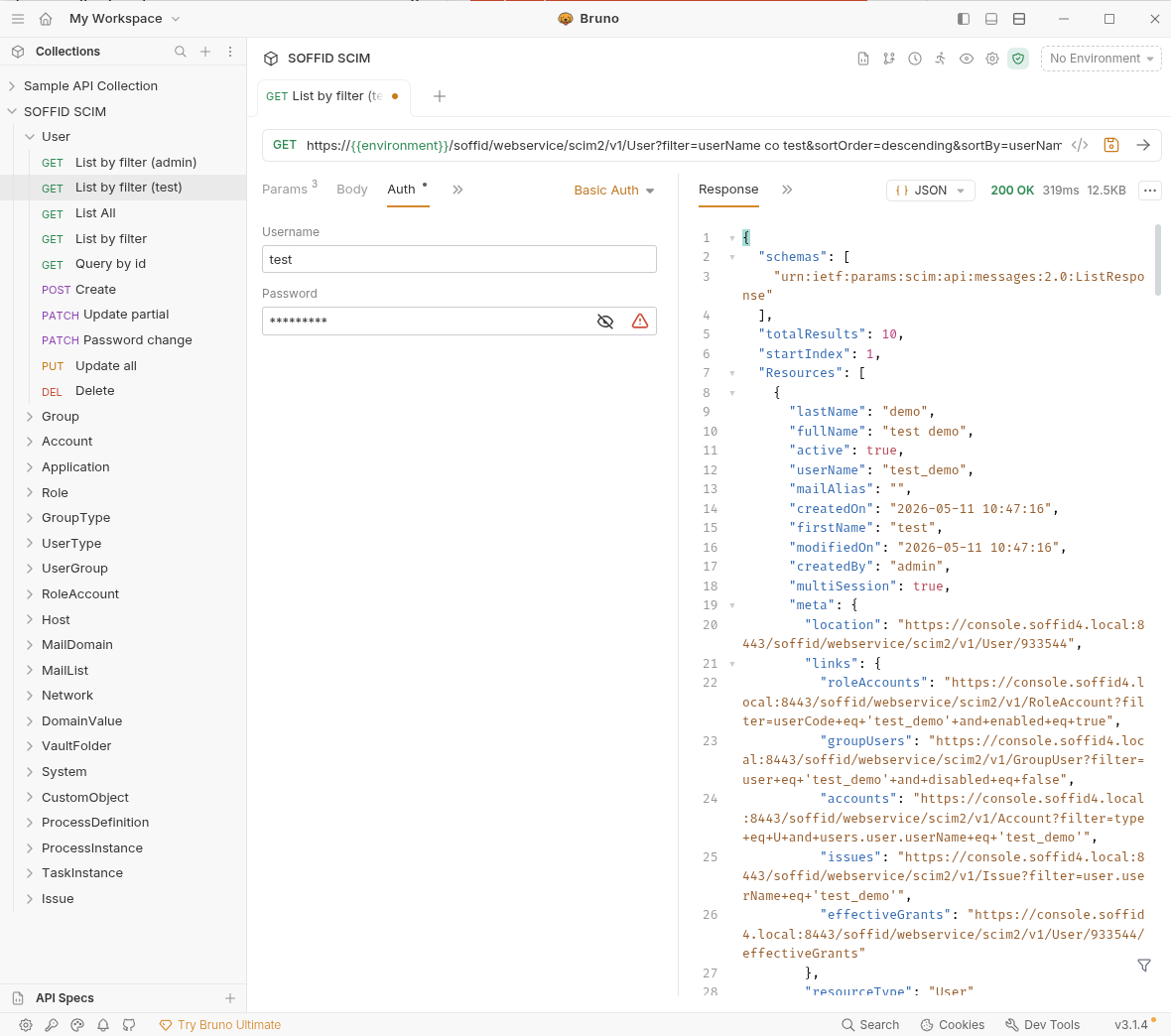](https://bookstack.soffid.com/uploads/images/gallery/2026-06/shHwcMrzgAyCMKh3-image.png) # 2026-05-31 New feature: hidden stack tracers ### The new feature**Users** who do not have the SOFFID\_ADMIN role will **no** longer **see** the details of **errors** in the **Console**; instead, an **identifier** will be displayed so that **administrators can look it up in the** [Console log](https://bookstack.soffid.com/books/soffid-4-reference-guide/page/console-log "Console log").
### Bear in mind Please note the following points: - Users with the **SOFFID\_ADMIN** role will be able to **view the error log**. - End **users** will see an **identifier** which they must share with the administrator. ### How to configure it? The following **components** must be installed: - Console 4.0.58 (or higher) -> recommended Console 4.0.62 (or higher) ### Let's look at an example Let’s follow these steps. - Open the **Console**. - Next, go to the **Identity Self Service** module. - Select the **Process Search** page. - In the search bar, select the **Advanced** option. - Type in **any text**, for example "Test". - Then click on the **magnifying glass** to search. - In the pop-up window displaying the error, **click on the "+" icon** to the right of the text "‘Technical data". - You can now see the **identifier**. [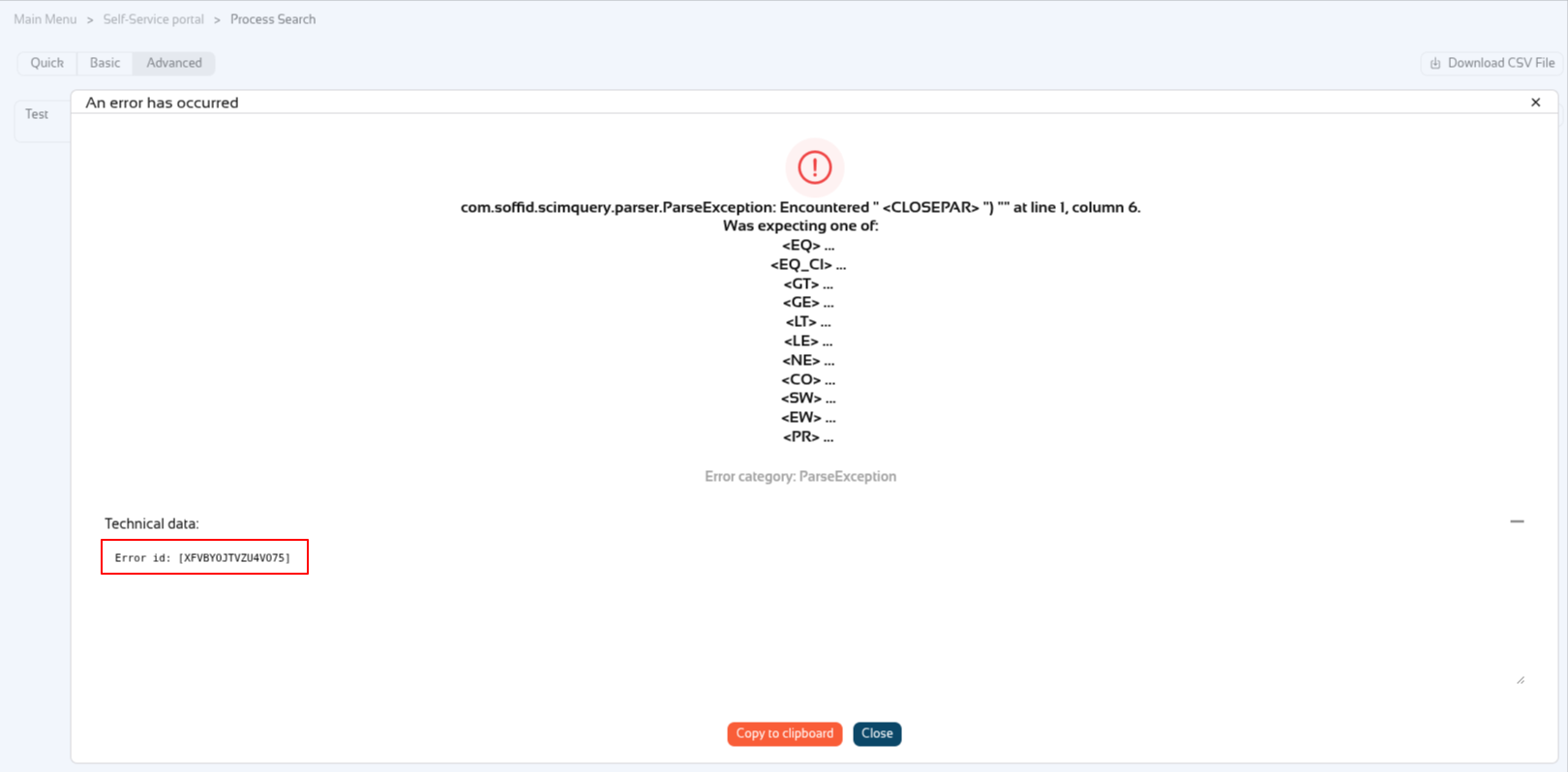](https://bookstack.soffid.com/uploads/images/gallery/2026-06/MLyGC2KBhY6TpZYJ-image.png) Now the user has to share the id with the Soffid administrator, in this exemple XFVBYOJTVZU4VO75. Soffid administrators can **look up** the **id** in the "**Console log**" page. [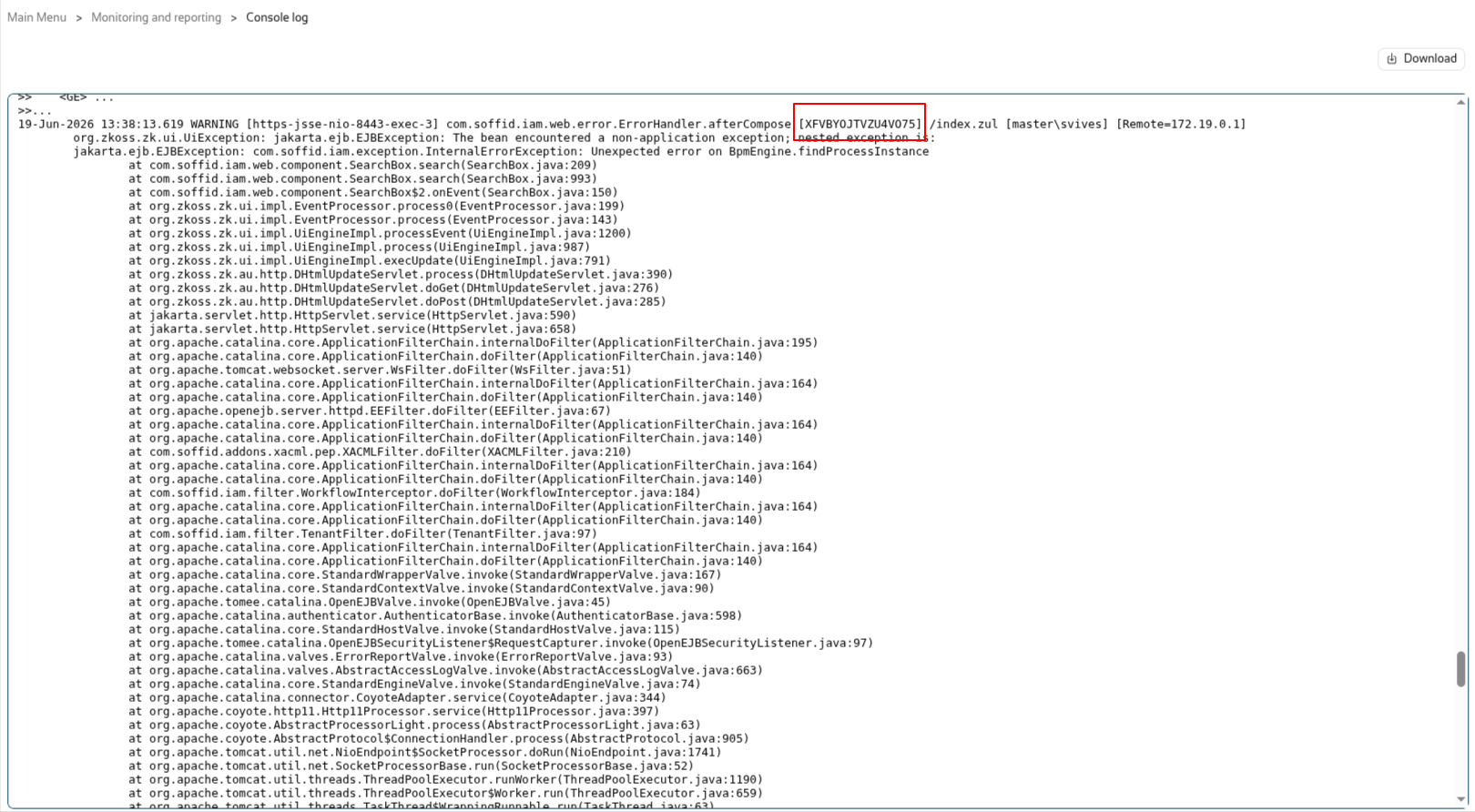](https://bookstack.soffid.com/uploads/images/gallery/2026-06/Ohnd3Hf8uSjU7dSj-image.png) # 2026-06-02 New feature: syslog with new protocols ### The new featureUntil now, when we enabled the sending of logs via syslog to a SIEM tool, the only **protocol** available was **UDP** on port 514; now, **TCP** and **SSL** protocols have been added, and we also allow you to **configure** the **port** instead of using the default settings.
### Bear in mind Please note the following points: - Customers who have **already configured** syslog will continue to **use it as before**. - Configuration is done through **parameters**; you can check them on the [Soffid Parameters](https://bookstack.soffid.com/books/soffid-4-reference-guide/page/soffid-parameters#bkmrk-siem-and-syslog "Soffid parameters") page. - Once you have **created/modified/removed** the **parameters**, there is **no need to restart**. ### How to configure it? The following **components** must be installed: - Console 4.0.62 (or higher) ### Let's look at an example Let’s follow these steps. - Open the **Console**. - Next, go to the **Soffid parameters** page. - Create the next parameters: [](https://bookstack.soffid.com/uploads/images/gallery/2026-07/JMVrIwkkMfUuNJyw-image.png) # 2026-07-08 New feature: geolocation service available by default ### The new featureFrom now on, the **geolocation service** and the **use of AI service** will be **enabled by default** if the AM or IRC modules have been activated. Consequently, the [Network Intelligence](https://bookstack.soffid.com/books/soffid-4-reference-guide/page/network-intelligence "Network intelligence") page has been removed
### Bear in mind Please note the following points: - This **feature** is only **enabled** if the licence includes the **AM** or **IRC** **module**. - The **geolocation service** requires that the service be available on a **public internet machine**. - The **AI service** is available on the [Soffid chat-bot](https://bookstack.soffid.com/books/soffid-4-reference-guide/page/soffid-chat-bot "Soffid chat-bot") page and in all script-type attributes that may appear on any page in the Console. ### How to configure it? The following **components** must be installed: - Console 4.0.64 (or higher) - Syncserver 4.0.39 (or higher) - Addon federation 4.0.36 (or higher) Following this change, there have been further updates - Addon admin 4.0.6 (or higher) --> to use the AI assistant correctly - Console 4.0.67 (or higher) --> to use the variable SOFFID\_DISABLE\_GEOIP to disable this service ### Let's look at an example First of all, the Network Intelligence screen no longer exists. [](https://bookstack.soffid.com/uploads/images/gallery/2026-07/6FKNvOy7UQGxZXYg-image.png) We have the necessary modules in our Soffid system. [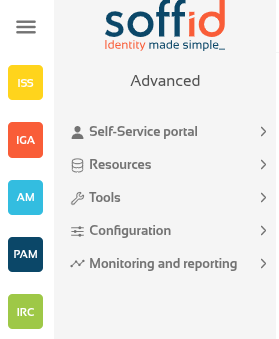](https://bookstack.soffid.com/uploads/images/gallery/2026-07/mF3KomSjMEKrkEIW-image.png) First, let’s ask the [Soffid chat-bot](https://bookstack.soffid.com/books/soffid-4-reference-guide/page/soffid-chat-bot "Soffid chat-bot"). [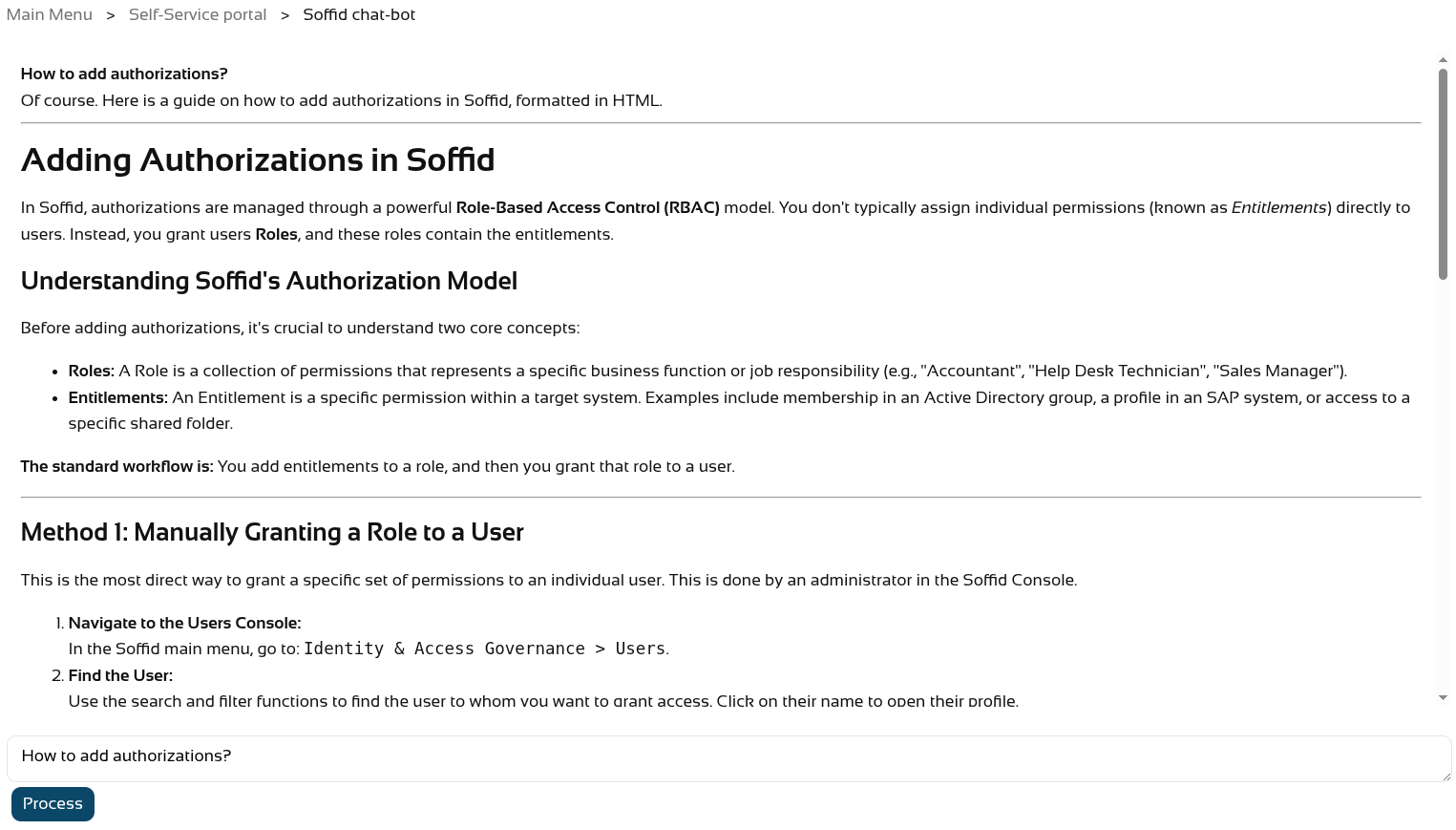](https://bookstack.soffid.com/uploads/images/gallery/2026-07/iaYutsZXlB78mh5c-image.png) And also create a new script on the [Custom scripts](https://bookstack.soffid.com/books/soffid-4-reference-guide/page/custom-scripts-addon-admin "Custom scripts (addon admin)") page. [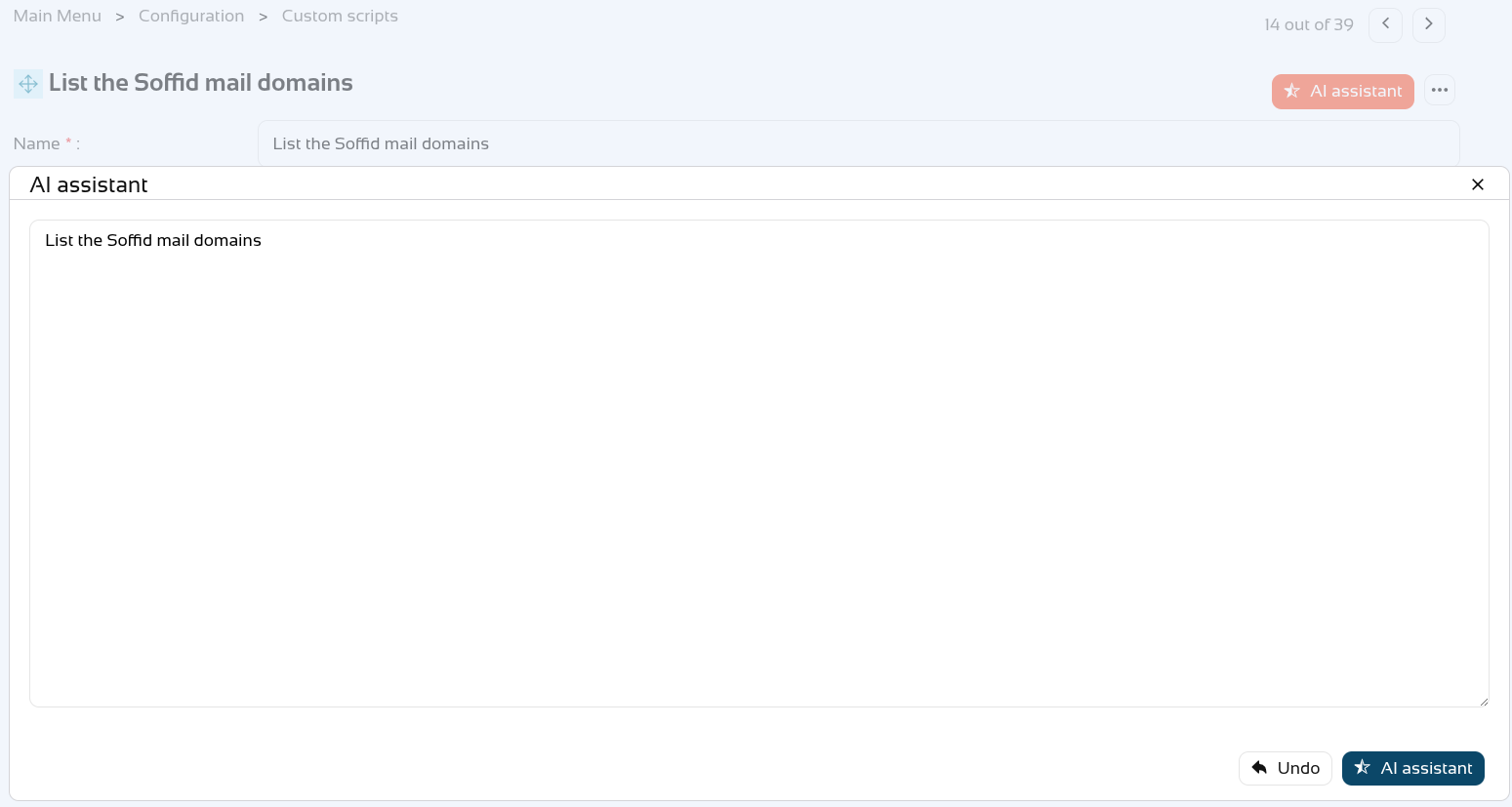](https://bookstack.soffid.com/uploads/images/gallery/2026-07/3oFrwj8sblTFG0VZ-image.png) [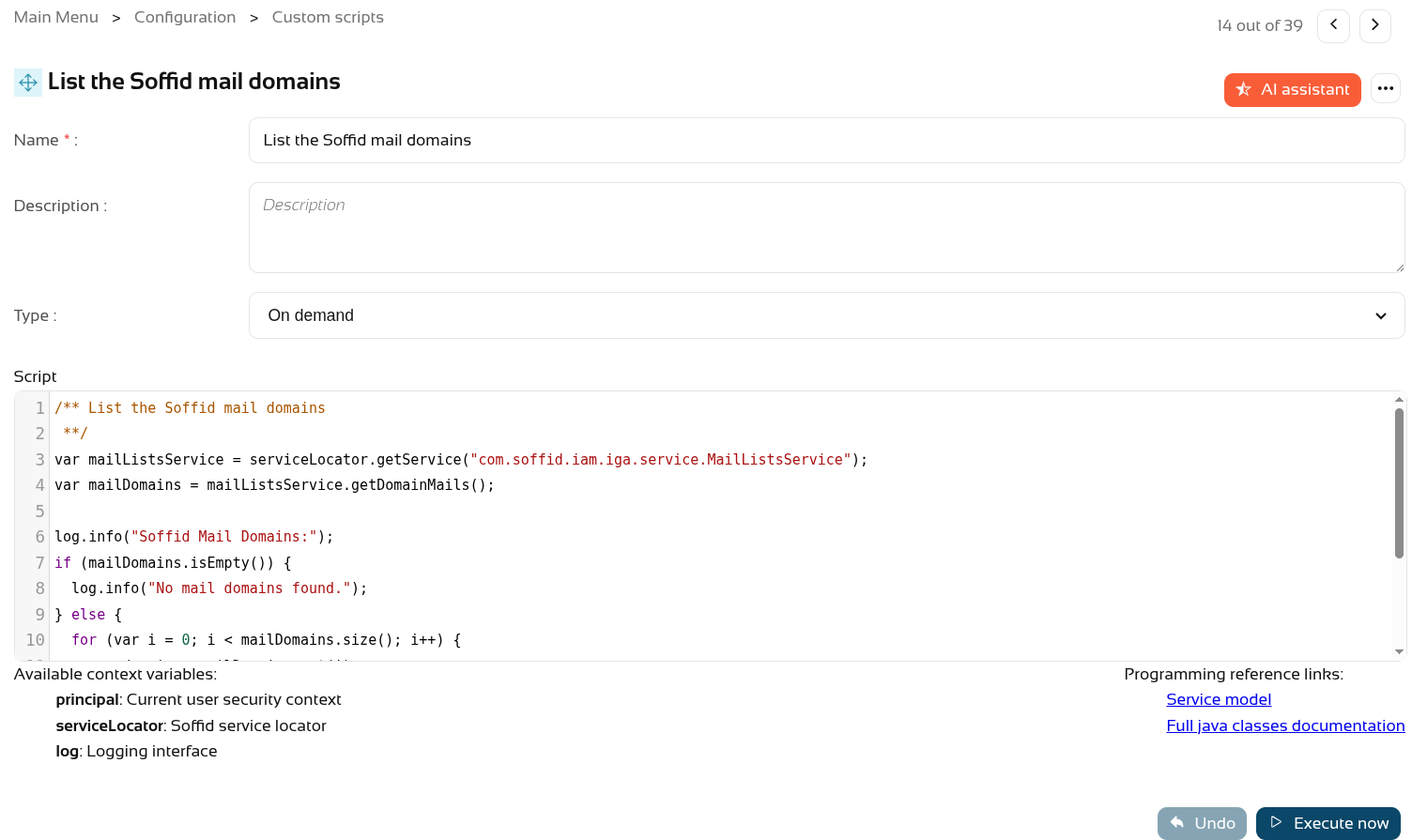](https://bookstack.soffid.com/uploads/images/gallery/2026-07/e5U29IAojsSdVFdh-image.png) Regarding **geolocation**, if Soffid is installed in a public location, you can check new accesses via the **Access logs** page. - Go to **Access logs** page (in **Monitoring and reporting** folder). - Use the **magnifying glass** button to search. - **Sort** the list by **Start Date** in descending order. - Click the **View** button - Add the **Country Code** attribute. - The country should then appear in the most **recent accesses**. [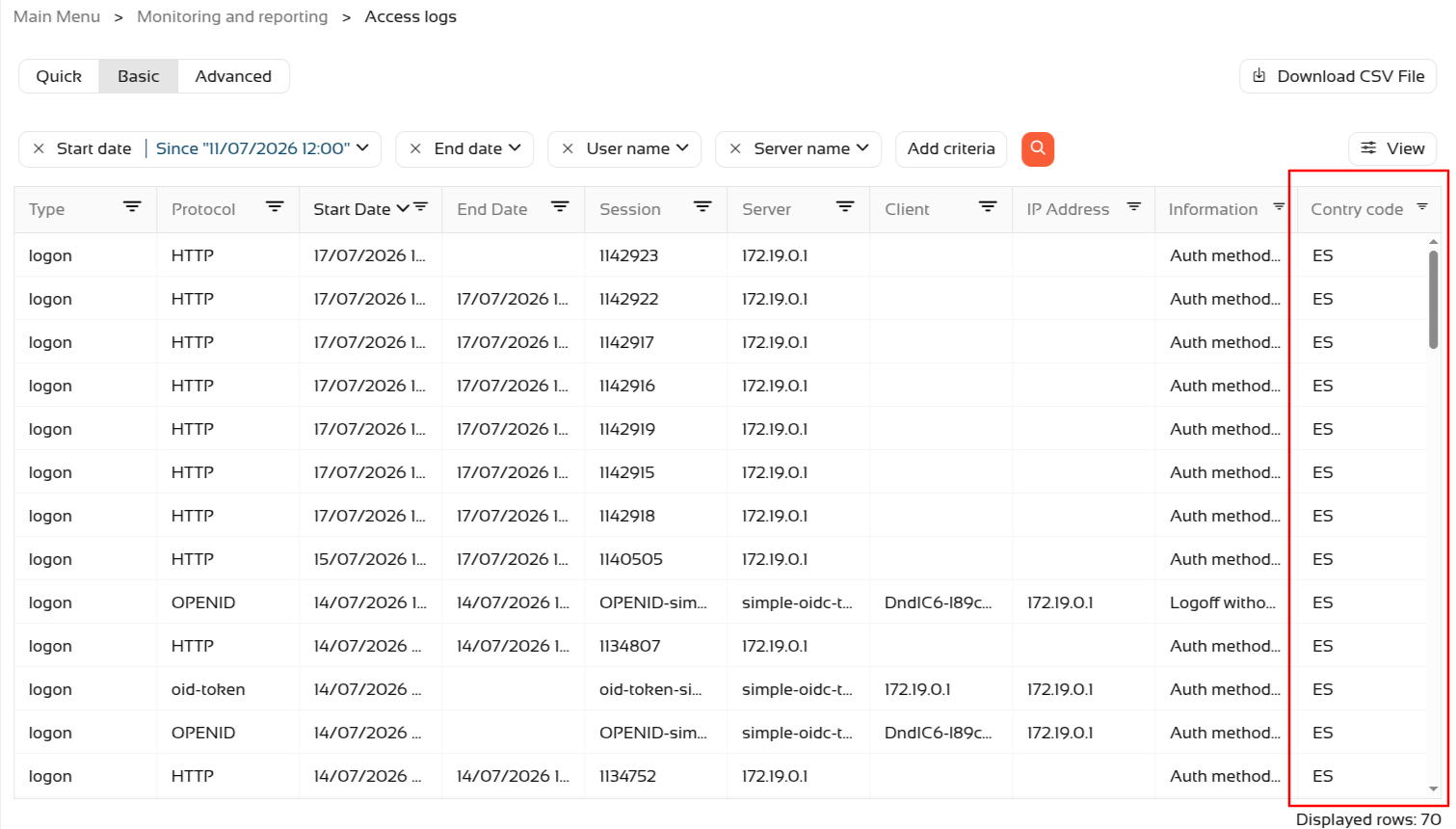](https://bookstack.soffid.com/uploads/images/gallery/2026-07/1UU5IMk0RG45AogK-image.png) # 2026-07-08 New feature: new property removeDisabledObjects ### The new featureA new generic **property** “**removeDisabledObjects**” has been created which can be used in all agents, on the “**user**” and “**accounts**” objects. By default, its value is “false”.
### Bear in mind Please note the following points: - From this version onwards, the property will always be **used internally**; if it is **not defined**, it will take the **default value** of "false". - This property can be **used for** synchronising **users** and **accounts**.For more informatio you can check the [Windows Connector](https://bookstack.soffid.com/books/connectors/page/windows-connector#bkmrk-propertiesWindows%20Connector "Windows Connector") page.
### How to configure it? The following **components** must be installed: - Console 4.0.67 (or higher) - Syncserver 4.0.39 (or higher) ### Let's look at an example We have a **disabled account** on Soffid. [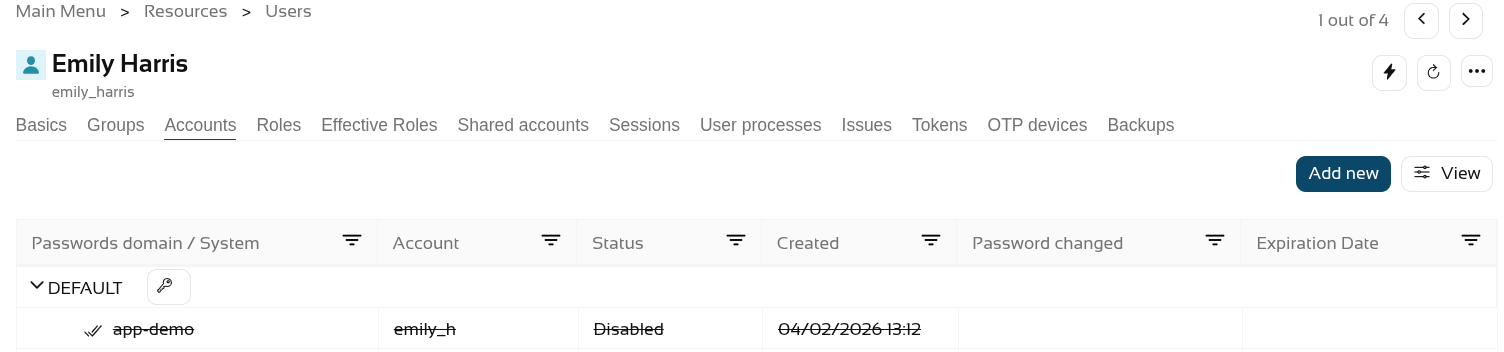](https://bookstack.soffid.com/uploads/images/gallery/2026-07/CBPcE6xLZBaYjMXi-image.png) The **account exists** as inactive in the final system [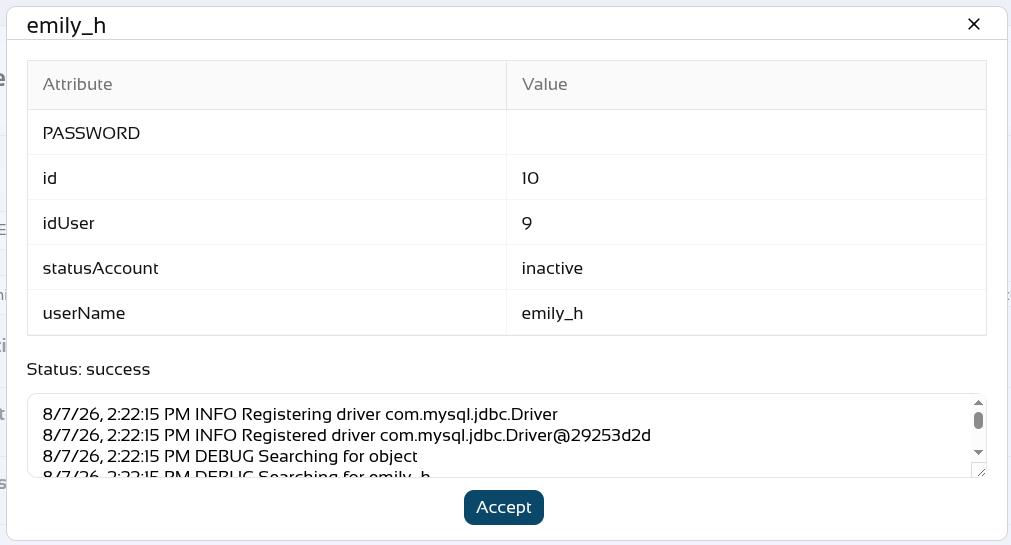](https://bookstack.soffid.com/uploads/images/gallery/2026-08/NhUiSuttuuZUduBr-image.png) We set the **removeDisableObject** property [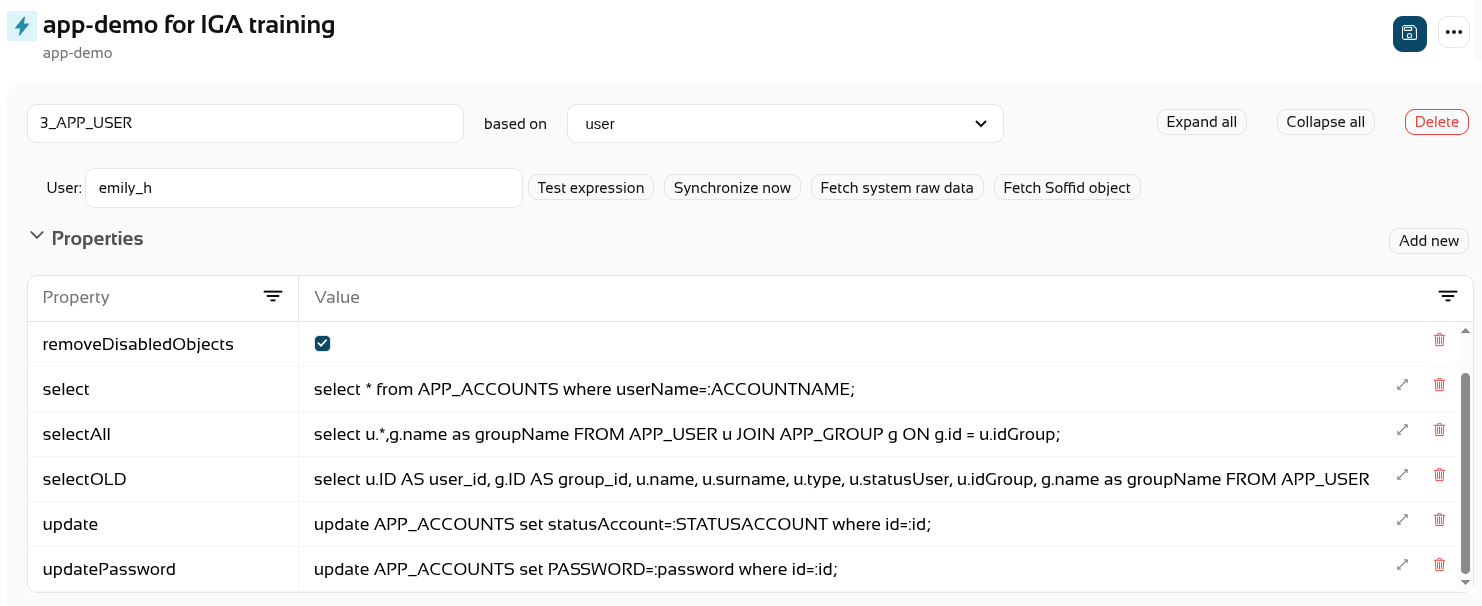](https://bookstack.soffid.com/uploads/images/gallery/2026-08/proae7Yt7pB2ZMkz-image.png) We **synchronise** the **changes** with the final system. [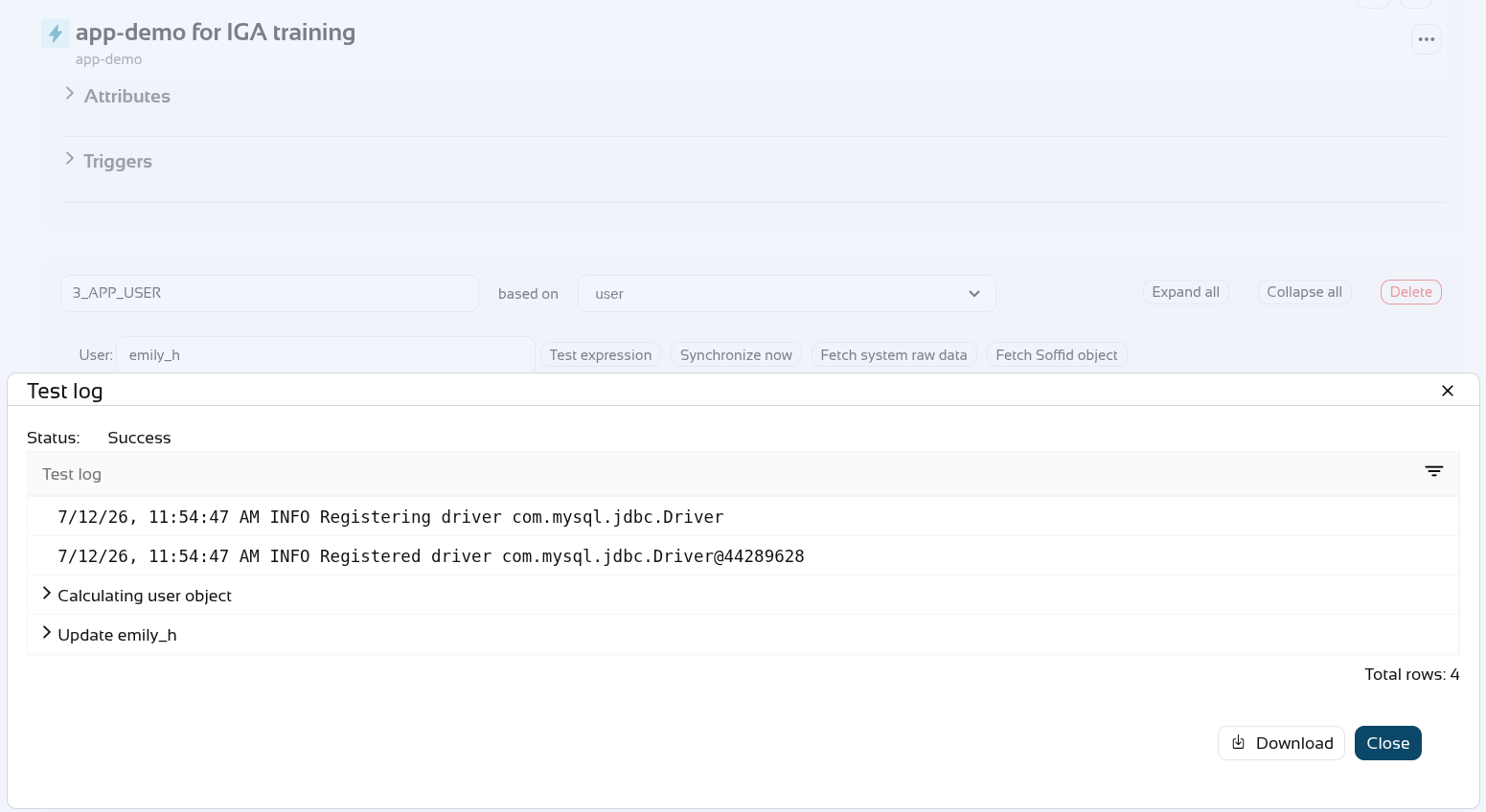](https://bookstack.soffid.com/uploads/images/gallery/2026-07/VMxYiXojbINP0ays-image.png) Finally, the account has been **deleted** from the final system. [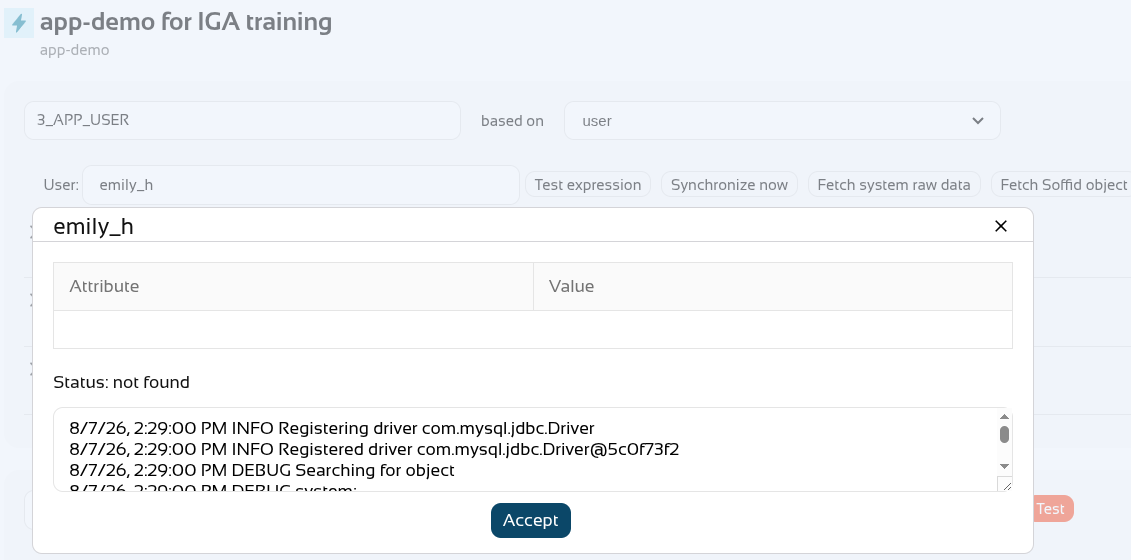](https://bookstack.soffid.com/uploads/images/gallery/2026-08/PHZ2bmepMBsUq7FE-image.png) # 2026-06-13 New feature: device posture ### The new featureThe new "**Device posture**" feature allows Soffid administrators to decide whether some **service providers** must **comply** specific **operating system requirements**.
### Bear in mind Please note the following points: - The "**Check device posture**" option must be **enabled** on the **service providers** in order for it to be evaluated. - The "**Script to check posture**" for evaluating the **operating system rules** must be added to the **identity provider**. - If you need a **specific rule** for **different service providers**, you will need to create a **virtual identity provider**, add the specific rules there, and select the service providers that must comply with them.In scripts, you can use [ESSO Scripting Language](https://bookstack.soffid.com/books/esso/page/esso-scripting-language "ESSO Scripting Language"), for instance the [SystemInfo object](https://bookstack.soffid.com/books/esso/page/3-systeminfo-object "SystemInfo object")
### How to configure it? The following **components** must be installed: - Addon federation 4.0.37 (or higher) - ESSO 3.5.50-enterprise (or higher) ### Let's look at an example As a prerequisite, you must have a **Soffid identity provider** set up. [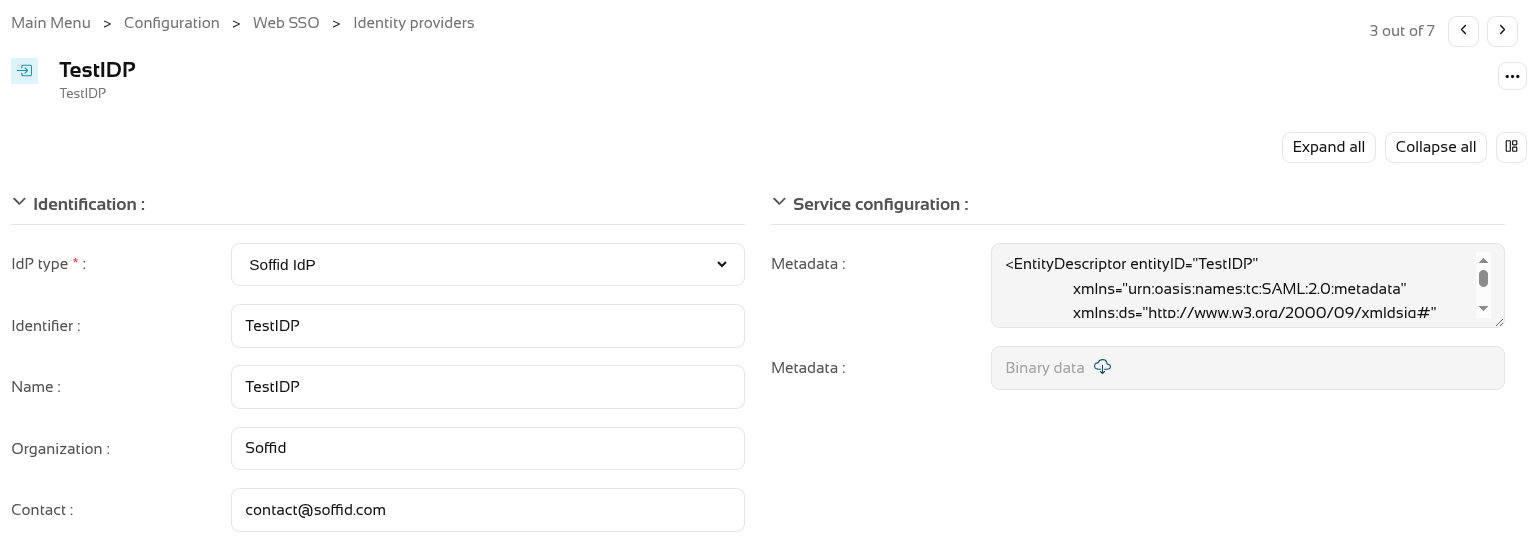](https://bookstack.soffid.com/uploads/images/gallery/2026-08/CMWpYs3aIMuNWds2-image.png) In the Authentication section, you need to fill in the "**Script to check posture**" field. [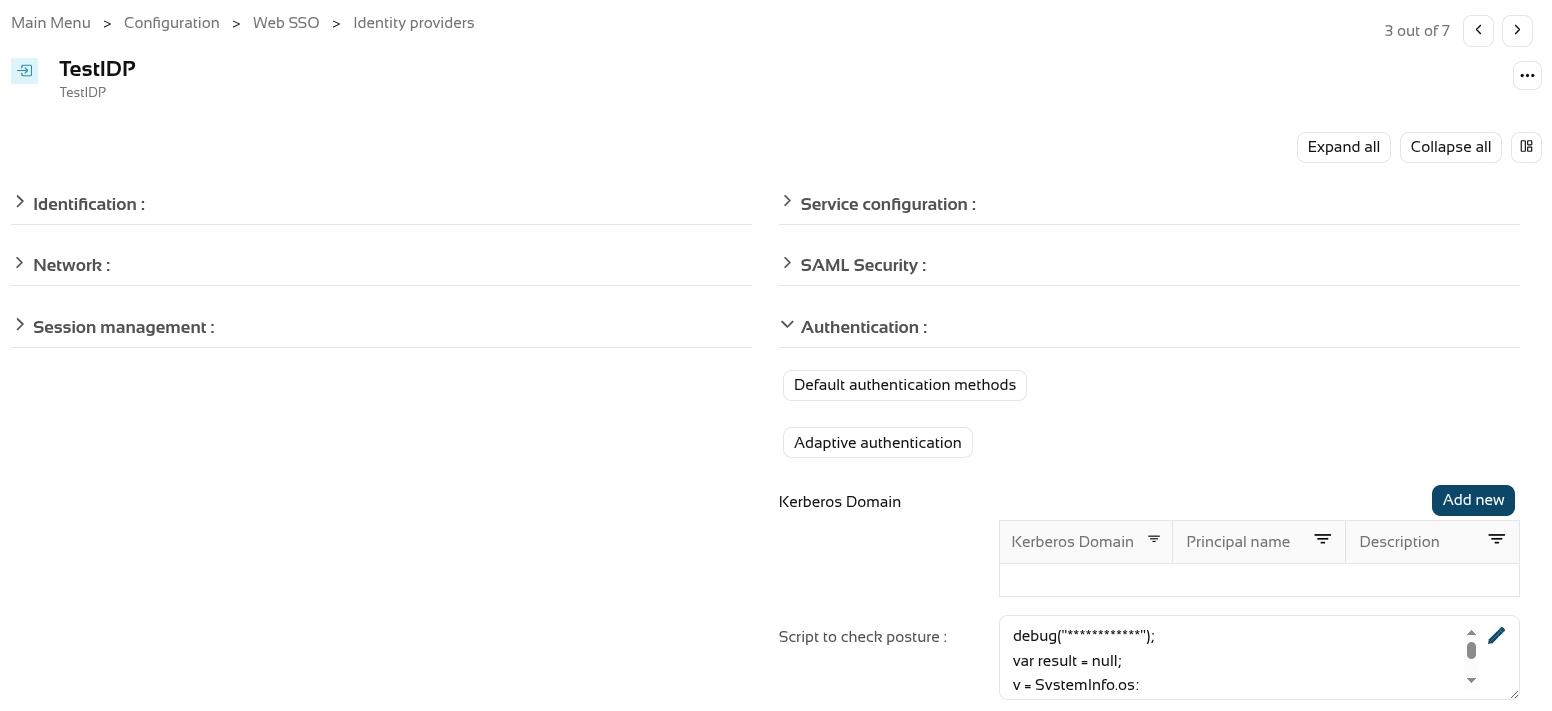](https://bookstack.soffid.com/uploads/images/gallery/2026-08/Tnt920tq6m55LZ60-image.png) We’re going to use the following **script** as an example. ``` debug("************"); var result = null; v = SystemInfo.os; d = SystemInfo.domainName; debug("In "+v+" / "+d); if (v == 'Windows') result = true; else throw "You can only start a session from Windows"; return result; ``` You now need to enable the "**Check device posture**" field in the **service providers**. [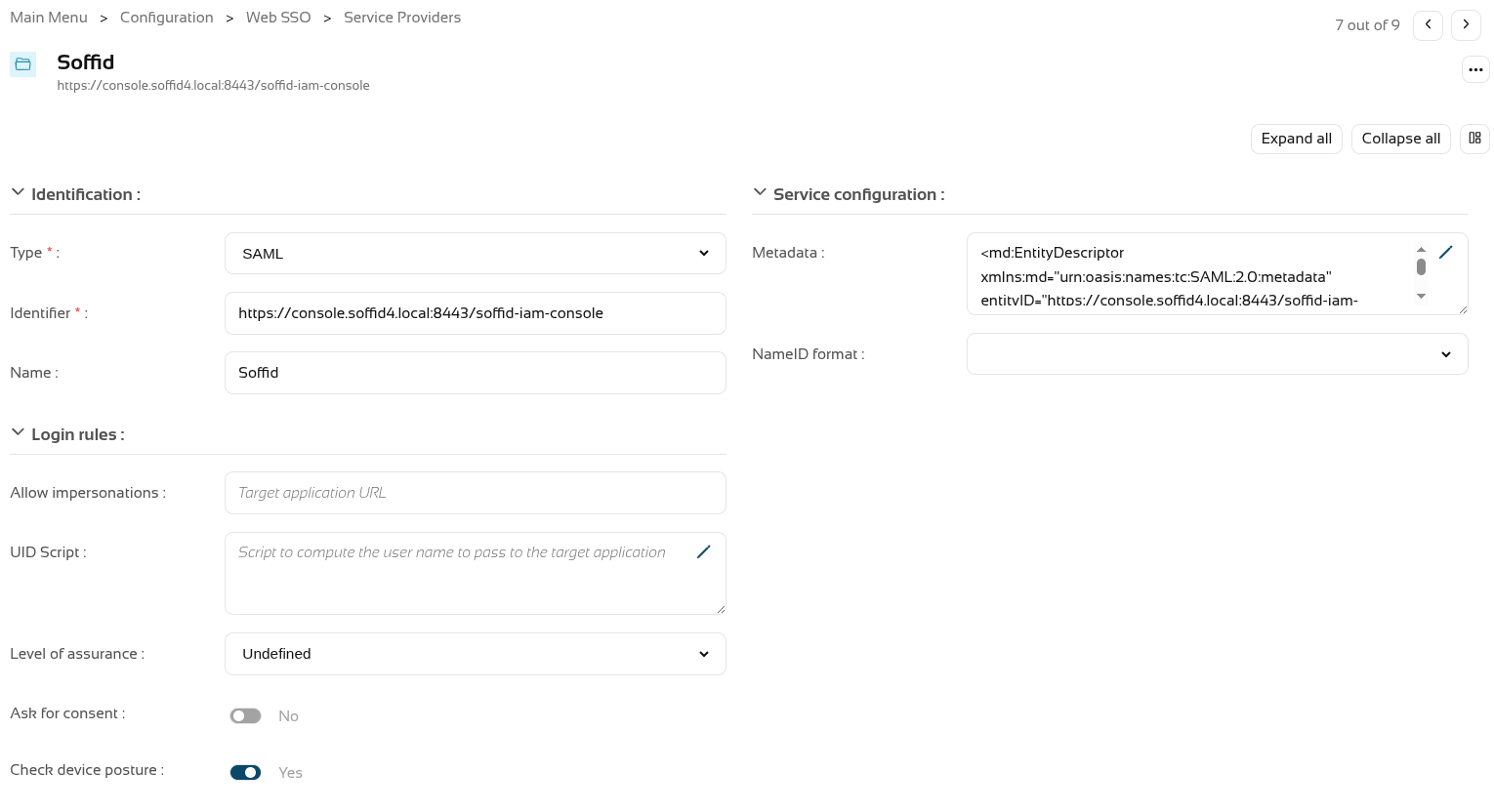](https://bookstack.soffid.com/uploads/images/gallery/2026-08/IVq8arU47Ej9NhwB-image.png) We can now **log in** to this **service provider**, which in this case is the Soffid console. [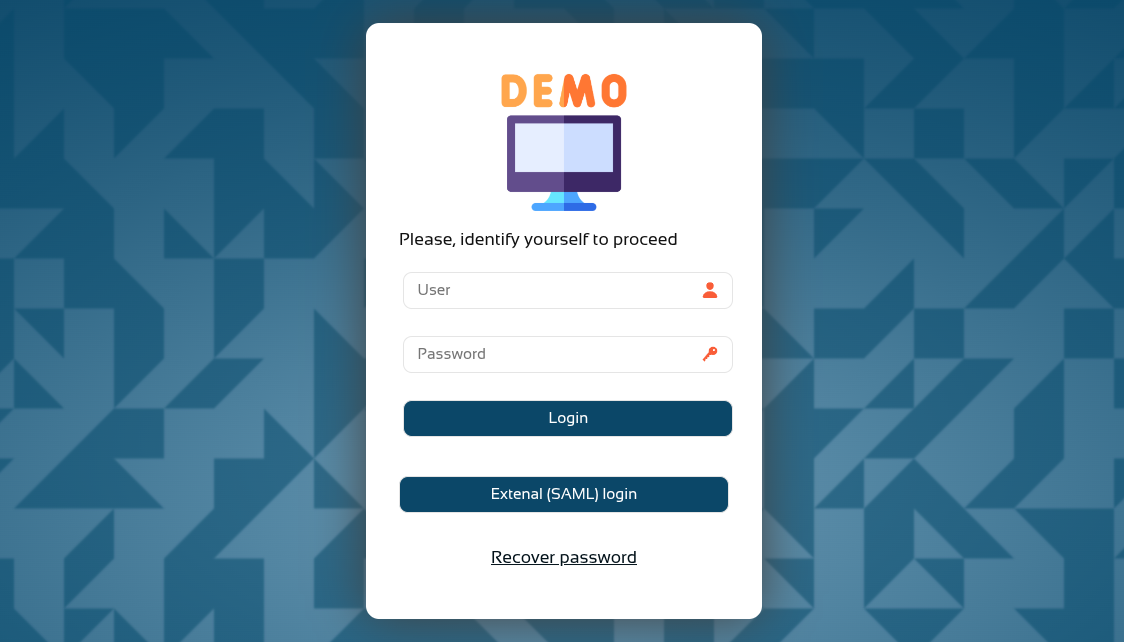](https://bookstack.soffid.com/uploads/images/gallery/2026-08/T7HvWc0x9lnCBEId-image.png) [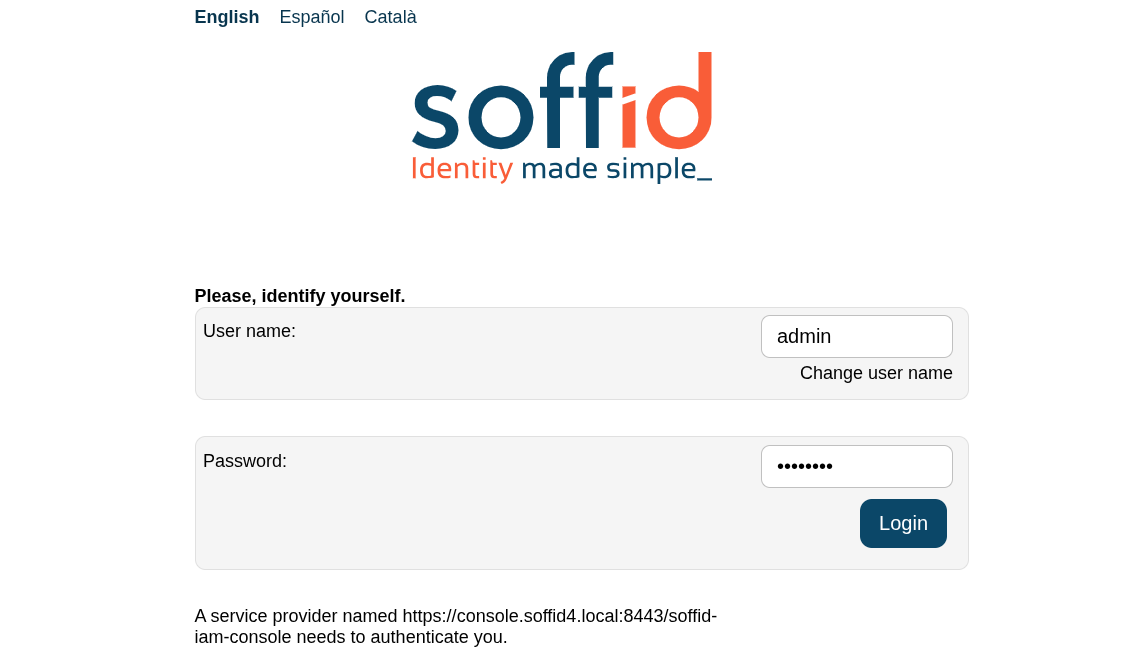](https://bookstack.soffid.com/uploads/images/gallery/2026-08/P3J04QZsUHdInCk5-image.png) And now, following authentication, the **device posture** will be evaluated. [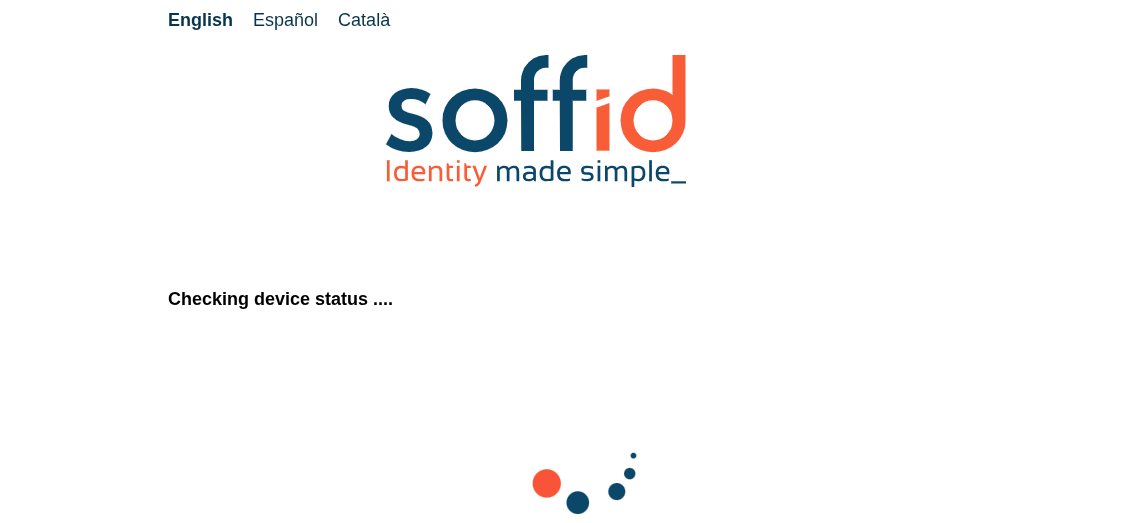](https://bookstack.soffid.com/uploads/images/gallery/2026-08/PGiUalseVtSquy8A-image.png) You browser may ask you **permissions**. [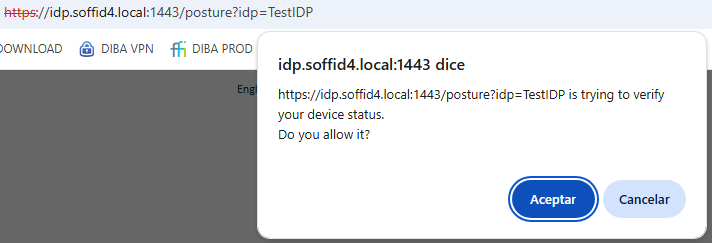](https://bookstack.soffid.com/uploads/images/gallery/2026-08/Ta5cu8ezPiY9s30u-image.png) If the validation is **successful**, you will be redirected to the **service provider**. [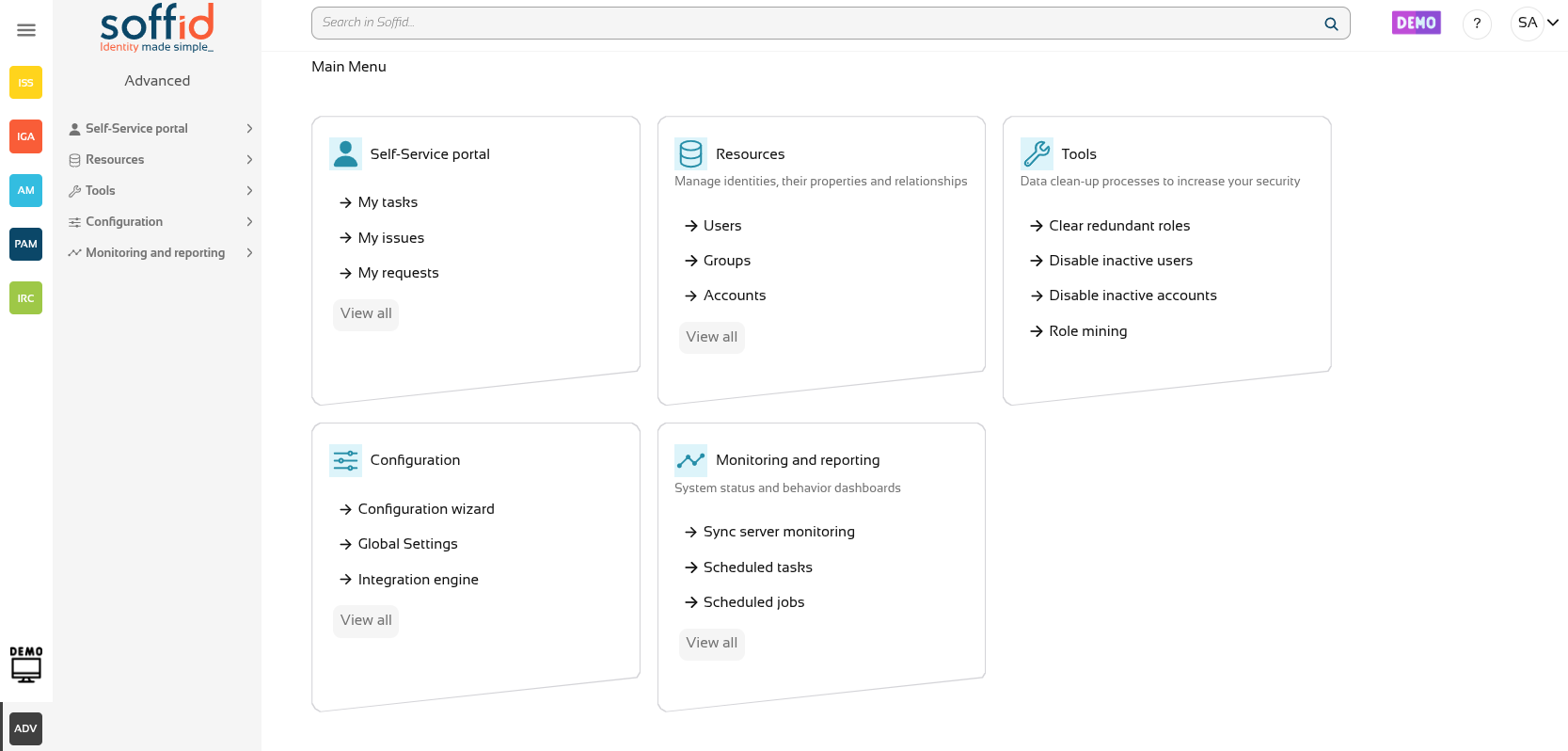](https://bookstack.soffid.com/uploads/images/gallery/2026-08/CcGCljAybSB75Kw9-image.png) If the **validation fails**, the **error** specified in the validation **script** will be displayed. [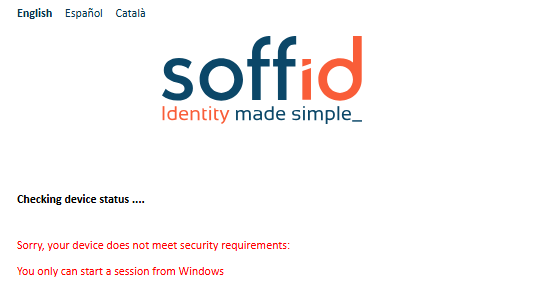](https://bookstack.soffid.com/uploads/images/gallery/2026-08/keqJ7rGY1fC4Ayt6-image.png) # 2026-06-13 New feature: select images for Soffid Authenticator ### The new featureThe [Soffid Authenticator](https://bookstack.soffid.com/books/soffid-authenticator-app "Soffid Authenticator App") app now has four different **sets of images**, and you can now select the set of images using the "**soffid.push.images**" parameter.
### Bear in mind Please note the following points: - A **Soffid** type **Identity Provider** must be set up, and the **Soffid Authenticator** (push option) must be added as the **first** or **second** **factor**. - Users are required to install the **Soffid Authenticator** on their **phones**.The **details of the parameter** can be found on the [Soffid parameters](https://bookstack.soffid.com/books/soffid-4-reference-guide/page/soffid-parameters#bkmrk-soffid-autenticator "Soffid parameters") page, Soffid Autenticator section..
### How to configure it? The following **components** must be installed: - Addon federation 4.0.36 (or higher) ### Let's look at an example Do you need a Soffid IdP. [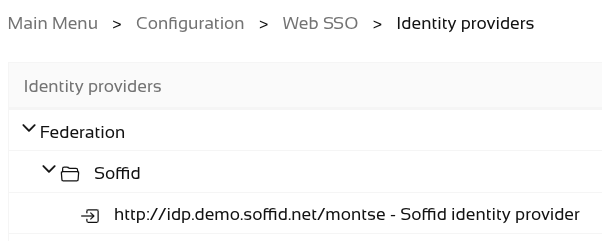](https://bookstack.soffid.com/uploads/images/gallery/2026-07/2roBeWD1VQLaePTe-image.png) Add Soffid Authenticator as a first or second factor. - Go to **Soffid IdP**. - Go to **Default authentication methods** or **Adaptive authentication** (used this option in the example) - Add the Soffid Authenticator (**Push** option) as **first** or **second factor** used this option in the example) [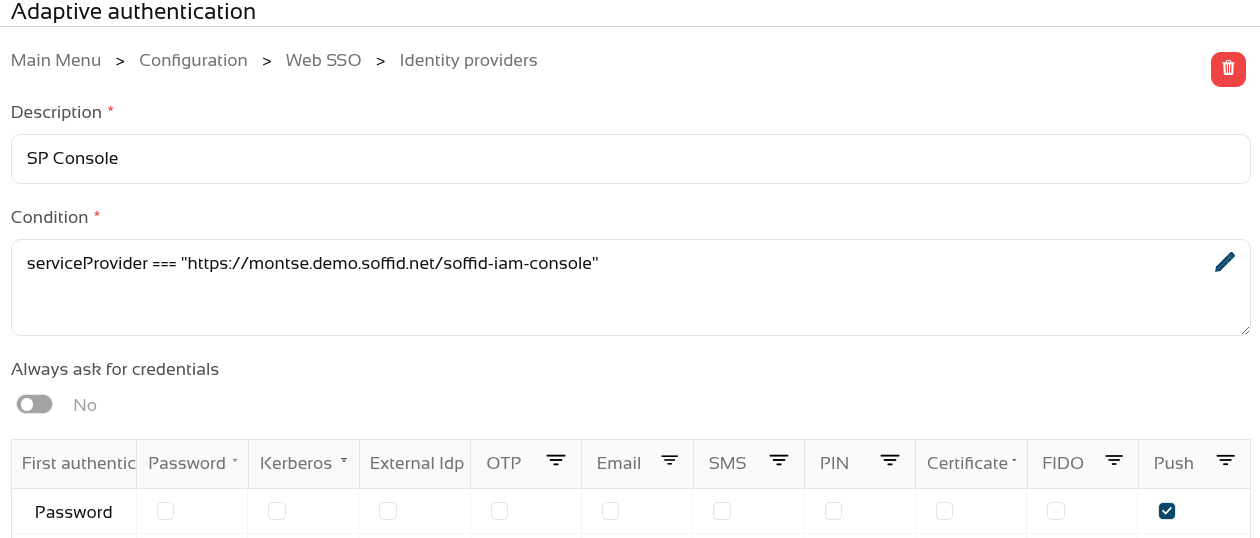](https://bookstack.soffid.com/uploads/images/gallery/2026-07/entDRGiRRu5ucabP-image.png) We can now use the **parameter** "**soffid.push.images**" to view the different sets of images. [](https://bookstack.soffid.com/uploads/images/gallery/2026-07/D7dHUw9ufn6Ju0fr-image.png) Let’s take a look at the four examples of logins! No soffid.push.images parameter or soffid.push.images=**birds** [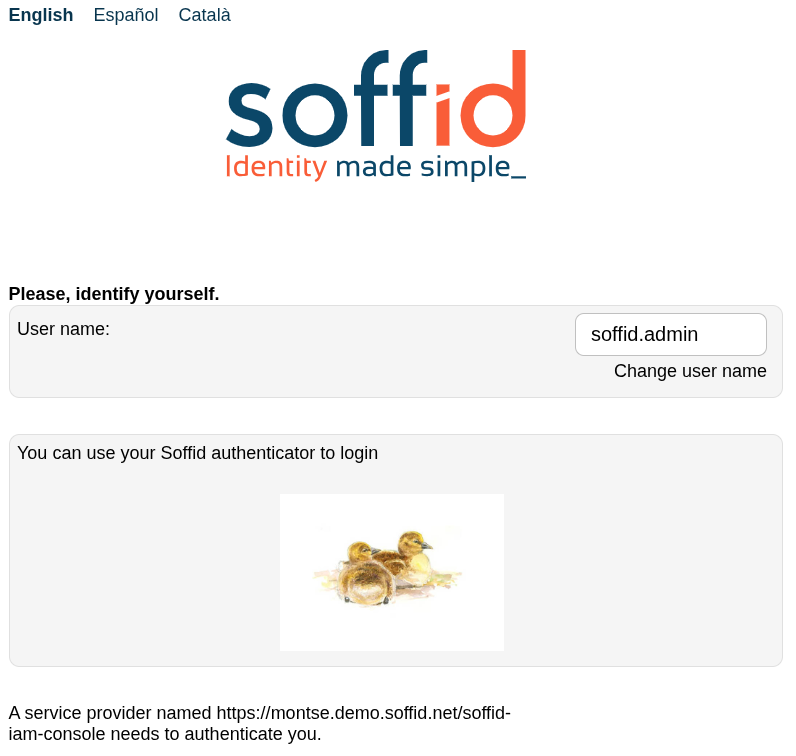](https://bookstack.soffid.com/uploads/images/gallery/2026-07/9tx0ZPCU1jNzlLz0-image.png)[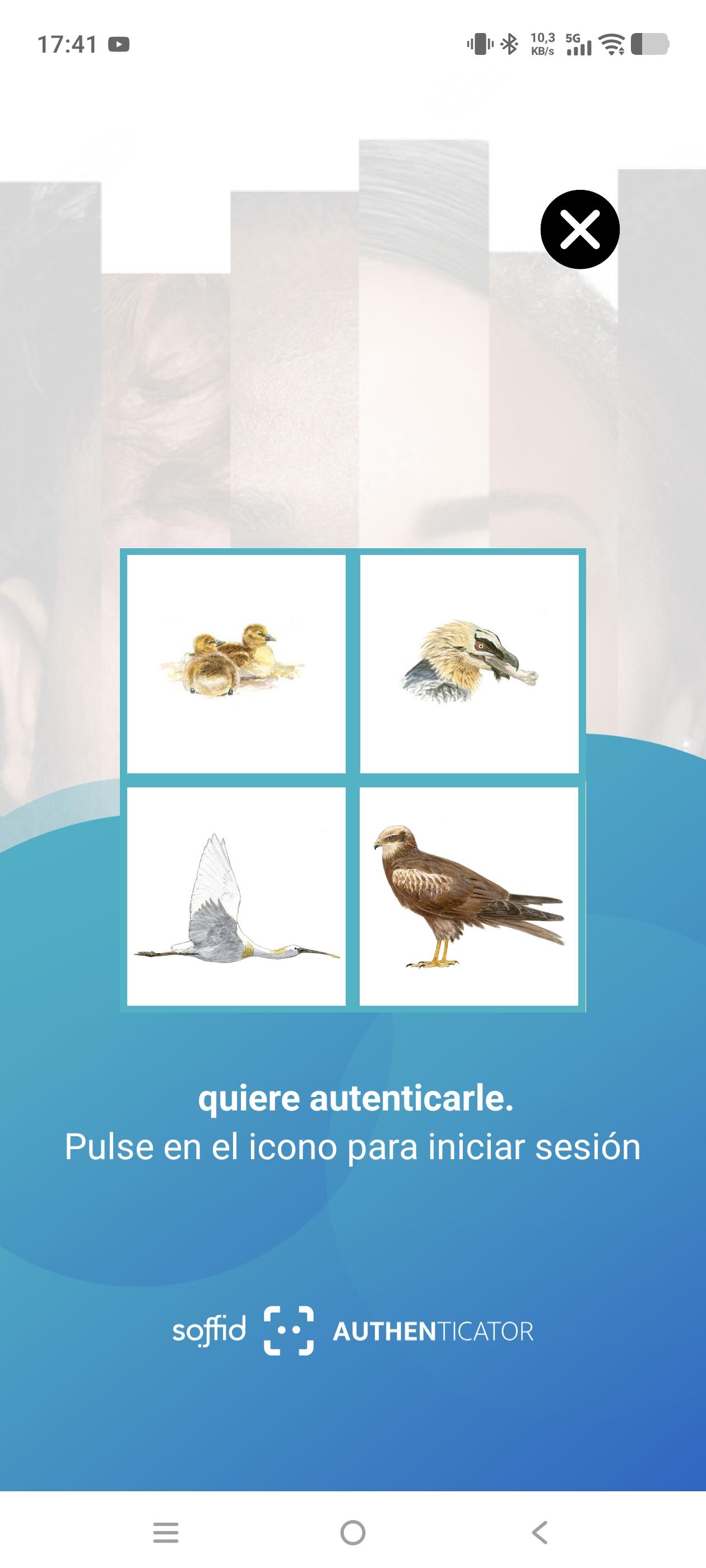](https://bookstack.soffid.com/uploads/images/gallery/2026-07/dNEONzTcEfvl4qww-screenshot-20260717-174126.jpg) soffid.push.images=**numbers** [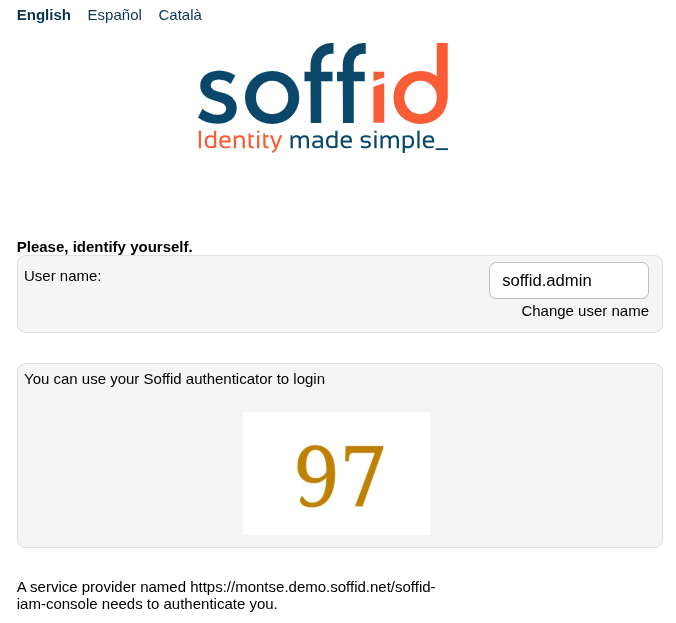](https://bookstack.soffid.com/uploads/images/gallery/2026-07/3tVKxCUAWkXoBi42-image.png)[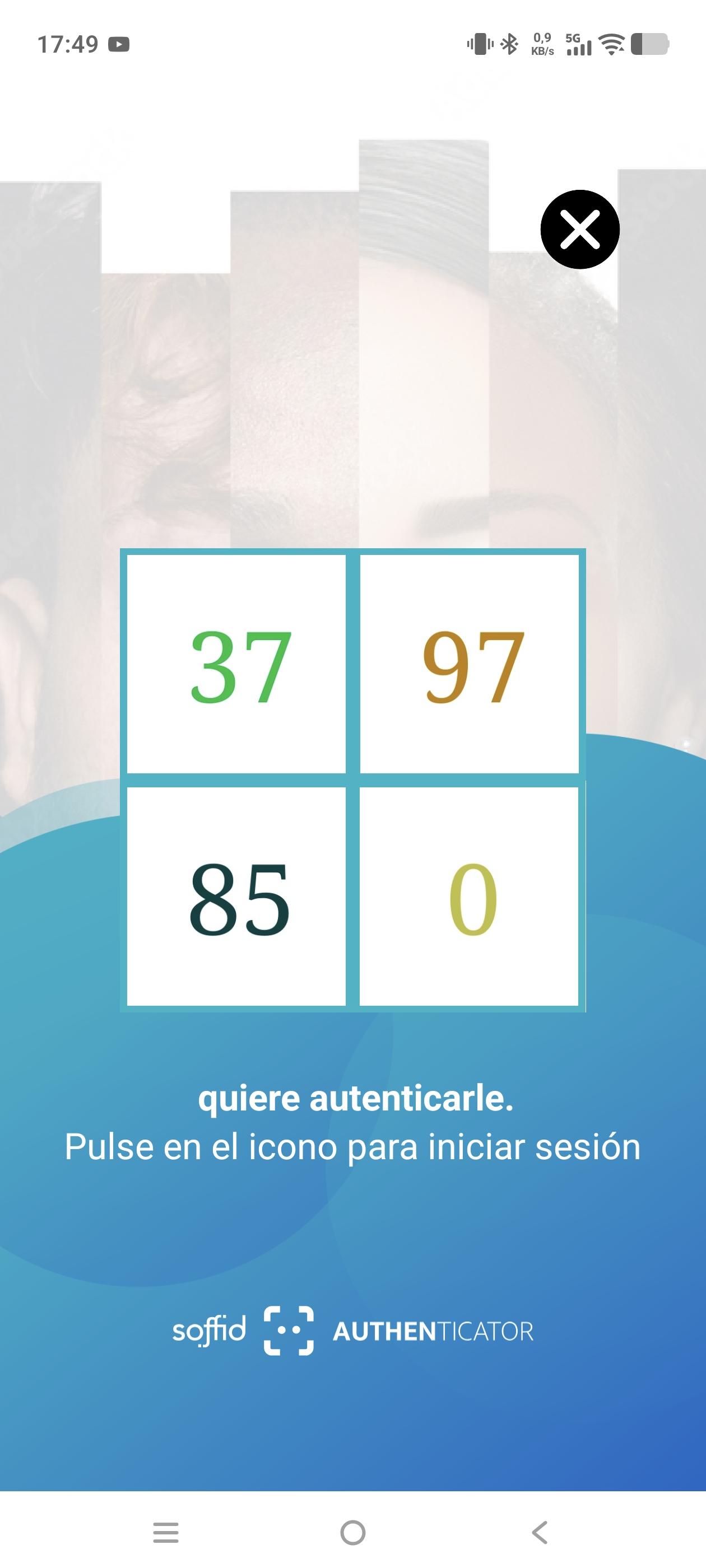](https://bookstack.soffid.com/uploads/images/gallery/2026-07/5JD8qCnr5DuZNjv2-screenshot-20260717-174954.jpg) soffid.push.images=**flowers** [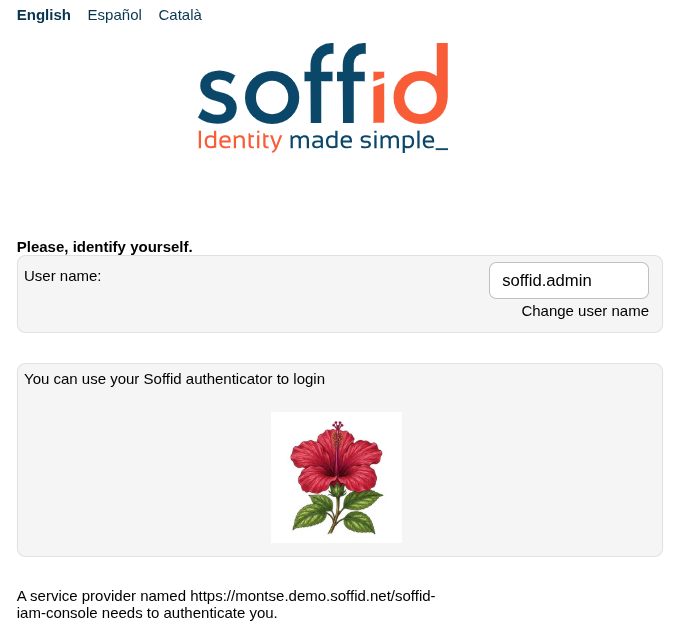](https://bookstack.soffid.com/uploads/images/gallery/2026-07/IaqaNXt9FS8BQzkS-image.png)[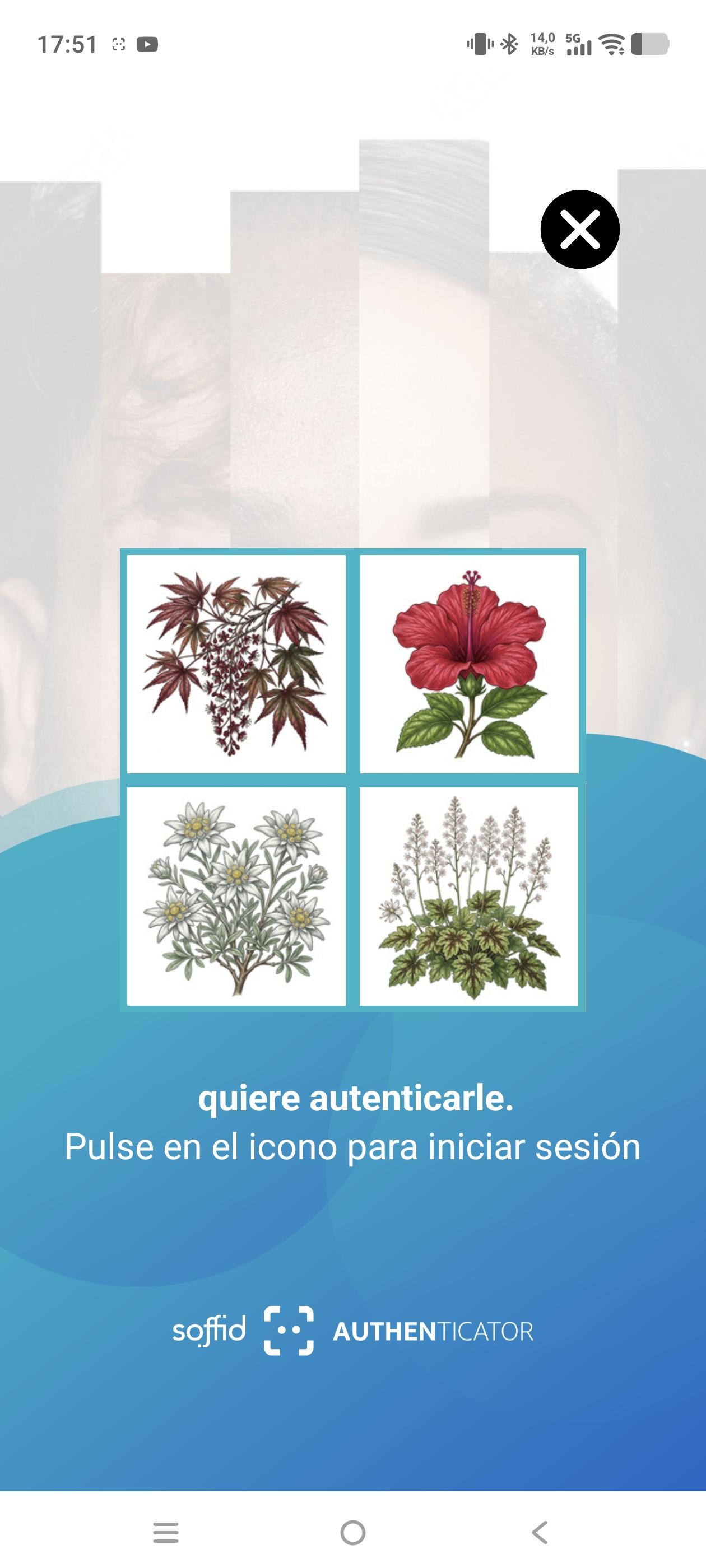](https://bookstack.soffid.com/uploads/images/gallery/2026-07/Ouq5fUgRuhLCxqPy-screenshot-20260717-175156.jpg) soffid.push.images=**fishes** [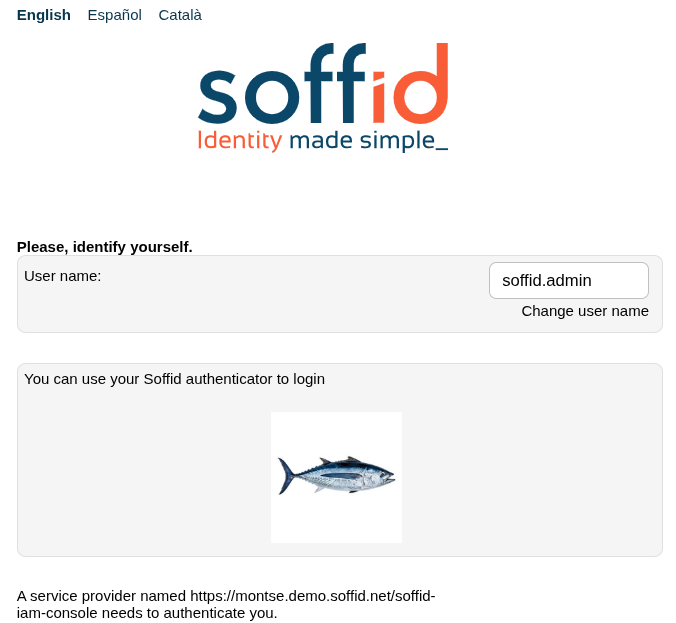](https://bookstack.soffid.com/uploads/images/gallery/2026-07/itKpUTyGBdmcENMH-image.png)[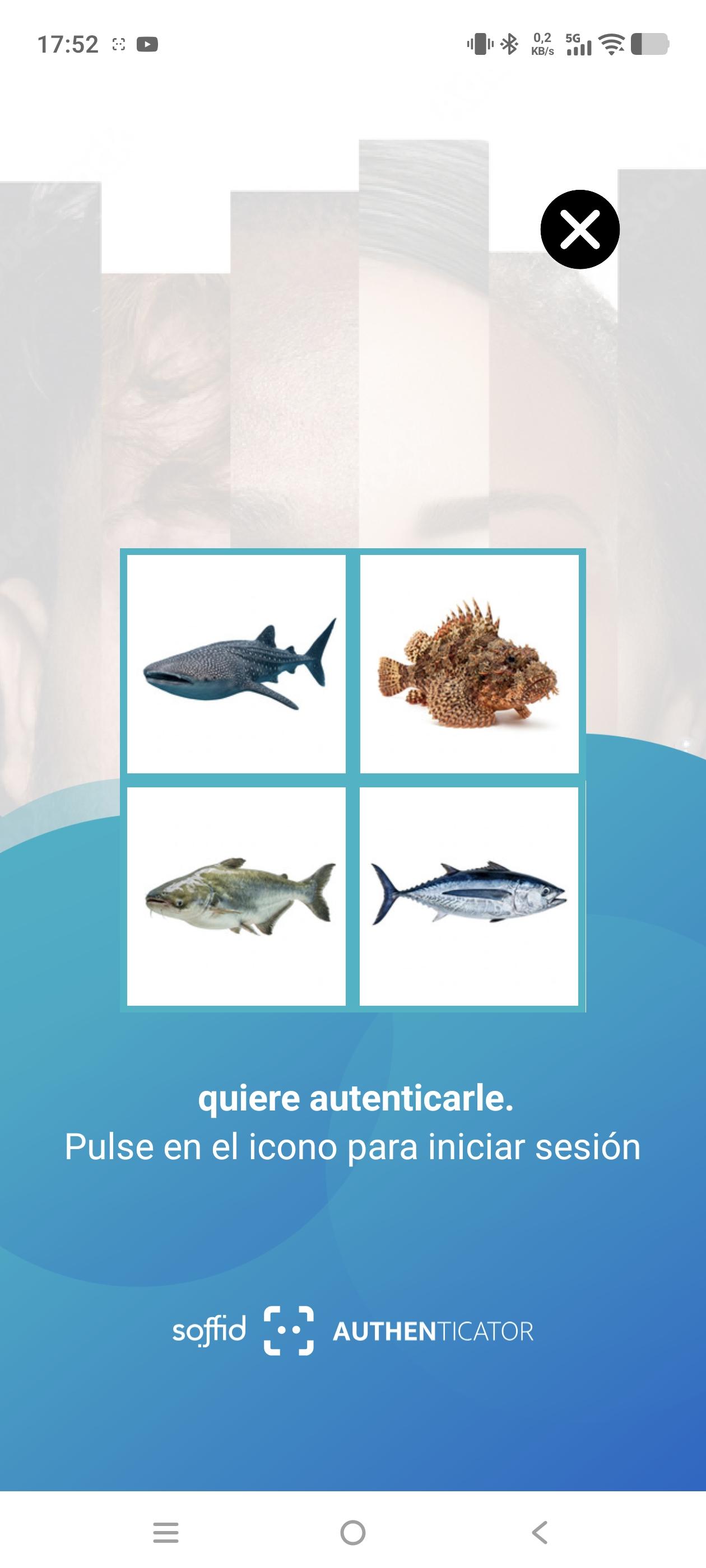](https://bookstack.soffid.com/uploads/images/gallery/2026-07/ocCRWmM6r2ZmSETq-screenshot-20260717-175237.jpg) Please note that if you enter an incorrect value for the parameter, this **error** will appear. [](https://bookstack.soffid.com/uploads/images/gallery/2026-07/USiBH7lKWTiWTt48-image.png) # 2026-07-20 New feature: configure maximum openid logins ### The new featureA new feature has been introduced in the Soffid Identity Provider that **limits the number of requests** a user can make to an **OpenID Connect service provider**. The new attribute is name "**Max login per user and minute**".
A new **issue** "**issue-login-limit**" has also been created to manage this new configuration.
### Bear in mind Please note the following points: - The limit only applies to OpenID service providers using "User’s password", "User’s password + Client credentials" or "Client credentials" authentication. - The limit applies globally to all service providers using these authentication types. - The limit is for a user, each user can reach or not the limit. - For each request, the system checks whether the limit has been exceeded in the last minute; if the total number of requests exceeds the configured number, an error is returned. - The system re-evaluates whether the limit has been reached with each request. - For example, if the limit is 30 request, and 31 requests are made in 1 second, the 31st request would return an error; and for the next 59 seconds – as 31 requests plus any new ones would still be counted within the last minute – errors would continue to be returned. If, on average, one request were made every 2 seconds, the limit would never be triggered. About the platform: - All the previous requisites are for a non Soffid Cloud solution. - In the Soffid Cloud the number of request is configured for a Soffid administrator, the field is not visible for the tenantFor more information you can check the [OpenIdProfile](https://bookstack.soffid.com/books/federation/page/openidprofile "OpenIdProfile") page, or the [Defining profiles](https://bookstack.soffid.com/books/federation-guide/page/defining-profiles#bkmrk-%C2%A0-1 "Defining profiles") page
About the issue: - The issue must be enabled and configured to suit your requirements.For more information you can check the [Issue policies](https://bookstack.soffid.com/books/soffid-4-reference-guide/page/issue-policies "Issue policies") page
### How to configure it? The following **components** must be installed: - Console 4.0.67 (or higher) - Addon federation 4.0.37 (or higher) ### Let's look at an example #### Step 1: configure the limit Let’s go to our Soffid identity provider. Go to Main Menu > Configuration > Web SSO > **Identity providers**. Select your **Soffid IDP**. And go the **Profiles** group and select the **OpenIdProfile**. [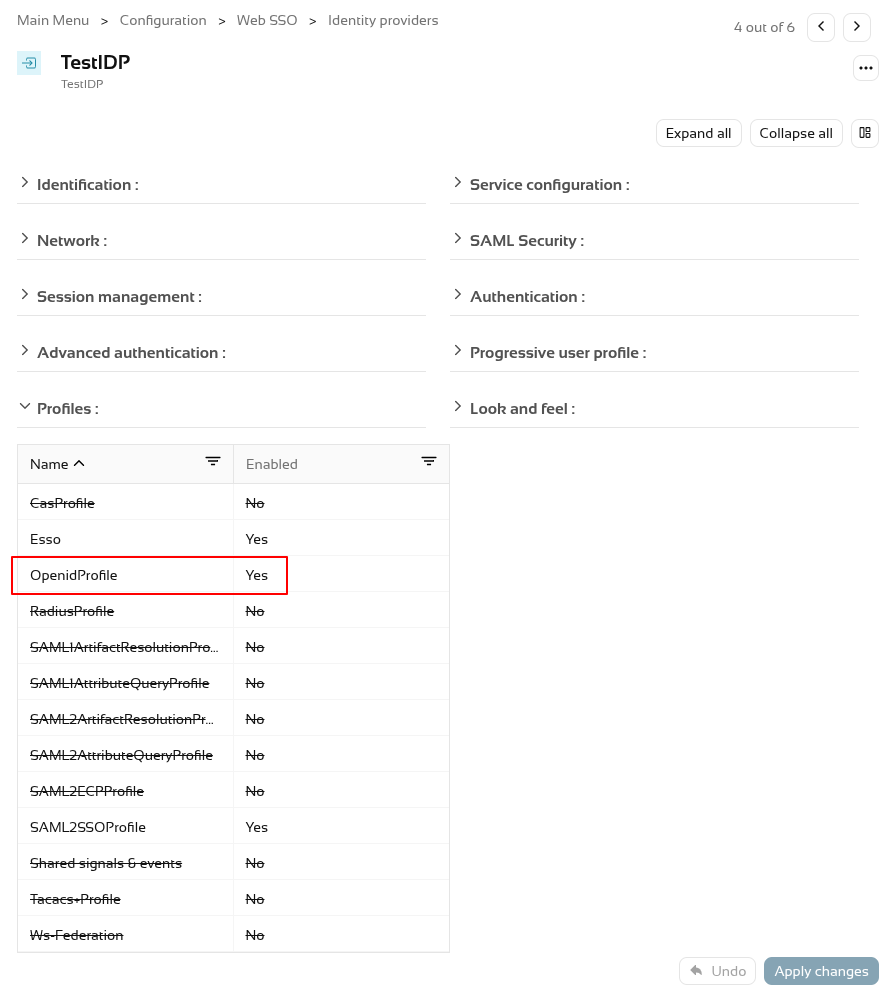](https://bookstack.soffid.com/uploads/images/gallery/2026-07/1jSHKcty45gi9gTx-image.png) To activate the attribute "**Max login per user and minute**" add a number, por example 30, 60, etc. [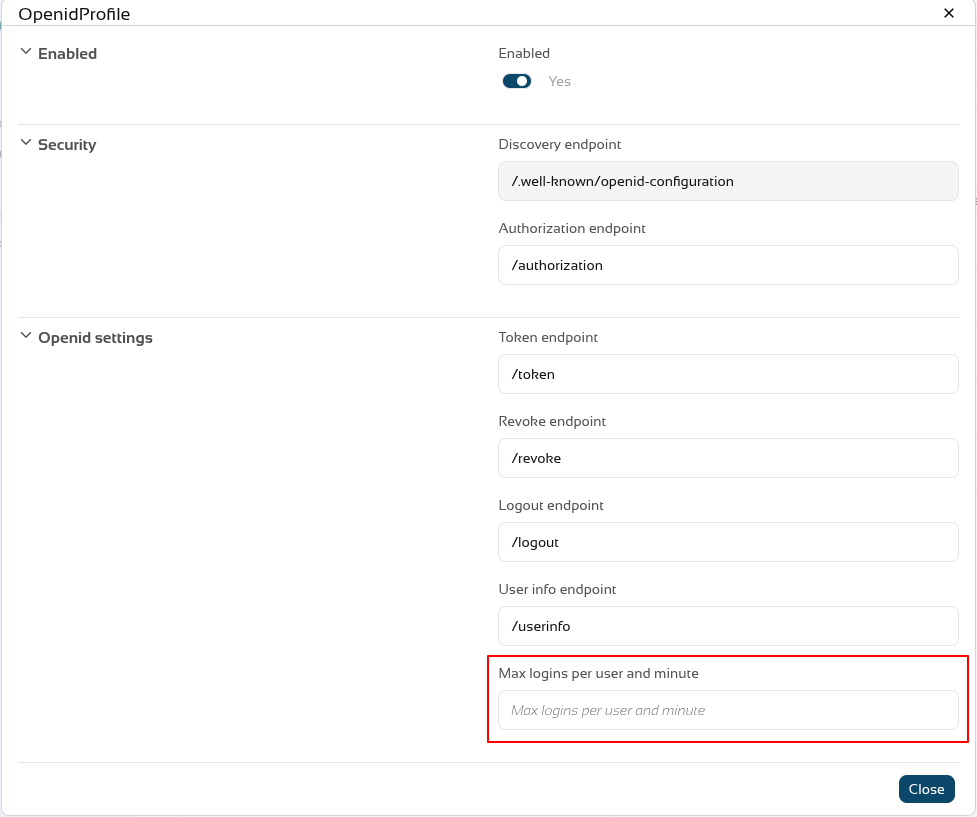](https://bookstack.soffid.com/uploads/images/gallery/2026-07/AXxeAFOLnYpAoCfD-image.png) To validate this functionality, we need to authenticate as a **service provider**. First, let’s check that the service provider has configured the **authentication types** that the limit validates. [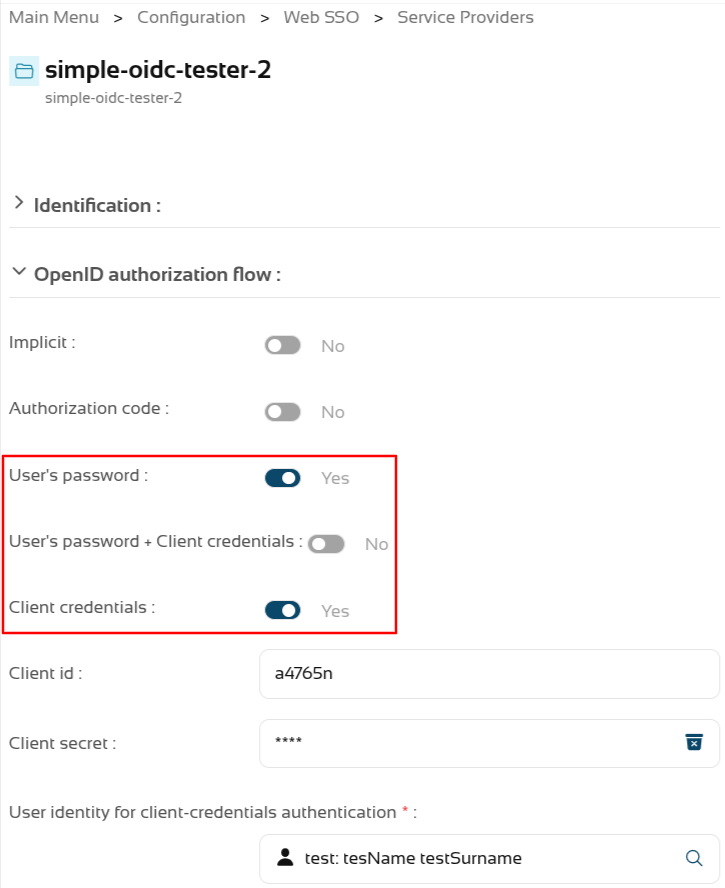](https://bookstack.soffid.com/uploads/images/gallery/2026-08/bIZrM1taJTpvaxzm-image.png) We’re going to test it using a testing tool; we can see that it **responds correctly** when the limit is not reached. [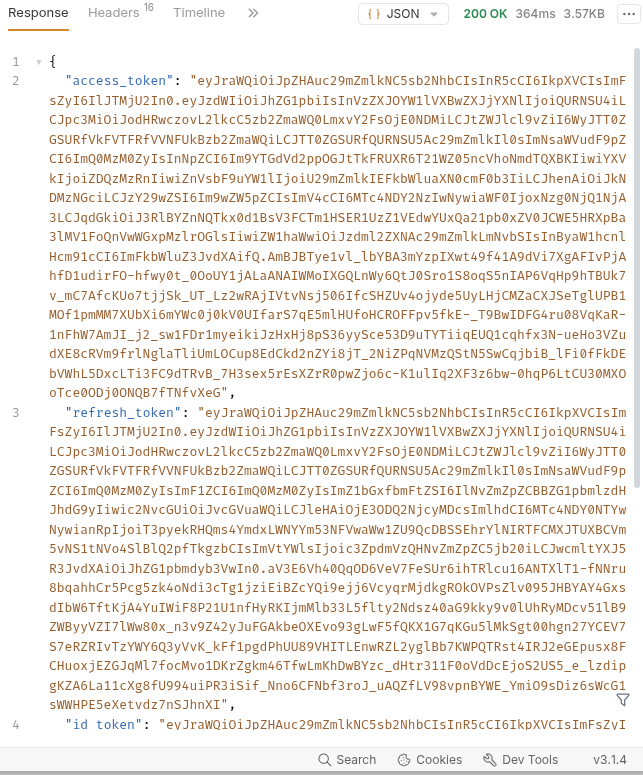](https://bookstack.soffid.com/uploads/images/gallery/2026-07/LrLi5nA4Ffm03Seh-image.png) But when it reaches its limit, it returns a **HTTP code 400** with the message "**Login limit reached**". [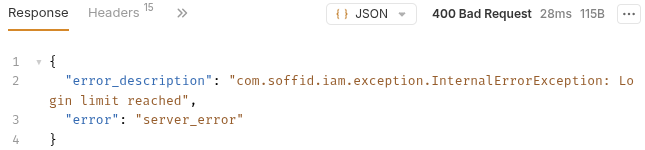](https://bookstack.soffid.com/uploads/images/gallery/2026-07/blL2sqlsGIlxfzSn-image.png) ``` 400 Bad Request { "error_description": "com.soffid.iam.exception.InternalErrorException: Login limit reached", "error": "server_error" } ``` #### Step 2: configure the issue First, we need to open the new issue. > Configuration > Security settings > **Issue policies**. Select the **user-login-limit**. [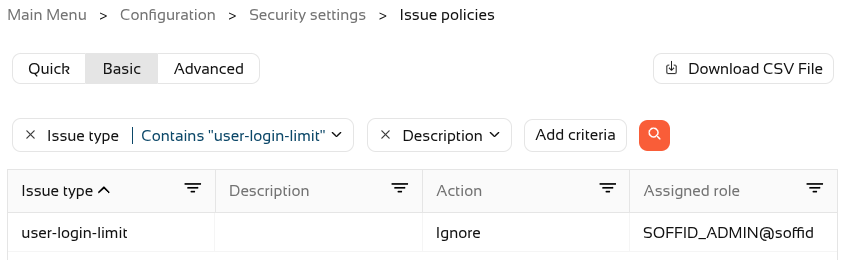](https://bookstack.soffid.com/uploads/images/gallery/2026-07/D02Cws9frWFsJBja-image.png) To activate the issue, we will need to assign an **action** type (Record or Manage). [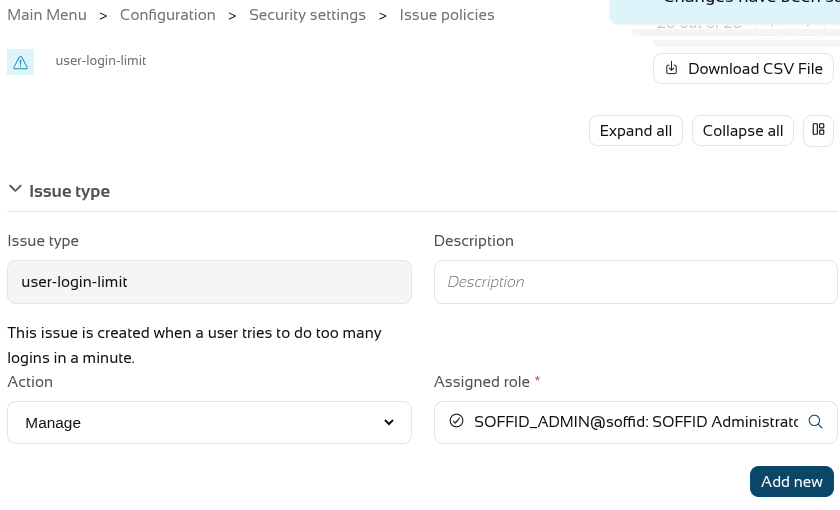](https://bookstack.soffid.com/uploads/images/gallery/2026-07/g12xFfRUG4fHo0ah-image.png) Now **create** one or more **actions** using the "**Add new**" button; in our case, a personalised email will be sent. [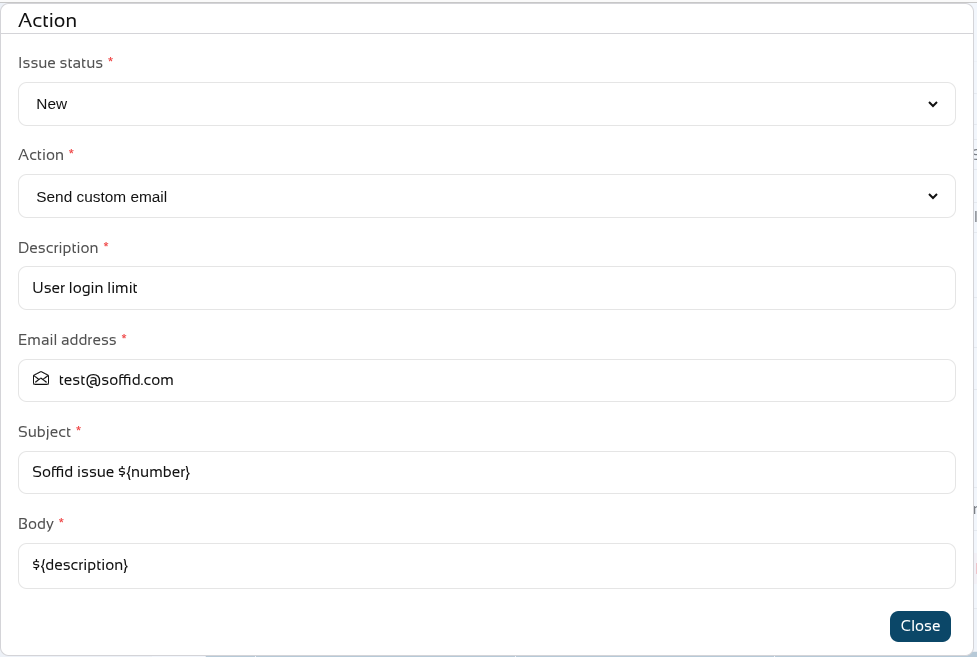](https://bookstack.soffid.com/uploads/images/gallery/2026-07/b7xdCVkAssgqTAE9-image.png) On leaving, we can see that the issue has been **Managed**. [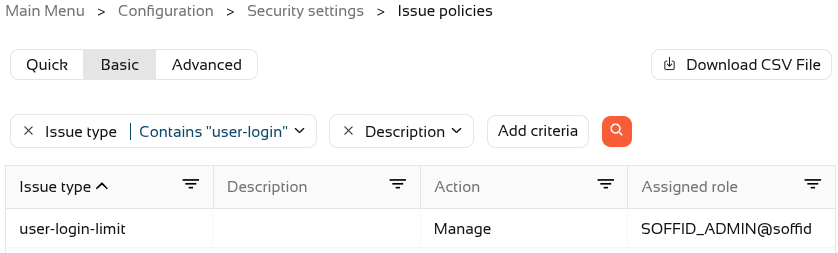](https://bookstack.soffid.com/uploads/images/gallery/2026-07/KubQvBIjyTFs63KM-image.png) If we push the limit, a new issue will now also be created in Soffid. Main Menu > Monitoring and reporting > **Issues** (or Main Menu > Self-Service portal > **My issues**) [](https://bookstack.soffid.com/uploads/images/gallery/2026-07/FTGVGv9xaVEMUtHE-image.png) And here is an example of the **email** that was sent [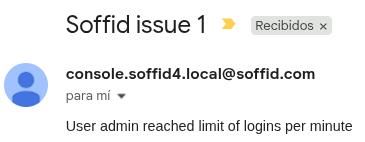](https://bookstack.soffid.com/uploads/images/gallery/2026-07/guxCpsPJFxKZYbHf-image.png) # 2026-09-30 New feature: role suggestions ### The new featureA new method has been added to **suggest roles** that can be assigned to a user.
With this feature, on some Soffid pages, when you want to **assign a role to a user**, the **system will suggest the most likely roles**.
### Bear in mind Please note the following points: - This feature must be **enabled** and **configured** before it can be used. - The **configuration** page is in the **mining** addon. - Some **addons** may use this feature. ### How to configure it? The following **components** must be installed: - Console 4.0.75 (or higher) - Mining addon 4.0.2 (or higher) And optionally some addons: - BPM addon 4.0.10 (or higher) ### Let's look at an example #### Step 1: activation To enable this feature, you need to **upgrade** the **console** and the **mining** **addon**. A **syncserver** **restart** is also required after the upgrade. We can now find the "**Role assignment suggestions**" page in the "**Tools**" menu. [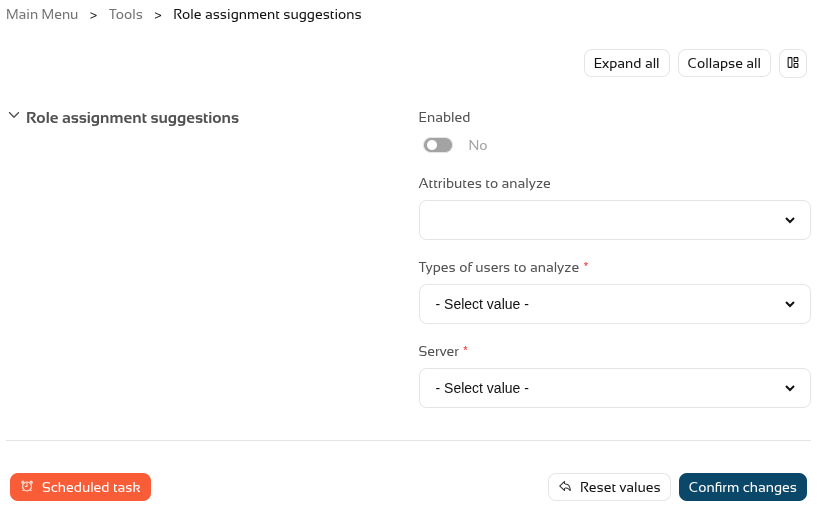](https://bookstack.soffid.com/uploads/images/gallery/2026-10/lXNMe9uXe7w7xZvZ-image.png) And we have to enable this feature. [](https://bookstack.soffid.com/uploads/images/gallery/2026-10/uDa5nfJyDfJOCOPg-image.png) #### Step 2: configuration To configure this functionality, we need to **decide** which **user** **attributes** the system should analyse, for which **types of users**, and select a **sync server**. [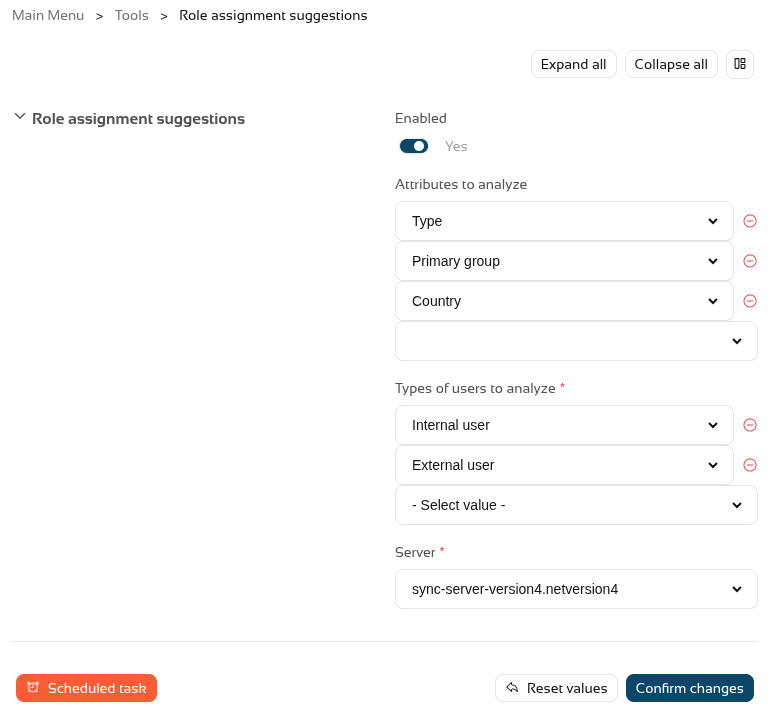](https://bookstack.soffid.com/uploads/images/gallery/2026-10/DSRzjaCBHGDUoqLH-image.png) Once this step has been configured, we need to **run** or **schedule** the **task** so that Soffid generates an internal **matrix** containing all the **possibilities**. Once the process has been run for the first time, this **feature** is **ready** for **use**. #### Step 3: usage To make use of the **role** **suggestions**, we can go to the **Users** **page**, select a user and go to the **roles tab**. [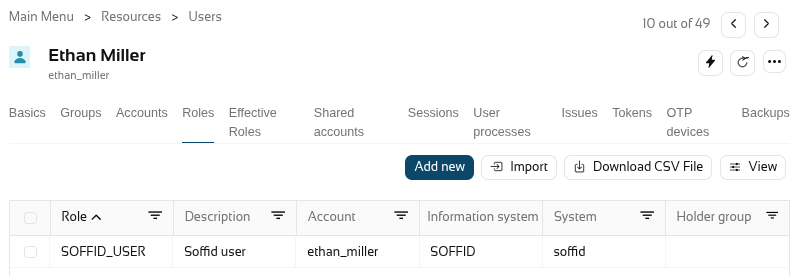](https://bookstack.soffid.com/uploads/images/gallery/2026-10/1DmkLgoxldX4gn3f-image.png) When you click on "**Add new**" to add a new role, Soffid will show you the **suggested roles** that, based on the settings from the previous step, are the most likely to apply to this user. [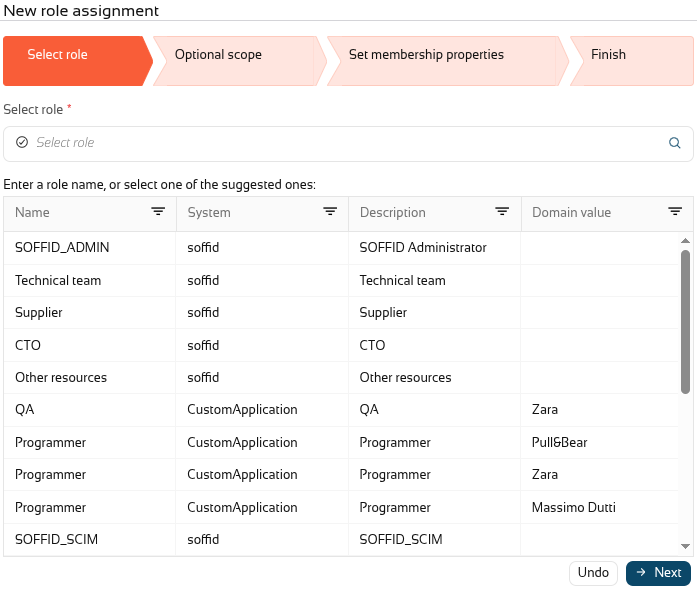](https://bookstack.soffid.com/uploads/images/gallery/2026-10/JHQud1wCJi07jLRG-image.png) #### Step 4: BPM addon When you **upgrade** the **BPM addon**, you will be able to use suggestions in the **permission request workflows**. If you already have a workflow, go to the **BPM editor** page. In this case, we will open the "Request roles massive". [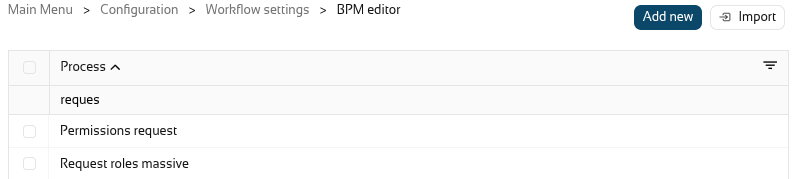](https://bookstack.soffid.com/uploads/images/gallery/2026-10/SYTLmSNAY0RoHouA-image.png) In the diagram select the "**Start**" **node**. [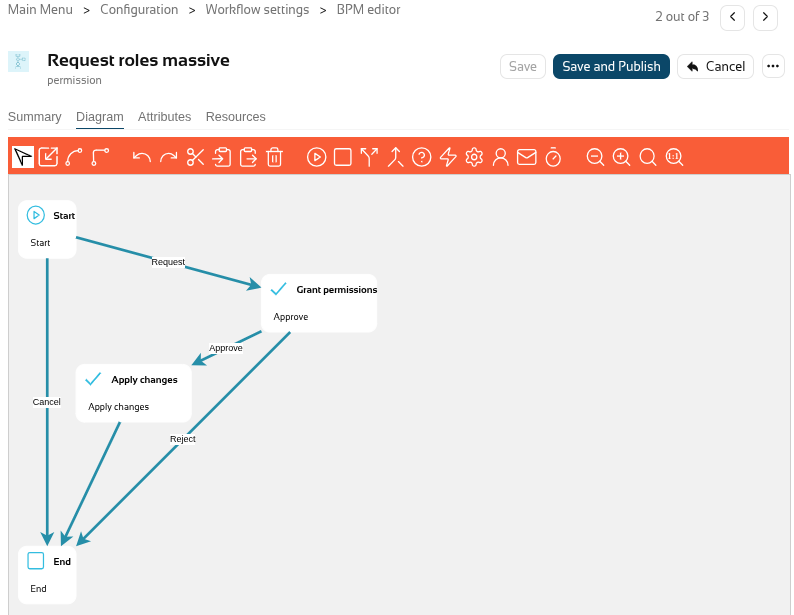](https://bookstack.soffid.com/uploads/images/gallery/2026-10/fxjFjsxBKHU3MmHF-image.png) And **enable** "**Suggest new roles**". [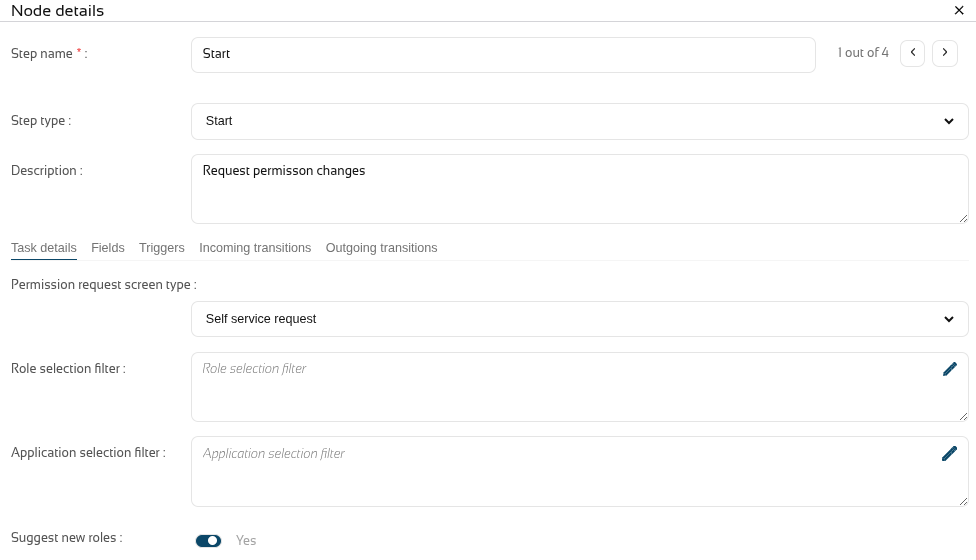](https://bookstack.soffid.com/uploads/images/gallery/2026-10/E8XR2ZXFrOKUzb9k-image.png) **Close** the popup and click on the "**Save and publish**" button. Finally, we can now go to the **ISS** **module** and, now "**My requests**", select the "**Request roles masive**" workflow, and the **suggested roles** will then be displayed under "**Filter out roles**". [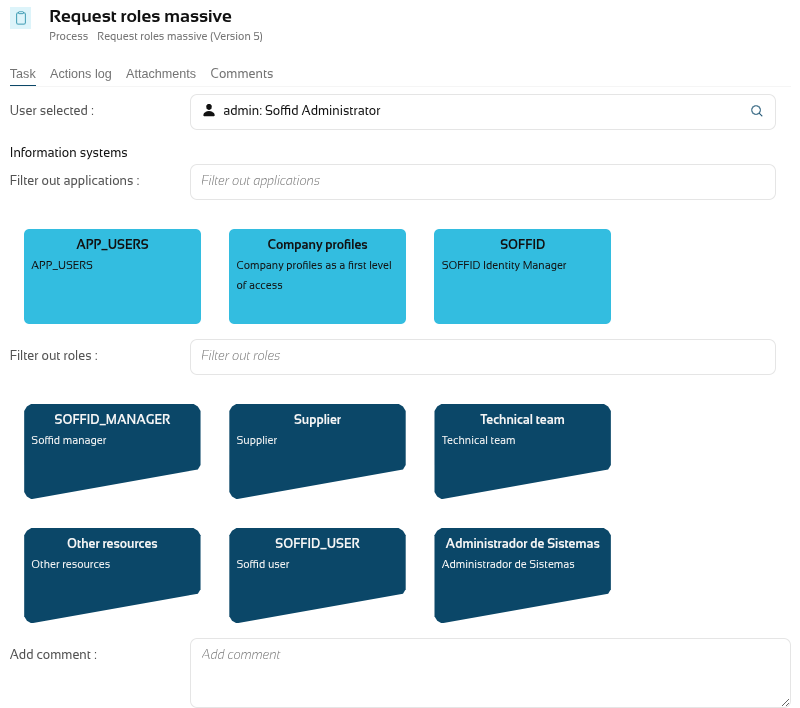](https://bookstack.soffid.com/uploads/images/gallery/2026-10/P4y1Sctf8ydo9J0v-image.png) # 2026-09-30 New feature: simulate IdP attributes ### The new featureA button has been added to the "Attribute sharing policies" page to **simulate** the **attributes** generated for a **user** and a **service provider**.
### Bear in mind Please note the following points: - The user must have an **active** Soffid **IdP account**. ### How to configure it? The following **components** must be installed: - Federation addon 4.0.41 (or higher) ### Let's look at an example Let’s go to the "**Attribute sharing policies**" page, in the top right-hand corner, you’ll see the new "**Simulate**" button. [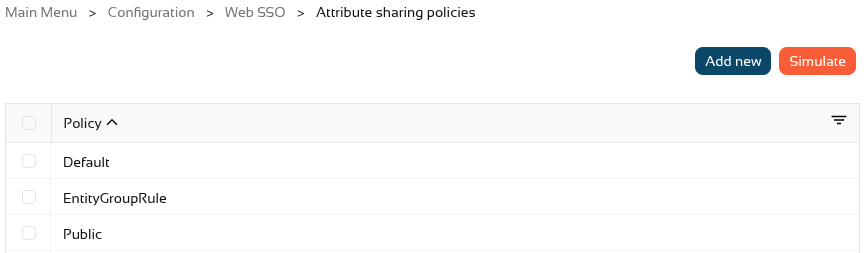](https://bookstack.soffid.com/uploads/images/gallery/2026-10/OzNHR8FNWaObC7Mh-image.png) In the popup, select a **user** and a **service provider** and click on Simulate. [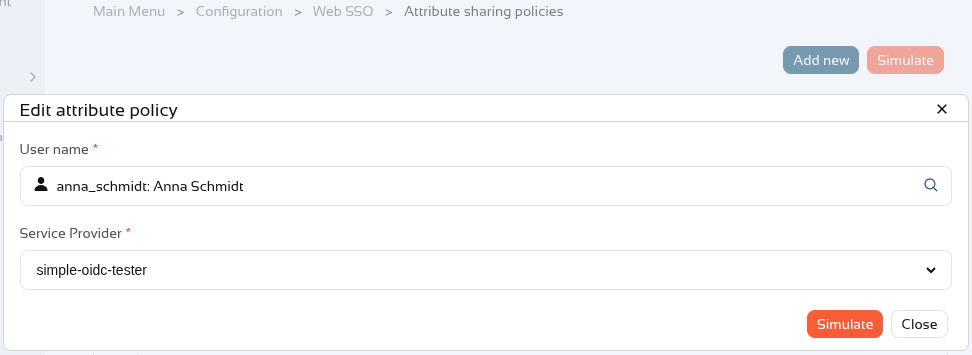](https://bookstack.soffid.com/uploads/images/gallery/2026-10/Q9wJpgJXfsWT5nbI-image.png) We can now see the **attributes** that would be **sent** to the **service provider** for this user. [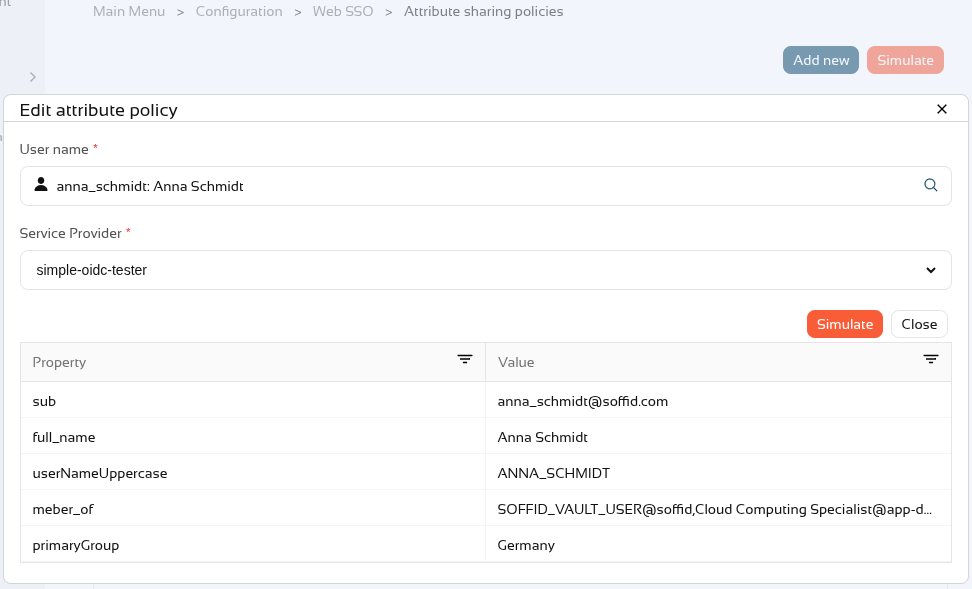](https://bookstack.soffid.com/uploads/images/gallery/2026-10/5pjig9Igos61LUeu-image.png) If the user does **not** have an **account** or their account is **inactive**, this error will appear. [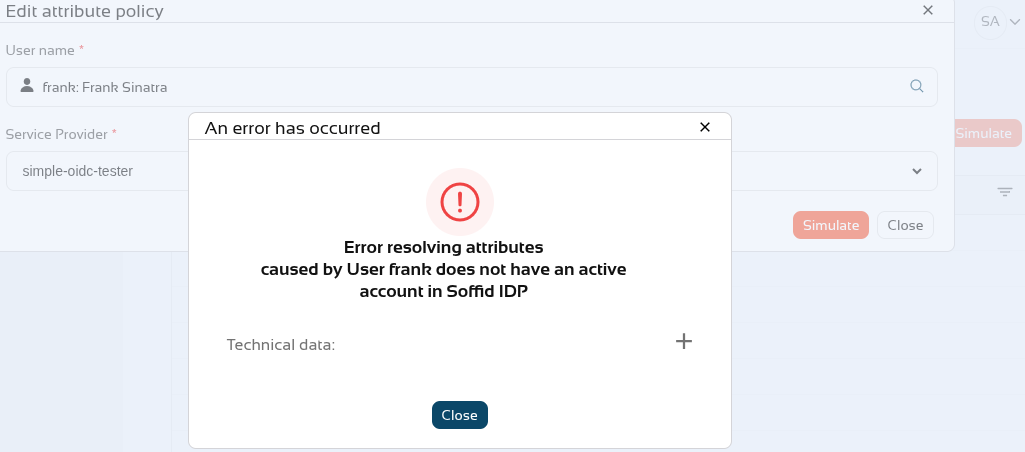](https://bookstack.soffid.com/uploads/images/gallery/2026-10/BsS5pYa7TQLh9raP-image.png) # 2026-09-30 New feature: select external IdP using script ### The new featureIf there are **several external identity providers**, a **script** has been added to the external identity providers to **determine** whether they are **valid** for authentication.
### Bear in mind Please note the following points: - If the **script** is **empty**, this logic is **ignored**. - Only when the script returns "**false**" will this **identity provider** **not** be **displayed** in the list of options on the login screen. ### How to configure it? The following **components** must be installed: - Federation addon 4.0.41 (or higher) ### Let's look at an example First of all, we have **several external IdPs**. [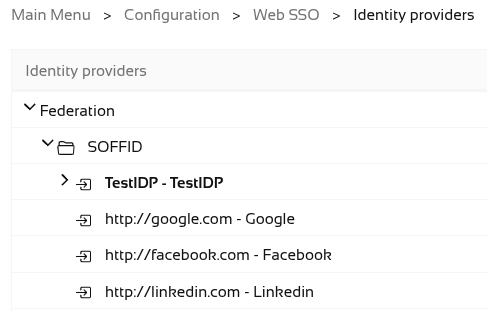](https://bookstack.soffid.com/uploads/images/gallery/2026-10/sF4ozn1KHSmv02dx-image.png) We can now see in Soffid IdP that authentication for **internal users** uses **external providers**. [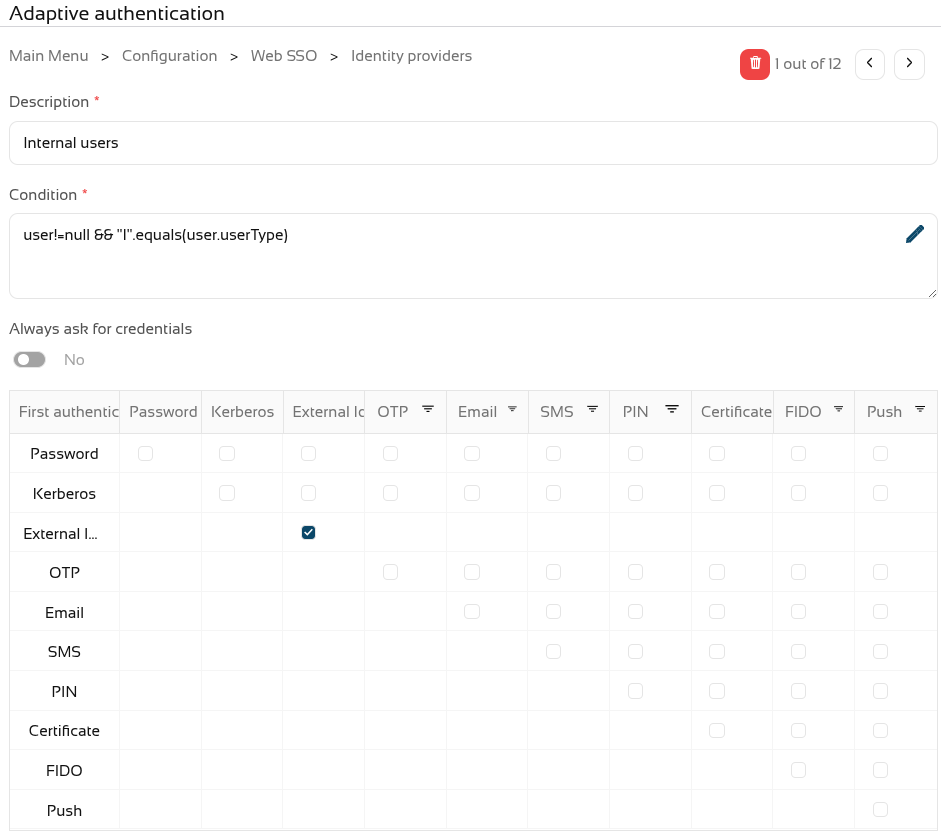](https://bookstack.soffid.com/uploads/images/gallery/2026-10/Em8d1voWxX8xWpiQ-image.png) When we try to log in, a list of **all** the **options** appears. [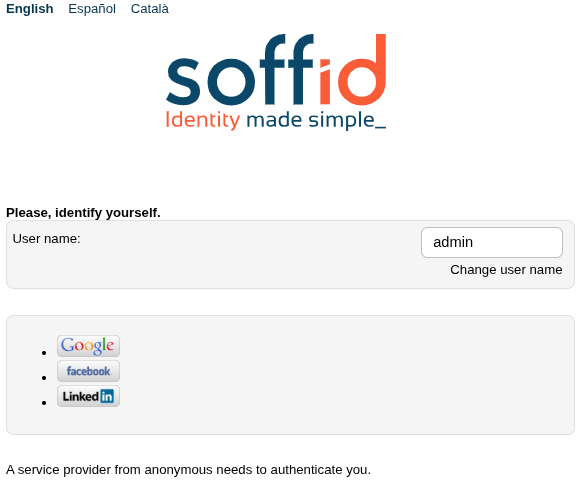](https://bookstack.soffid.com/uploads/images/gallery/2026-10/5YYk1qzqx1n12S1w-image.png) We have now decided that **one of the external IdPs is not valid for internal users**. [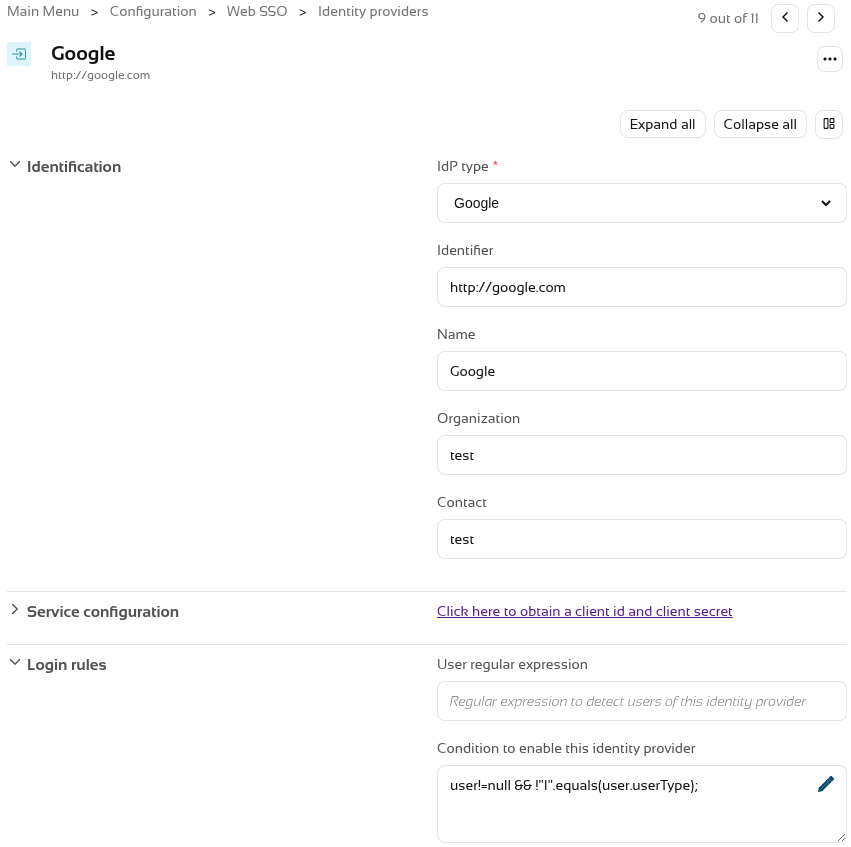](https://bookstack.soffid.com/uploads/images/gallery/2026-10/PrDgMwsneQ7YYm8B-image.png) Now, when accessing an SP, it will **no longer appear** in the list. [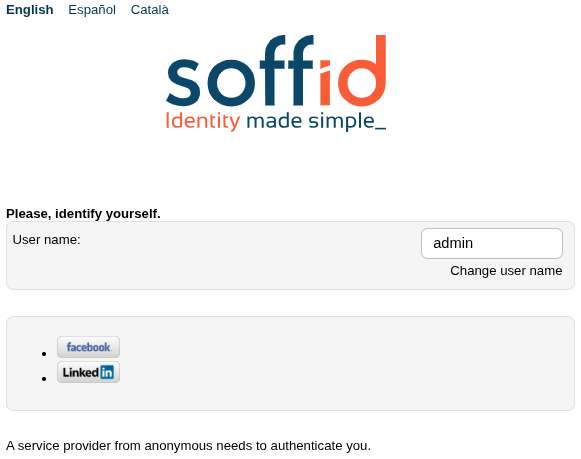](https://bookstack.soffid.com/uploads/images/gallery/2026-10/yrn4aMi03HdmgjLU-image.png) # 2026-09-30 New feature: Soffid metrics update ### The new featureThe **Soffid metrics service** has been modified so that it analyses active threads every 10 seconds, rather than waiting for them to finish.
### Bear in mind Please note the following points: - This service is **disabled by default**. - This service generates **a lot of log data**; you should only **enable it when necessary**. ### How to configure it? The following **components** must be installed: - Admin addon 4.0.6.1 (or higher) ### Let's look at an example First, you need to **enable** the service. You must add two **system variables** in the Console and/or Syncserver. These are the system variables: ``` soffid.metrics.service.enable=true soffid.metrics.service.min=60000 (number in miliseconds) ``` This is an example for the Console with docker compose [](https://bookstack.soffid.com/uploads/images/gallery/2026-10/Deuu2FnEeSnPwgSz-image.png) The instances need to be **redeployed**. We can now see the **statistics** for active processes in the **log**. # 2026-09-30 New feature: launcher clipboard update ### The new featureThe use of the **clipboard** in the **launcher** has been **drastically** **improved**. It is now possible to copy and paste various formats in both directions: plain and rich text, as well as images and graphics
### Bear in mind Please note the following points: - This functionality is **generic** and applies to all **sessions types**. - **Copy** and **paste** works in **both directions**. - You can copy plain and rich text (UTF-8, STRING, text/plain, text/html). - You can copy images and graphics (PNG, BMP, JPG and JPEG). ### How to configure it? The following **components** must be installed: - PAM launcher 1.4.91 (or higher) - PAM store 1.4.91 (or higher) - Session types in the last version (pasr images). ### Let's look at an example #### Example 1: copy text and html text from the PAM session Start a **windows** connection with the launcher. [](https://bookstack.soffid.com/uploads/images/gallery/2026-10/BcwiCrP23nGSvDXy-image.png) We open the **Soffid.com** web page. [](https://bookstack.soffid.com/uploads/images/gallery/2026-10/ZxUa6t3Jij7hTY6R-image.png) Now we can **copy** a **text** and click the **Get clipboard** button. [](https://bookstack.soffid.com/uploads/images/gallery/2026-10/Xw9fEBNeqX4pPe5o-image.png) **Paste** it in a **notepad** as text. [](https://bookstack.soffid.com/uploads/images/gallery/2026-10/zYSMwd2BiCDYJShW-image.png) And finally we **paste** it in an **html editor**. [](https://bookstack.soffid.com/uploads/images/gallery/2026-10/n8peFE1j0DXHjf3J-image.png) #### Example 2: copy text and html text to the PAM session **Copy** a **text** or **html** on your computer. [](https://bookstack.soffid.com/uploads/images/gallery/2026-10/8wpO0FV2y3osiEbY-image.png) Then **paste** it **directly** into the PAM session as text. [](https://bookstack.soffid.com/uploads/images/gallery/2026-10/4cOBj0NwxybD08XO-image.png) Or as html. [](https://bookstack.soffid.com/uploads/images/gallery/2026-10/EGxgLsdCAlSP4u09-image.png) #### Example 3: copy an image from the PAM session Start a **windows** connection with the launcher. [](https://bookstack.soffid.com/uploads/images/gallery/2026-10/BcwiCrP23nGSvDXy-image.png) Copy an **image**. [](https://bookstack.soffid.com/uploads/images/gallery/2026-10/lON5XCn8WUZxK322-image.png) Now we can **paste** it in our **editor**. [](https://bookstack.soffid.com/uploads/images/gallery/2026-10/v4Fu7AYNSovEVrbN-image.png) #### Example 4: copy an image to the PAM session **Copy** an **image** or take a **screenshot** on your computer. [](https://bookstack.soffid.com/uploads/images/gallery/2026-10/ompa1hOm6ADIexWF-image.png) Then **paste** it **directly** into the PAM session. [](https://bookstack.soffid.com/uploads/images/gallery/2026-10/QPJy68kxBbXIbqT1-image.png)