# Smart engine settings
## Description
The administrator users can decide the engine mechanism for the synchronization task, i.e. when the tasks are created and sent to external systems.
## Screen overview
[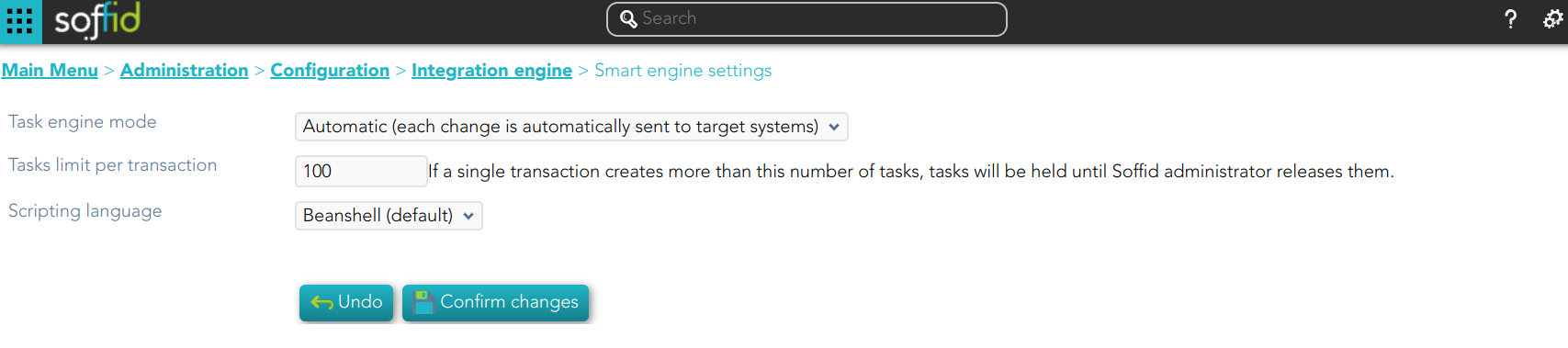](https://bookstack.soffid.com/uploads/images/gallery/2024-03/image-1710860385281.png)
## Standard attributes
1. **Task engine mode**: allows you to select the synchronization mode. There are three available options:
- **Read only**: it is the option by default in the Soffid installation. No task is synchronized to external systems.
- **Manual**: only selected synchronization tasks are performed. You could synchronize manually a user, check the "Propagates the changes" action on the [Users](https://bookstack.soffid.com/books/soffid-3-reference-guide/page/users "Users") page. Or also synchronize a whole target system, check the [Agents](https://bookstack.soffid.com/books/soffid-3-reference-guide/page/agents "Agents") page.
- **Automatic**: each change is automatically send to target systems.
2. **Tasks limit per transaction**: if a single transaction creates more than this number of tasks, tasks will be held until Soffid administrator releases them. The administrator could check them in the [Sync server monitoring](https://bookstack.soffid.com/books/soffid-3-reference-guide/page/sync-server-monitoring "Sync server monitoring") page.
3. **Scripting language**: Soffid allows you to create scripts and you can choose the scripting language:
- Beanshell
- Javascript
- Autodetected
Soffid offers a set of sample scripts. You can find examples visiting [the Sample scripts page](https://bookstack.soffid.com/books/administration-scripting/page/sample-scripts).
Additionally, in the initial configuration of the container, we can configure the SOFFID\_TRUSTED\_SCRIPTS environment variable to allow the use of insecure classes. You can find this information visiting [the Installing IAM Console page](https://bookstack.soffid.com/link/27#bkmrk-4.-installation).
### Tips
##### Use the task engine mode for these scenarios:
- **Read Only**: use this option after the Soffid installation until you have at least one target system configured to test the synchronization.
- **Manual**: use this option for testing environments, or at the beginning of a live release.
- **Automatic**: use this option for live environments, or also for the testing environments when the platform is mature.
##### Tasks limit per transaction:
- Use a high task limit when you are comfortable with the configured processes of Soffid, for instance, 1000 or 10000 depending on the number of accounts of these external systems.
## Actions
| **Confirm changes** | Allows you to update the engine settings. |
| **Undo** | Allows you to cancel the changes made and not confirmed. |