The segregation of duties (SoD) is a fundamental element of internal controls, defined to prevent error and fraud. Segregation of duties ensure that at least two individuals are responsible for the separate parts of any task.
For each user, the roles tab displays the list of roles assigned to the user and the possible risks. If you click on a role record, Soffid will show the entitlement details including the SoD rules with the detail of the risk. ## Screen overview [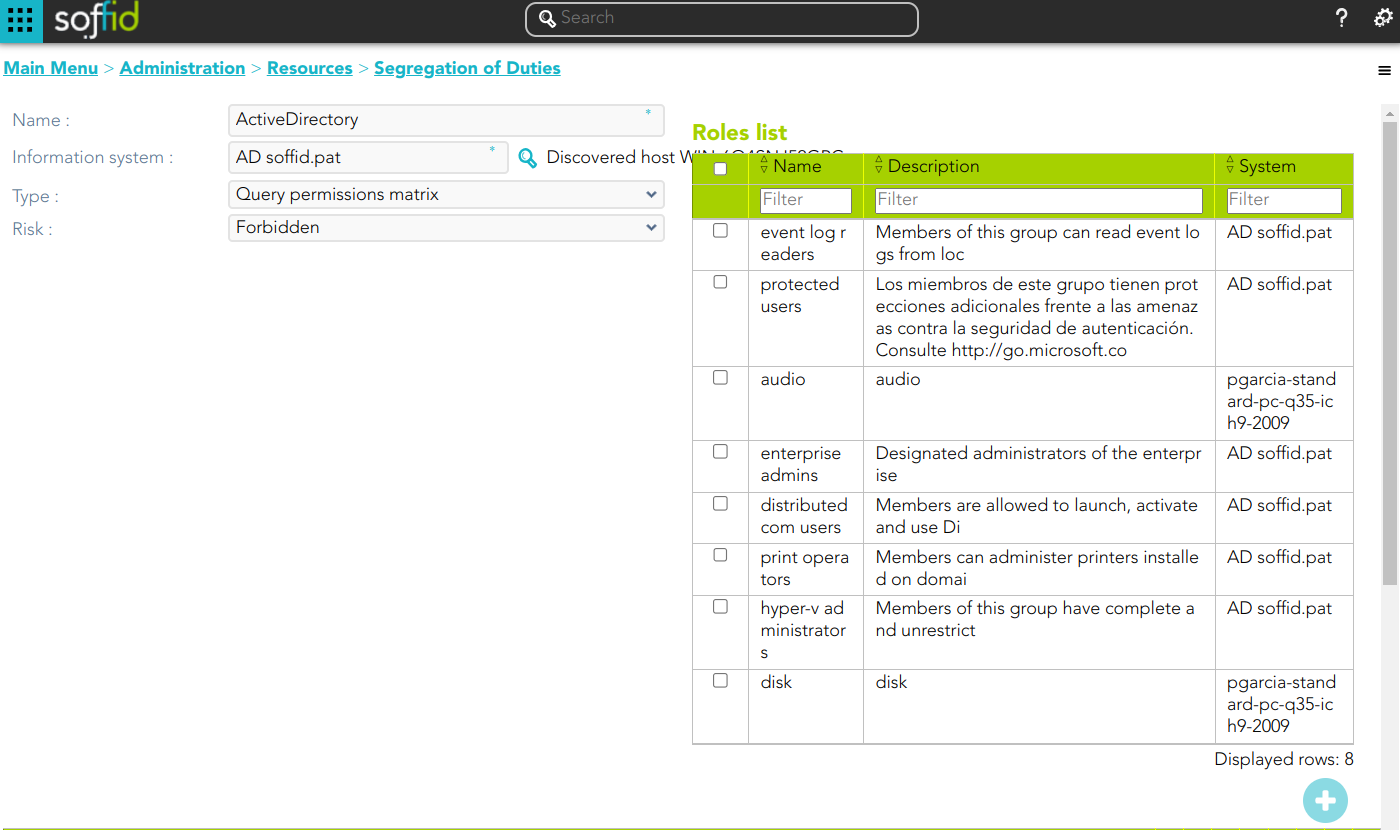](https://bookstack.soffid.com/uploads/images/gallery/2024-06/image-1719395914312.png) [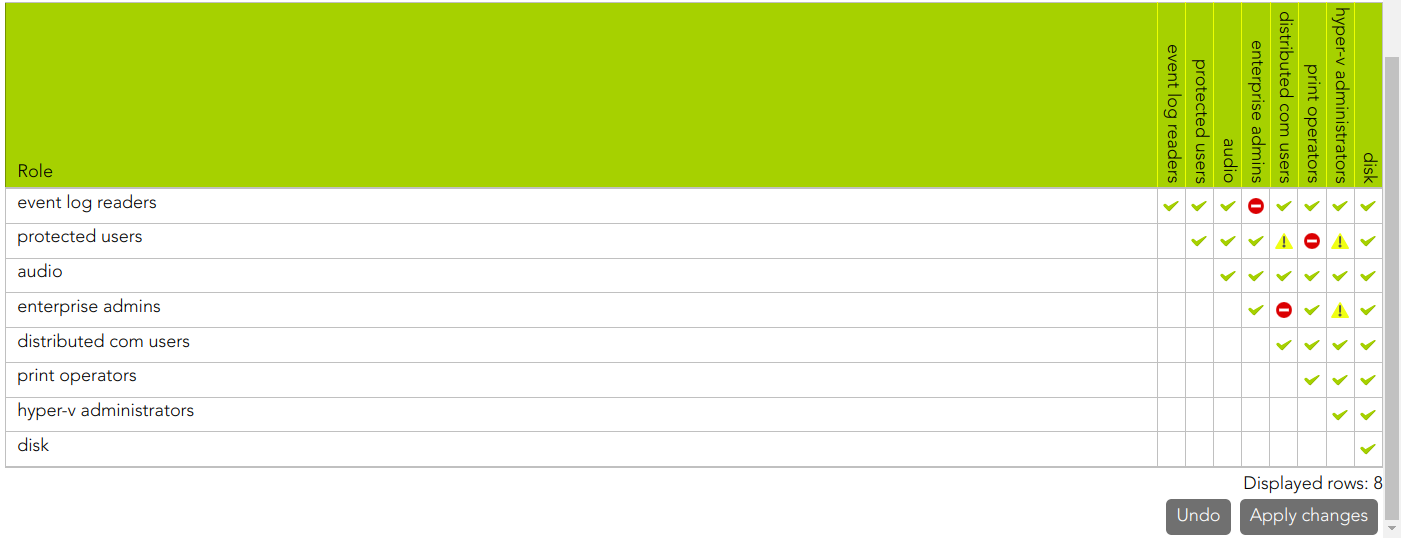](https://bookstack.soffid.com/uploads/images/gallery/2024-06/image-1719395935325.png) ## Related objects 1. [**Information Systems**](https://bookstack.soffid.com/books/soffid-3-reference-guide/page/information-systems "Information systems") 2. [**Roles**](https://bookstack.soffid.com/books/soffid-3-reference-guide/page/roles "Roles")| **Query** | Allows you to query Segregation of Duties through different search systems, [Basic and Advanced](https://bookstack.soffid.com/books/soffid-3-reference-guide/page/search-types "Search Types"). |
| **Add new** | Allows you to add a new Segregation of Duties in the system. You can choose that option on the hamburger menu or click the add button (+). To add a new Segregation of Duties it will be mandatory to fill in the required fields |
| **Delete** | Allows you to remove one or more Segregation of Duties by selecting one or more records and next clicking the button with the subtraction symbol (-). To perform that action, Soffid will ask you for confirmation, you could confirm or cancel the operation. |
| **Download CSV file** | Allows you to download a CSV file with the basic Segregation of Duties data. |
| **Apply changes** | Allows you to save the data of a new role or to update the data of a specific role. To save the data it will be mandatory to fill in the required fields |
| **Delete** | Allows you to delete a Segregation of Duties. You can choose that option on the trash icon. To perform that action, Soffid will ask you for confirmation, you could confirm or cancel the operation. |
| **Undo** | Allows you to quit without applying any changes. |
| **Add new role** | Allows you to add a new role to the Role list. You can add a role by clicking the add button (+), then Soffid will show a form to search and select one or more roles. Finally, you need to click the apply changes button and the roles will be added to the role list. |
| **Delete role** | Allows you to delete one or more roles from the role list. You can select one or more roles and then click the button with the subtraction symbol (-). The roles will be deleted from the role list without Soffid asking for confirmation. |