Now, on the [Application access tree](https://bookstack.soffid.com/books/soffid-3-reference-guide/page/application-access-tree "Application access tree") page, when creating an entry point, a **folder** or an **application**, the **authorizations** from the **parent** folder are now **inherited**.
### Bear in mind Please note the following points: - If there are multiple levels of folders, **only** the **authorizations** from the **parent** **folder** are **inherited**. ### How to configure it? The following **components** must be installed: - Console 3.6.75 (or higher) ### Let's look at an example On our "‘**Application access tree**" page, there are **two** levels of **folders**. [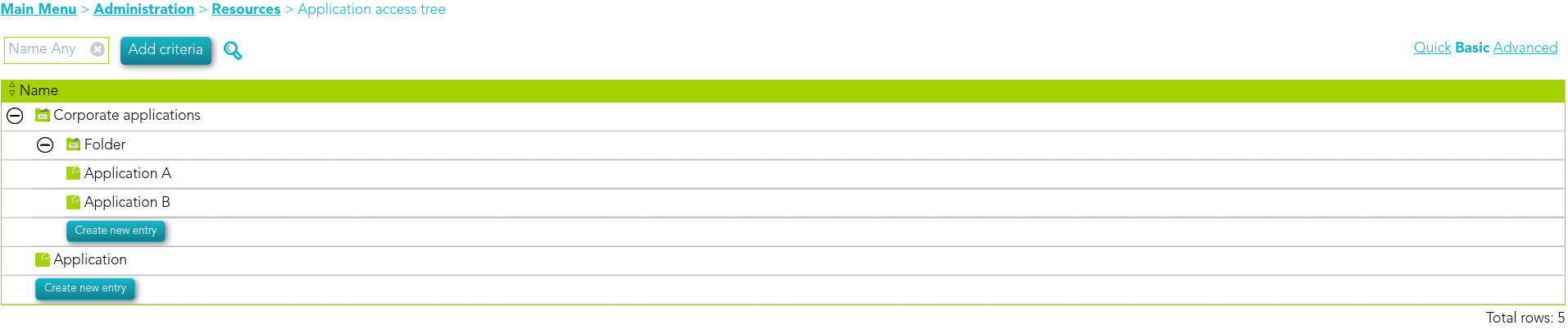](https://bookstack.soffid.com/uploads/images/gallery/2026-07/eY5Jw2REUjqxab7U-image.png) The **first folder** contains the following authorisations. [](https://bookstack.soffid.com/uploads/images/gallery/2026-07/LUEx9ju5qqSD6xph-image.png) The **second folder** contains the following authorisations, the "Manager" user is different. [](https://bookstack.soffid.com/uploads/images/gallery/2026-07/SLg4wy2t42uhwZU8-image.png) Now, let’s **create a new application** in the **second folder**. [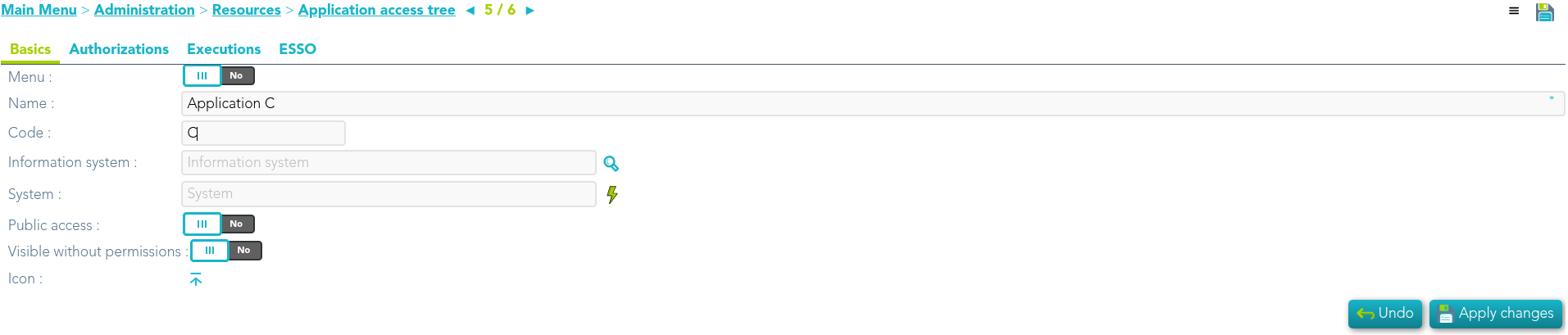](https://bookstack.soffid.com/uploads/images/gallery/2026-07/Oh1fUyoXXdSC72eX-image.png) [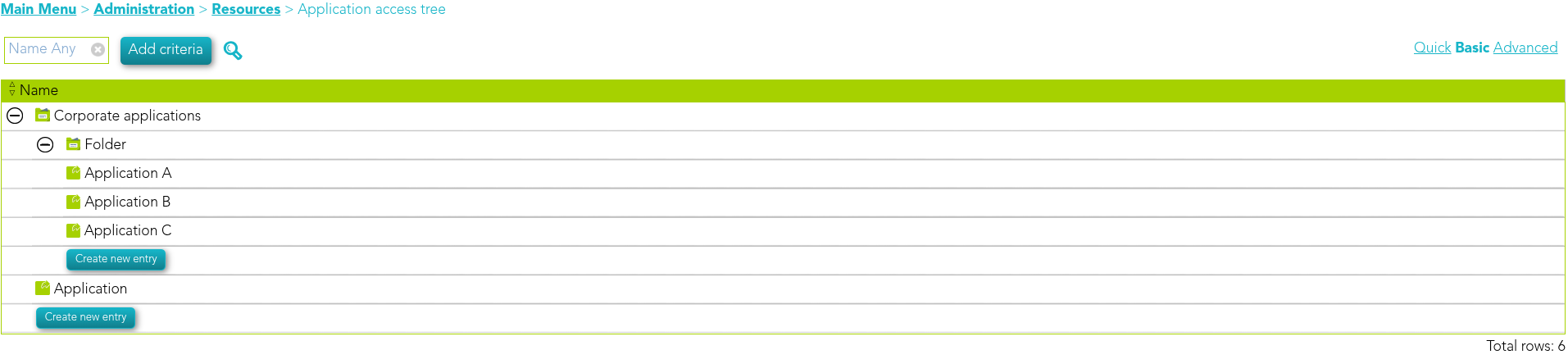](https://bookstack.soffid.com/uploads/images/gallery/2026-07/4BJT7T334cvovBav-image.png) If we access it, we can see that it has the **authorizations** of its **parent** **Folder**. [](https://bookstack.soffid.com/uploads/images/gallery/2026-07/zLvKjBeG1CO5jZQq-image.png) # 2026-06-12 New feature: use holder group in UID script ### The new featureNow, on the [Service provider](https://bookstack.soffid.com/books/federation/page/identity-service-providers#bkmrk-service-provider "Service provider") configuration page, the **holder group** can now be used in the **UID** selection **script**.
### Bear in mind Please note the following points: - If there are multiple levels of folders, **only** the **authorizations** from the **parent** **folder** are **inherited**. ### How to configure it? The following **components** must be installed: - Federation addon 3.6.92 (or higher) ### Let's look at an example First of all, we check that we have a **user** with **holder groups**. [](https://bookstack.soffid.com/uploads/images/gallery/2026-07/NIzzTYC6LG2tZvTC-image.png) We can now confirm that the **service provider** has the option "" enabled. [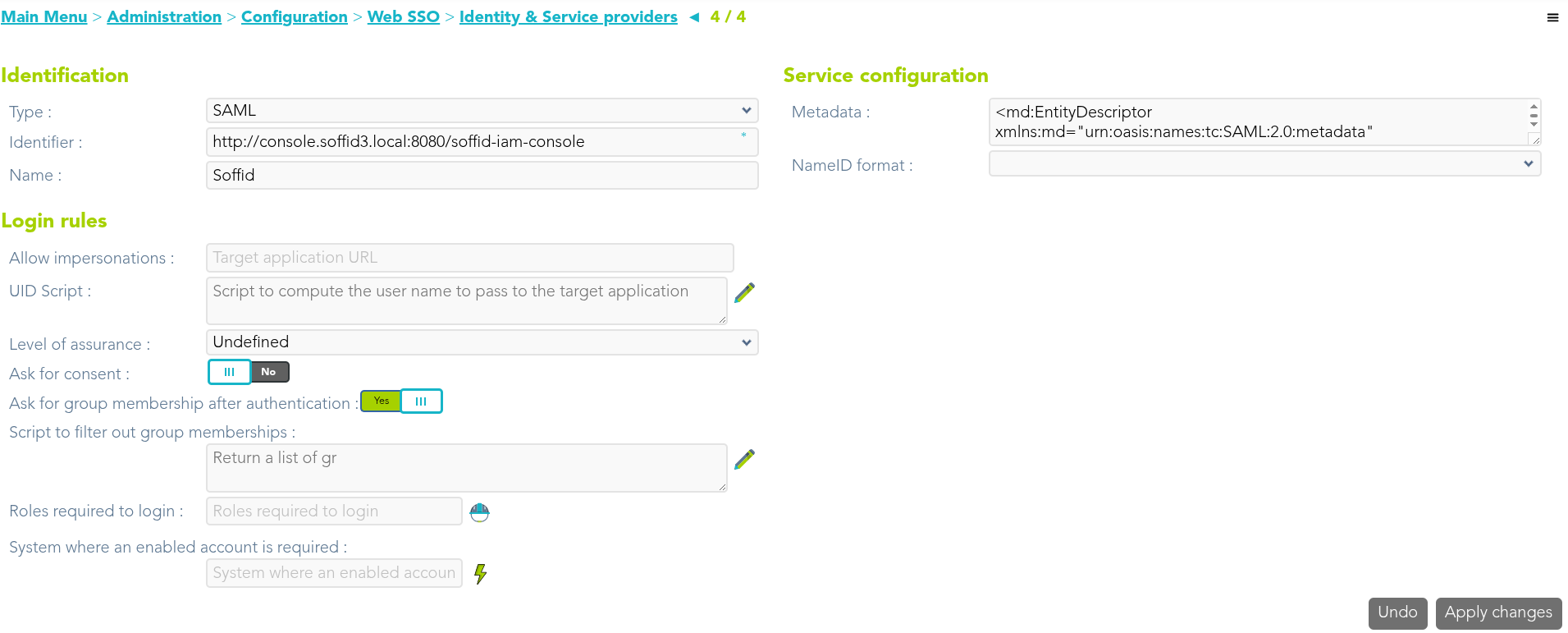](https://bookstack.soffid.com/uploads/images/gallery/2026-07/OR4UAx7zpt9lswIS-image.png) We use the **holderGroup** attribute in the **UID script**. [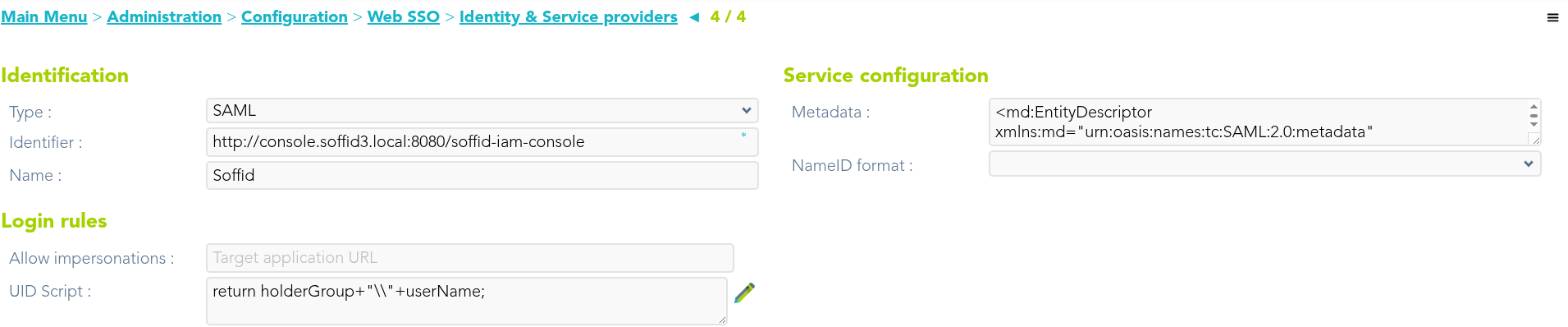](https://bookstack.soffid.com/uploads/images/gallery/2026-07/3IlGBG4T9Jghuuwb-image.png) Finally, we’re going to authenticate with the service provider and **check the value of the UID attribute**. [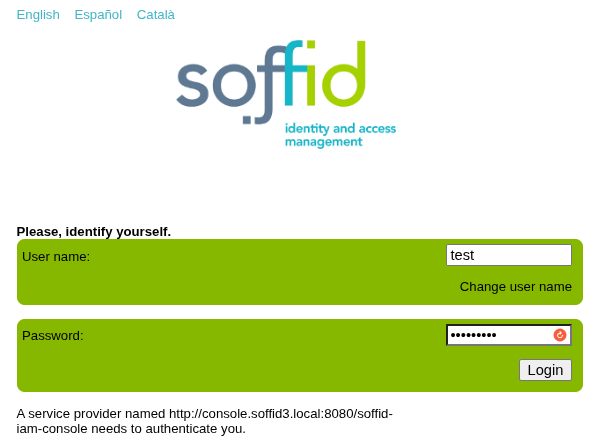](https://bookstack.soffid.com/uploads/images/gallery/2026-07/rulrO538wOIv4CU5-image.png) [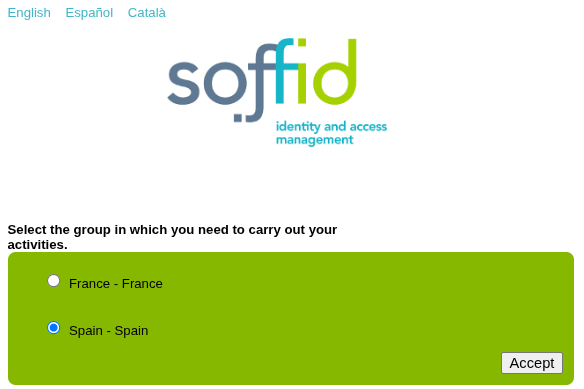](https://bookstack.soffid.com/uploads/images/gallery/2026-07/CyJ7dPsSfYuvGaMl-image.png) [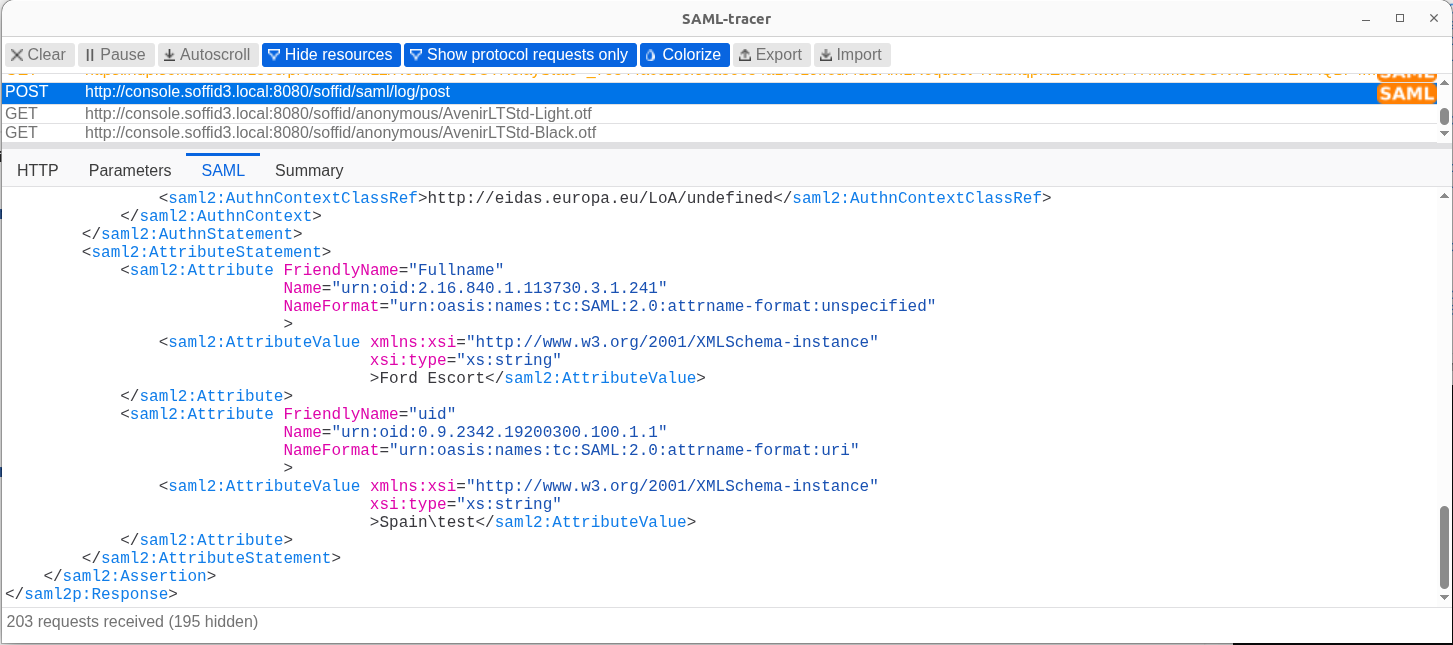](https://bookstack.soffid.com/uploads/images/gallery/2026-07/N0bPJ2mwbHTgjsEq-image.png) # 2026-09-30 New feature: hide root page ### The new featureOn the **Identity providers** configuration page, the option "**Hide root page**" has been added so that nothing is displayed at the IdP’s root URL.
### Bear in mind Please note the following points: - This change only affects the IdP’s base URL: https://hostname:port ### How to configure it? The following **components** must be installed: - Federation addon 3.6.96 (or higher) ### Let's look at an example If we go directly to the IdP’s URL, the IdP’s login page appears. [https://idp.soffid3.local:1333](https://idp.soffid3.local:1333) [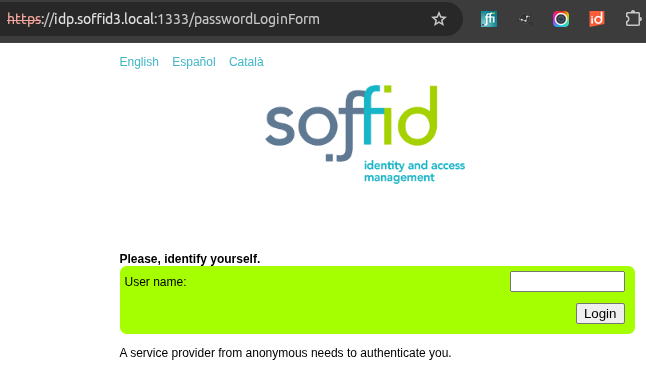](https://bookstack.soffid.com/uploads/images/gallery/2026-10/dNyNp9EHPkIFoHVm-image.png) If we want to disable this behaviour so that the IdP does nothing, we need to go to the **Soffid IdP** and **enable** the "**Hide root page**" attribute. [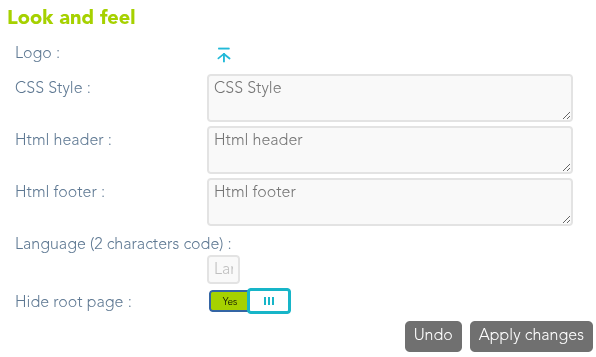](https://bookstack.soffid.com/uploads/images/gallery/2026-10/jQPYiih0GDMXgl9y-image.png) Now, when accessing to the IdP’s **root URL**, the browser will **reject** the request and display the **same page as before**. [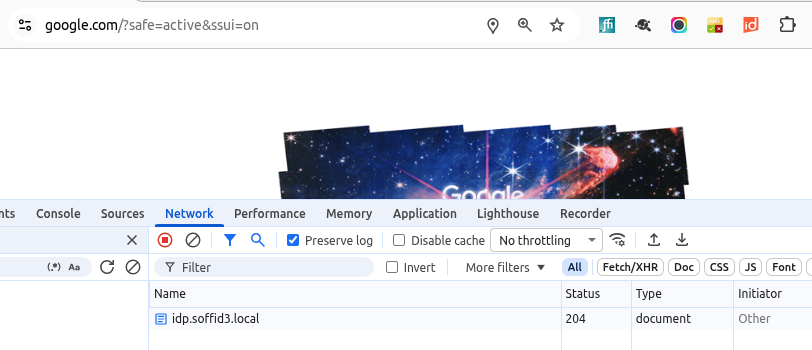](https://bookstack.soffid.com/uploads/images/gallery/2026-10/QUVXk2xOrS77dEKg-image.png)