# Step 7.2. Define XACML policy set to use a workflow
## Step-by-step
1. To define policies, you must access the XACML Policy Management page in the following path:
`Main Menu > Administration > Configure Soffid > Security settings > XACML Policy Management`
2. Once you have accessed the XACML Policy Management page, you can click the add button (+) to create a new policy set, or you can click on an existing policy set the record to add new policies.
2.1. Update a policy set: If you want to update an existing policy you must check if the proper PEP was configured with that policy set.
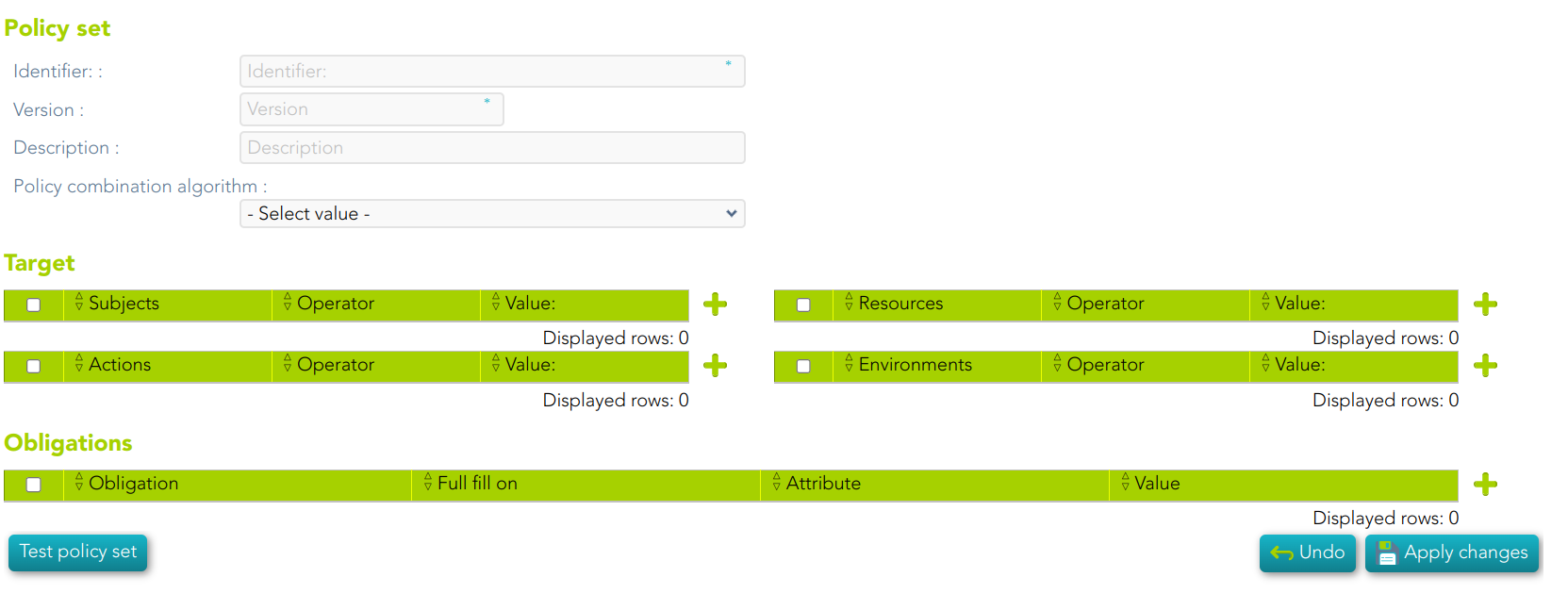
2.2. Create a new policy set: first of all you must click the add button (+). Then Soffid will display an empty window to fill in the required fields.
- - - The **Identifier** should be an identificative and unique name. You will need the name to configure the PEP
- The **Version** should be a number to identify the current policy version. You will need the version to configure the PEP.
- The **Description** should be a brief description of the agent.
- The **Policy Combining Algorithm** allows you to select the procedure for arriving at an authorization decision.
2.3. You need to click on the "Apply changes" button to save the new policy set or to update an existing policy set.
3. Once you have created or updated the policy set, you could add new policy sets, policies, policy references, and/or policy set references.
For more information, you can visit the [XACML Book](https://bookstack.soffid.com/books/xacml) where you could find information about how to use XACML and some examples.
4. Finally, you must check and configure the XACML PEP configuration.
## Screen overview
[](https://bookstack.soffid.com/uploads/images/gallery/2023-07/image-1688998307034.png)