Soffid allows you to define rules to detect commands executed on a server. When a user launches a command defined on a rule, Soffid will detect it.
To use those rules you need to define the PAM policies. For more information, you can visit the [PAM policies page.](https://bookstack.soffid.com/books/soffid-3-reference-guide/page/password-policies "Password policies") ## Screen overview [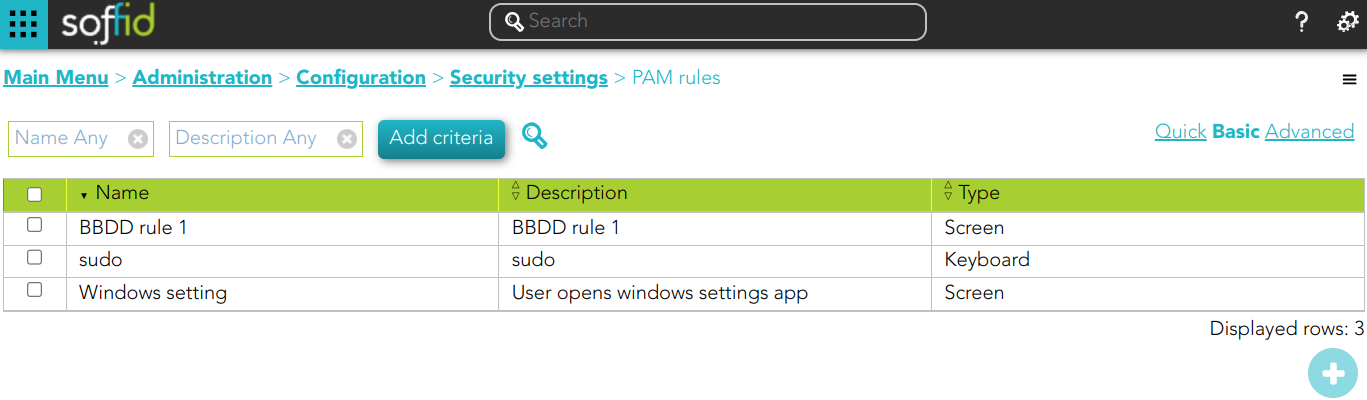](https://bookstack.soffid.com/uploads/images/gallery/2023-10/image-1696499283030.png) ##### Keyboard example [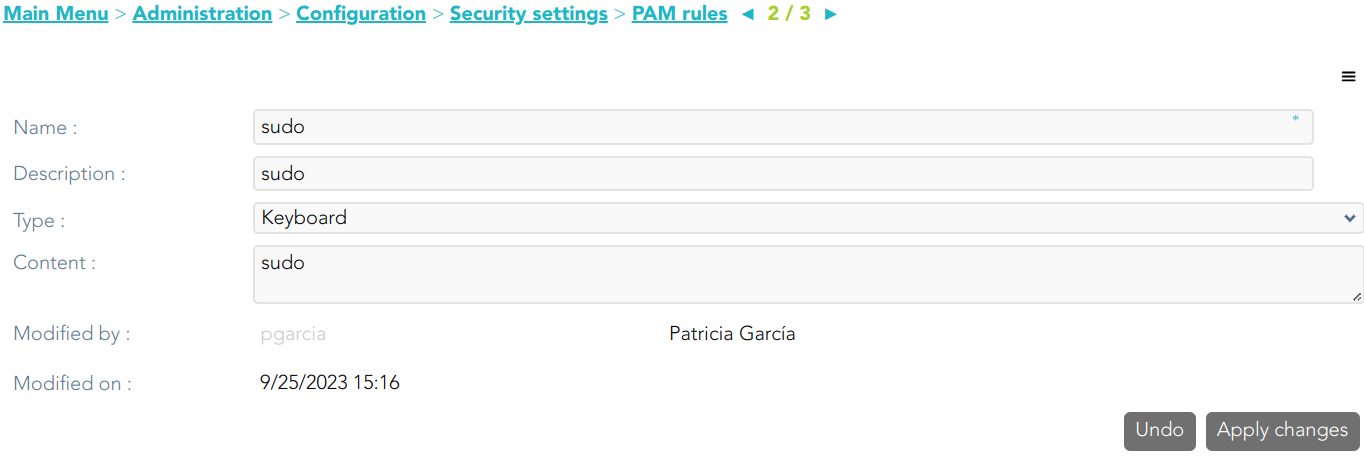](https://bookstack.soffid.com/uploads/images/gallery/2023-10/image-1696499194127.png) ##### Screen example [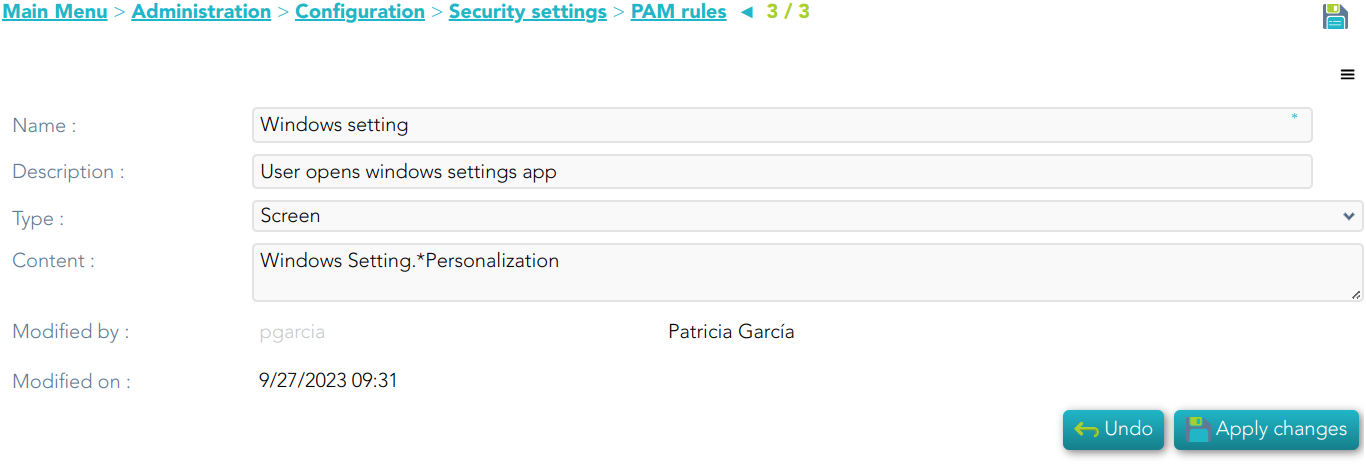](https://bookstack.soffid.com/uploads/images/gallery/2023-10/image-1696499256255.png) ##### Keyboard example [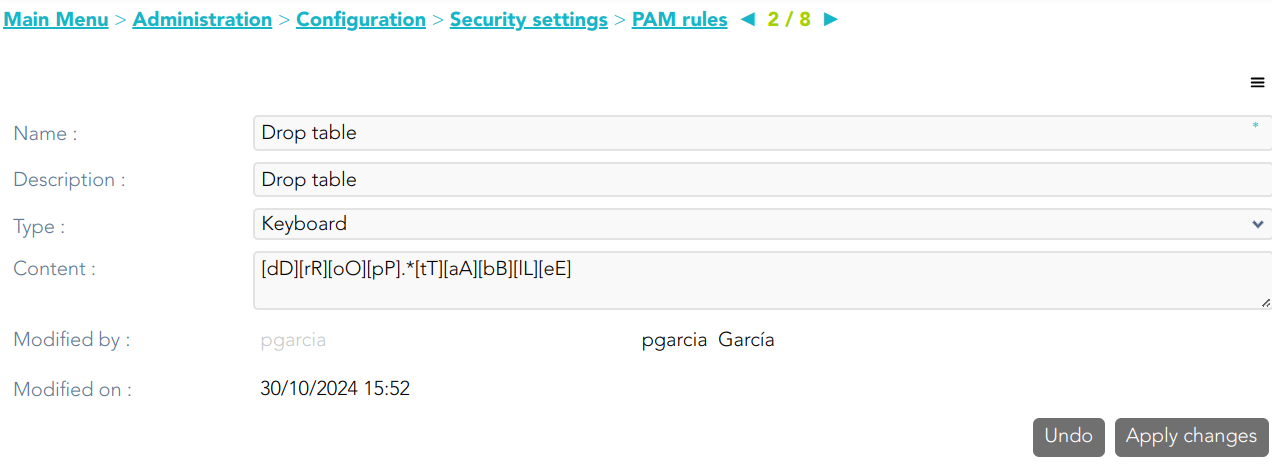](https://bookstack.soffid.com/uploads/images/gallery/2024-10/2evoPby06NumLhHs-image.png) ## Standard attributes - **Name**: name to identify the rule. - **Description**: a brief description of the rule. - **Type**: rule type. - **Keyboard**: Indicate the command typed in the terminal that you want to control. - **Screen**: Indicate the text displayed in the screen that you want to control. - **Content**: the content of the rule that Soffid will detect. Be in mind, that Soffid will consider blanks, returns, and all characters you type. - **Modified by**: user who modified that rule. - **Modified on**: the date and time of the update. ## Actions #### PAM rules query| **Query** | Allows you to query PAM rules through different search systems, [Quick, Basic and Advanced](https://bookstack.soffid.com/books/soffid-3-reference-guide/page/search-types "Search Types"). |
| **Add or remove columns** | Allows you to show and hide columns in the table. |
| **Add new** | Allows you to create a new PAM rule. You can choose that option on the hamburger menu or click the add button (+). To add a new PAM rule it will be mandatory to fill in the required fields. |
| **Delete** | Allows you to remove one or more PAM rules by selecting one or more records and next clicking the button with the subtraction symbol (-). To perform that action, Soffid will ask you for confirmation, you could confirm or cancel the operation. |
| **Import** | Allows you to upload a CSV file with the PAM rules list to add or update PAM rules to Soffid. First, you need to pick up a CSV file, that CSV has to contain a specific configuration. Then you need to check the content to be loaded, it is allowed to choose if you want or not to load a specific attribute. And finally, you need to select the mappings for each column of the CSV file to import the data correctly and click the Import button. |
| **Download CSV file** | Allows you to download a CSV file with the PAM rules information. |
| **Apply changes** | Allows you to create a new configuration PAM rule or to update an existing one. To save the data it will be mandatory to fill in the required fields. |
| **Undo** | Allows you to quit without applying any changes made. |
| **Delete** | Allows you to delete a PAM rule. To perform that action, Soffid will ask you for confirmation, you could confirm or cancel the operation. |