# Soffid 4 first access

## Introductión

After installing Soffid using any of the above methods, the following steps must be taken when accessing the Console for the first time.

### Upgrade

Click "OK" to coninue the installation process.

[![image.png](https://bookstack.soffid.com/uploads/images/gallery/2025-11/scaled-1680-/zFuMEnop9UodVteT-image.png)](https://bookstack.soffid.com/uploads/images/gallery/2025-11/zFuMEnop9UodVteT-image.png)

[![image.png](https://bookstack.soffid.com/uploads/images/gallery/2025-11/scaled-1680-/Aq2q6cm2nBC7EQDG-image.png)](https://bookstack.soffid.com/uploads/images/gallery/2025-11/Aq2q6cm2nBC7EQDG-image.png)

[![image.png](https://bookstack.soffid.com/uploads/images/gallery/2025-11/scaled-1680-/jHioylDd7gXUSf84-image.png)](https://bookstack.soffid.com/uploads/images/gallery/2025-11/jHioylDd7gXUSf84-image.png)

### Login

The next step is to log in to the Soffid Console for the first time.

<p class="callout info">During the installation process, the **admin** user was created with the temporary password **changeit**. When you log in, you will be asked to enter your new final password.</p>

[![image.png](https://bookstack.soffid.com/uploads/images/gallery/2025-11/scaled-1680-/bacPbC0Bqb1eN8Zg-image.png)](https://bookstack.soffid.com/uploads/images/gallery/2025-11/bacPbC0Bqb1eN8Zg-image.png)

[![image.png](https://bookstack.soffid.com/uploads/images/gallery/2025-11/scaled-1680-/ZIcpczpWMl5eGCYJ-image.png)](https://bookstack.soffid.com/uploads/images/gallery/2025-11/ZIcpczpWMl5eGCYJ-image.png)

### Licence

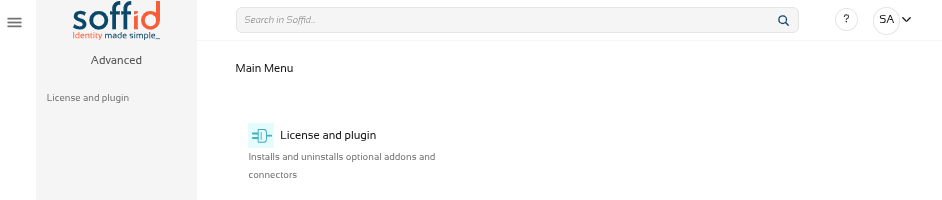
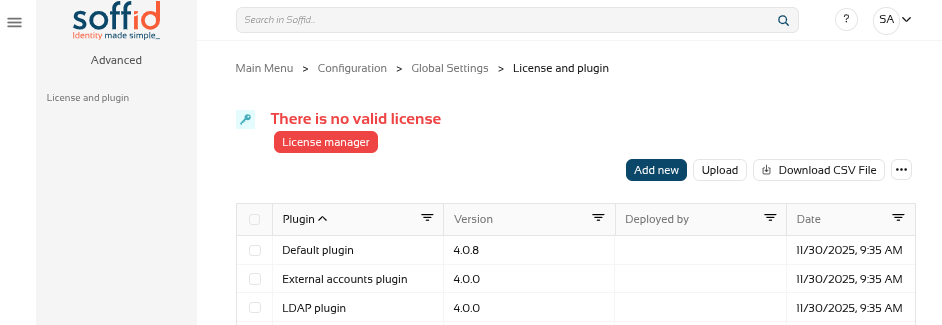
When you access the Console for the first time, you will only be able to see the ‘Licence and plugin’ page.

<p class="callout warning">If you do not see this page, log out and log back in.  
</p>

[![image.png](https://bookstack.soffid.com/uploads/images/gallery/2025-11/scaled-1680-/tzU02c3nobHEXR9M-image.png)](https://bookstack.soffid.com/uploads/images/gallery/2025-11/tzU02c3nobHEXR9M-image.png)

<p class="callout success">To obtain a licence, please contact the Soffid sales team.  
</p>

<p class="callout info">For further information, please refer to the [Licence and plugin](https://bookstack.soffid.com/books/soffid-4-reference-guide/page/license-and-plugin "License and plugin") page.</p>

[![image.png](https://bookstack.soffid.com/uploads/images/gallery/2025-11/scaled-1680-/bunTXjxjBPu7Az7v-image.png)](https://bookstack.soffid.com/uploads/images/gallery/2025-11/bunTXjxjBPu7Az7v-image.png)

### HTTPS

In order to select and accept the licence, as well as use the marketplace to upload and update components, you must enable the Console in https.

<p class="callout info">Revise la siguiente documentación: [Configure TLS for IAM Console](https://bookstack.soffid.com/books/installation/page/configure-tls-for-iam-console-153 "Configure TLS for IAM Console")</p>