When the console is created, the password for the user *admin* will be *changeit* and it will be valid for 24 hours.
Now you can connect to Soffid Console [http://localhost:8080/soffid](http://localhost:8080/soffid) The first thing you must do is to change the **admin** user password **changeit**.
## Upgrade You can update the version in the yaml file ```shell docker compose up -d ``` # How to make a Mariadb Backup? You can perform Mariadb backup by executing the following command: ```shell sudo docker exec -i MARIADB_CONTAINER_NAME mariadb-dump -u root -p soffid01 | gzip > /some/path/on/your/host/soffid01.dump.gz ``` This action requires the root password. You can use: - `--max-allowed-packet=512M`: sets the maximum packet size to 512MB to handle large databases. - `--skip-add-locks` and `--skip-lock-tables`: these options are used to improve performance by skipping certain locking mechanisms. ##### Example [](https://bookstack.soffid.com/uploads/images/gallery/2024-01/image-1704804469717.png) # Installing Soffid with Reverse Proxy ## Prerequisites - Docker compose - 8GB RAM - > 10GB disk space (50GB) ## Installation #### Certificates 1\. Generate an RSA private key ```shell sudo openssl genrsa -out reverse_proxy.key 2048 ``` 2\. Generate a Certificate Signing Request (CSR) ```shell sudo openssl req -new -key reverse_proxy.key -out reverse_proxy.csr ``` 3\. Generate a self-signed certificate ``` sudo openssl x509 -req -days 10000 -in reverse_proxy.csr -signkey reverse_proxy.key -out reverse_proxy.crt ``` #### .pem Generate, if it is necessary, a file .pem with the root and intermediate certificates - [client.pem](https://bookstack.soffid.com/attachments/181) #### Configure nginx: reverse\_proxy.conf ```YAML # re-route everything to console server { client_max_body_size 100M; listen 8080; server_name console; error_page 497 http://$host:80$request_uri; location /soffid { proxy_pass http://compose-console:8080/soffid; } } # Sync Server server { listen 443 ssl; server_name sync-server; error_page 497 http://$host:80$request_uri; ssl_certificate /etc/nginx/cert/reverse_proxy.crt; ssl_certificate_key /etc/nginx/cert/reverse_proxy.key; ssl_client_certificate /etc/ssl/client.pem; ssl_verify_client optional_no_ca; ssl_verify_depth 2; location / { proxy_set_header X-SSL-CERT $ssl_client_escaped_cert; proxy_set_header Host $host; proxy_pass https://sync-server.netcompose:1443/; } } ``` #### docker-compose.yaml ```YAML version: '2' services: mariadb: image: mariadb:11.1.2 environment: MYSQL_ROOT_PASSWORD: XXXX MYSQL_DATABASE: soffid01 MYSQL_USER: admin MYSQL_PASSWORD: XXXX healthcheck: test: "/usr/bin/mariadb --user=root --password=XXXX --execute \"SHOW DATABASES;\"" interval: 2s timeout: 20s retries: 10 command: --max_allowed_packet=128M networks: - network volumes: - mariadb_data:/var/lib/mysql console: image: soffid/iam-console:4.0.0-beta-8 environment: DB_URL: jdbc:mariadb://mariadb/soffid01 DB_USER: root DB_PASSWORD: XXXX networks: - network ports: - "8080" volumes: - console_trust:/opt/soffid/iam-console-4/trustedcerts depends_on: mariadb: condition: service_healthy sync-server: image: soffid/iam-sync:4.0.0-beta-2 hostname: sync-server environment: SOFFID_PORT: 1760 SOFFID_HOSTNAME: sync-server.netcompose SOFFID_MAIN: yes DB_URL: jdbc:mysql://mariadb/soffid01 DB_USER: root DB_PASSWORD: XXXX networks: - network volumes: - sync_conf:/opt/soffid/iam-sync/conf ports: - "1443" depends_on: mariadb: condition: service_healthy nginx: image: nginx:1.25.3 container_name: compose-nginx volumes: - /YOUR FOLDER/proxy-inverso/nginx/conf/reverse_proxy.conf:/etc/nginx/conf.d/default.conf - /YOUR FOLDER/proxy-inverso/nginx/cert/reverse_proxy.pem:/etc/nginx/cert/reverse_proxy.pem - /YOUR FOLDER/proxy-inverso/nginx/cert/reverse_proxy.key:/etc/nginx/cert/reverse_proxy.key - /YOUR FOLDER/proxy-inverso/nginx/cert/reverse_proxy.crt:/etc/nginx/cert/reverse_proxy.crt - /YOUR FOLDER/proxy-inverso/nginx/ssl/client.pem:/etc/ssl/client.pem ports: - 8080:8080 - 443:443 links: - console - sync-server networks: - network networks: network: name: netcompose driver: bridge volumes: mariadb_data: name: compose-mariadbdata console_trust: name: compose_console_trustedcerts sync_conf: name: compose_sync_conf ``` #### Ubuntu commands Bear in mind, that the name of the YAML file must be **docker-compose.yaml** And you must execute the docker compose action inside the folder where this file is located. ```shell cd /.../.../soffid ``` Apply the YAML: ```shell docker compose up -d ``` [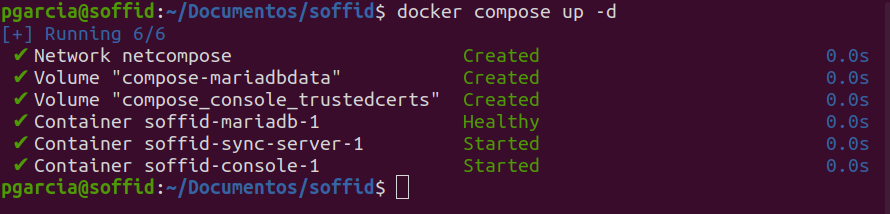](https://bookstack.soffid.com/uploads/images/gallery/2023-11/image-1699860896041.png) Check containers ```shell docker compose ps ``` View the console log ```shell docker compose logs -f console ``` View the Sync Server log ```shell docker compose logs -f sync-server ```When the console is created, the password for the user *admin* will be *changeit* and it will be **valid for 24 hours**.
Now you can connect to Soffid Console [http://localhost:8080/soffid](http://localhost:8080/soffid) The first thing you must do is to change the admin user password.
## Upgrade You can update the version in the .yaml file ```shell docker compose up -d ``` # Full installation of Soffid 3 as test environment ## Introduction This guide describes **all the steps required to install Soffid 3 as test environment**. We’re going to install it using **Docker Compose**, as it’s the simplest and quickest method for both installation and maintenance. ## Prerequisites - To have a **Linux** machine; Ubuntu 24 has been used for this tutorial. - The Linux administrator user must have **sudo privileges**. ## Step 1: Install Docker & Docker compose The first step is to install **Docker** and **Docker compose**. Docker is the platform and compose is a tool that simplifies management. #### 1.1 Install docker Install docker. ``` sudo apt-get update sudo apt-get install docker.io docker --version ``` #### 1.2 Use docker without sudo To use docker without sudo.| **Command** | **Comment** |
| sudo gedit /etc/group | Edit the file with your editor (gedit for this example) |
| docker:x:988:YOUR-USER | Add YOUR-USER at the end of the docker command without : at the end |
| logout | Log out from the ubuntu session |
| login | Log in into the ubuntu session |
| docker ps | Confirm that you do not need to use sudo with a docker command |
At this link, you can see the most commonly used Docker Compose commands: [Docker compose commands](https://bookstack.soffid.com/books/soffid-internal-documentation/page/docker-compose-commands "Docker compose commands")
#### 2.1 Test connectivity **Test** the connectivity with the Soffid 3 repository pulling an image (¡Do not use sudo with docker, it does not work!). ``` docker pull "soffid/iam-console:3.6.75" ``` [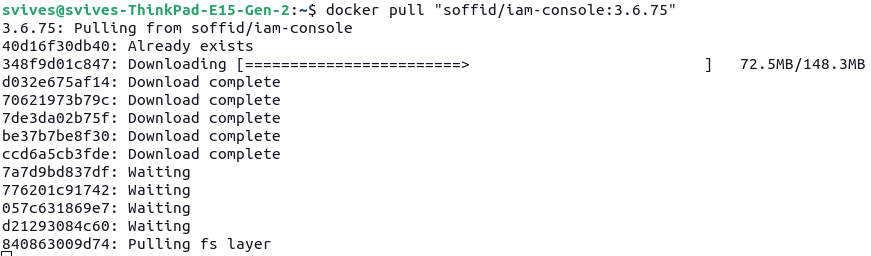](https://bookstack.soffid.com/uploads/images/gallery/2026-06/d0BqdyWFeQpuBQ6Q-image.png) #### 2.2 Create the directory and file structure Create a the new file for the docker compose with this directory structure. ``` cd mkdir lab cd lab mkdir soffid3 cd soffid3 touch docker-compose.yaml ``` #### 2.3 Configure the docker-compose.yaml Use this content for the docker-compose.yaml file.Change the XXXX password and YYYY password for your values.
``` services: mariadb: image: mariadb:11.4 environment: MYSQL_ROOT_PASSWORD: XXXX MYSQL_DATABASE: soffid MYSQL_USER: soffid MYSQL_PASSWORD: YYYY healthcheck: test: "/usr/bin/mariadb --user=root --password=XXXX --execute \"SHOW DATABASES;\"" interval: 2s timeout: 20s retries: 10 command: --max_allowed_packet=128M --innodb_log_file_size=256M --character-set-server=utf8mb4 --collation-server=utf8mb4_general_ci networks: - network volumes: - mariadb_data:/var/lib/mysql console: image: soffid/iam-console:3.6.74 environment: DB_URL: jdbc:mariadb://mariadb/soffid DB_USER: soffid DB_PASSWORD: YYYY SOFFID_TRUSTED_SCRIPTS: true networks: - network ports: - "8080:8080" volumes: - console_trust:/opt/soffid/iam-console-3/trustedcerts - console_conf:/opt/soffid/iam-console-3/conf - console_index:/opt/soffid/iam-console-3/index depends_on: mariadb: condition: service_healthy syncserver: image: soffid/iam-sync:3.6.47 hostname: syncserver environment: SOFFID_PORT: 1760 SOFFID_HOSTNAME: syncserver SOFFID_MAIN: yes DB_URL: jdbc:mysql://mariadb/soffid DB_USER: soffid DB_PASSWORD: YYYY networks: - network volumes: - sync_conf:/opt/soffid/iam-sync/conf depends_on: mariadb: condition: service_healthy networks: network: name: netcompose driver: bridge volumes: mariadb_data: name: soffid3_mariadbdata console_trust: name: soffid3_console_trustedcerts console_conf: name: soffid3_console_conf console_index: name: soffid3-console_index sync_conf: name: soffid3_sync_conf ``` #### 2.4 Generate the containers Generate the containers. ``` docker compose up -d ``` #### 2.5 Publish the domains We recommend using a local domain to access the Console, create new entries in: - Linux **/etc/hosts** - Windows **C:\\Windows\\System32\\drivers\\etc\\hosts** ``` # Soffid 3 local 127.0.0.1 console.soffid3.local 127.0.0.1 syncserver.soffid3.local ``` #### 2.6 Access to the Console Follow these steps: - Go to **login** page: [http://console.soffid3.local:8080](http://console.soffid3.local:8080 "http://console.soffid3.local:8080") - We have to **wait** until the login page will be prompted. - User: **admin** / password: **changeit** (temporal for 24 hours). - Fill the **new password** and save it to use it later! You will now see this page. [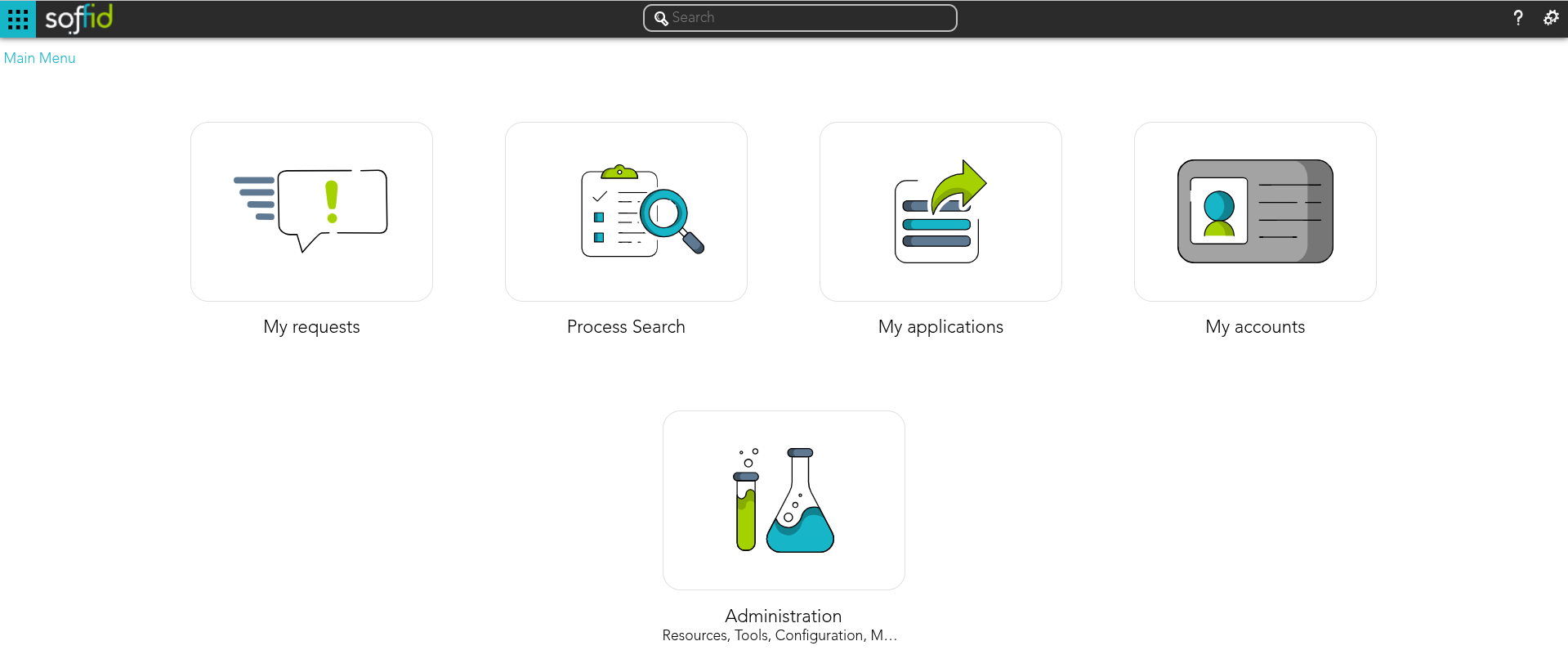](https://bookstack.soffid.com/uploads/images/gallery/2026-06/gzllZ9GI82ldJk4L-image.png) # Full installation of Soffid 4 as test environment ## Introduction This guide describes **all the steps required to install Soffid 4 as test environment**. We’re going to install it using **Docker Compose**, as it’s the simplest and quickest method for both installation and maintenance. ## Prerequisites #### User prerequisites - To have a **Linux** machine; Ubuntu 24 has been used for this tutorial. - The Linux administrator user must have **sudo privileges**. - To have a **Soffid account** for the license activation step. #### Soffid prerequisites - Your Soffid account has to had a special **role to download Soffid 4 images** from the marketplace. - Your Soffid account has to had a **Soffid 4 license** for the test environment. ## Step 1: Install Docker & Docker compose The first step is to install **Docker** and **Docker compose**. Docker is the platform and compose is a tool that simplifies management. #### 1.1 Install docker Install docker. ``` sudo apt-get update sudo apt-get install docker.io docker --version ``` #### 1.2 Use docker without sudo To use docker without sudo.| **Command** | **Comment** |
| sudo gedit /etc/group | Edit the file with your editor (gedit for this example) |
| docker:x:988:YOUR-USER | Add YOUR-USER at the end of the docker command without : at the end |
| logout | Log out from the ubuntu session (sometimes we have needed a restart) |
| login | Log in into the ubuntu session |
| docker ps | Confirm that you do not need to use sudo with a docker command |
At this link, you can see the most commonly used Docker Compose commands: [Docker compose commands](https://bookstack.soffid.com/books/soffid-internal-documentation/page/docker-compose-commands "Docker compose commands")
## Step 2: Install Soffid 4 #### 2.1 Test connectivity **Test** the connectivity with the Soffid 4 repository pulling an image (¡Do not use sudo with docker, it does not work!). ``` docker pull "europe-docker.pkg.dev/soffid-docker-images/private/iam-console:4.0.0" ``` [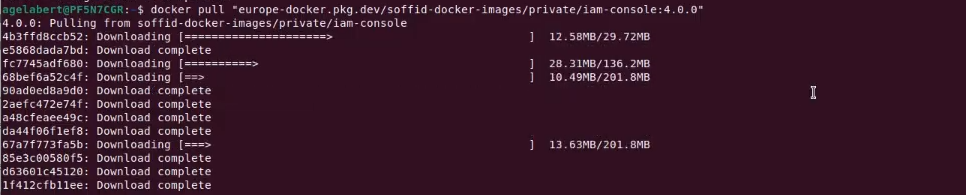](https://bookstack.soffid.com/uploads/images/gallery/2026-06/HqfdzkzHscTEUcNu-image.png) #### 2.2 Create the directory and file structure Create a the new file for the docker compose with this directory structure. ``` cd mkdir lab cd lab mkdir soffid4 cd soffid4 touch docker-compose.yaml ``` #### 2.3 Configure the docker-compose.yaml Edit the docker-compose.yaml file, you can use vim.At this link, you can see the [How to use vim](https://bookstack.soffid.com/books/utilities/page/how-to-use-vim)
``` sudo vim docker-compose.yaml ``` Use this content for the docker-compose.yaml file.Change the XXXX password and YYYY password for your values.
``` services: mariadb: image: mariadb:11.4 environment: MYSQL_ROOT_PASSWORD: XXXX MYSQL_DATABASE: soffid MYSQL_USER: soffid MYSQL_PASSWORD: YYYY healthcheck: test: "/usr/bin/mariadb --user=root --password=XXXX --execute \"SHOW DATABASES;\"" interval: 2s timeout: 20s retries: 10 command: --max_allowed_packet=128M --innodb_log_file_size=256M --character-set-server=utf8mb4 --collation-server=utf8mb4_general_ci ports: - "3306:3306" networks: - network volumes: - mariadb_data:/var/lib/mysql console: image: europe-docker.pkg.dev/soffid-docker-images/private/iam-console:4.0.58 environment: DB_URL: jdbc:mariadb://mariadb/soffid DB_USER: soffid DB_PASSWORD: YYYY JAVA_OPT: -Xmx4096m ports: - 8080:8080 - 8443:8443 networks: - network healthcheck: test: bash -c "(echo 'GET /soffid/anonymous/logo.svg HTTP/1.1' >&0; echo >&0; cat >&2;) <> /dev/tcp/localhost/8080" interval: 10s timeout: 20s retries: 10 start_period: 40s volumes: - console_trust:/opt/soffid/iam-console-4/trustedcerts - console_conf:/opt/soffid/iam-console-4/conf - console_index:/opt/soffid/iam-console-4/index depends_on: mariadb: condition: service_started syncserver: image: europe-docker.pkg.dev/soffid-docker-images/private/iam-sync:4.0.35 hostname: syncserver environment: SOFFID_PORT: 1760 SOFFID_HOSTNAME: syncserver.network SOFFID_MAIN: yes DB_URL: jdbc:mysql://mariadb/soffid DB_USER: soffid DB_PASSWORD: YYYY ports: - 1760:1760 - 1443:1443 networks: - network volumes: - sync_conf:/opt/soffid/iam-sync/conf depends_on: mariadb: condition: service_started networks: network: name: network driver: bridge volumes: mariadb_data: name: soffid4_mariadbdata console_trust: name: soffid4_console_trustedcerts console_conf: name: soffid4_console_conf console_index: name: soffid4_console_index sync_conf: name: soffid4_sync_conf ``` #### 2.4 Generate the containers Generate the containers. ``` docker compose up -d ``` #### 2.5 Access to the Console Follow these steps: - Go to **login** page: [http://localhost:8080](http://localhost:8080) - We have to **wait** until the login page will be prompted (it takes several minutes). - Accept the **Update** button. - User: **admin** / password: **changeit** (temporal for 24 hours). - Fill the **new password** and save it to use it later! You will now see this page. [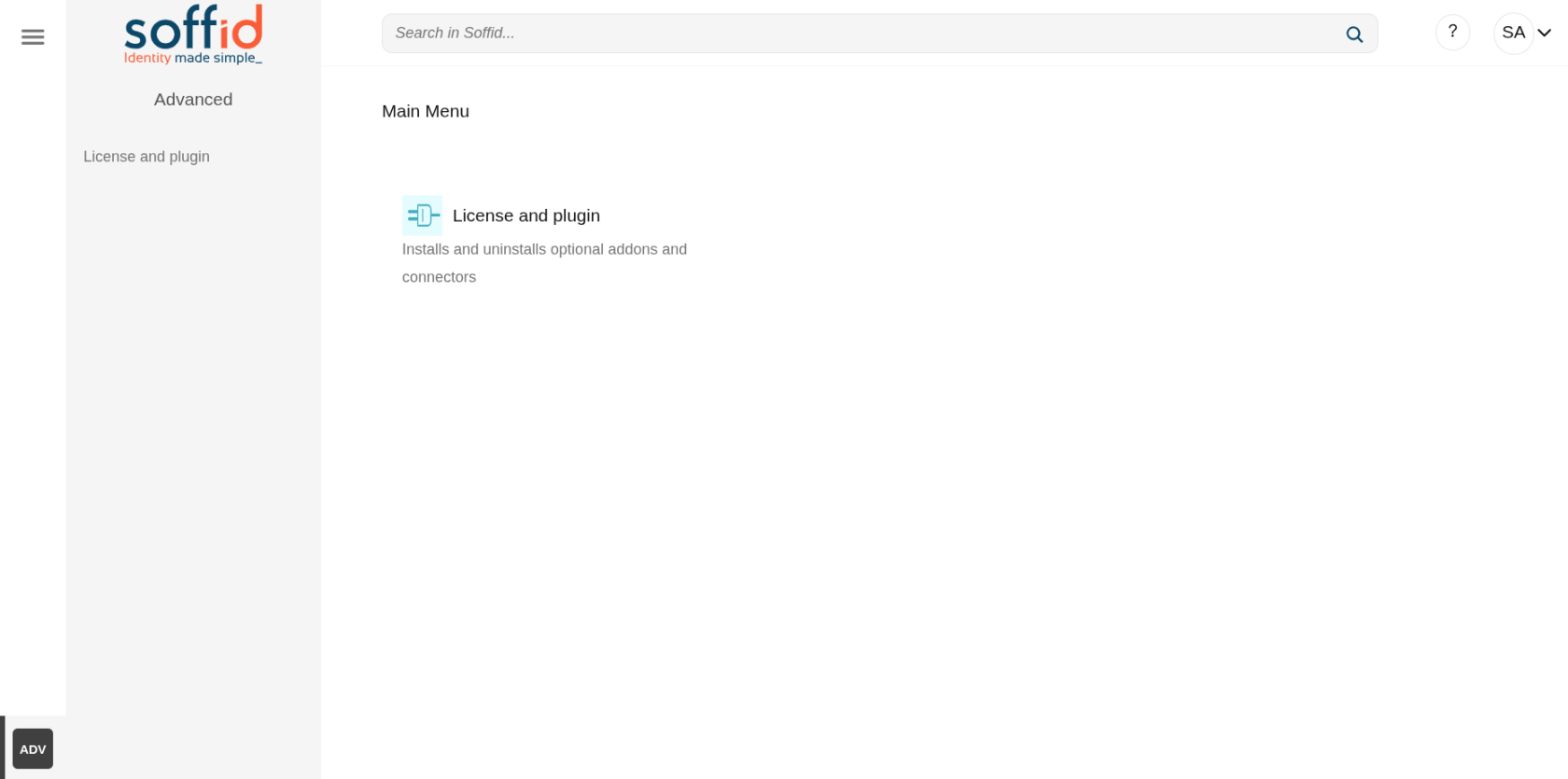](https://bookstack.soffid.com/uploads/images/gallery/2026-06/ggdbB4m7JWPgIggT-image.png) ## Step 3: Configure SSL access To correctly validate the new license, the Soffid Console must be SSL-enabled, it has to be open with the https protocol. #### 3.1 Publish the domains If you have a local environment, create new entries in: - Linux **/etc/hosts** - Windows **C:\\Windows\\System32\\drivers\\etc\\hosts** ``` # Soffid 4 local 127.0.0.1 console.soffid4.local 127.0.0.1 syncserver.soffid4.local ``` #### 3.2 Generate a self-signed certificate (pfx) Generate a self-signed certificate (pfx).Use **12345678** for all requiered passwords.
Generate a private key. ``` sudo openssl genrsa -aes256 -out console.soffid4.local.key ``` Generate a pem certificate.When you run the command, the prompt will ask for the **CN (Common Name)** attribute; use **console.soffid4.local**
``` sudo openssl req -x509 -days 1000 -new -key console.soffid4.local.key -out console.soffid4.local.pem ``` Generate a pfx (PKCS12). ``` sudo openssl pkcs12 -export -in console.soffid4.local.pem -inkey console.soffid4.local.key -name "console.soffid4.local" -out console.soffid4.local.pfx ``` #### 3.3 Generate a jks file Copy the pfx file in the console container. ``` sudo docker compose cp console.soffid4.local.pfx console:/opt/soffid/iam-console-4/trustedcerts ``` Enter the container. ``` docker compose exec -it console bash ``` Generate the jks file ``` cd /opt/soffid/iam-console-4/trustedcerts/ ```Change the password **12345678** if you have used a different one before
``` keytool -v -importkeystore \ -srckeystore /opt/soffid/iam-console-4/trustedcerts/console.soffid4.local.pfx \ -srcstoretype PKCS12 \ -destkeystore /opt/soffid/iam-console-4/trustedcerts/console.soffid4.local.jks \ -deststoretype JKS \ -destkeypass 12345678 -srcstorepass 12345678 -deststorepass 12345678 ``` Confirm that we are able to **open** the file and that the **alias** is correct. ``` keytool -v -list -keystore console.soffid4.local.jks ``` [](https://bookstack.soffid.com/uploads/images/gallery/2026-06/mN3ykqwOh8yaBYHt-image.png) #### 3.4 Configure the SSL port Configure the **server.xml** file. ``` cd /opt/soffid/iam-console-4/conf apt-get update apt-get install vim vim server.xml ``` Add this **configuration**. ```Port **8443** has already been configured in the step 2.3.
Exit the container and restart the Console. ``` exit docker compose restart console ``` #### 3.5 Access to Console with SSL Connect to the new URL: - [https://console.soffid4.local:8443](https://console.soffid4.local:8443) Confirm the SSL: browser > Not secure > Certificate details [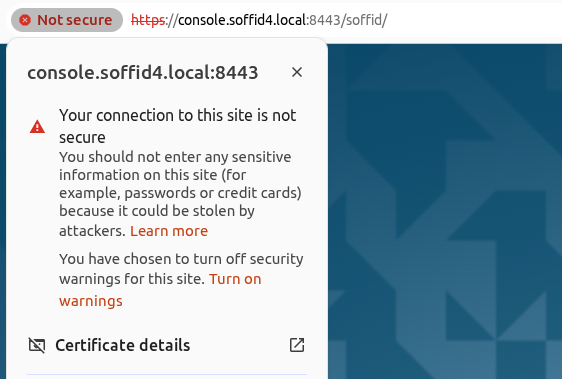](https://bookstack.soffid.com/uploads/images/gallery/2026-06/rGjTiGcLtTyIx5rq-image.png) [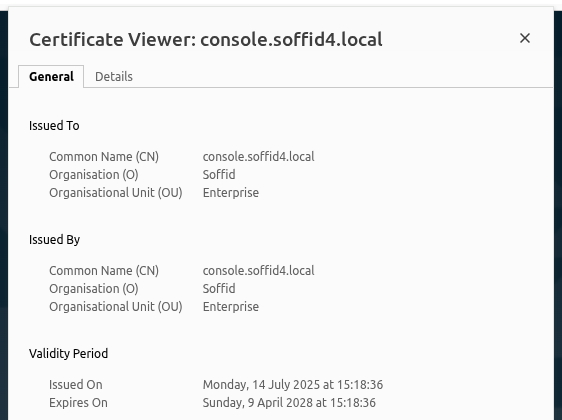](https://bookstack.soffid.com/uploads/images/gallery/2026-06/dRDM6MD3nXPy0B0n-image.png) ## Step 4: Apply the license When accessing the Soffid Console for the first time, you will need to apply a licence that the Soffid team will have created for you beforehand.For more information, check the [License and plugin](https://bookstack.soffid.com/books/soffid-4-reference-guide/page/license-and-plugin "License and plugin") page.
#### Step 4.1 Login with the Soffid account To apply the license follow these steps: - **Log** into the Soffid **Console** - Go to the "**License and plugin**" page - You will not have an active license - Click the "**License manager**" button - Log in with your **Soffid account** received from Soffid #### Step 4.2 Apply license - Select your new **license** - Accept the **conditions** - **Allow** "Access other apps and services on this device" - **Close**. Finally you will have an active license and access to all pages [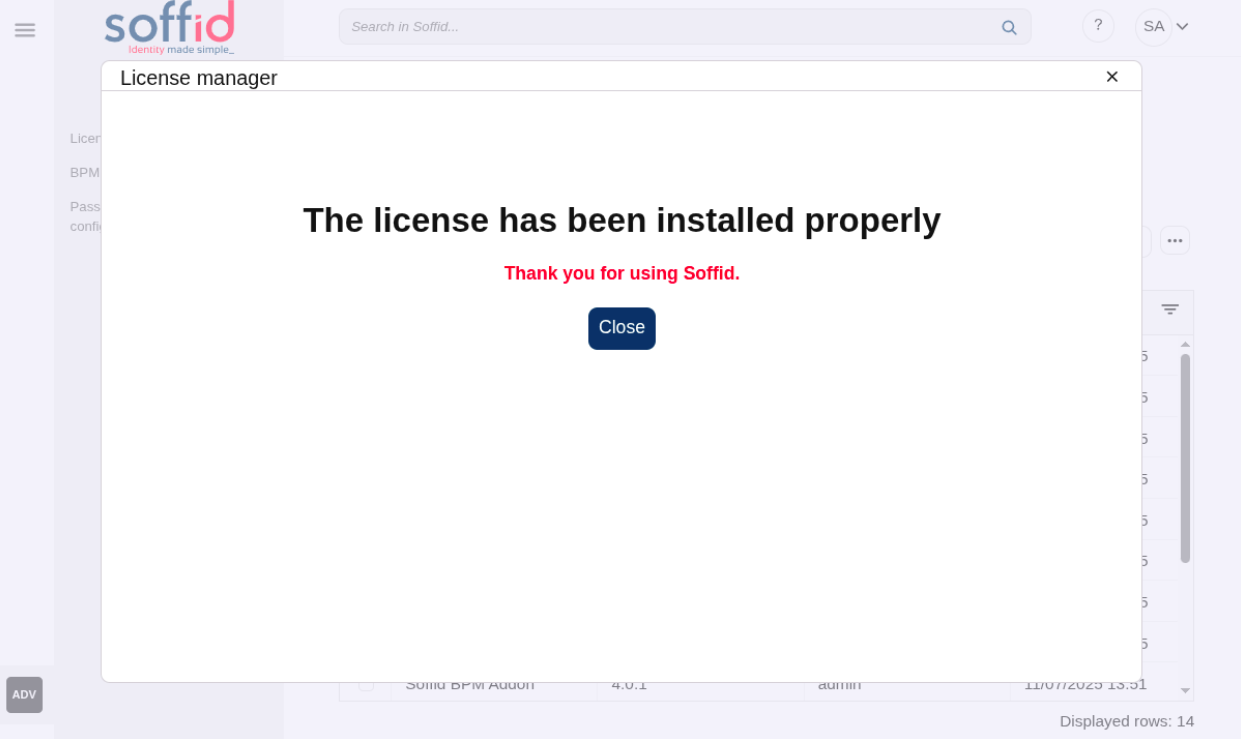](https://bookstack.soffid.com/uploads/images/gallery/2025-07/mLznAT1xnXBLkVN7-image.png) #### Step 4.3 Welcome to Soffid 4! You will now be able to access all of Soffid’s features. [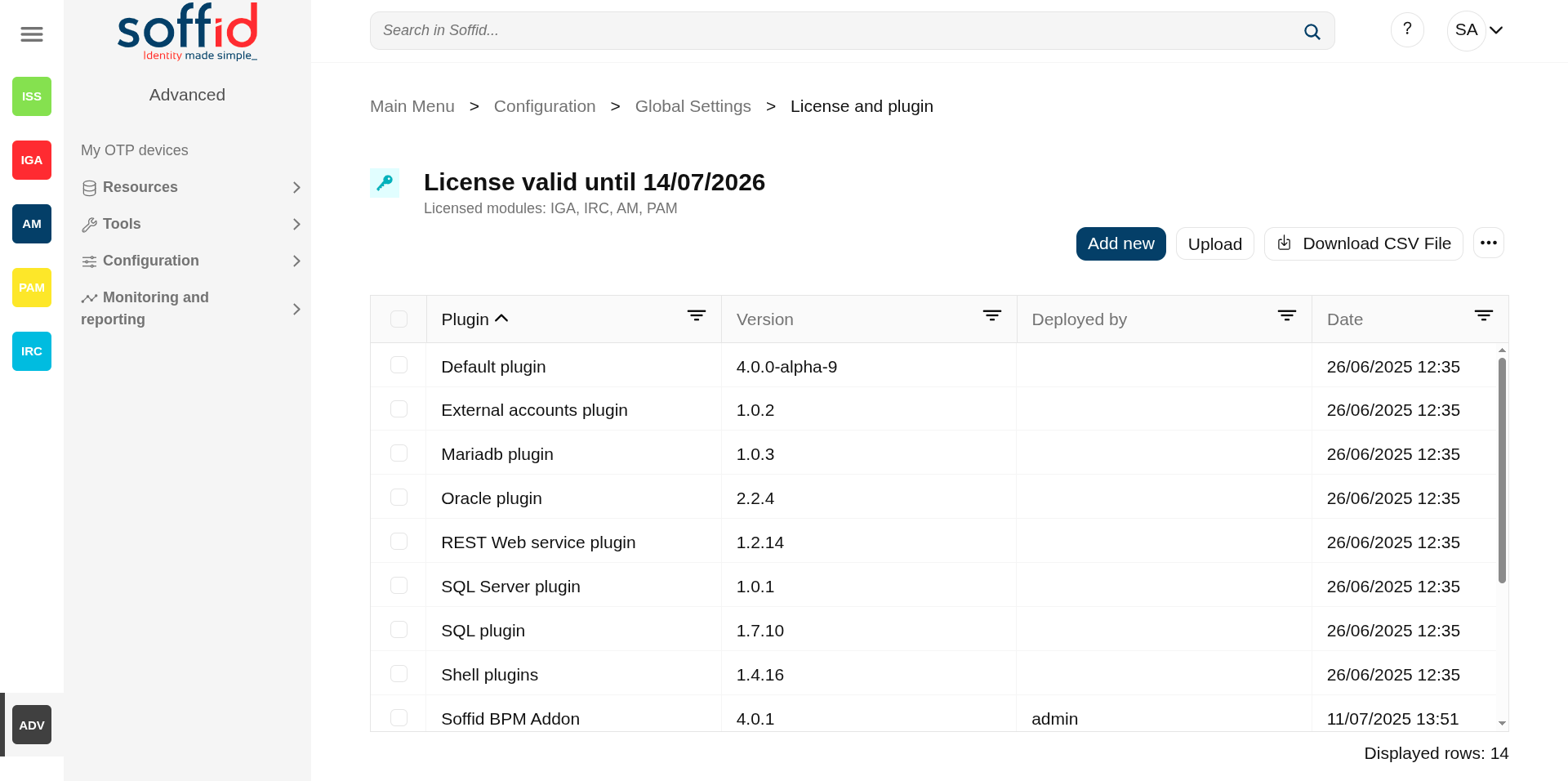](https://bookstack.soffid.com/uploads/images/gallery/2025-07/TwhcMZv48dFnJdKj-image.png) #### Step 4.4 Check the syncsever To check if the syncserver is active: - Go to the "**Sync server monitoring**" page - If the syncserver is not off, it is running [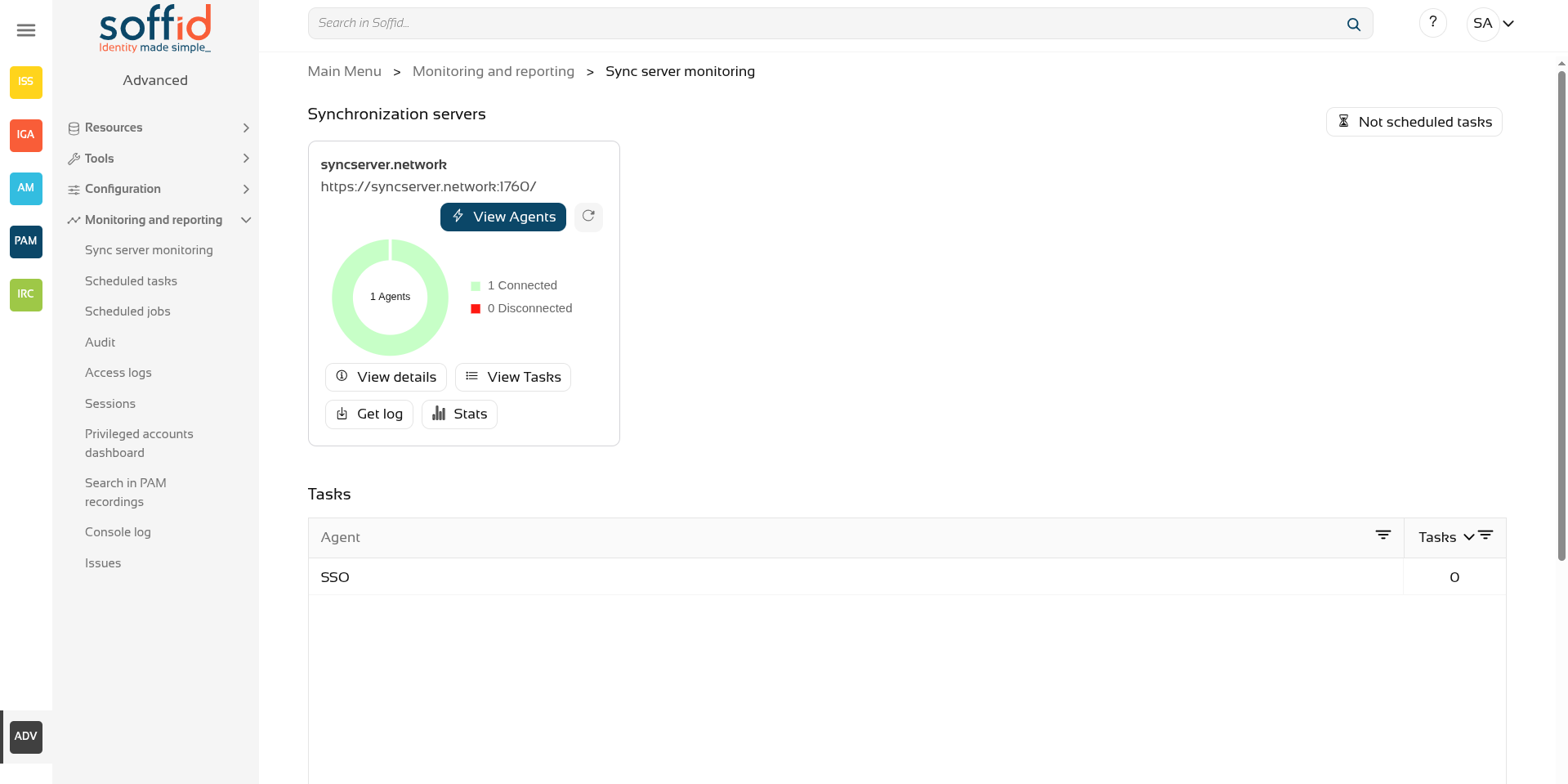](https://bookstack.soffid.com/uploads/images/gallery/2026-07/DnpHmB4QeOhpUSXa-image.png)