Please note that the profile parameters will be automatically updated on the PCs.
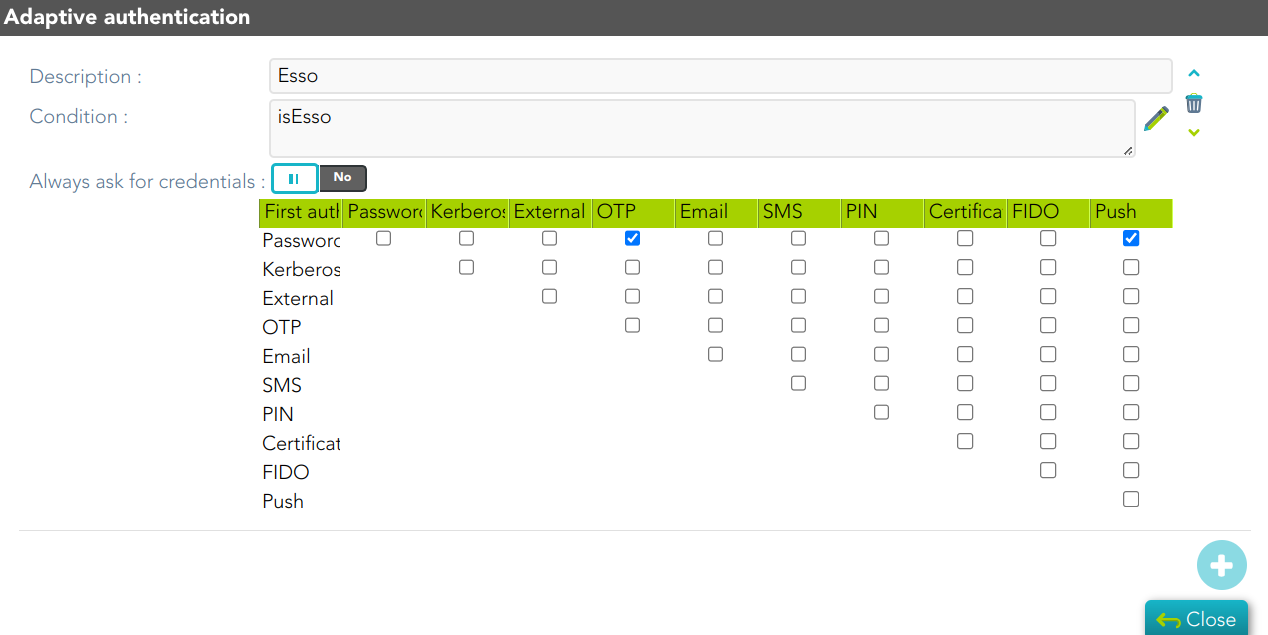
## Screen overview [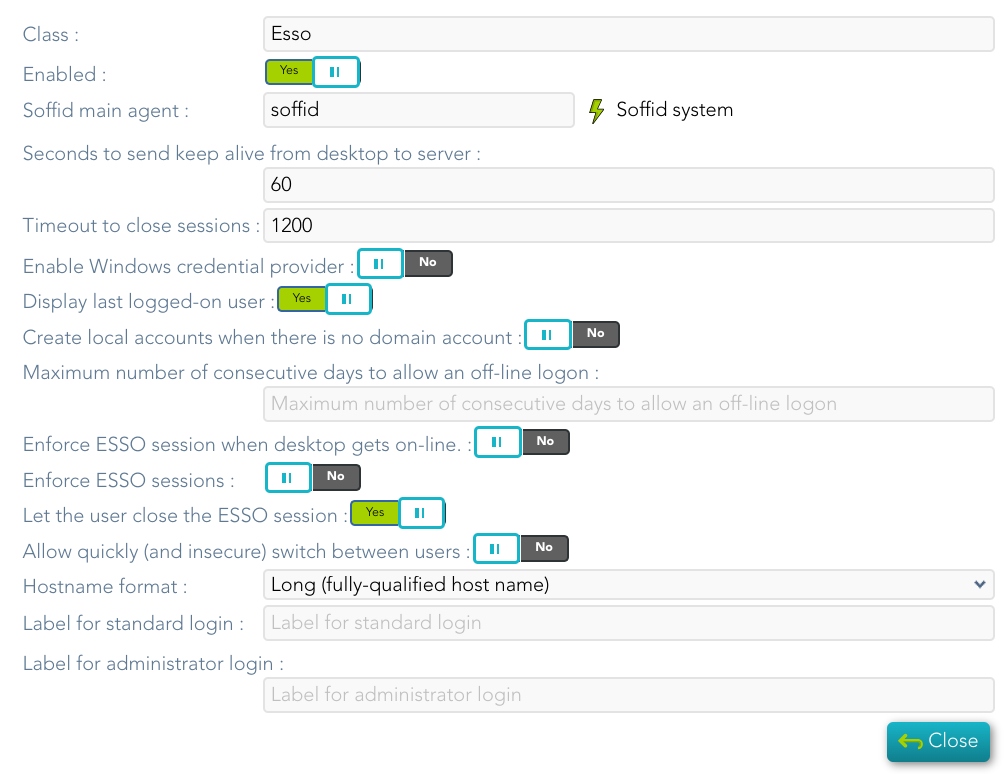](https://bookstack.soffid.com/uploads/images/gallery/2024-10/MdAnpxT99fDQPpaY-image.png) ## Standard attributes - **Class**: class name (readOnly field). - **Enabled**: if it is checked (selected option is Yes) that protocol will be enabled. - **Soffid main agent**: main agent to check the user account. - **Seconds to send keep alive from desktop to server**: - **Timeout to close sessions**: - **Enable Windows credential provider**: if it is checked (selected option is Yes), the soffid logo will be displayed. - **Display last logged-on user**: if it is checked (selected option is Yes), the last logged-on user will be displayed. - **Create local accounts when there is no domain account**: if checked (the selected option is Yes) and the account does not exist in the main Soffid agent, the account is created as a local machine user. - **Let user login as a shared account:** PAM Desktop - **Maximum number of consecutive days to allow an off-line logon**: the maximum value is 30 days. - **Enforce ESSO session when desktop gets on-line**: if it is checked (selected option is Yes), the authentication is forced when the connection is retrieved - **Enforce ESSO sessions**: if it is checked (selected option is Yes), performs authentication against the Windows domain without logging into Soffid. - **Let the user close the ESSO session**: allow the user to log out from ESSO - **Allow quickly (and insecure) switch between users**: if it is checked (selected option is Yes), - **Hostname format** - **Label for standard login**: label to be displayed for standard user in Windows desktop. - **Label for administrator login**: label to be displayed for adminsitrator user in Windows desktop. ## Configuration Once you have configured the Esso profile you must add an Adaptive authentication rule.For more information, visit [the Condition for Adaptive authentication page.](https://bookstack.soffid.com/books/federation/page/condition-for-adaptive-authentication)
[](https://bookstack.soffid.com/uploads/images/gallery/2024-09/b3cBiTezEfctVmJk-image.png)