# Connecting a SAML service

## Introduction

To connect a SAML service provider, the service provider must offer you its SAML metadata. The SAML metadata contains inform<span style="color: #000000;">ation about its public id, the</span> services that implement and the service endpoints.

## Register a SAML service provider

<span style="color: #a6d100; font-weight: bold; font-size: 18px;">1.</span> Open the **Identity &amp; Service Provider** page.

`<span class="link" id="bkmrk-main-menu">Main Menu</span><span id="bkmrk-%C2%A0%3E%C2%A0"> > </span><span class="link" id="bkmrk-administration">Administration</span><span id="bkmrk-%C2%A0%3E%C2%A0-0"> > </span><span class="link" id="bkmrk-configure-soffid">Configure Soffid</span><span id="bkmrk-%C2%A0%3E%C2%A0-1"> > </span><span class="link" id="bkmrk-web-sso">Web SSO</span><span id="bkmrk-%C2%A0%3E%C2%A0-2"> > </span><span id="bkmrk-identity-%26-service-p">Identity & Service providers</span>`

<span style="color: #a6d100; font-weight: bold; font-size: 18px;">2.</span> To add a new service provider, click on the **Add Service Provider** button.

<p class="callout info">Be in mind that you can configure more than one Entity Group and you could add new service providers in each one.</p>

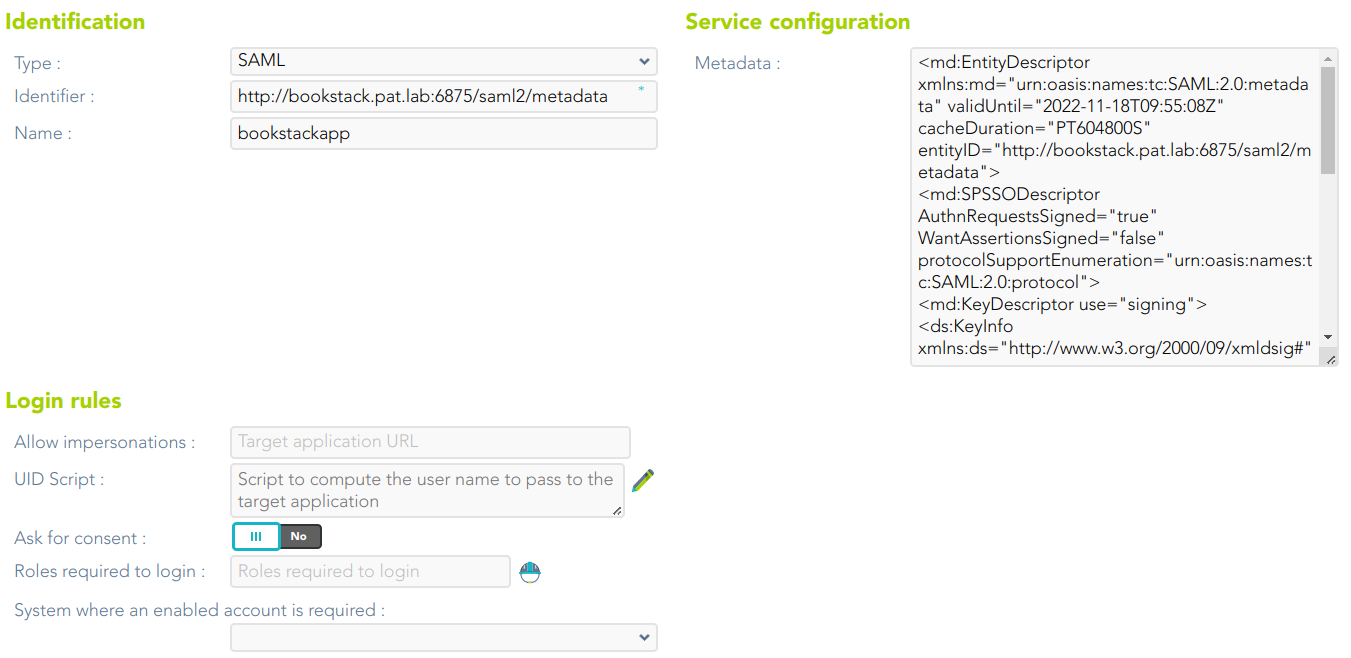
<span style="color: #a6d100; font-weight: bold; font-size: 18px;">3.</span> Then you must fill in the required fields. Also, you need to provide the identity provider metadata. You can either copy it from the Soffid federation page or instruct the service provider to download the federation metadata by itself.

[![image-1689237747516.png](https://bookstack.soffid.com/uploads/images/gallery/2023-07/scaled-1680-/image-1689237747516.png)](https://bookstack.soffid.com/uploads/images/gallery/2023-07/image-1689237747516.png)
<p class="callout info">For more information about the attributes, you can visit [the SAML detailed info](https://bookstack.soffid.com/link/392#bkmrk-openid-connecthttps://bookstack.soffid.com/link/392#bkmrk-saml).</p>

<span style="color: #a6d100; font-weight: bold; font-size: 18px;">4. </span>To publish the federation members metadata, the main sync server exports the members metadata at the path /SAML/metadata.xml. Thus, if your sync server is listening at soffid1.your.domain, you can get the whole federation metadata document from https://soffid1.your.domain:760/SAML/metadata.xml.

<span style="color: #a6d100; font-weight: bold; font-size: 18px;">5. </span>After some seconds, up to five minutes, every federation member will notice any change.