# How to add to ESSO a second factor of authentication?
## Introduction
Soffid allows you to add a second factor of authentication by configuring a parameter in Soffid Console and the Second Factor Authentication (2FA).
## Step by step
1. First of all, you need to configure the **addon.federation.essoidp** parameter. The value must be the Identity Provider Identifier:
[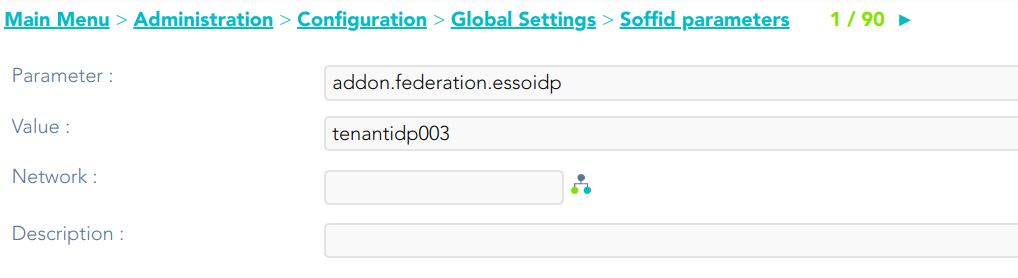](https://bookstack.soffid.com/uploads/images/gallery/2023-05/image-1685446185526.png)
2. Then, you need to add the 2FA in the proper Identity Provider:
[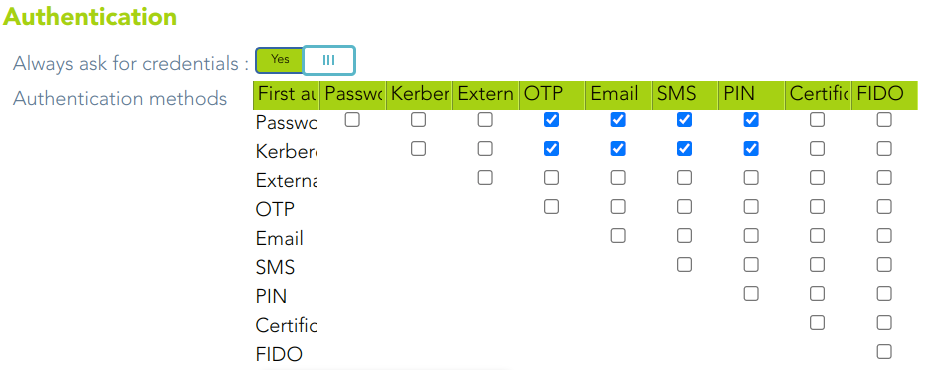](https://bookstack.soffid.com/uploads/images/gallery/2023-05/image-1685521019693.png)