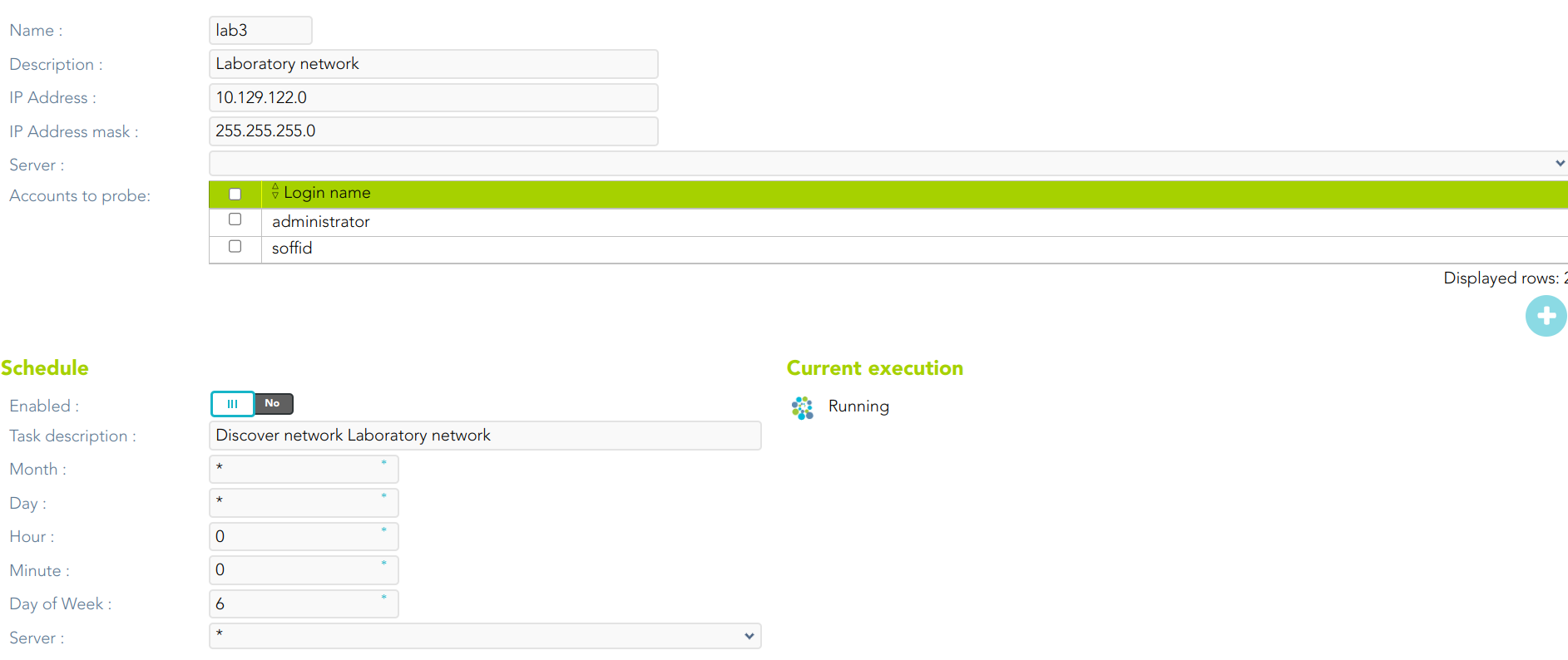
# Discover your assets

## Description

Soffid allows you to configure the network discovery tool in a way to run the process to identify any asset present in your network.

<p class="callout info">For more information, you can visit [the Network discovery page](https://bookstack.soffid.com/books/pam-deployment/page/network-discovery).</p>

## Step-by-step

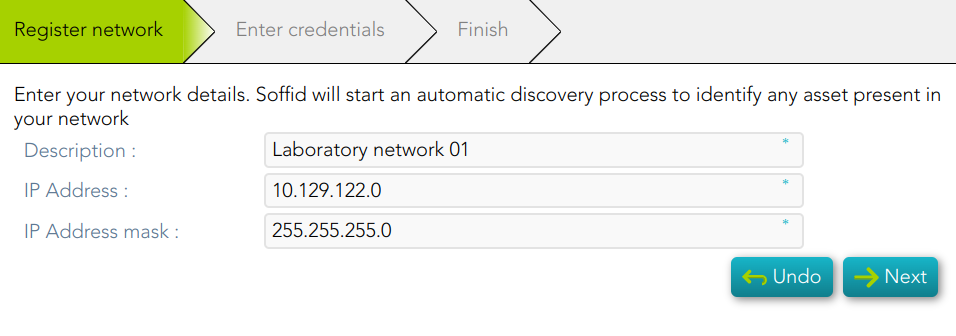
<span style="color: #a6d100; font-weight: bold; font-size: 18px;">1. </span>Once you select the Discover you assets option, Soffid will display the form to fill in.

<span style="color: #a6d100; font-weight: bold; font-size: 18px;">2. </span>You need to register your network data and click the Next button.

[![image-1677074814027.png](https://bookstack.soffid.com/uploads/images/gallery/2023-02/scaled-1680-/image-1677074814027.png)](https://bookstack.soffid.com/uploads/images/gallery/2023-02/image-1677074814027.png)
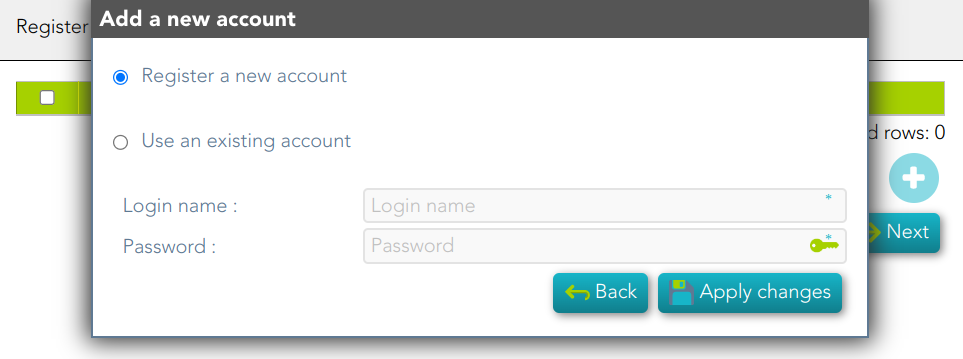
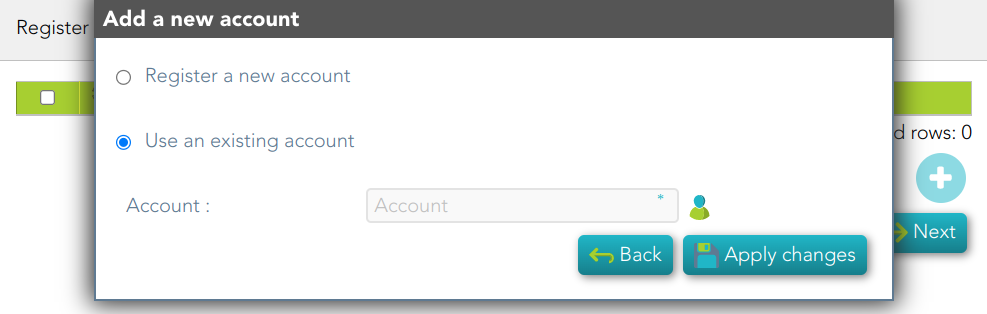
<span style="color: #a6d100; font-weight: bold; font-size: 18px;">3. </span>You need to register an account. You can choose to register a new one or to use an existing account.

<span style="color: #a6d100; font-weight: bold; font-size: 18px;">3.1. </span>If you select the *Register a new account* option, you must fill in the Login name and the password and click the Apply changes button

[![image-1677075386016.png](https://bookstack.soffid.com/uploads/images/gallery/2023-02/scaled-1680-/image-1677075386016.png)](https://bookstack.soffid.com/uploads/images/gallery/2023-02/image-1677075386016.png)
<span style="color: #a6d100; font-weight: bold; font-size: 18px;">3.2. </span>If you select *Use an existing account*, you must select an existing account in the system and click the Apply changes button.

[![image-1677663289187.png](https://bookstack.soffid.com/uploads/images/gallery/2023-03/scaled-1680-/image-1677663289187.png)](https://bookstack.soffid.com/uploads/images/gallery/2023-03/image-1677663289187.png)
<span style="color: #a6d100; font-weight: bold; font-size: 18px;">4. </span>Soffid display this message to indicate the network discovery is in process

[![image-1678181171257.png](https://bookstack.soffid.com/uploads/images/gallery/2023-03/scaled-1680-/image-1678181171257.png)](https://bookstack.soffid.com/uploads/images/gallery/2023-03/image-1678181171257.png)
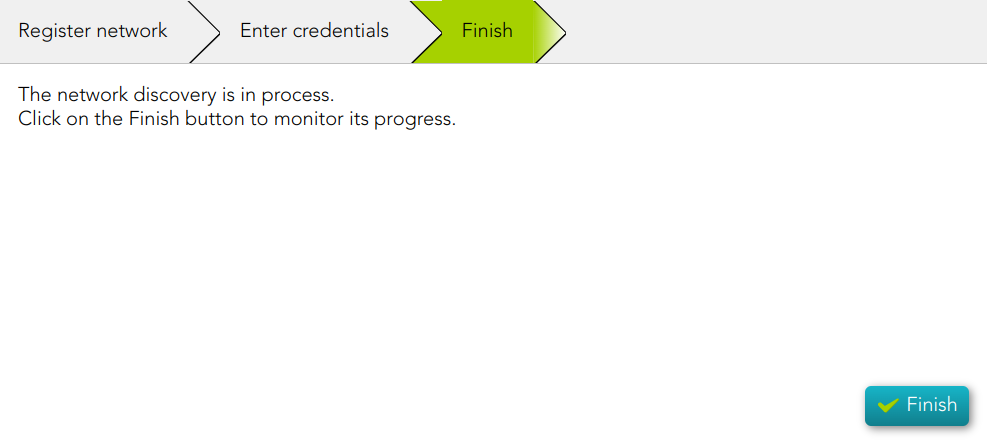
<span style="color: #a6d100; font-weight: bold; font-size: 18px;">5. </span>If you click the Finish button, Soffid will display the Network discovery monitoring.

[![image-1678181285472.png](https://bookstack.soffid.com/uploads/images/gallery/2023-03/scaled-1680-/image-1678181285472.png)](https://bookstack.soffid.com/uploads/images/gallery/2023-03/image-1678181285472.png)