# Design a recertification campaign
## Description
The wizard allows you to create a new recertification campaign. To be able to do this, Soffid has created two recertification policies, *All permissions* and *Critical permissions*.
For more information, you can visit **[the Recertification book](https://bookstack.soffid.com/books/recertification)**.
## Step-by-step
1. First, you must select the Design a recertification campaign and click the OK button.
[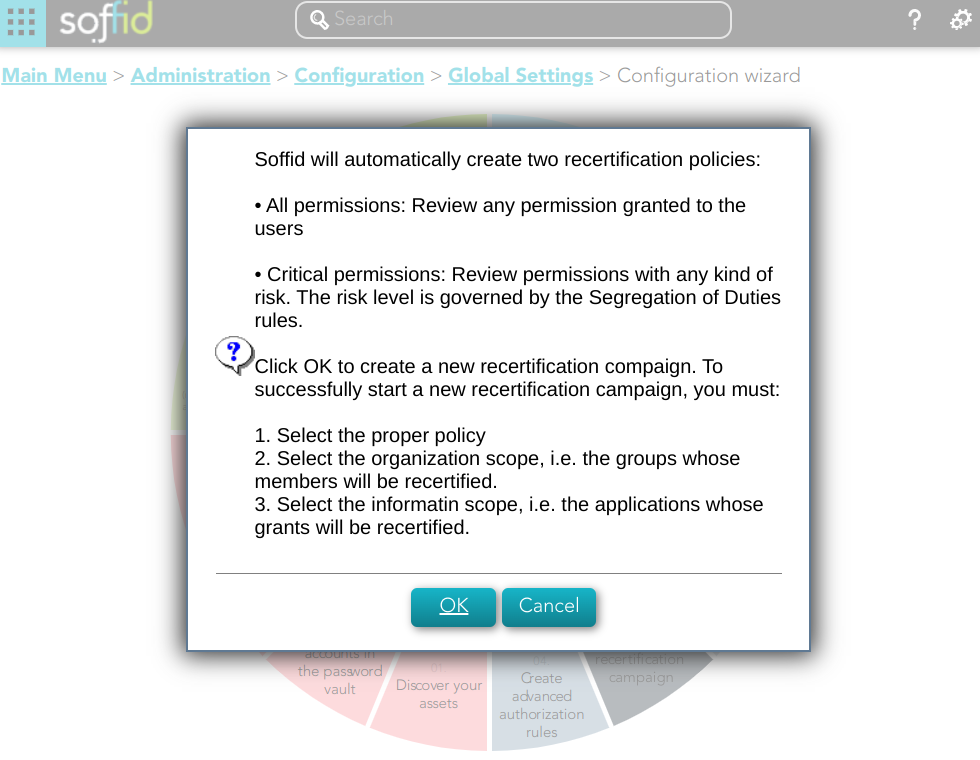](https://bookstack.soffid.com/uploads/images/gallery/2023-02/image-1676994032726.png)
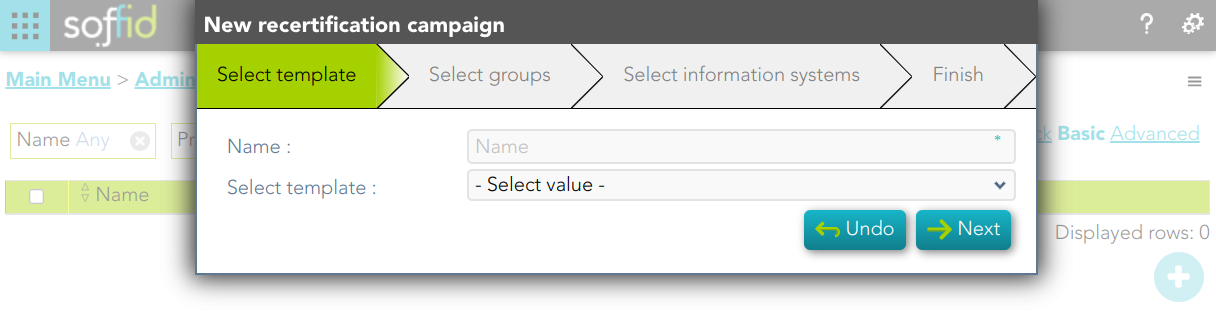
2. Then Soffid will browse the New recertification campaign
[](https://bookstack.soffid.com/uploads/images/gallery/2023-02/image-1677073016957.png)
3. In this step you must write a campaign name and select a template.
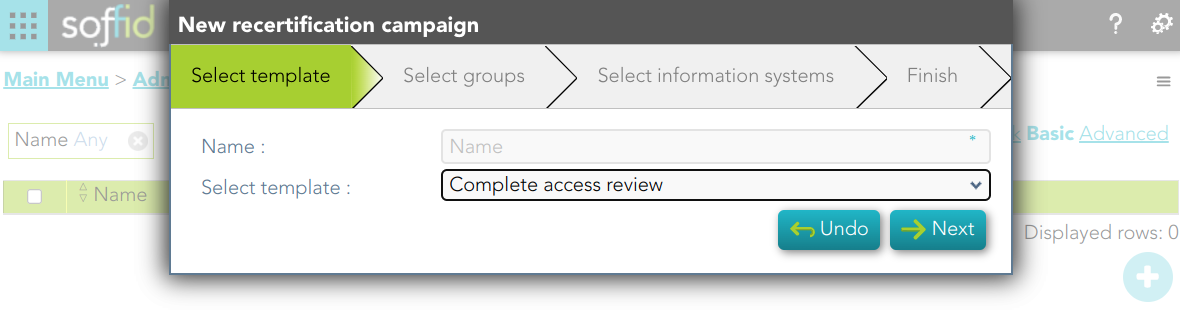
3.1. Complete access review
3.1.1. Write a name, select the Complete access review, and click the Next button
[](https://bookstack.soffid.com/uploads/images/gallery/2023-02/image-1677501842688.png)
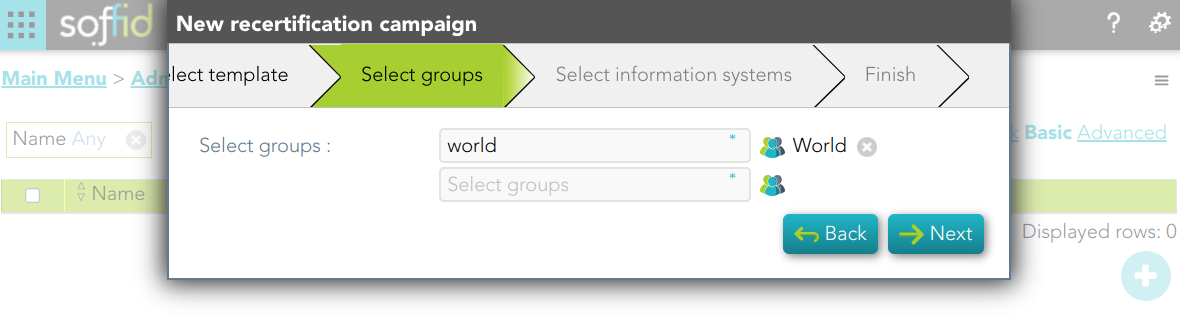
3.1.2. Select the group or groups to apply the campaign and click the Next button
[](https://bookstack.soffid.com/uploads/images/gallery/2023-02/image-1677502241149.png)
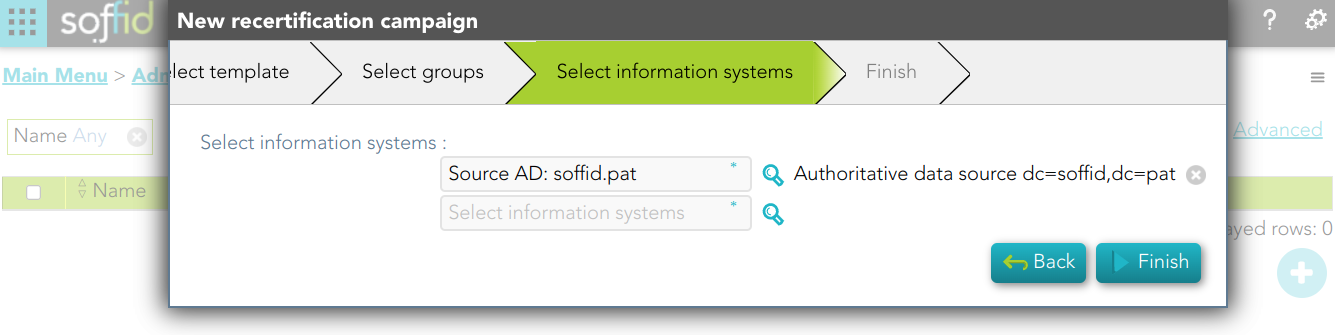
3.1.3. Select the Information systems to apply the campaign and click the Finish button
[](https://bookstack.soffid.com/uploads/images/gallery/2023-02/image-1677502349343.png)
## Standard attributes
- **Name**: name to identify the campaign.
- **Template**: select the policy that will be applied. That has to be defined previously on the [Recertification policies page](https://bookstack.soffid.com/books/recertification/page/recertification-policies "Recertification policies").
- **Groups**: list of user groups where the campaign will be applied. You can choose one or more.
- **Information Systems**: list of information systems where the campaign will be applied. You can choose one or more.