# Create MFA policies

## Description

This wizard will help you to configure multi-factor authentication in order to expand security. This process requires users to provide two or more forms of identification before being granted access to a system or application.

<p class="callout info">For more information, you can visit [the Two-factor authentication (2FA) book](https://bookstack.soffid.com/books/two-factor-authentication-2fa-VsJ).</p>

## Step-by-step

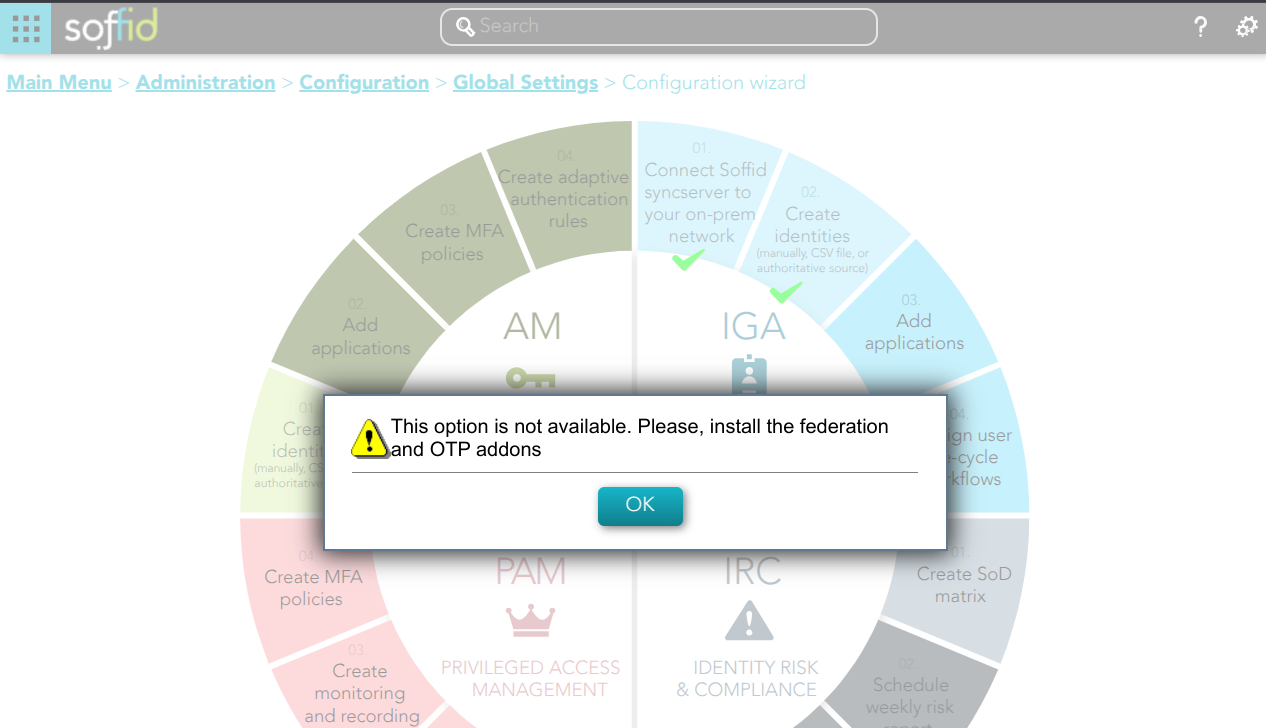
<span style="color: #a6d100; font-weight: bold; font-size: 18px;">1. </span>If you have not previously installed the Federation Addon, the first time you select the *Create MFA policies* option, Soffid will require to **install the Federation and the OTP Addons**.

[![image.png](https://bookstack.soffid.com/uploads/images/gallery/2025-02/scaled-1680-/9gfTecsUY1WjDknX-image.png)](https://bookstack.soffid.com/uploads/images/gallery/2025-02/9gfTecsUY1WjDknX-image.png)
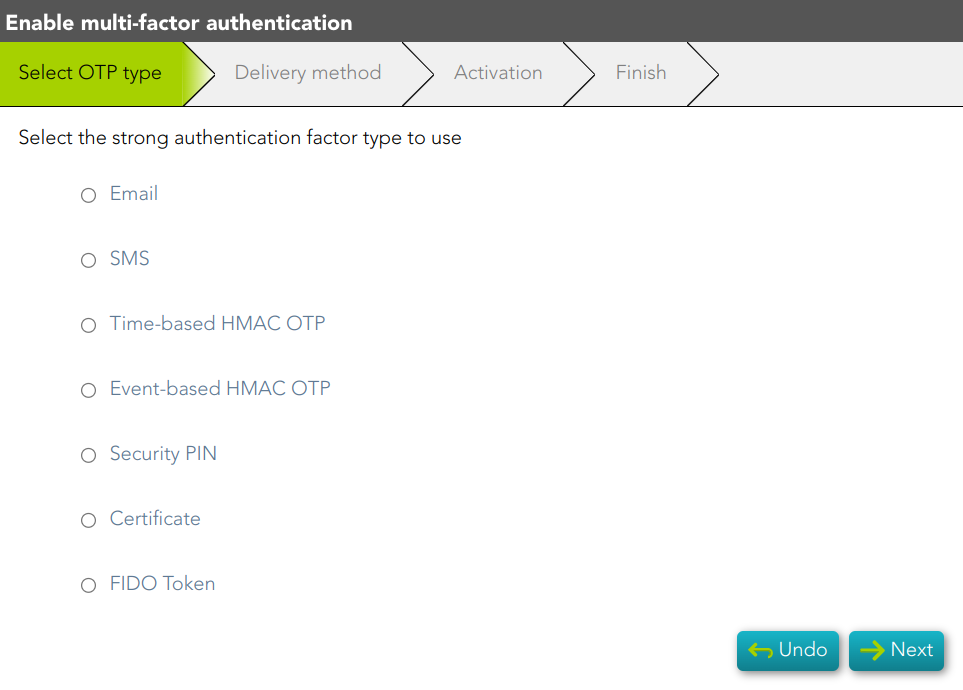
<span style="color: #a6d100; font-weight: bold; font-size: 18px;">2. </span>Frist, you must select the authentication factor to use

[![image-1677146953516.png](https://bookstack.soffid.com/uploads/images/gallery/2023-02/scaled-1680-/image-1677146953516.png)](https://bookstack.soffid.com/uploads/images/gallery/2023-02/image-1677146953516.png)
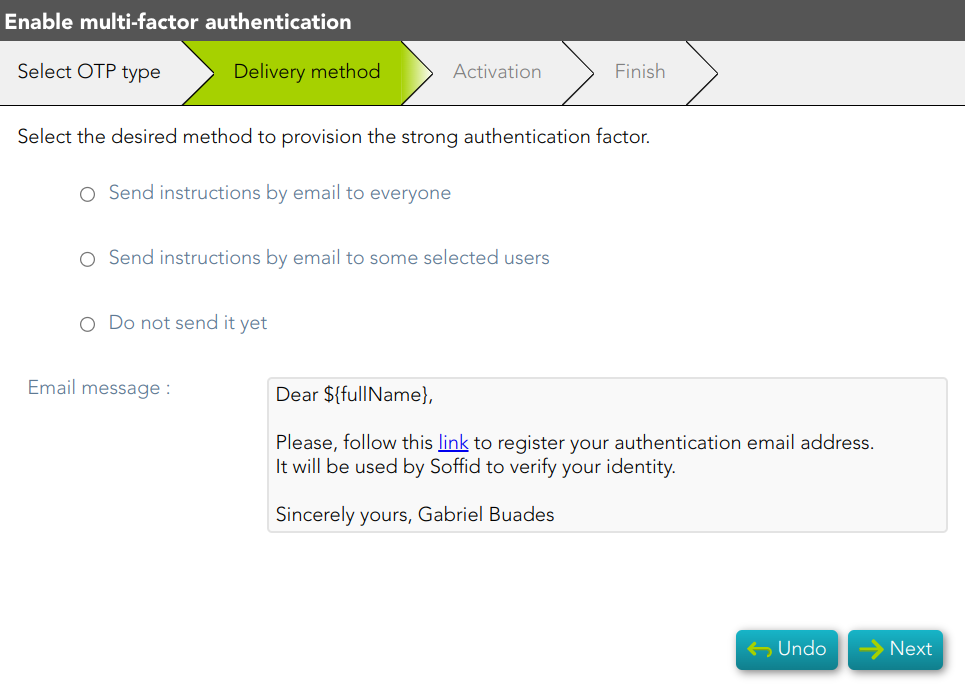
<span style="color: #a6d100; font-weight: bold; font-size: 18px;">3. </span>Second, you must select the delivery method to use. If you select the second option, you have to select the users to whom the instructions will be sent.

[![image-1677147051712.png](https://bookstack.soffid.com/uploads/images/gallery/2023-02/scaled-1680-/image-1677147051712.png)](https://bookstack.soffid.com/uploads/images/gallery/2023-02/image-1677147051712.png)
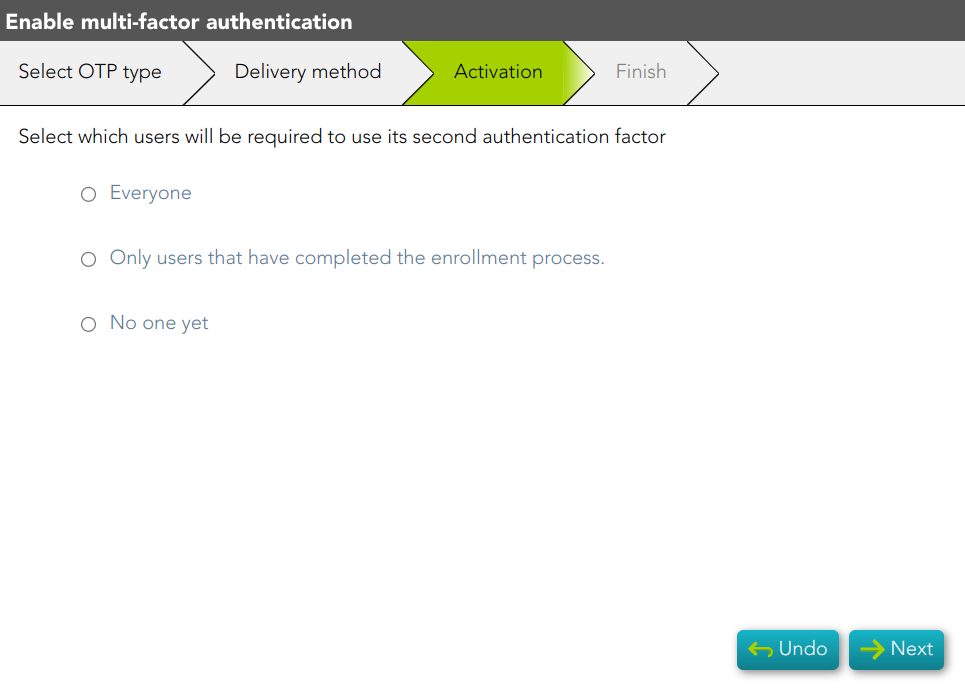
<span style="color: #a6d100; font-weight: bold; font-size: 18px;">4. </span>Next, you must select which users will have the second authentication factor activated.

[![image-1677147755823.png](https://bookstack.soffid.com/uploads/images/gallery/2023-02/scaled-1680-/image-1677147755823.png)](https://bookstack.soffid.com/uploads/images/gallery/2023-02/image-1677147755823.png)
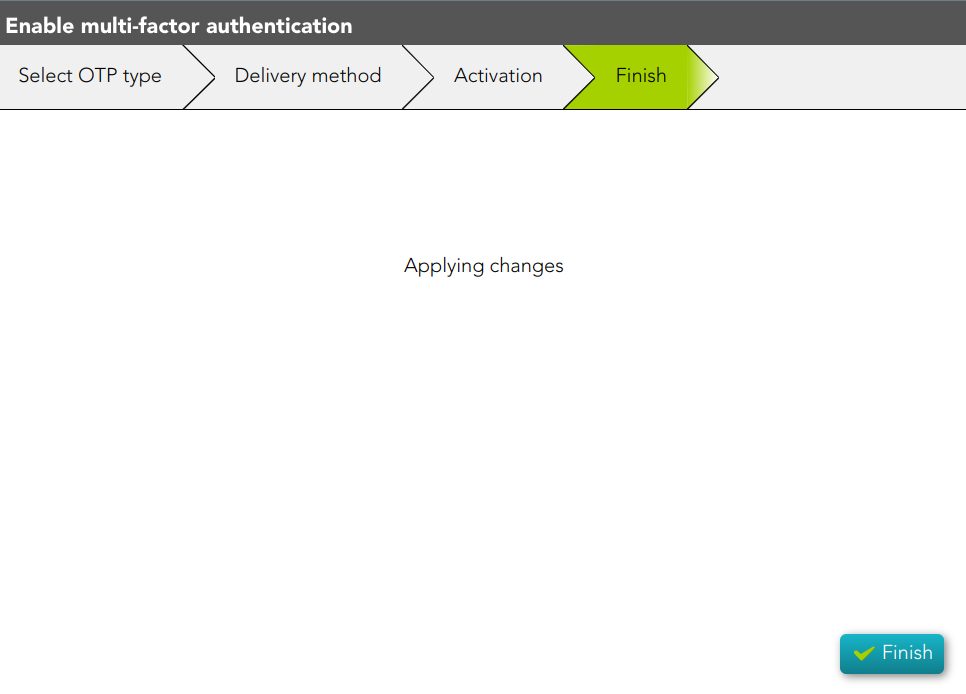
<span style="color: #a6d100; font-weight: bold; font-size: 18px;">5. </span>Finally, the changes will be applied and the process will be finished.

[![image-1677147905326.png](https://bookstack.soffid.com/uploads/images/gallery/2023-02/scaled-1680-/image-1677147905326.png)](https://bookstack.soffid.com/uploads/images/gallery/2023-02/image-1677147905326.png)