Please note that some values are generated based on the following parameters; please check them if you encounter any issues.
The **hostname:port** used in the following commands is generated to these rules: it uses the **soffid.externalURL** parameter, if this does not exit, it uses the **AutoSSOURL** parameter, if this does not exit, Soffid tries to **generate** the hostname:name.
#### 1.1 Debian, Ubuntu, or any other Debian derivatives Follow the instructions. [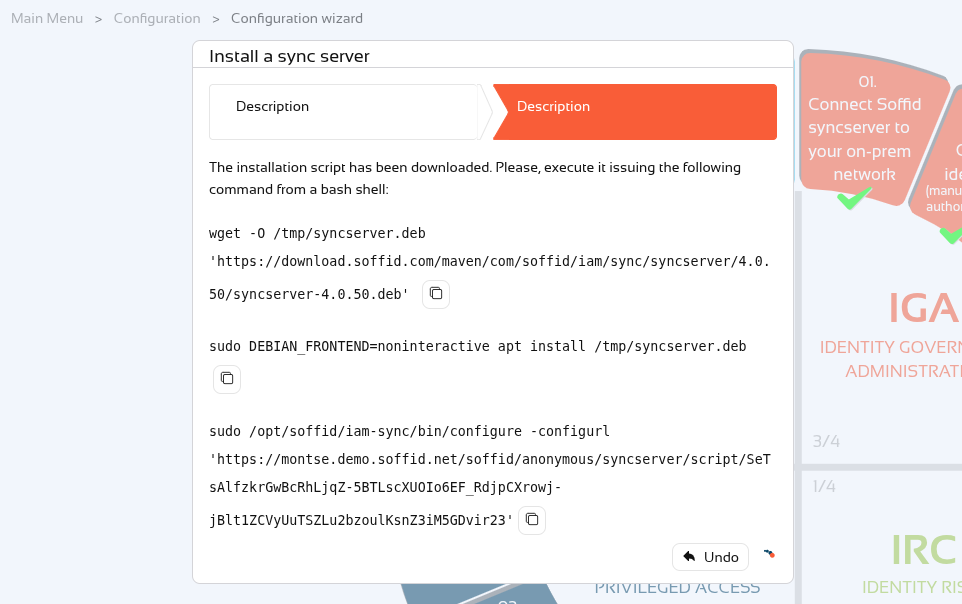](https://bookstack.soffid.com/uploads/images/gallery/2026-10/zxB8qOhspkXq0bYP-image.png) #### 1.2 Redhat, Centos, or Suse Follow the instructions. [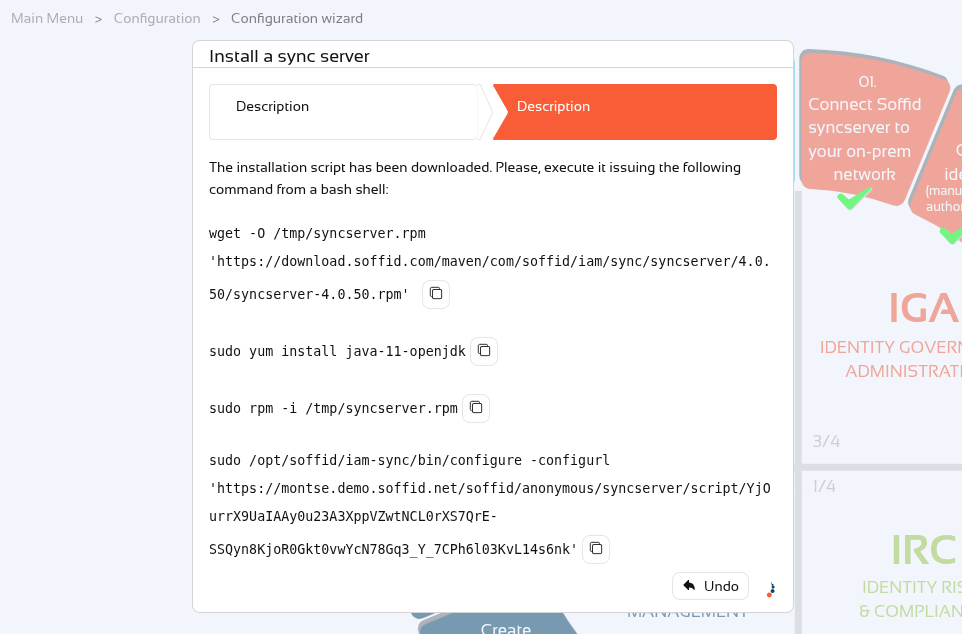](https://bookstack.soffid.com/uploads/images/gallery/2026-10/1ERIAOGUXsPgOSTS-image.png) #### 1.3 Windows Follow the instructions. [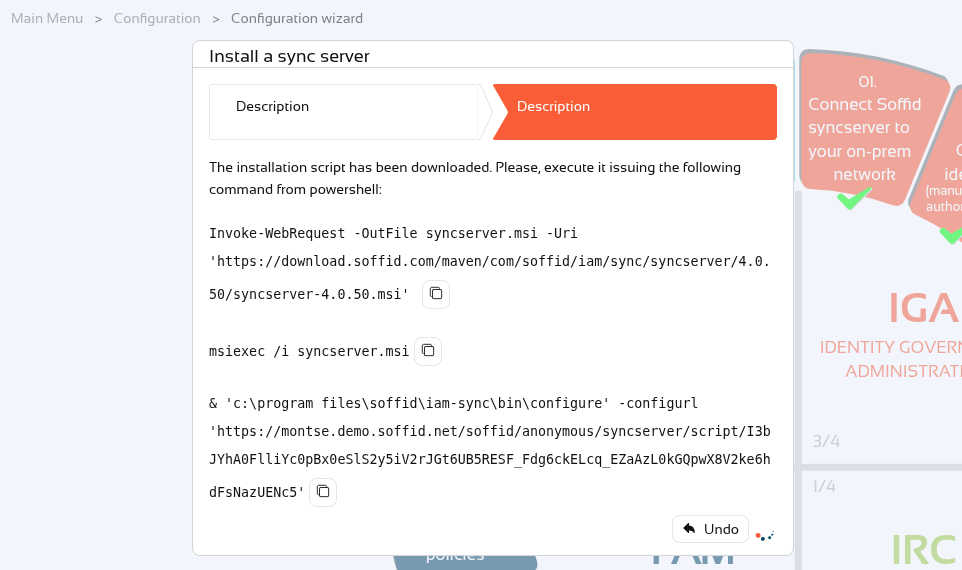](https://bookstack.soffid.com/uploads/images/gallery/2026-10/3su78qKfuWwK17Jh-image.png) #### 1.4 Docker Follow the instructions. [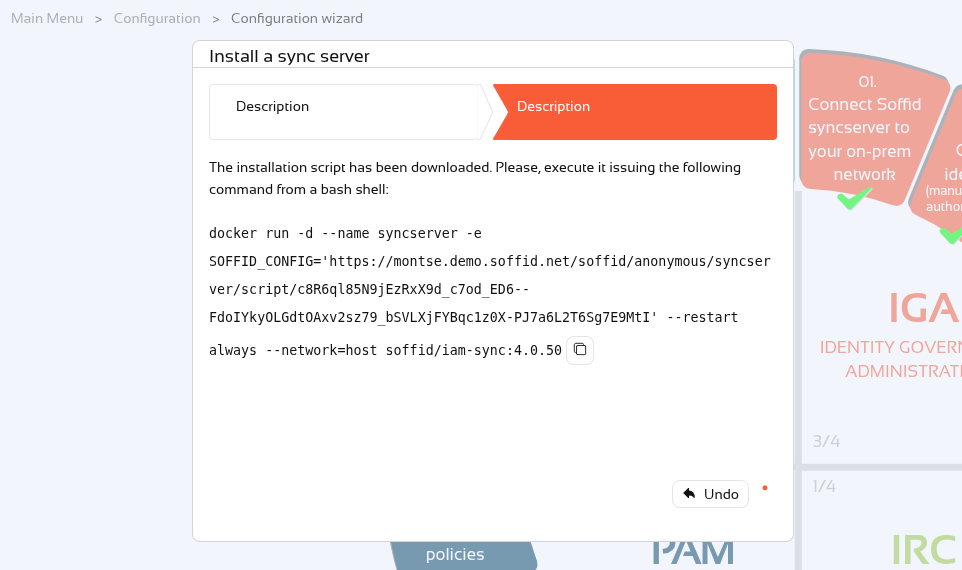](https://bookstack.soffid.com/uploads/images/gallery/2026-10/4KwCXXA2Jj4lemP8-image.png)To upgrade the syncserver proxy version, follow the instructions at the following link: [Upgrade syncserver proxy](https://bookstack.soffid.com/books/installation/page/upgrade-syncserver-proxy "Upgrade syncserver proxy")
#### 1.4.2 Docker compose We can also use the Docker URL in a docker compose file. This is the template to use in your docker-compose.yaml file. ``` services: syncserver-proxy: image: soffid/iam-sync:4.0.50 hostname: syncserver-proxy environment: SOFFID_CONFIG: 'DOCKER-URL-COPIED-FROM-WIZARD' networks: - network volumes: - syncserver-proxy-conf:/opt/soffid/iam-sync/conf networks: network: name: network driver: bridge volumes: syncserver-proxy-conf: name: syncserver-proxy-conf ```To update the proxy version on the synchronisation server, simply update the syncserver version and redeploy the container.
Here is some further information on [Docker Compose commands](https://bookstack.soffid.com/books/utilities/page/docker-compose-commands "Docker compose commands").
### 2. Confirmation Finally, Soffid will detect that the Sync Server has been successfully installed and you can click the Finish button. [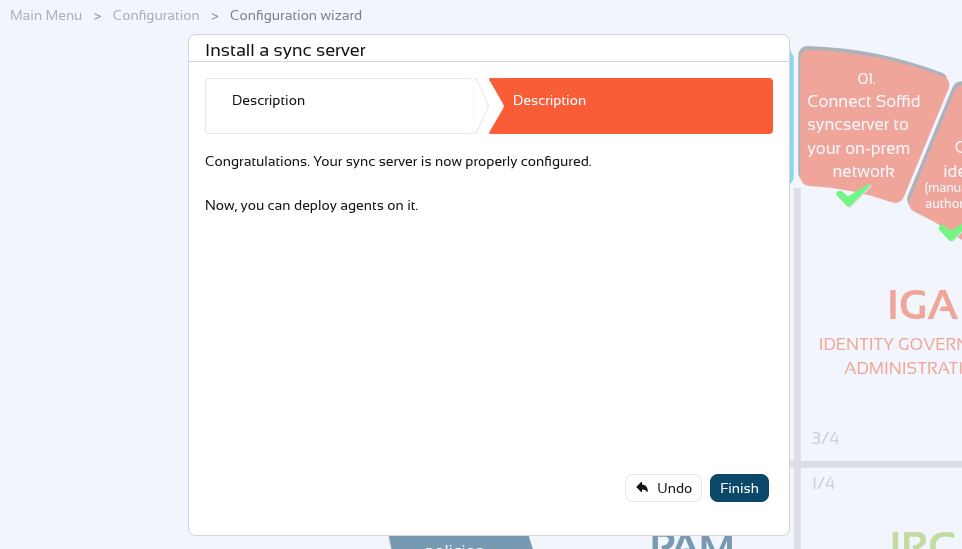](https://bookstack.soffid.com/uploads/images/gallery/2026-10/EIOKue074mKUKyjg-image.png)You could check the new Sync server on the [Synchronization servers](https://bookstack.soffid.com/books/soffid-4-reference-guide/page/synchronization-servers "Synchronization servers") page and in the [Sync server monitoring](https://bookstack.soffid.com/books/soffid-4-reference-guide/page/sync-server-monitoring "Sync server monitoring") page.