Custom scripts page
Description
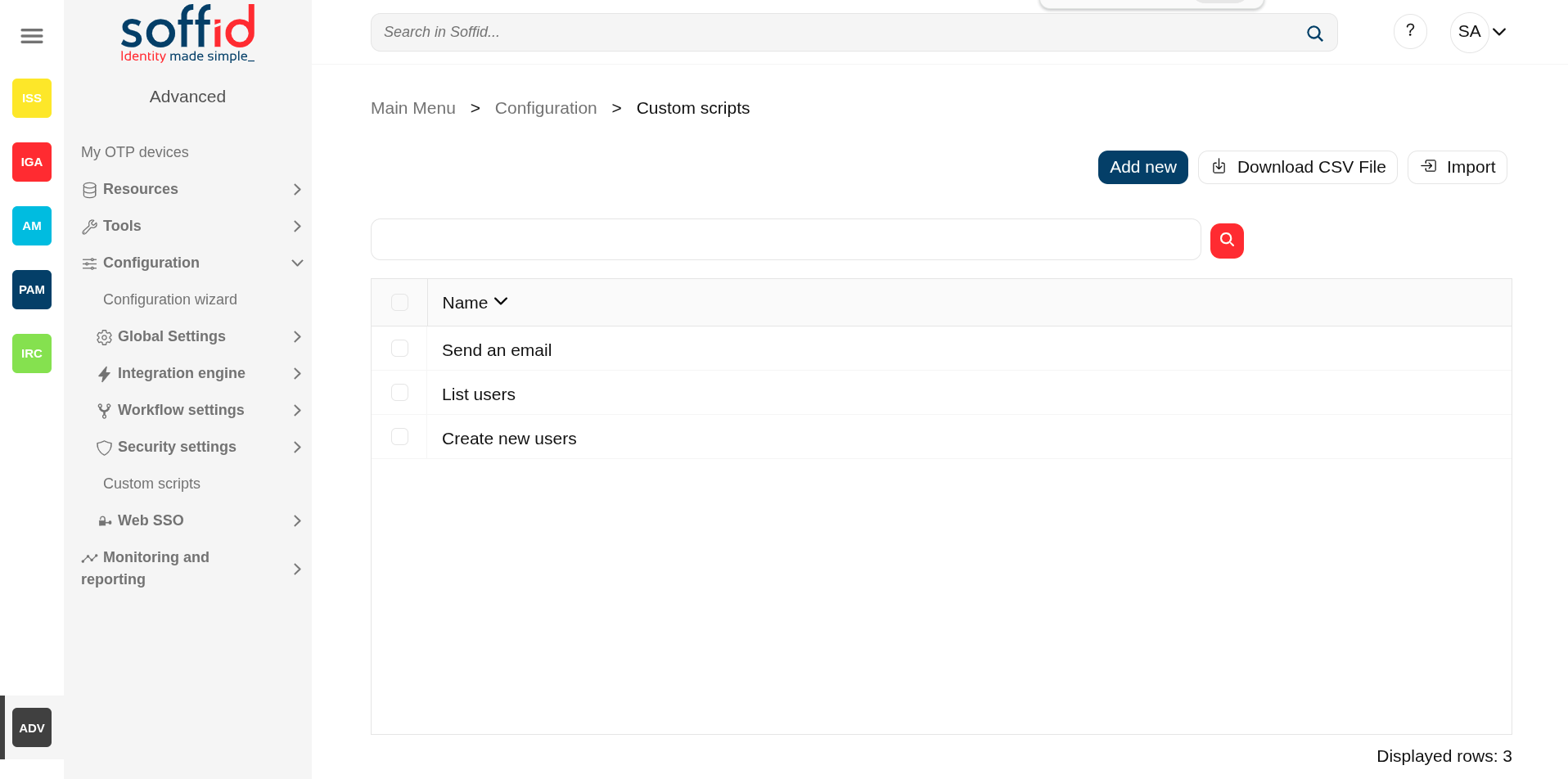
The Custom Scrips page provides the capacity to launch custom scripts to perform any functionality or process that the Soffid API has available.
Remember that you can consult the Soffid API at the following linkS: Soffid 4 public API and Data & Service model.
2026-07-08 New feature: geolocation service available by default
Screen overview
Related objects
- Console log : for more details in case an error has been returned if the script type is "On demand".
- Syncserver monitoring : for more details in case an error has been returned if the script type is "Shceduled.
- Scheduled tasks : to manage and execute custom script when the type is "Scheduled".
- Users :
- After a user change, the "On user change" is executed.
- After a grant permission, the "On grant permission" is executed.
- After a revoke permission, the "On revoke permission" is executed.
Standard attributes
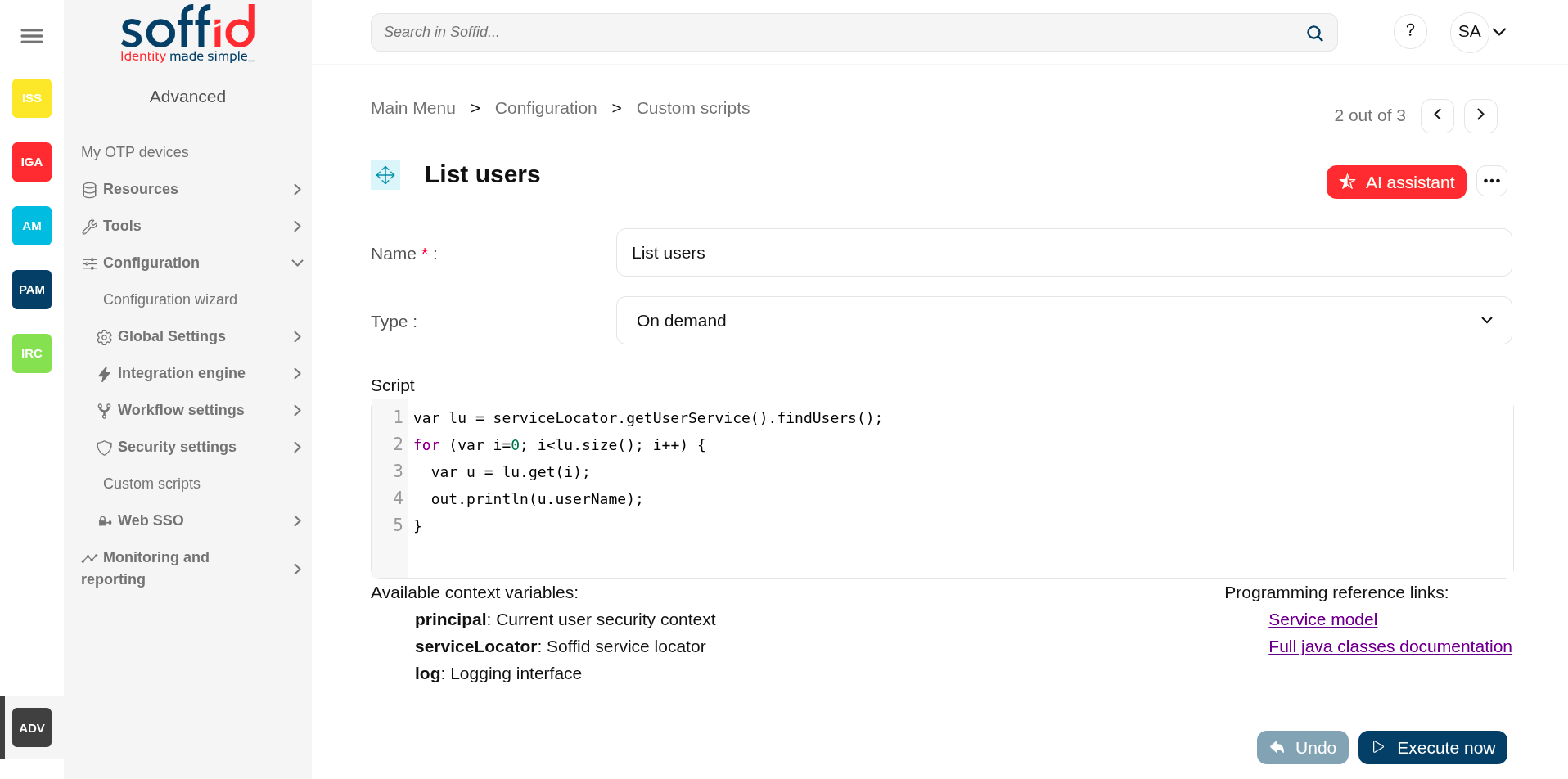
- Name : name of the custom script.
- Type : type of the custom sccript.
- Scheduled : the script is executed in a Sync server and can be scheduled as a task to manage it from the Scheduled tasks page.
- On demand : the script is executed in the Console.
- On user change : the script is executed after any user change (except for granting and revoking roles).
- On grant permission : the script is executed after a grant permission.
- On revoke permission : the script is executed after a revoke permission.
Actions
Table actions
| Add new |
Allows you to add a new custom script. To add a new custom script it will be mandatory to fill in the required fields. |
| Delete script |
Allows you to remove one or more custom scripts by selecting one or more records and next clicking the button. To perform that action, Soffid will ask you for confirmation, you could confirm or cancel the operation. |
| Download CSV file | Allows you to download a csv file with the data included in the table. |
Detail action
| AI assistant | Ask our AI for help to generate scripts more quickly and efficiently. |
| Delete script |
Allows you to remove the custom script. To perform that action, Soffid will ask you for confirmation, you could confirm or cancel the operation. |
| Undo | Allows you to quit without applying any changes. |
| Execute now | Run the script. If it is of the ‘On demand’ type, it runs immediately in the Console. If it is of the ‘Scheduled’ type, it must be run from the ‘Scheduled tasks’ screen. |
Others
Soffid APIs
Below you could find a list of helpful links related to the building of custom scripts.
Pubic API for of the classes of Soffid: https://download.soffid.com/doc/console/latest/iam-common/apidocs/allclasses.html
API for the internal classes of Soffid: https://download.soffid.com/doc/console/latest/uml/
Custom utility classes: https://bookstack.soffid.com/books/soffid-3-reference-guide/page/utility-classes
Script examples
Below you will find examples of scripts that will help you understand programming and the possibilities it offers.